
Cette page n'est pas une page officielle de l'application ou de son développeur, mais une publication éditoriale indépendante créée à des fins d'information et de commentaire. Sauf indication expresse contraire, ni l'application ni son développeur ne sont affiliés, approuvés, sponsorisés, autorisés ou autrement officiellement liés à MWM, Apple, Google Play, à l'éditeur de l'application ou au développeur de l'application, et rien sur cette page n'implique que l'application a été développée en utilisant les services de MWM. Toutes les marques, logos, captures d'écran et autres contenus restent la propriété de leurs propriétaires respectifs.


Say it Mail it Plus
Arrêtez de taper et commencez à parler. Capturez des idées, des photos et des positions GPS mains libres, puis envoyez-les automatiquement directement dans votre boîte de réception. Parfait pour les professionnels occupés qui doivent rester productifs en déplacement.
Téléchargements
26K+Note
Nombre d'avis
0Éditeur
Catégorie
BusinessLangues
1Dernière version
1.0.4Taille
2.8 MBDate de sortie
16 oct. 2021Capturez des idées à la vitesse de la pensée
Say it & Mail it Plus est l'outil de productivité ultime pour les professionnels occupés qui ont besoin de transformer des notes vocales en actions sans jamais toucher un clavier.
Capture vocale sans friction
Enregistrez mains libres en tenant simplement le téléphone à votre oreille ou en le secouant rapidement – plus besoin de manipuler le clavier pendant que vous conduisez ou que vous êtes sur site.
Livraison automatique dans la boîte de réception
Sautez complètement le bouton 'Envoyer'. Vos mémos sont envoyés automatiquement par e-mail sous forme de fichiers audio universels, garantissant que vos tâches vous attendent dans votre boîte de réception.
Les captures d'écran et la description suivantes proviennent directement de la fiche officielle de l'application sur le store et sont la propriété du développeur.
App Store
Captures
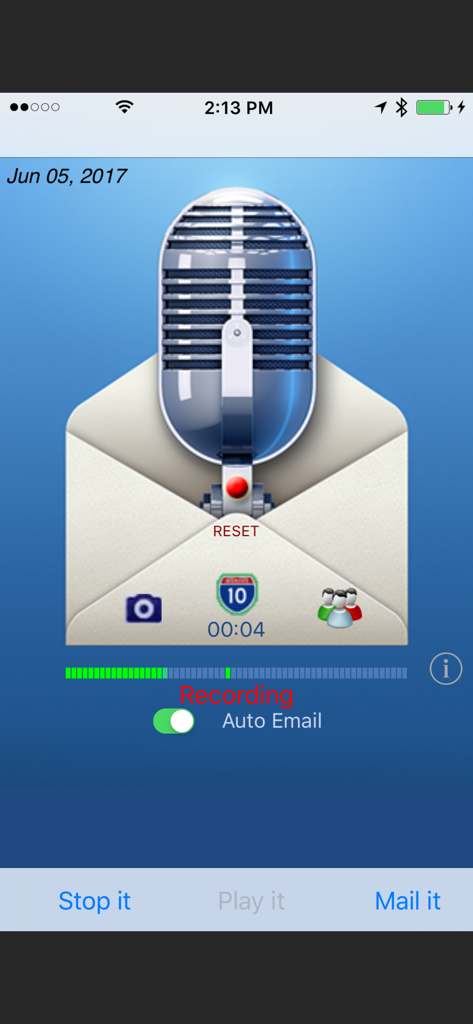
Interface de l'application Say it Mail it Plus montrant un mémo vocal en cours d'enregistrement avec une option d'envoi automatique
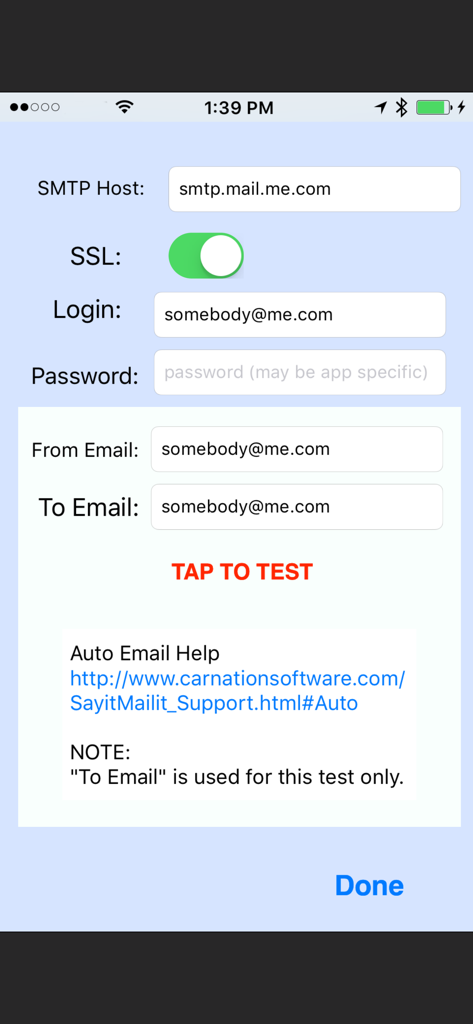
Écran de configuration SMTP dans l'application montrant les champs pour la connexion et le test du serveur de messagerie
Description
Download
Apps Similaires
Apps les mieux classées dans la même catégorie

Microsoft Teams
Microsoft Corporation

Zoom Workplace
Zoom Communications, Inc.

WhatsApp Business
WhatsApp Inc.

Indeed Job Search
Indeed Inc.

LinkedIn: Network & Job Finder
LinkedIn Corporation

Adobe Acrobat Reader: Sign PDF
Adobe Inc.

WeCom-Work Communication&Tools
Tencent Technology (Shenzhen) Company Limited

BOSS直聘-招聘求职找工作神器
Beijing China Product Bo Farce Network Technology Co., Ltd.

DingDing - Redefine Work in AI
DingTalk Technology Co., Ltd.
Cette page n'est pas une page officielle de l'application ou de son développeur, mais une publication éditoriale indépendante créée à des fins d'information et de commentaire. Sauf indication expresse contraire, ni l'application ni son développeur ne sont affiliés, approuvés, sponsorisés, autorisés ou autrement officiellement liés à MWM, Apple, Google Play, à l'éditeur de l'application ou au développeur de l'application, et rien sur cette page n'implique que l'application a été développée en utilisant les services de MWM. Toutes les marques, logos, captures d'écran et autres contenus restent la propriété de leurs propriétaires respectifs.