Scan PDF & OCR Scanner

Scan PDF & OCR Scanner

Télécharger sur App Store
Logo de Scan PDF & OCR Scanner

Scanner PDF et OCR : Le centre de commande ultime pour votre bureau mobile

Donnez aux professionnels en déplacement la puissance de la numérisation par lots de haute précision, de l'extraction de texte OCR pilotée par l'IA et de l'intégration cloud transparente pour un flux de travail véritablement sans papier.

Télécharger sur App Store

Éditeur

Egorova Ekaterina

Catégorie

Business

Téléchargements

1K+

Note

4.6/5

Nombre d'avis

0

Langues

10

La précision en ligne de mire

Découvrez l'interface utilisée par 1K+ utilisateurs.
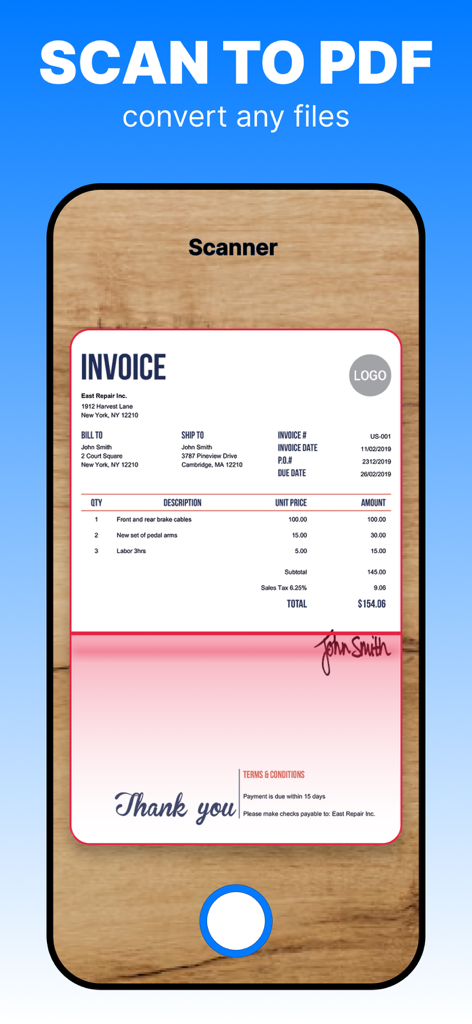
Un smartphone numérisant une facture professionnelle pour la convertir en document PDF numérique.

Un smartphone numérisant une facture professionnelle pour la convertir en document PDF numérique.

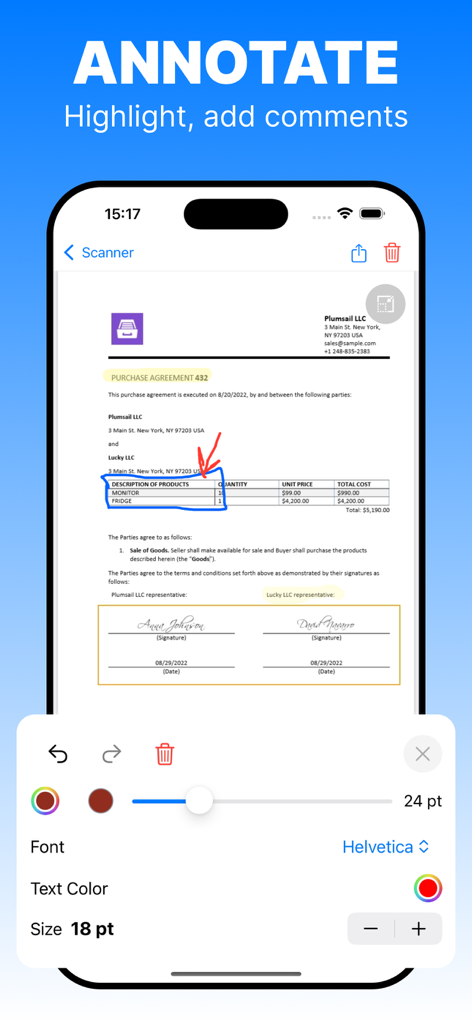
Interface d'application mobile montrant les outils d'annotation pour surligner et commenter un document PDF numérisé

Interface d'application mobile montrant les outils d'annotation pour surligner et commenter un document PDF numérisé

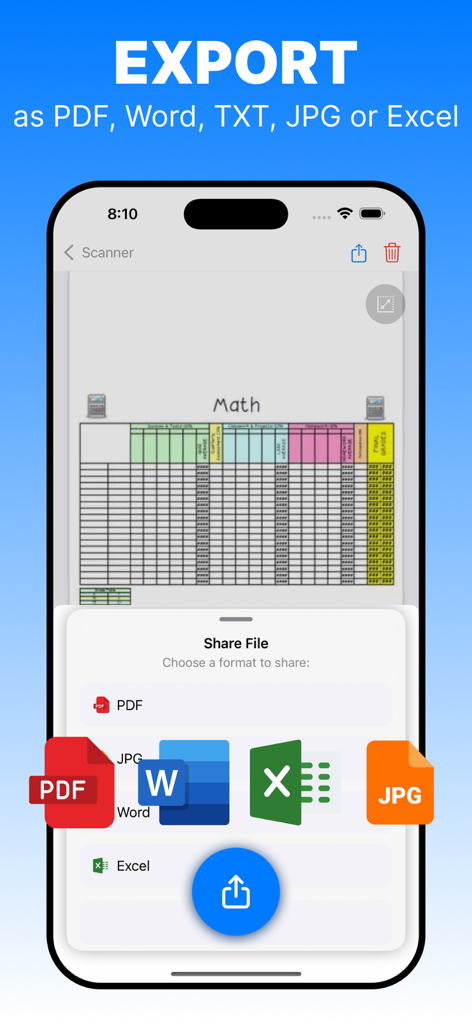
Capture d'écran de l'application Scanner PDF montrant les options d'exportation de documents aux formats PDF, Word, JPG et Excel

Capture d'écran de l'application Scanner PDF montrant les options d'exportation de documents aux formats PDF, Word, JPG et Excel

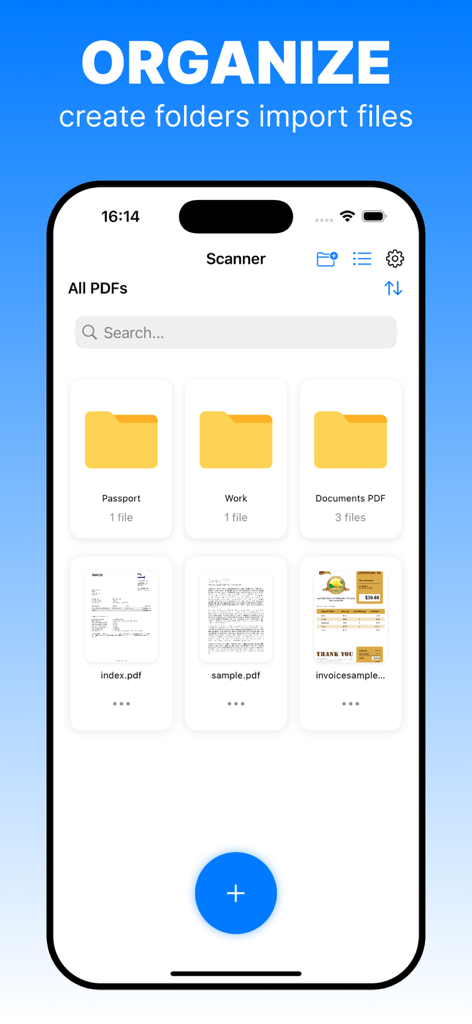
Interface d'une application mobile montrant une liste de documents PDF numérisés et des dossiers pour une gestion organisée des fichiers

Interface d'une application mobile montrant une liste de documents PDF numérisés et des dossiers pour une gestion organisée des fichiers

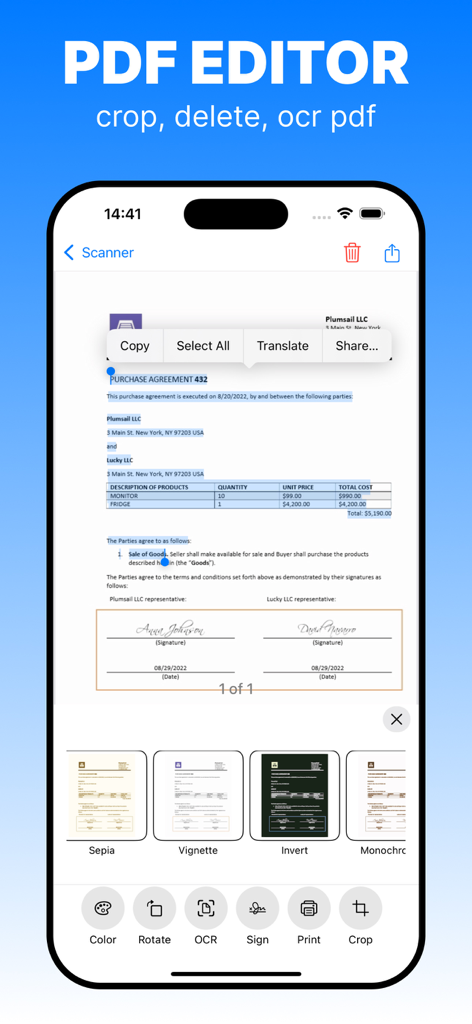
Interface d'application mobile pour l'édition de PDF avec sélection de texte OCR et filtres de document

Interface d'application mobile pour l'édition de PDF avec sélection de texte OCR et filtres de document

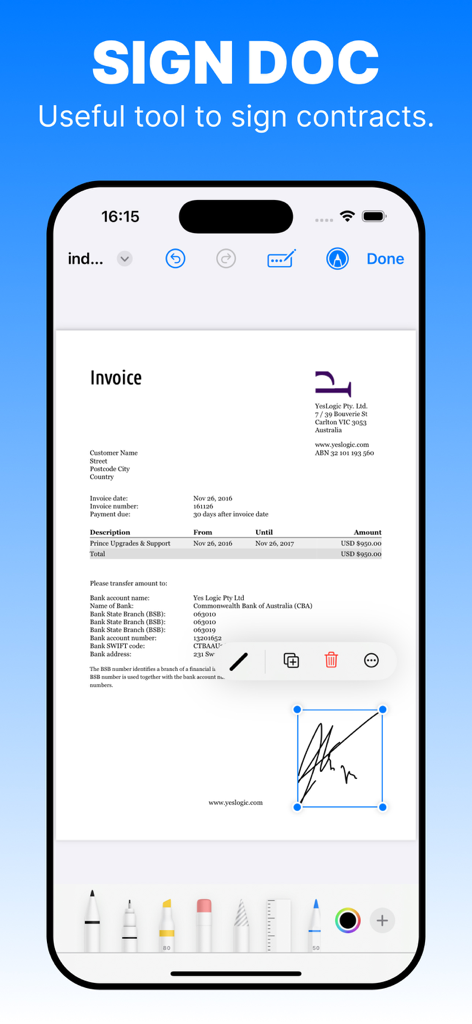
L'écran d'un smartphone montrant la fonction de signature numérique de l'application Scanner PDF sur un document de facture.

L'écran d'un smartphone montrant la fonction de signature numérique de l'application Scanner PDF sur un document de facture.

Outils de qualité professionnelle pour votre bureau mobile

Les outils qui font la différence, choisis par 1K+ utilisateurs.

🔍

OCR intelligente et extraction de texte

Transformez instantanément les documents physiques en texte consultable et modifiable. Gagnez des heures de saisie manuelle et trouvez des informations en quelques secondes.

🚀

Numérisation par lots à haute vitesse

Numérisez des contrats de plusieurs pages et des piles de reçus avec détection automatique des bords et correction de perspective de qualité professionnelle.

☁️

Écosystème cloud mondial

Organisez vos fichiers avec des étiquettes et des dossiers, puis synchronisez-les sans effort sur Google Drive, iCloud ou Dropbox pour un accès n'importe où.

À propos de l'app

Tout ce que vous devez savoir sur Scan PDF & OCR Scanner.

Description

PDF Scanner App – Your Ultimate Document Management Solution Transform your smartphone into a powerful, portable scanner with PDF Scanner App – the easiest and most efficient way to capture, organize, and share your important documents anytime, anywhere. - Key Features High-Quality Scans: Capture crystal-clear documents, receipts, notes, and more with our advanced scanning technology. Automatic edge detection and perspective correction ensure professional-looking PDFs every time. Smart OCR Technology: Convert your scanned documents into editable and searchable text. Easily find information within your PDFs without the hassle of manual searching. Seamless Organization: Categorize your documents into folders, add tags, and use intuitive search functions to keep everything neatly organized and accessible whenever you need it. Cloud Integration: Sync your scanned PDFs effortlessly with popular cloud services like iCloud, Google Drive, Dropbox, and OneDrive. Access your documents from any device, anywhere. Secure & Private: Protect your sensitive information with robust encryption and password protection. Your documents are safe with us. Easy Sharing: Share your PDFs via email, messaging apps, or social media with just a tap. Collaborate and distribute your documents effortlessly. Batch Scanning: Save time by scanning multiple pages in one go. Combine them into a single PDF or separate files as needed. Advanced Editing Tools: Annotate, highlight, and mark up your PDFs directly within the app. Make quick adjustments without needing additional software. Multi-Language Support: Available in multiple languages to cater to users worldwide. - Download Now and Start Scanning! Don’t let important documents get lost or damaged. Download PDF Scanner App today and take control of your document management with ease and efficiency. Subscription details: Unlock the full potential of PDF Scanner App with our flexible subscription plans. Enjoy unlimited access to all premium features without any restrictions. Unlimited Access: Gain unrestricted use of all scanning features, document management tools, and advanced functionalities after subscribing. Seamless Billing: Payments are charged to your iTunes Account upon purchase confirmation. Auto-Renewal: Subscriptions automatically renew unless you turn off auto-renewal at least 24 hours before the current period ends. Subscription Options: Weekly Subscription: $4.99 per week for unlimited scans and document management on your mobile device. Monthly Subscription: $9.99 per month for unlimited scans and document management on your mobile device. Annual Subscription: $34.99 per year for unlimited scans and document management on your mobile device. Renewal Charges: Your account will be charged for renewal within 24 hours before the end of the current subscription period. Manage Subscriptions: You can view, manage, and turn off auto-renewal of subscriptions by going to your Account Settings after purchase. By subscribing, you ensure uninterrupted access to all the premium features of PDF Scanner App, making your document management effortless and efficient. Privacy Policy: https://www.freeprivacypolicy.com/live/961d2c44-9a8a-4023-8b3d-117ffd9bbb09 Terms of Use: https://www.freeprivacypolicy.com/live/92677bf6-f8d2-40ca-9ff3-633d6e472b93

Dernière version

1.2.16

Taille

9.2 MB

Date de sortie

30 sept. 2024

Prêt à transformer votre flux de travail ?

Rejoignez des milliers de professionnels en déplacement. Téléchargez l'application Scanner PDF dès aujourd'hui et transformez votre appareil en un bureau numérique puissant, sécurisé et consultable.

Télécharger sur App Store

App information, icons, screenshots, and descriptions displayed on this page are sourced from the Apple App Store and are the property of their respective developers. Download estimates and rankings are based on MWM's proprietary models and may not reflect actual figures. This page is provided for informational and analytical purposes only.

Believe this page infringes your intellectual property? File a dispute