ScanPlus - OCR & PDF Scanner

ScanPlus - OCR & PDF Scanner

Télécharger sur App Store
Logo de ScanPlus - OCR & PDF Scanner

ScanPlus - Scanner OCR et PDF : Votre bureau mobile tout-en-un pour un monde sans papier

Optimisez votre flux de travail avec des numérisations d'une clarté cristalline, une reconnaissance OCR dans 61 langues et des signatures électroniques sécurisées. L'outil ultime pour les professionnels et les étudiants américains afin de numériser, signer et organiser des documents en déplacement, en toute sécurité et hors ligne.

Télécharger sur App Store

Éditeur

Mihail Salari

Catégorie

Business

Téléchargements

1K+

Note

1.0/5

Nombre d'avis

0

Langues

1

Flux de travail perfectionné

Découvrez l'interface utilisée par 1K+ utilisateurs.
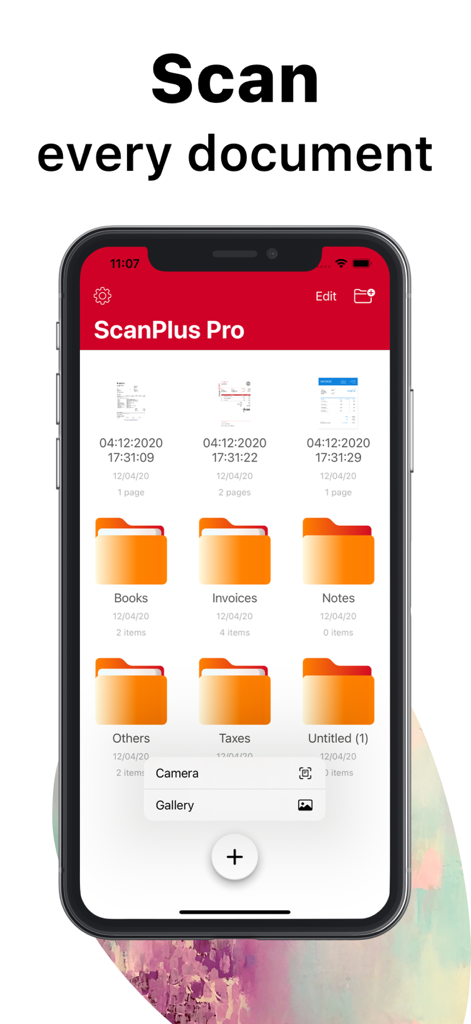
Interface de l'application mobile ScanPlus Pro montrant des dossiers de documents pour l'organisation et des options de numérisation

Interface de l'application mobile ScanPlus Pro montrant des dossiers de documents pour l'organisation et des options de numérisation

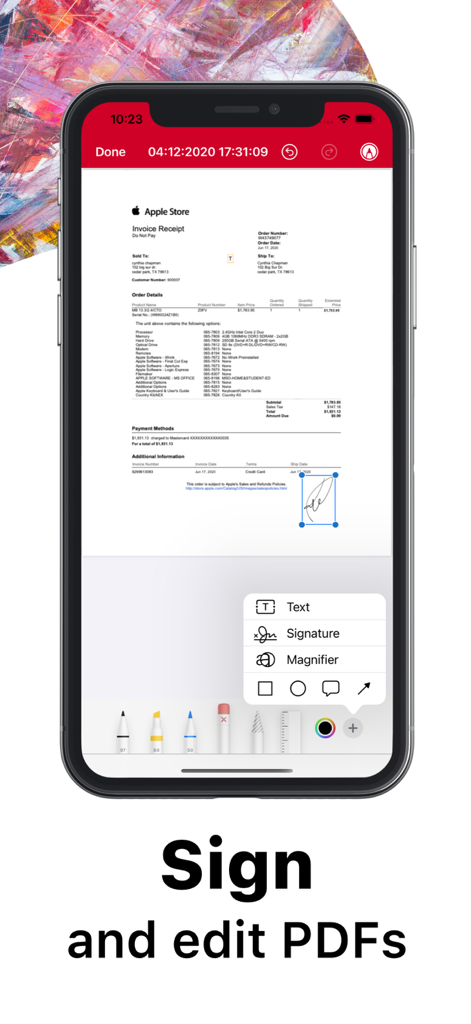
Interface de l'application ScanPlus sur un iPhone montrant une signature numérique et des outils d'édition sur un document numérisé

Interface de l'application ScanPlus sur un iPhone montrant une signature numérique et des outils d'édition sur un document numérisé

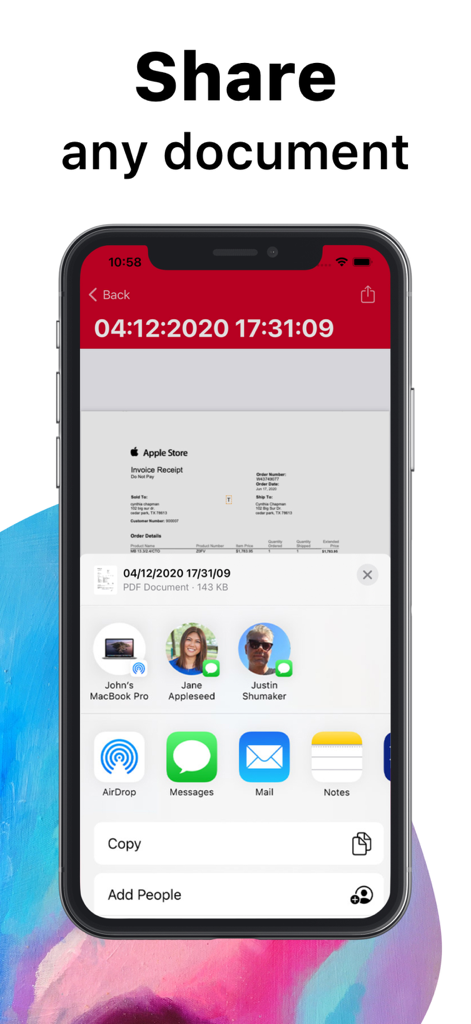
Écran d'iPhone montrant la fonction de partage de documents dans l'application ScanPlus

Écran d'iPhone montrant la fonction de partage de documents dans l'application ScanPlus

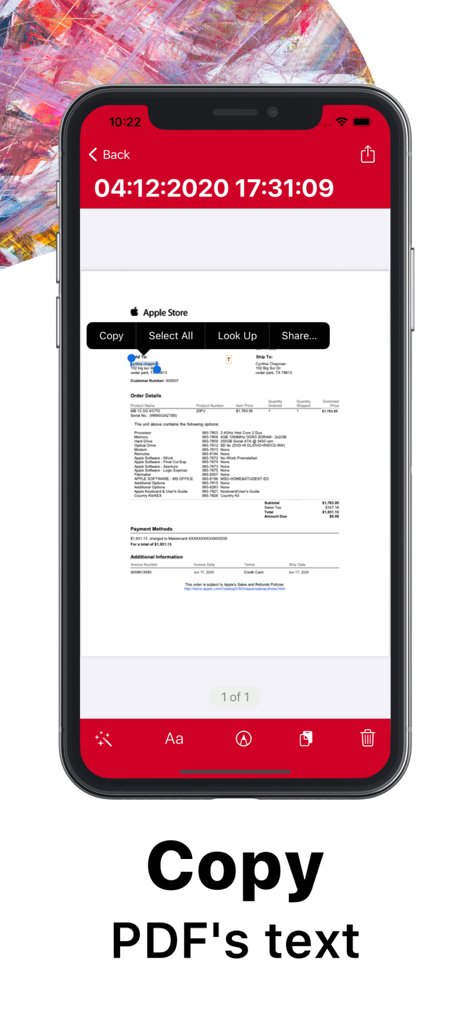
Interface de l'application mobile ScanPlus mettant en évidence la reconnaissance de texte OCR et la fonction de copie sur un reçu numérisé.

Interface de l'application mobile ScanPlus mettant en évidence la reconnaissance de texte OCR et la fonction de copie sur un reçu numérisé.

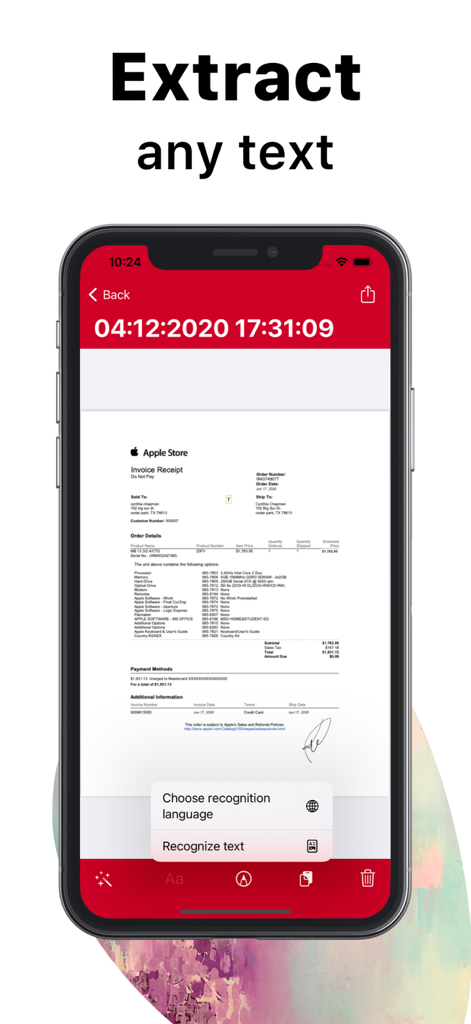
Écran de l'application mobile ScanPlus montrant l'extraction de texte OCR d'un reçu numérisé de l'Apple Store.

Écran de l'application mobile ScanPlus montrant l'extraction de texte OCR d'un reçu numérisé de l'Apple Store.

Alimentez votre productivité sans papier

Les outils qui font la différence, choisis par 1K+ utilisateurs.

🔍

Reconnaissance de texte intelligente

Extrayez du texte éditable à partir de numérisations dans 61 langues. Copiez, collez et recherchez vos documents pour rester organisé et efficace.

✍️

Signez et annotez n'importe où

Concluez des affaires plus rapidement en ajoutant votre signature numérique et vos notes sur les contrats et formulaires directement depuis votre appareil mobile.

🔒

Confidentialité de niveau bancaire

Sécurisez vos fichiers sensibles grâce au stockage local et à la protection par code d'accès. Vos données restent sur votre appareil, jamais sur un serveur tiers.

À propos de l'app

Tout ce que vous devez savoir sur ScanPlus - OCR & PDF Scanner.

Description

ScanPlus OCR, PDF & E-Signature Scanner: Your Ultimate Mobile Document Scanner Transform your iPhone or iPad into a powerful, all-in-one scanner with ScanPlus. Effortlessly scan, store, and share documents in high-quality PDF format. Whether it's receipts, contracts, notes, or even books, ScanPlus is your go-to solution for fast, efficient scanning on the go. Why Choose ScanPlus? This intuitive mobile scanner will quickly become your indispensable tool for managing documents. Scan anything you need and store it as multipage PDFs, all without the need for bulky office equipment. With cutting-edge features like Optical Character Recognition (OCR) and e-signature capabilities, you'll save time and streamline your workflow. Key Features: High-Quality PDF Scanning: Scan documents in crisp, clear PDF format. Choose from multiple color modes: grayscale, black and white, color, and more. Automatic shutter and border detection for accurate scans. Advanced image processing for enhanced quality, including perspective correction and noise removal. Text Recognition (OCR): Extract editable text from scans with Optical Character Recognition (OCR). Recognize text in 61 languages, including English, Spanish, French, Chinese, Arabic, Russian, and more. Copy and paste recognized text directly into your documents. Multipage Scanning: Scan multiple pages into a single PDF file with ease. Document Annotation and e-Signature: Annotate documents and add signatures digitally with a few taps. Easily sign contracts, agreements, or notes on the go. File Management: Organize your scans with folders and custom file management tools. Merge multiple PDFs into one document. Secure your documents by adding password protection to the app or specific files. Document Sharing & Cloud Integration: Share your scanned documents via email, messaging apps, or directly to cloud services like Dropbox, Google Drive, and iCloud. Print documents wirelessly to any Wi-Fi-enabled printer. Privacy & Security: Lock your app or specific documents with a passcode for extra security. Keep your scanned files safe and private, stored locally on your device. Perfect for Business, School, and Personal Use: Whether you're working on business reports, school assignments, or organizing personal documents, ScanPlus is designed to handle it all. No internet connection required, and your data is stored securely on your device. Say Goodbye to Traditional Scanners: No more bulky scanners or complicated setups. ScanPlus makes scanning documents ultra-fast and easy, wherever you are. Download ScanPlus now and start scanning smarter!

Dernière version

1.3

Taille

71.0 MB

Date de sortie

8 déc. 2020

Prêt à maîtriser votre flux de travail sans papier ?

Rejoignez des milliers de professionnels et d'étudiants qui font confiance à ScanPlus pour numériser, signer et digitaliser des documents en déplacement. Commencez dès aujourd'hui votre bureau mobile.

Télécharger sur App Store

App information, icons, screenshots, and descriptions displayed on this page are sourced from the Apple App Store and are the property of their respective developers. Download estimates and rankings are based on MWM's proprietary models and may not reflect actual figures. This page is provided for informational and analytical purposes only.

Believe this page infringes your intellectual property? File a dispute