Screen Mirroring: Cast to TV
Télécharger sur App Store

Cette page n'est pas une page officielle de l'application ou de son développeur, mais une publication éditoriale indépendante créée à des fins d'information et de commentaire. Sauf indication expresse contraire, ni l'application ni son développeur ne sont affiliés, approuvés, sponsorisés, autorisés ou autrement officiellement liés à MWM, Apple, Google Play, à l'éditeur de l'application ou au développeur de l'application, et rien sur cette page n'implique que l'application a été développée en utilisant les services de MWM. Toutes les marques, logos, captures d'écran et autres contenus restent la propriété de leurs propriétaires respectifs.

Logo de Screen Mirroring: Cast to TV
Télécharger sur App Store

Screen Mirroring: Cast to TV

Le pont ultime entre vos appareils iOS et n'importe quelle Smart TV. Mettez en miroir sans effort les applications, diffusez des vidéos web et utilisez votre téléphone comme télécommande universelle — aucun matériel supplémentaire requis.

Chiffres Clés

Téléchargements

405K+

Note

2.9/5

Nombre d'avis

100

Éditeur

Constantin Hanganu

Catégorie

Reference

Langues

1

Dernière version

1.5

Taille

62.6 MB

Date de sortie

10 févr. 2021
Fonctionnalités

Libérez tout le potentiel de votre téléviseur

Découvrez la mise en miroir d'écran de haute qualité et les commandes intelligentes pour Samsung, LG, Roku et plus encore — le tout depuis une seule application puissante.

Mise en miroir d'écran instantanée

Partagez l'écran de votre iPhone ou iPad en temps réel. Parfait pour montrer des photos de famille, jouer à des jeux mobiles ou faire des présentations à un groupe sans câbles encombrants.

Diffusion de vidéos web et de films

Vous avez trouvé une vidéo en ligne ou un flux sportif en direct ? Diffusez-le directement sur votre Smart TV en un seul clic. Profitez de votre contenu web préféré sur grand écran en haute qualité.

Les captures d'écran et la description suivantes proviennent directement de la fiche officielle de l'application sur le store et sont la propriété du développeur.

App Store

Captures
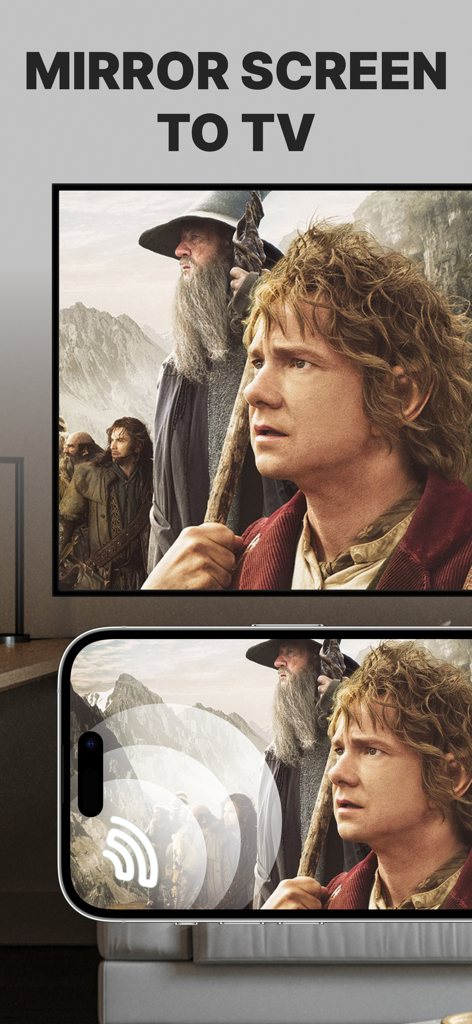
Screen Mirroring: Cast to TV - Un écran d'iPhone reflétant un film sur un grand écran de télévision intelligente
Un écran d'iPhone reflétant un film sur un grand écran de télévision intelligente

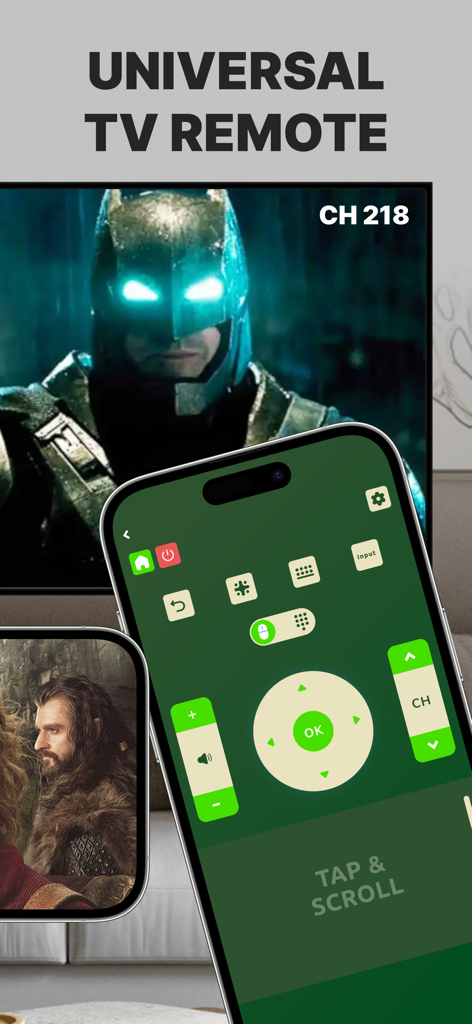
Screen Mirroring: Cast to TV - Interface de télécommande TV universelle sur un écran d'iPhone à côté d'une télévision intelligente.
Interface de télécommande TV universelle sur un écran d'iPhone à côté d'une télévision intelligente.

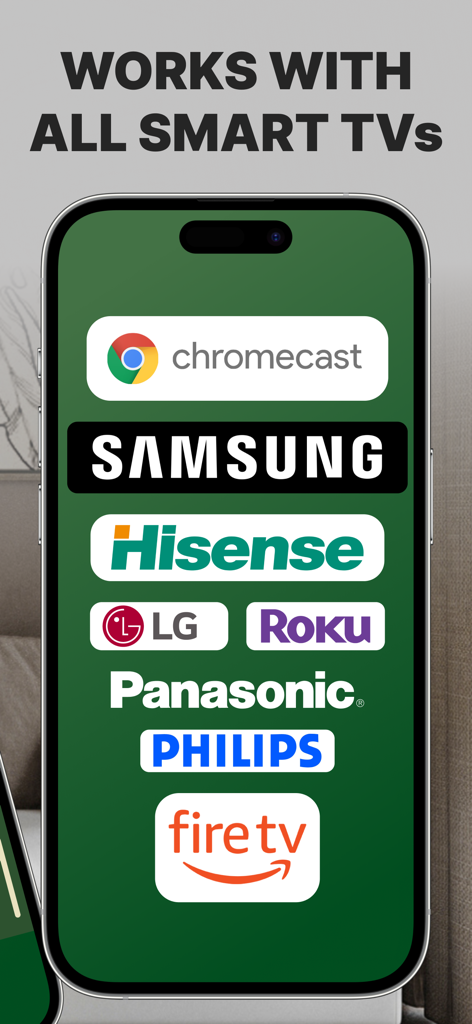
Screen Mirroring: Cast to TV - Un écran de smartphone affichant les logos des marques de téléviseurs intelligents compatibles, notamment Samsung Roku LG et Fire TV

Un écran de smartphone affichant les logos des marques de téléviseurs intelligents compatibles, notamment Samsung Roku LG et Fire TV

Description

Introducing Screen Mirroring: Cast to TV, the ultimate app for seamlessly mirroring your iPhone or iPad screen on your Smart TV. Our app is compatible with a wide range of TV models, including popular brands like LG, Samsung, and Roku. With Screen Mirroring: Cast to TV, you can easily connect your device and your Smart TV through the same Wi-Fi network and enjoy wirelessly mirroring any app, game, video, or photo from your iPhone or iPad on your TV. Our app also features a built-in universal TV remote control, making it easier than ever to control your TV and navigate between channels. In addition to mirroring your screen, our app also lets you stream or cast photos, videos, and music from your iPhone or iPad to your TV. You can even cast any web video to your Smart TV with just a few taps. And with support for multiple versions and models of Smart TVs, including popular brands like Sony, Vizio, and Toshiba, you can trust that Screen Mirroring: Cast to TV will work perfectly with your TV. Here are just a few of the TV models that Screen Mirroring: Cast to TV works flawlessly with: - Samsung Smart TVs - LG Smart TVs - Sony Smart TVs - Vizio Smart TVs - Toshiba Smart TVs - Sharp Smart TVs - Philips Smart TVs - Panasonic Smart TVs - Hisense Smart TVs - TCL Smart TVs - Insignia Smart TVs - JVC Smart TVs - RCA Smart TVs - Hitachi Smart TVs With our app, you can enjoy secure connections that protect your data, files, and applications, making it the perfect choice for anyone who values their privacy. Plus, our app is incredibly easy to use, so you can start enjoying all your favorite content on the big screen in no time. So why wait? Download Screen Mirroring: Cast to TV today and experience the ultimate in mirroring and casting technology! Note: Make sure your iPhone/iPad and your Smart TV, smartphone, tablet, Mac, PC, or other device that you want to use, are all connected to the same Wi-Fi network. Screen Mirroring: Cast to TV offers a premium subscription. The subscription plan renews automatically, but you can cancel it at any time. * Screen Mirroring Premium - the duration of the plan is one week (which comes with a 3-day free trial) and the price is 3.99 USD per week. There is also a monthly subscription, but it is available for users who subscribed from the last versions. We didn't delete it to give the possibility to restore it if needed. * Subscription payments will be charged to your iTunes account at confirmation of your purchase and upon commencement of each renewal term. Subscription with a free trial period will automatically renew to a paid subscription. You can cancel your subscription or free trial in the iTunes settings at least 24-hours before the end of the free trial period. The cancellation will take effect the day after the last day of the current subscription period and you will be downgraded to the free service. Account will be charged for renewal within 24-hours prior to the end of the current period, and identify the cost of the renewal. Subscriptions may be managed by the user and auto-renewal may be turned off by going to the user's Account Settings after purchase. You can cancel your subscription via this url: https://support.apple.com/en-us/HT202039 * Any unused portion of a free trial period (if offered) will be forfeited when you purchase a premium subscription during the free trial period. Before using Screen Mirroring: Cast to TV, please read and accept our Privacy Policy and Terms of Service. You can access them from within the app or from our website using the links below: Privacy Policy: https://screencast.dartcomitlabs.com/privacy.html Terms of Service: https://screencast.dartcomitlabs.com/terms.html

Download

Télécharger sur App Store

Cette page n'est pas une page officielle de l'application ou de son développeur, mais une publication éditoriale indépendante créée à des fins d'information et de commentaire. Sauf indication expresse contraire, ni l'application ni son développeur ne sont affiliés, approuvés, sponsorisés, autorisés ou autrement officiellement liés à MWM, Apple, Google Play, à l'éditeur de l'application ou au développeur de l'application, et rien sur cette page n'implique que l'application a été développée en utilisant les services de MWM. Toutes les marques, logos, captures d'écran et autres contenus restent la propriété de leurs propriétaires respectifs.








