
Cette page n'est pas une page officielle de l'application ou de son développeur, mais une publication éditoriale indépendante créée à des fins d'information et de commentaire. Sauf indication expresse contraire, ni l'application ni son développeur ne sont affiliés, approuvés, sponsorisés, autorisés ou autrement officiellement liés à MWM, Apple, Google Play, à l'éditeur de l'application ou au développeur de l'application, et rien sur cette page n'implique que l'application a été développée en utilisant les services de MWM. Toutes les marques, logos, captures d'écran et autres contenus restent la propriété de leurs propriétaires respectifs.

Signature Creator: Signing app
Oubliez l'imprimante et passez au sans papier. Créez des signatures manuscrites professionnelles, numérisez des documents et signez n'importe quel PDF instantanément depuis votre iPhone ou iPad.
Téléchargements
1K+Note
Nombre d'avis
0Éditeur
Catégorie
ProductivityLangues
33Dernière version
1.7Taille
26.8 MBDate de sortie
2 juin 2025Signature sans effort pour le professionnel moderne
Arrêtez de perdre du temps avec les imprimantes et les scanners. Créez, personnalisez et appliquez des signatures professionnelles à n'importe quel document en quelques secondes, directement depuis votre appareil.
Signature instantanée en un clic
Concluez des affaires plus rapidement en signant des contrats et des formulaires directement sur votre écran avec votre doigt ou l'Apple Pencil. Aucun matériel requis.
Image de marque professionnelle personnalisée
Concevez un autographe numérique unique avec des styles et des couleurs réglables pour vous assurer que votre signature soit aussi professionnelle que vous.
Les captures d'écran et la description suivantes proviennent directement de la fiche officielle de l'application sur le store et sont la propriété du développeur.
App Store
Captures
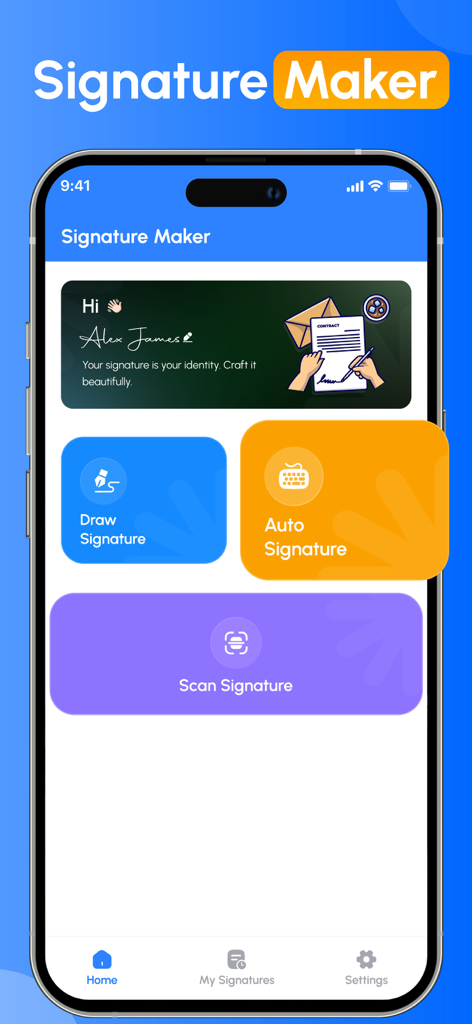
Tableau de bord de l'application Signature Maker avec des options pour dessiner, générer automatiquement ou numériser une signature
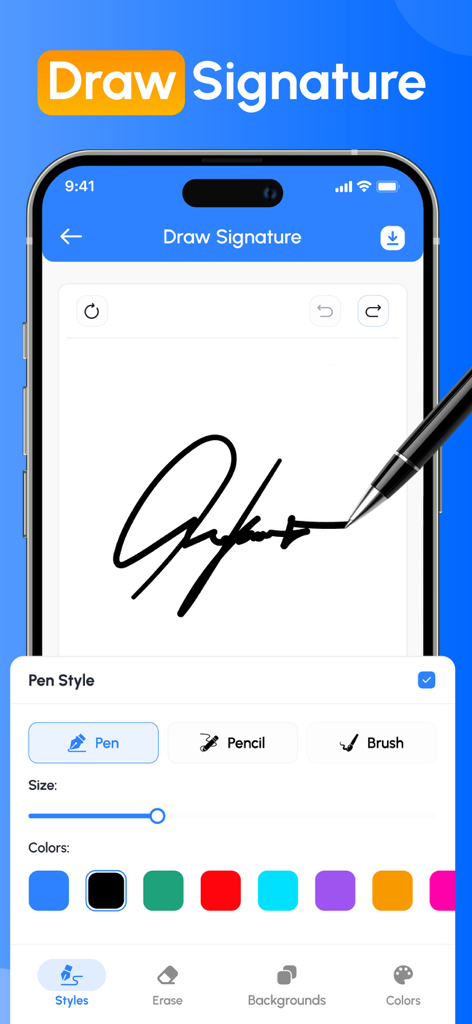
Écran d'application mobile montrant une signature manuscrite en cours de dessin avec des styles de stylo et des couleurs personnalisables
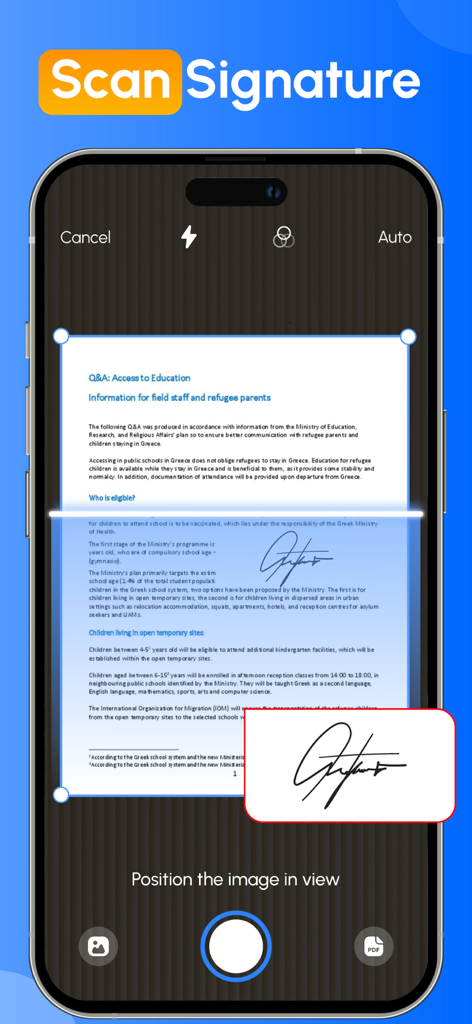
Écran de smartphone utilisant l'appareil photo pour numériser une signature manuscrite à partir d'un document papier
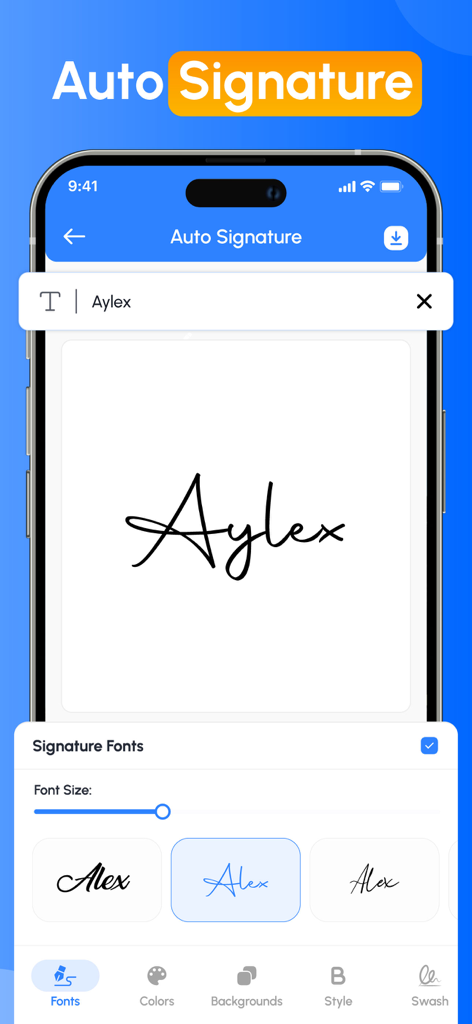
Interface de l'application Signature Creator montrant différents styles de polices manuscrites pour créer une signature automatique.
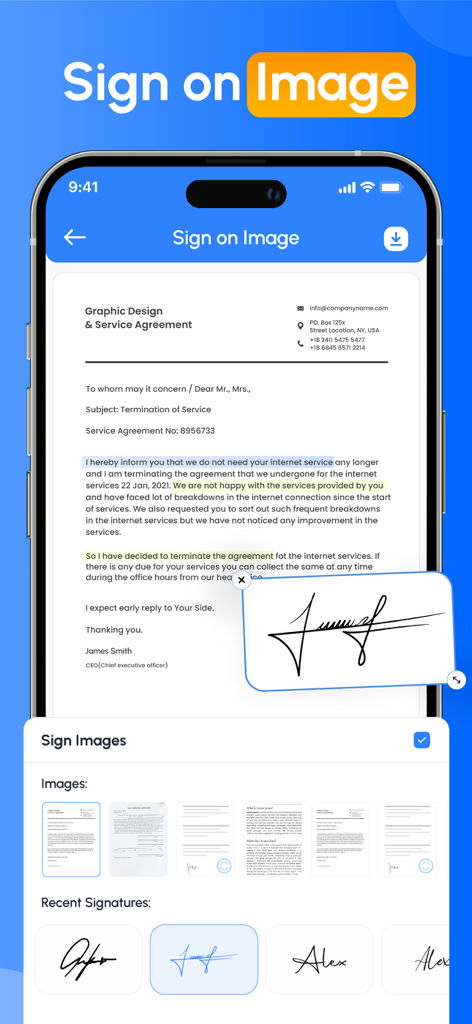
Une interface de smartphone affichant un accord de service professionnel avec une signature manuscrite numérique appliquée au document
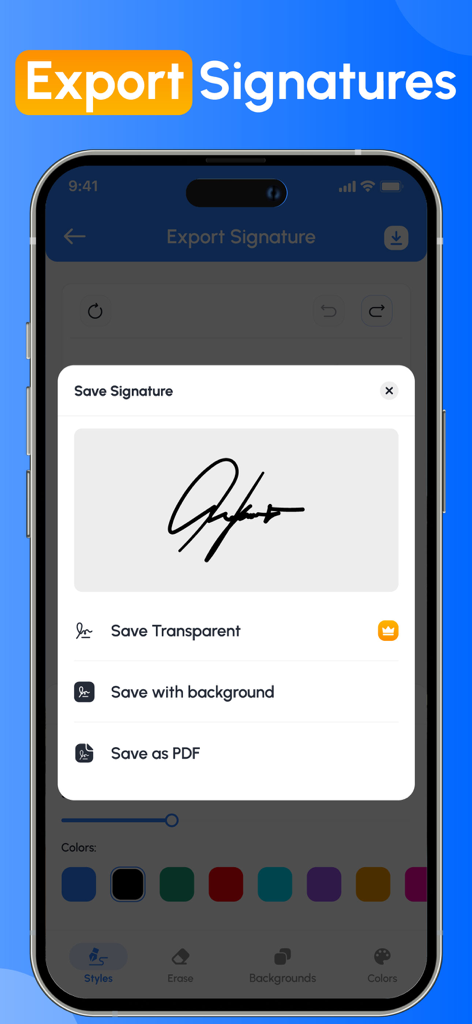
Interface de l'application Signature Creator montrant des options pour enregistrer une signature numérique en tant qu'image transparente, avec un arrière-plan, ou en tant que PDF.
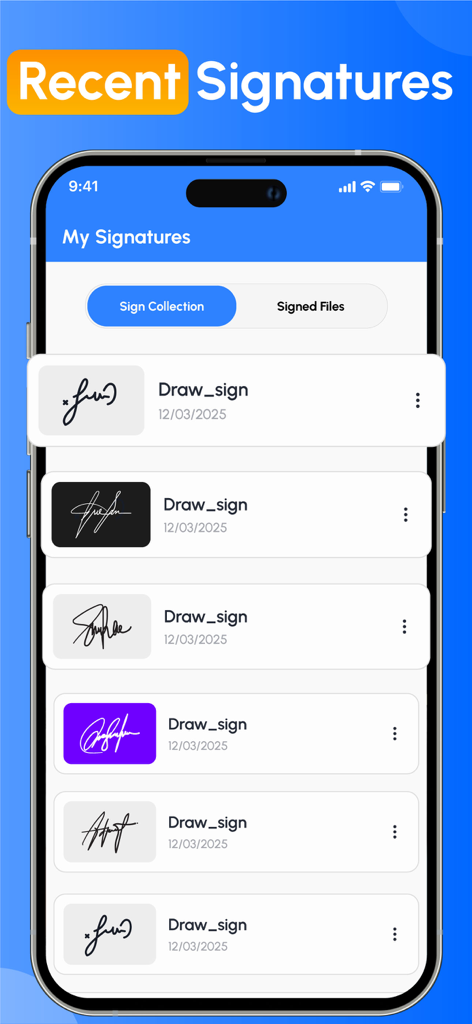
Une liste de signatures numériques enregistrées dans différents styles et couleurs d'arrière-plan dans l'interface de l'application Signature Creator.
Description
Download
Apps Similaires
Apps les mieux classées dans la même catégorie

ChatGPT
OpenAI OpCo, LLC

Google Gemini
Google LLC

Grok
X.AI Corporation

Gmail - Email by Google
Google LLC

千问 - 阿里最强大模型官方AI助手
Shanghai Zhixin Puhui Technology Co., Ltd.

Google Drive
Google LLC

Microsoft Authenticator
Microsoft Corporation

Google Sheets
Google LLC

Google Docs
Google LLC
Cette page n'est pas une page officielle de l'application ou de son développeur, mais une publication éditoriale indépendante créée à des fins d'information et de commentaire. Sauf indication expresse contraire, ni l'application ni son développeur ne sont affiliés, approuvés, sponsorisés, autorisés ou autrement officiellement liés à MWM, Apple, Google Play, à l'éditeur de l'application ou au développeur de l'application, et rien sur cette page n'implique que l'application a été développée en utilisant les services de MWM. Toutes les marques, logos, captures d'écran et autres contenus restent la propriété de leurs propriétaires respectifs.