
Cette page n'est pas une page officielle de l'application ou de son développeur, mais une publication éditoriale indépendante créée à des fins d'information et de commentaire. Sauf indication expresse contraire, ni l'application ni son développeur ne sont affiliés, approuvés, sponsorisés, autorisés ou autrement officiellement liés à MWM, Apple, Google Play, à l'éditeur de l'application ou au développeur de l'application, et rien sur cette page n'implique que l'application a été développée en utilisant les services de MWM. Toutes les marques, logos, captures d'écran et autres contenus restent la propriété de leurs propriétaires respectifs.

Stickyboard 2
Laissez tomber le papier et maîtrisez la vue d'ensemble. Esquissez, remue-méninges et organisez des milliers de notes adhésives instantanément avec les gestes Magic Arrange conçus pour les stratèges professionnels.
Téléchargements
130K+Note
Nombre d'avis
400Éditeur
Catégorie
BusinessLangues
1Dernière version
2.3Taille
2.6 MBDate de sortie
17 oct. 2011Maîtrisez votre carte mentale
Transformez votre iPad en une salle de guerre haute performance. Laissez tomber le papier et adoptez un flux de travail visuel conçu pour les concepteurs, les stratèges et les penseurs de la vue d'ensemble.
Technologie Magic Arrange
Arrêtez de perdre du temps à faire glisser manuellement les notes. Utilisez des gestes intuitifs à trois doigts pour organiser instantanément des idées désordonnées en grilles, piles ou colonnes nettes.
Toile créative illimitée
Pensez au-delà des listes. Esquissez, écrivez et déplacez des notes codées par couleur librement sur un espace vaste et zoomable qui s'adapte à votre modèle mental unique.
Les captures d'écran et la description suivantes proviennent directement de la fiche officielle de l'application sur le store et sont la propriété du développeur.
App Store
Captures
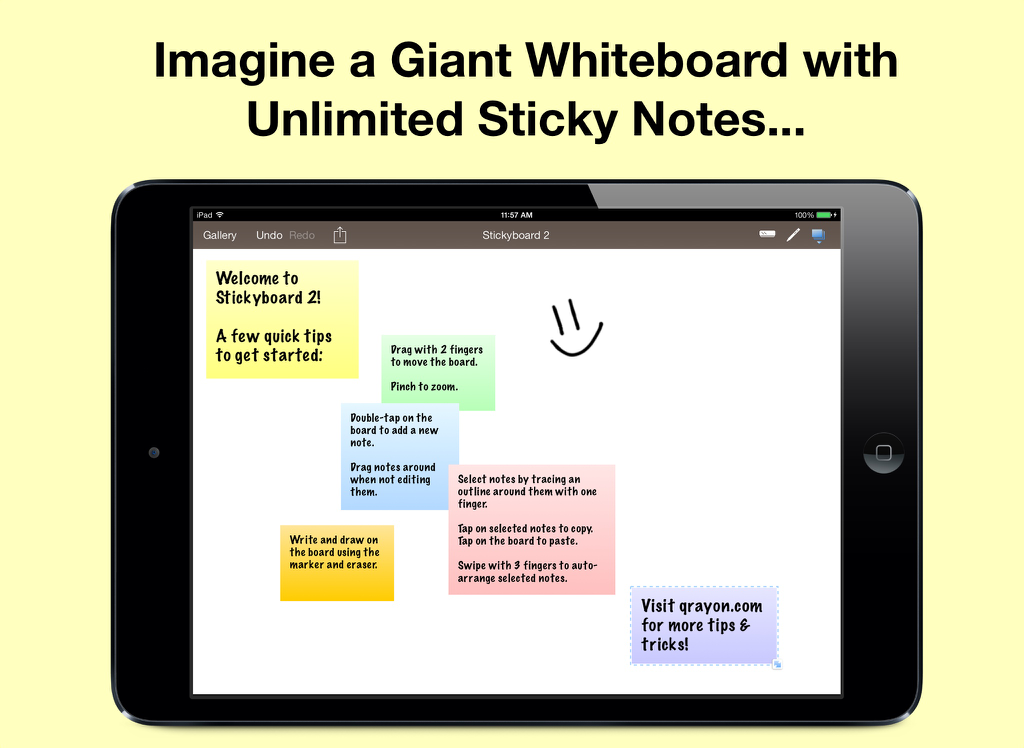
Écran d'iPad affichant l'application Stickyboard 2 avec diverses notes adhésives numériques colorées et un smiley dessiné à la main sur un tableau blanc virtuel
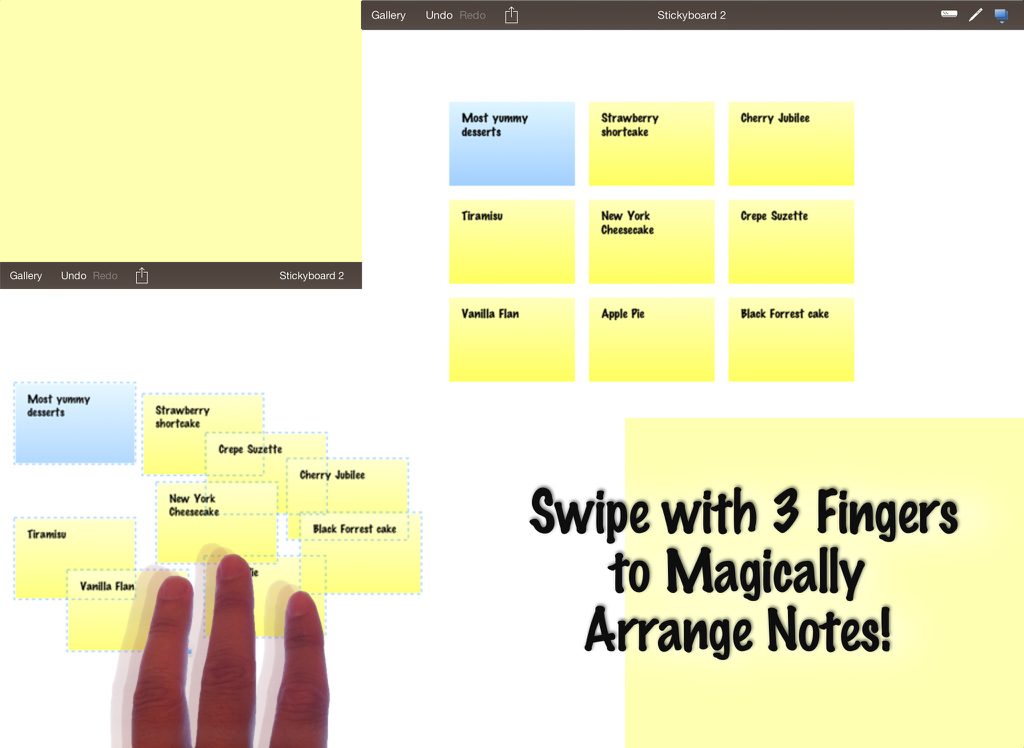
Capture d'écran de l'iPad montrant l'application Stickyboard 2 avec un geste de balayage à trois doigts pour organiser automatiquement les notes adhésives numériques sur un tableau blanc virtuel.
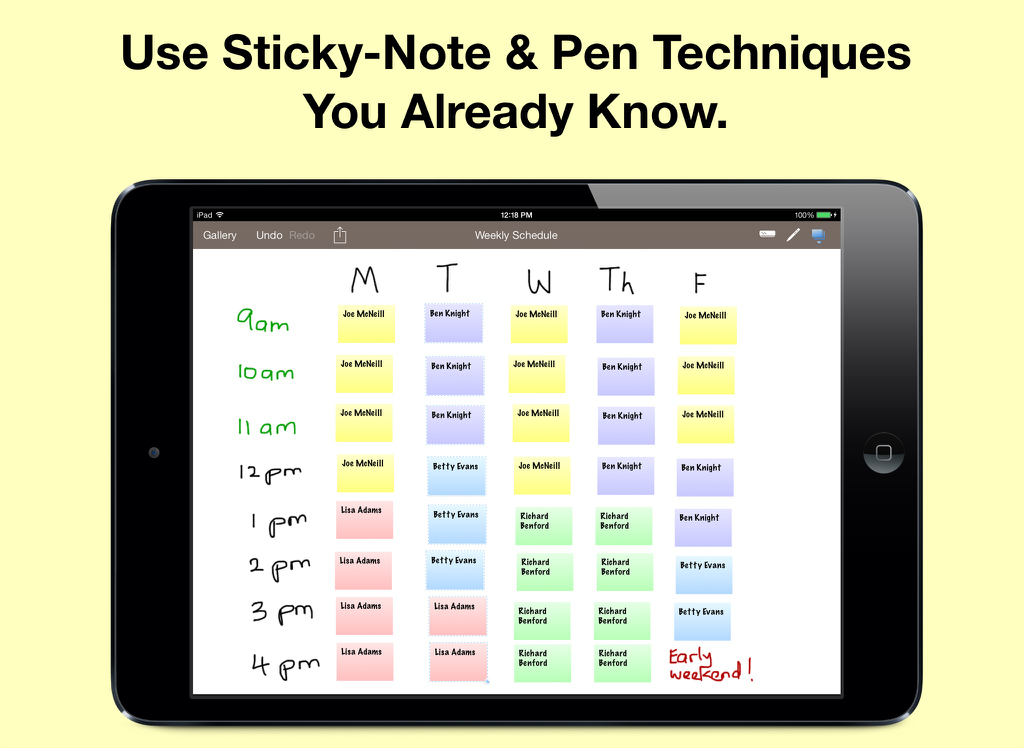
Calendrier hebdomadaire sur iPad utilisant Stickyboard 2 avec des notes adhésives numériques codées par couleur
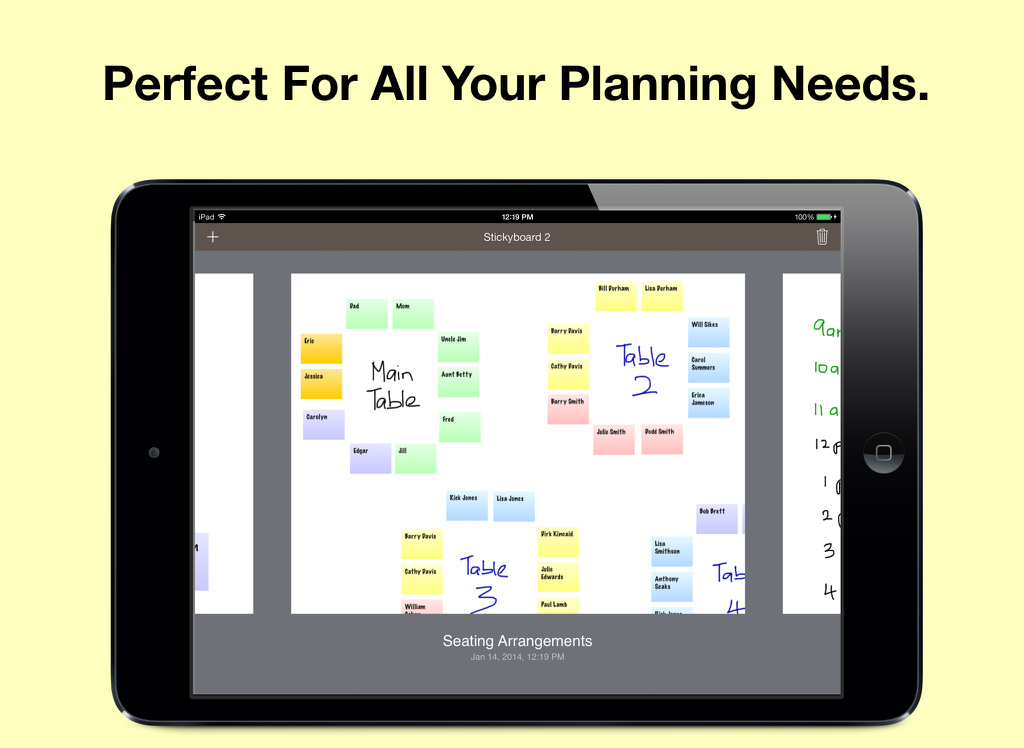
Un écran d'iPad montrant un plan de table préparé avec des notes adhésives numériques colorées sur un tableau blanc virtuel
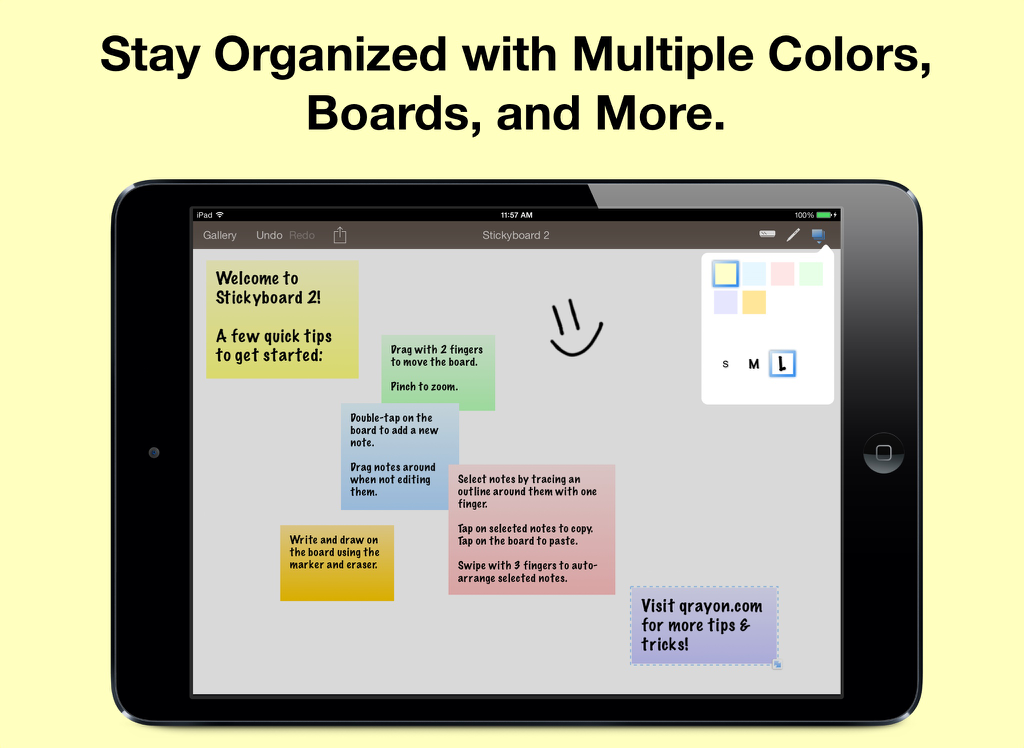
iPad affichant l'application Stickyboard 2 avec des notes numériques colorées et un dessin sur fond blanc
Description
Download
Apps Similaires
Apps les mieux classées dans la même catégorie

Microsoft Teams
Microsoft Corporation

Zoom Workplace
Zoom Communications, Inc.

WhatsApp Business
WhatsApp Inc.

Indeed Job Search
Indeed Inc.

LinkedIn: Network & Job Finder
LinkedIn Corporation

Adobe Acrobat Reader: Sign PDF
Adobe Inc.

WeCom-Work Communication&Tools
Tencent Technology (Shenzhen) Company Limited

BOSS直聘-招聘求职找工作神器
Beijing China Product Bo Farce Network Technology Co., Ltd.

DingDing - Redefine Work in AI
DingTalk Technology Co., Ltd.
Cette page n'est pas une page officielle de l'application ou de son développeur, mais une publication éditoriale indépendante créée à des fins d'information et de commentaire. Sauf indication expresse contraire, ni l'application ni son développeur ne sont affiliés, approuvés, sponsorisés, autorisés ou autrement officiellement liés à MWM, Apple, Google Play, à l'éditeur de l'application ou au développeur de l'application, et rien sur cette page n'implique que l'application a été développée en utilisant les services de MWM. Toutes les marques, logos, captures d'écran et autres contenus restent la propriété de leurs propriétaires respectifs.