
Cette page n'est pas une page officielle de l'application ou de son développeur, mais une publication éditoriale indépendante créée à des fins d'information et de commentaire. Sauf indication expresse contraire, ni l'application ni son développeur ne sont affiliés, approuvés, sponsorisés, autorisés ou autrement officiellement liés à MWM, Apple, Google Play, à l'éditeur de l'application ou au développeur de l'application, et rien sur cette page n'implique que l'application a été développée en utilisant les services de MWM. Toutes les marques, logos, captures d'écran et autres contenus restent la propriété de leurs propriétaires respectifs.

TuneLab Piano Tuner
Créez l'étirement personnalisé parfait grâce à des mesures d'inharmonicité avancées, une commutation de notes automatisée et des fichiers d'accordage synchronisés dans le cloud pour l'ensemble de votre clientèle.
Téléchargements
77K+Note
Nombre d'avis
200Éditeur
Catégorie
MusicLangues
1Dernière version
4.7.2Taille
11.7 MBDate de sortie
3 déc. 2009Outils de précision pour le technicien de pianos expert
Améliorez votre service professionnel grâce à la technologie de mesure acoustique la plus fiable du secteur, conçue pour fournir des réglages personnalisés impeccables en un temps record.
Cartographie scientifique de l'inharmonicité
Éliminez les approximations en mesurant les propriétés physiques uniques de chaque piano afin de créer un profil d'étirement personnalisé adapté à cet instrument spécifique.
Flux de travail à haute efficacité
Optimisez vos heures facturables grâce aux modes Over-Pull spécialisés pour des montées de hauteur rapides et un changement de note automatique mains libres lors de l'accordage fin.
Les captures d'écran et la description suivantes proviennent directement de la fiche officielle de l'application sur le store et sont la propriété du développeur.
App Store
Captures
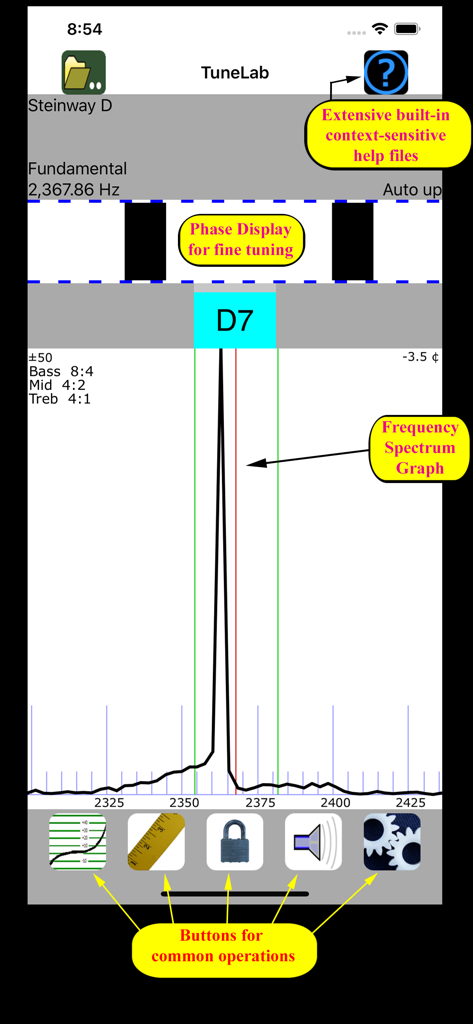
Interface de l'application TuneLab Piano Tuner affichant le graphique du spectre de fréquences et l'affichage de la phase
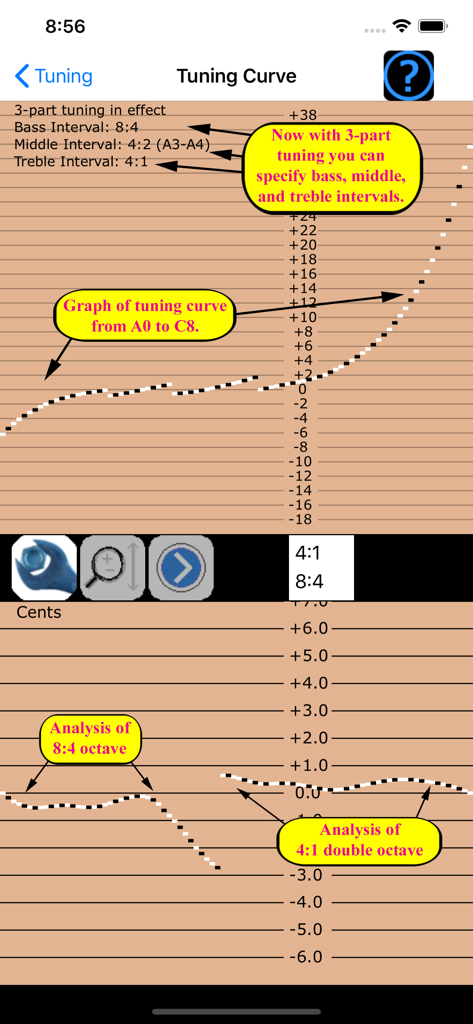
Courbe d'accordage de piano professionnelle et réglages d'intervalles dans l'application TuneLab
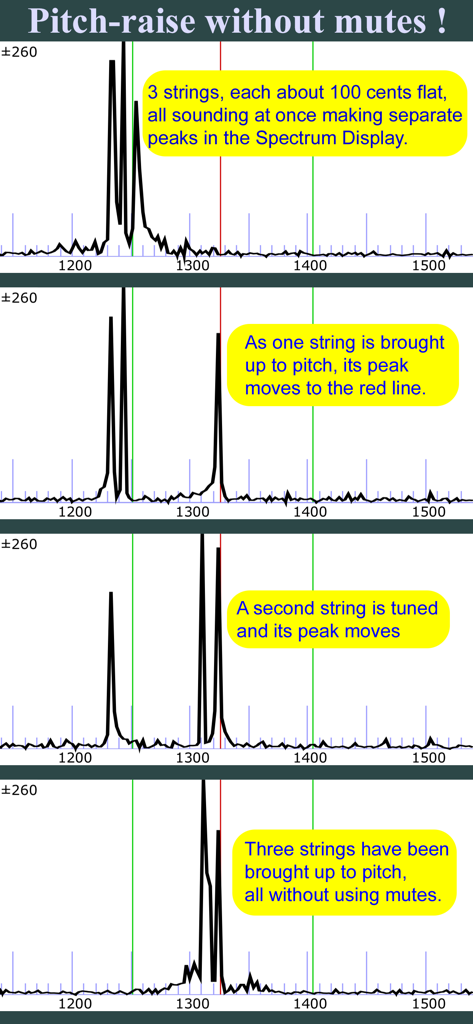
L'application Tunelab affiche un spectre montrant une élévation de hauteur sur trois cordes sans utiliser de sourdines.
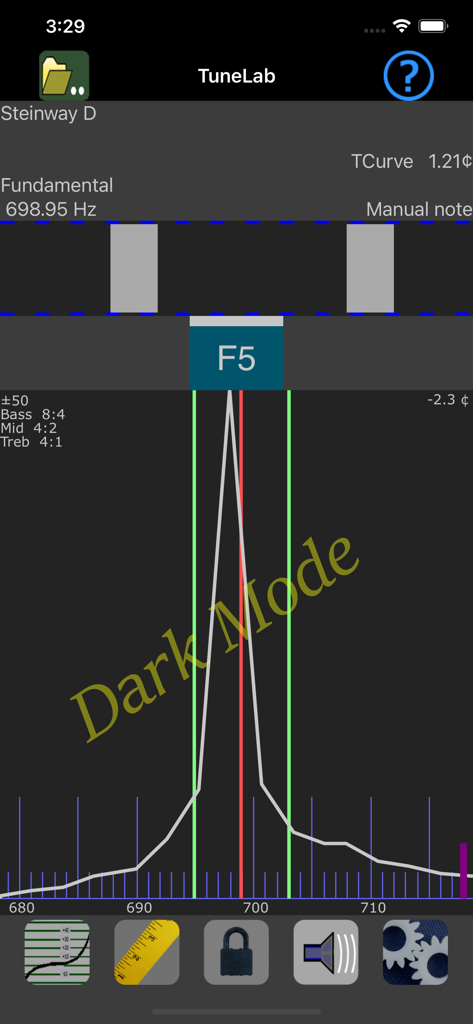
L'interface de l'accordeur de piano TuneLab en mode sombre affiche le spectre de fréquences et un affichage stroboscopique pour une note de piano Steinway en ré.
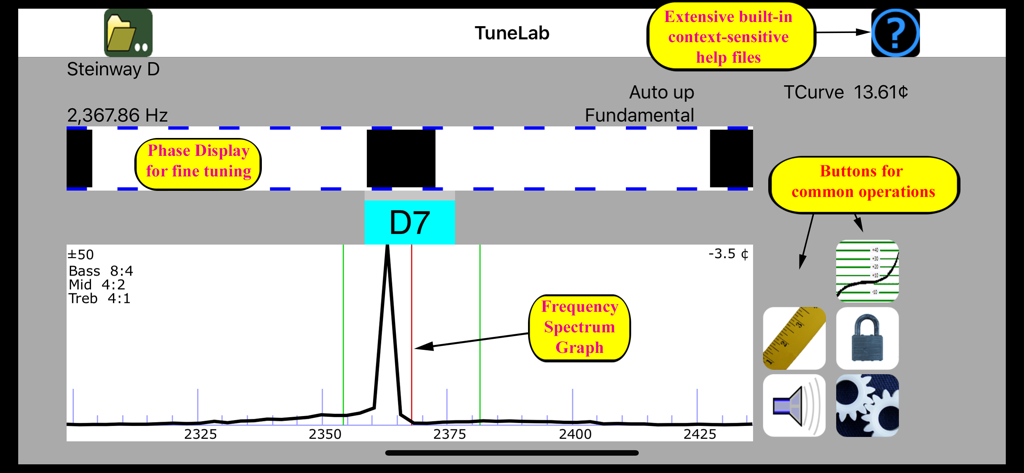
Interface professionnelle d'accordage de piano avec affichage de phase stroboscopique et graphique du spectre de fréquence
Description
Download
Apps Similaires
Apps avec des fonctionnalités et une expérience similaires

Open Sound Meter
Ehrenaudio GmbH

CyberTuner
Dean Reyburn

Guzheng Tuner
海 林
pianoscope – Piano Tuner
Frank Illenberger

iStroboSoft
Peterson Strobe Tuners

RacquetTune - String Tension
Sten Kaiser
PianoMeter – Piano Tuner
Willey Piano LLC

TechDisc
TechDisc Inc.

Auto-Key | Music key detection
Antares Audio Technologies, LLC
Cette page n'est pas une page officielle de l'application ou de son développeur, mais une publication éditoriale indépendante créée à des fins d'information et de commentaire. Sauf indication expresse contraire, ni l'application ni son développeur ne sont affiliés, approuvés, sponsorisés, autorisés ou autrement officiellement liés à MWM, Apple, Google Play, à l'éditeur de l'application ou au développeur de l'application, et rien sur cette page n'implique que l'application a été développée en utilisant les services de MWM. Toutes les marques, logos, captures d'écran et autres contenus restent la propriété de leurs propriétaires respectifs.