
Cette page n'est pas une page officielle de l'application ou de son développeur, mais une publication éditoriale indépendante créée à des fins d'information et de commentaire. Sauf indication expresse contraire, ni l'application ni son développeur ne sont affiliés, approuvés, sponsorisés, autorisés ou autrement officiellement liés à MWM, Apple, Google Play, à l'éditeur de l'application ou au développeur de l'application, et rien sur cette page n'implique que l'application a été développée en utilisant les services de MWM. Toutes les marques, logos, captures d'écran et autres contenus restent la propriété de leurs propriétaires respectifs.


VDO.Ninja
Transformez votre appareil iOS en caméra distante ou source d'écran de haute qualité avec un streaming WebRTC à latence ultra-faible. Conçu pour les créateurs, il offre le partage d'écran en arrière-plan et la connectivité P2P cryptée pour une intégration transparente dans votre flux de diffusion professionnel.
Téléchargements
21K+Note
Nombre d'avis
0Éditeur
Catégorie
Photo & VideoLangues
1Dernière version
2.0.52Taille
29.8 MBDate de sortie
27 mai 2022Améliorez votre flux de production en direct
Apportez un streaming peer-to-peer professionnel à latence ultra-faible à votre configuration mobile. Conçu spécifiquement pour les utilisateurs avancés d'OBS, les diffuseurs et les créateurs de jeux mobiles.
Partage d'écran en arrière-plan
Contrairement aux versions web, notre application native vous permet de diffuser votre gameplay ou de partager votre écran tout en exécutant d'autres applications en arrière-plan.
Latence P2P inférieure à la seconde
Tirez parti de la technologie WebRTC cryptée pour des flux audio et vidéo quasi instantanés, parfaits pour les interviews à distance et la production en temps réel.
Les captures d'écran et la description suivantes proviennent directement de la fiche officielle de l'application sur le store et sont la propriété du développeur.
App Store
Captures
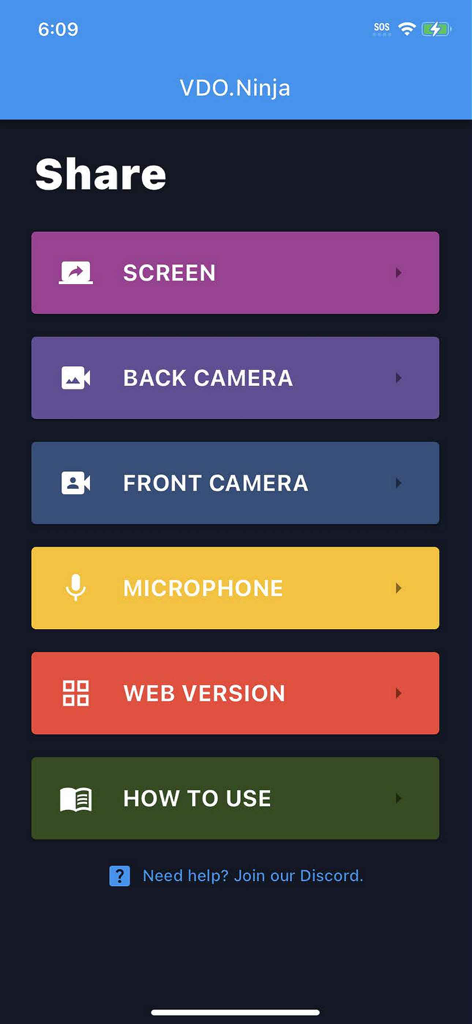
Menu principal de l'application VDO.Ninja montrant les options pour partager l'écran, la caméra et le microphone
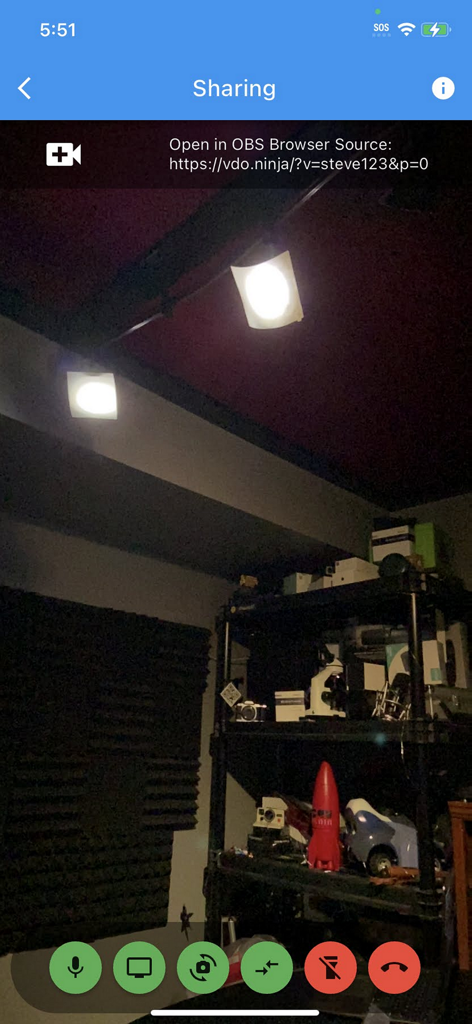
Interface de l'application VDO.Ninja montrant un flux de caméra mobile en direct avec un lien de source de navigateur OBS pour le streaming à distance
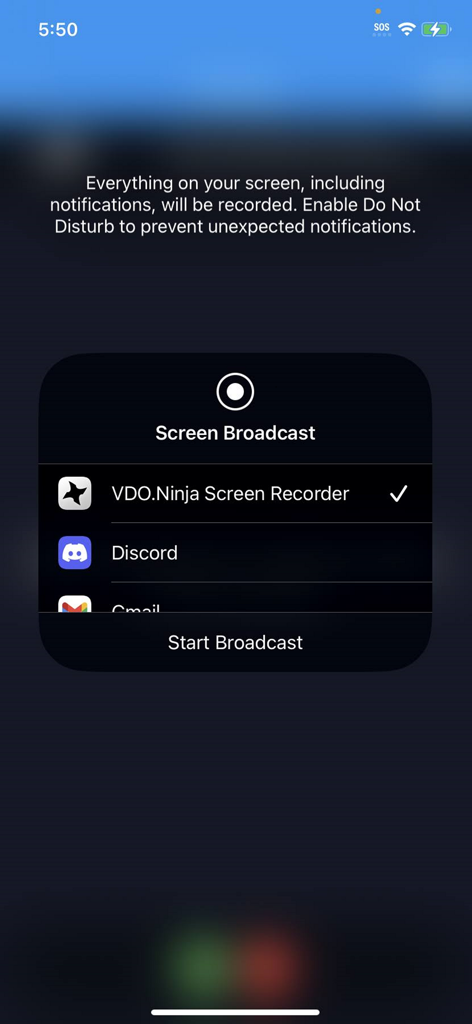
Interface de diffusion d'écran iOS avec l'enregistreur d'écran VDO Ninja sélectionné pour le streaming mobile
Description
Download
Apps Similaires
Apps les mieux classées dans la même catégorie

CapCut: Photo & Video Editor
BYTEDANCE PTE. LTD.

Instagram, Inc.

YouTube
Google LLC

Canva: AI Photo & Video Editor
Canva Pty Ltd

Snapchat
Snap, Inc.

快手
Beijing Kwai Technology Co., Ltd.

Edits: Video Editor
Instagram, Inc.

Meitu- AI Photo & Video Editor
Xiamen Meitu Technology Co., Ltd.

Google Photos: Backup & Edit
Google LLC
Cette page n'est pas une page officielle de l'application ou de son développeur, mais une publication éditoriale indépendante créée à des fins d'information et de commentaire. Sauf indication expresse contraire, ni l'application ni son développeur ne sont affiliés, approuvés, sponsorisés, autorisés ou autrement officiellement liés à MWM, Apple, Google Play, à l'éditeur de l'application ou au développeur de l'application, et rien sur cette page n'implique que l'application a été développée en utilisant les services de MWM. Toutes les marques, logos, captures d'écran et autres contenus restent la propriété de leurs propriétaires respectifs.