
Cette page n'est pas une page officielle de l'application ou de son développeur, mais une publication éditoriale indépendante créée à des fins d'information et de commentaire. Sauf indication expresse contraire, ni l'application ni son développeur ne sont affiliés, approuvés, sponsorisés, autorisés ou autrement officiellement liés à MWM, Apple, Google Play, à l'éditeur de l'application ou au développeur de l'application, et rien sur cette page n'implique que l'application a été développée en utilisant les services de MWM. Toutes les marques, logos, captures d'écran et autres contenus restent la propriété de leurs propriétaires respectifs.


VivuVideo Maker & Editor
Transformez vos morceaux préférés et vos photos en contenu prêt à devenir viral avec des spectres audio professionnels, des effets Lofi esthétiques et des exportations de haute qualité pour TikTok, Reels et YouTube.
Téléchargements
95K+Note
Nombre d'avis
100Éditeur
Catégorie
Photo & VideoLangues
2Dernière version
2.4Taille
63.9 MBDate de sortie
13 juil. 2021Transformez votre musique en chefs-d'œuvre visuels
Rejoignez des milliers de créateurs qui utilisent VivuVideo pour produire du contenu époustouflant pour EDM, Lofi et TikTok avec synchronisation sur le rythme et spectres audio professionnels.
Spectres audio professionnels
Visualisez votre son avec plus de 20 ondes musicales personnalisables qui réagissent dynamiquement à chaque fréquence pour un look de studio professionnel.
Synchronisation automatique sur le rythme
Créez sans effort des montages "velocity" à haute énergie pendant que vos photos pulsent et tremblent au rythme de l'intensité de vos morceaux préférés.
Les captures d'écran et la description suivantes proviennent directement de la fiche officielle de l'application sur le store et sont la propriété du développeur.
App Store
Captures
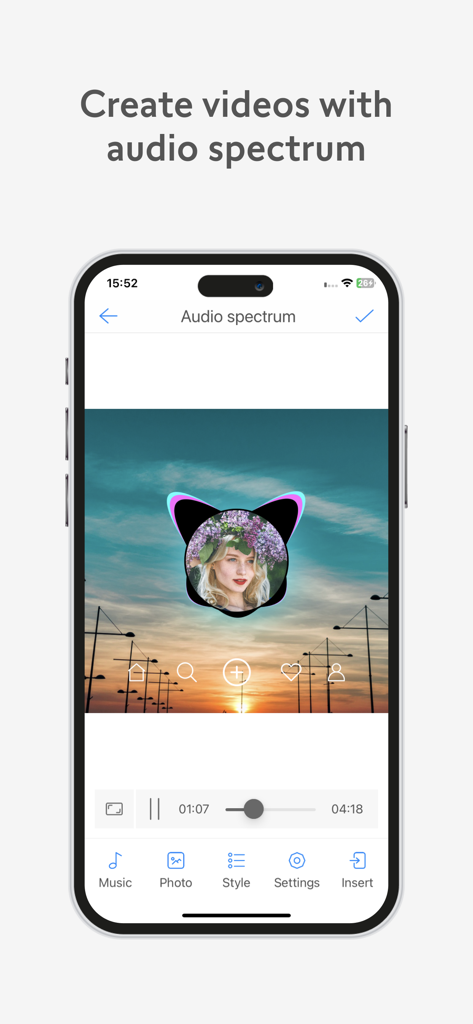
Interface de l'application VivuVideo montrant comment créer une vidéo avec un visualiseur de spectre audio sur une photo personnalisée.
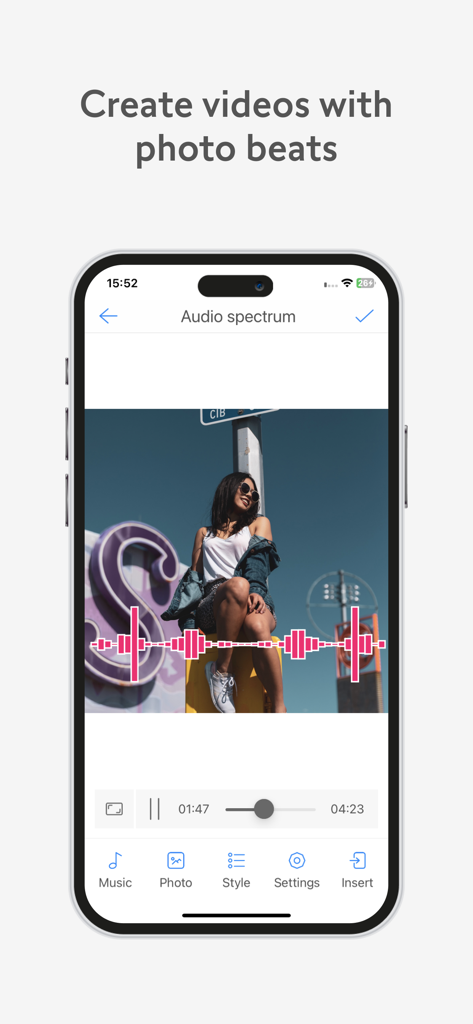
Interface de l'application mobile VivuVideo Maker and Editor montrant un effet de spectre audio sur une photo.
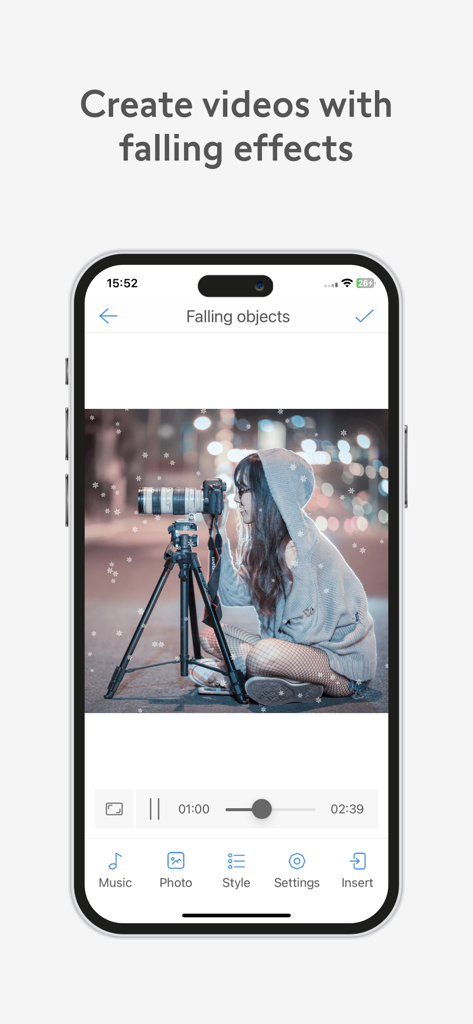
Interface de l'application VivuVideo démontrant l'effet de neige qui tombe sur une photo d'une personne avec un appareil photo.
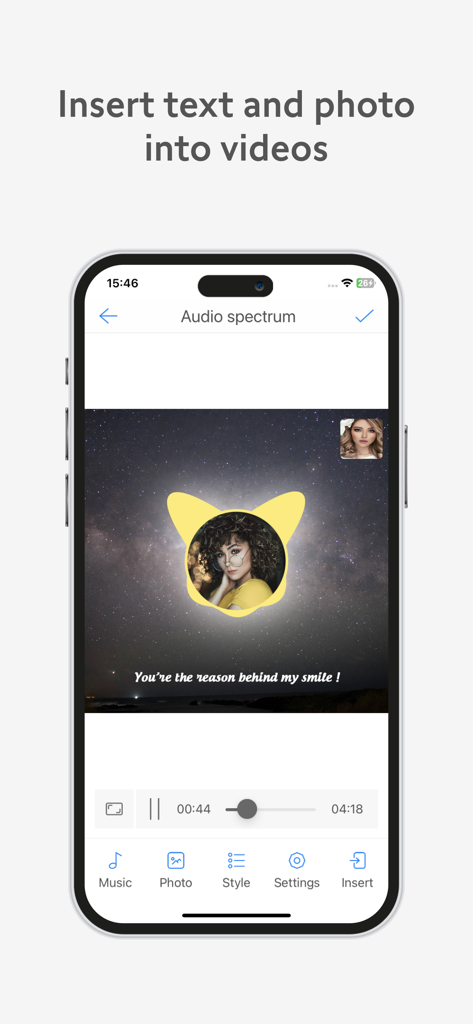
Interface mobile de VivuVideo montrant comment insérer du texte et une photo circulaire sur une vidéo avec spectre audio sur fond étoilé.
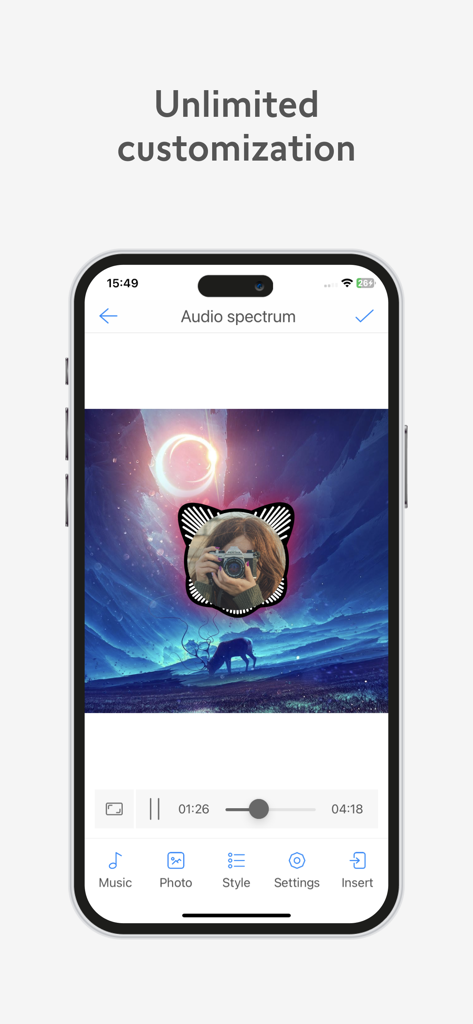
Interface de l'application VivuVideo montrant la personnalisation d'un spectre audio circulaire sur une photo.
Description
Download
Apps Similaires
Apps les mieux classées dans la même catégorie

CapCut: Photo & Video Editor
BYTEDANCE PTE. LTD.

Instagram, Inc.

YouTube
Google LLC

Canva: AI Photo & Video Editor
Canva Pty Ltd

Snapchat
Snap, Inc.

快手
Beijing Kwai Technology Co., Ltd.

Edits: Video Editor
Instagram, Inc.

Meitu- AI Photo & Video Editor
Xiamen Meitu Technology Co., Ltd.

Google Photos: Backup & Edit
Google LLC
Cette page n'est pas une page officielle de l'application ou de son développeur, mais une publication éditoriale indépendante créée à des fins d'information et de commentaire. Sauf indication expresse contraire, ni l'application ni son développeur ne sont affiliés, approuvés, sponsorisés, autorisés ou autrement officiellement liés à MWM, Apple, Google Play, à l'éditeur de l'application ou au développeur de l'application, et rien sur cette page n'implique que l'application a été développée en utilisant les services de MWM. Toutes les marques, logos, captures d'écran et autres contenus restent la propriété de leurs propriétaires respectifs.