
Cette page n'est pas une page officielle de l'application ou de son développeur, mais une publication éditoriale indépendante créée à des fins d'information et de commentaire. Sauf indication expresse contraire, ni l'application ni son développeur ne sont affiliés, approuvés, sponsorisés, autorisés ou autrement officiellement liés à MWM, Apple, Google Play, à l'éditeur de l'application ou au développeur de l'application, et rien sur cette page n'implique que l'application a été développée en utilisant les services de MWM. Toutes les marques, logos, captures d'écran et autres contenus restent la propriété de leurs propriétaires respectifs.

Vocal Tune Studio
Intégrez la production vocale de niveau professionnel à votre configuration mobile. De l'édition de notes granulaires et du décalage de formants à l'étirement temporel parfait, obtenez des résultats de qualité studio directement dans votre hôte AUv3 préféré ou en mode autonome.
Téléchargements
26K+Note
Nombre d'avis
0Éditeur
Catégorie
MusicLangues
1Dernière version
1.4.4Taille
17.3 MBDate de sortie
28 mars 2023Voix de qualité studio, partout
Transformez votre iPhone ou iPad en une puissante suite de production vocale avec une correction granulaire de la hauteur, du tempo et des formants, conçue pour l'artiste indépendant moderne.
Correction de hauteur de niveau professionnel
Des corrections naturelles subtiles à l'effet hard-tune emblématique, obtenez des voix impeccables grâce à la détection automatique d'échelle ou à un contrôle manuel chirurgical.
Intégration AUv3 transparente
Branchez-vous directement sur GarageBand, Cubasis ou votre DAW mobile préféré pour éditer vos pistes en temps réel sans jamais quitter votre projet.
Les captures d'écran et la description suivantes proviennent directement de la fiche officielle de l'application sur le store et sont la propriété du développeur.
App Store
Captures
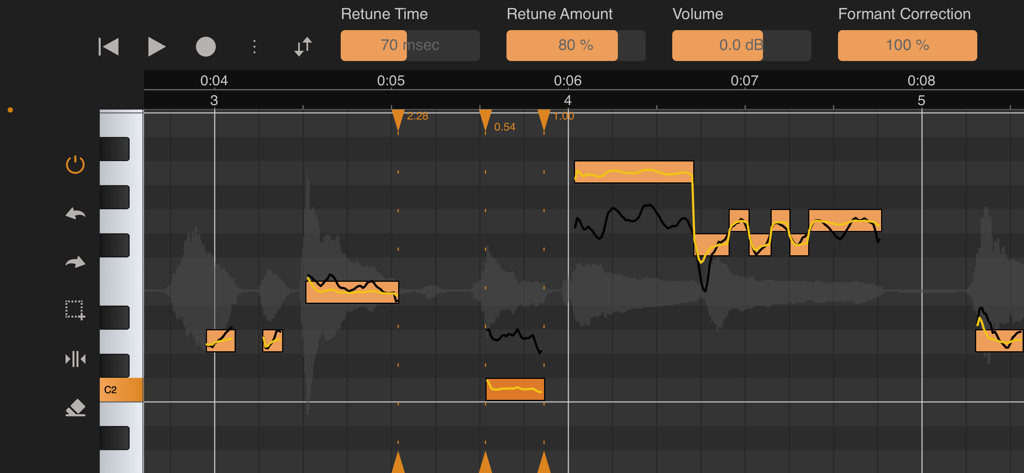
Interface de Vocal Tune Studio montrant les outils de correction de hauteur et de formant
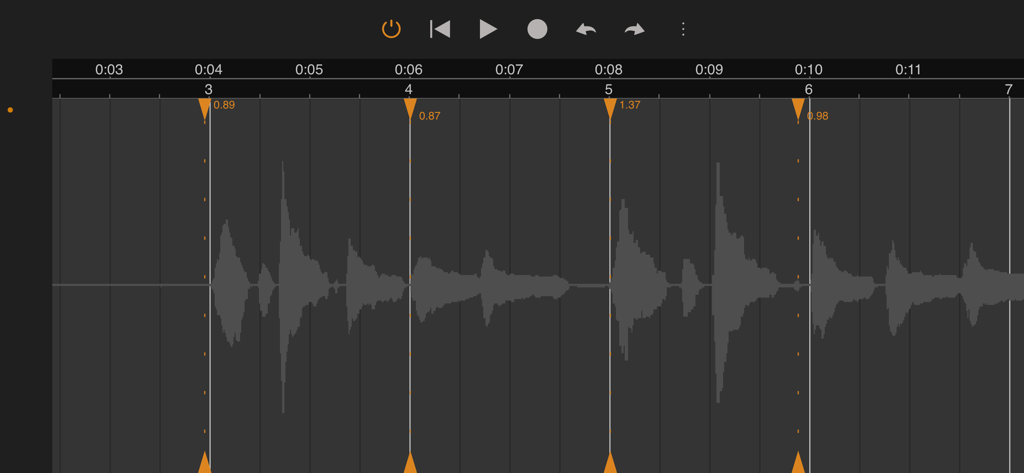
Interface de forme d'onde audio dans Vocal Tune Studio montrant la correction du temps et les marqueurs d'étirement pour une production musicale professionnelle
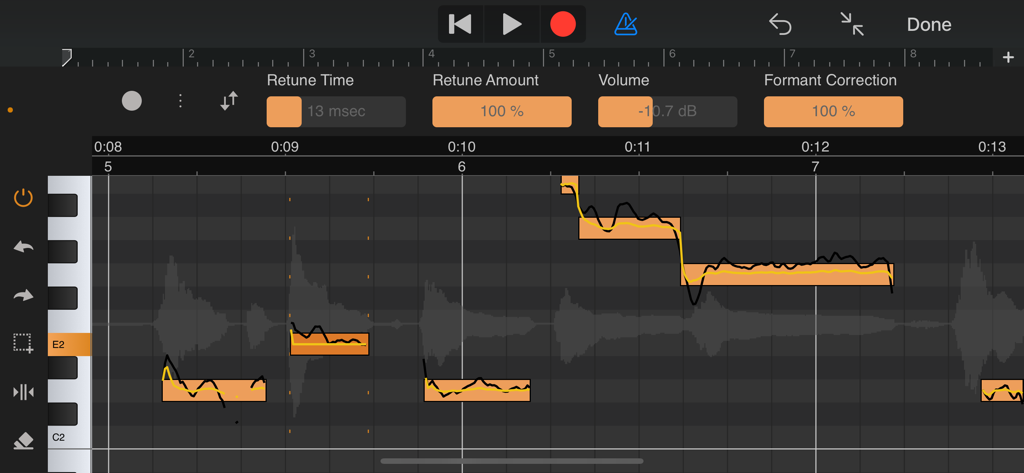
Interface professionnelle de correction de hauteur et de formant dans Vocal Tune Studio montrant l'édition détaillée des notes sur un appareil mobile.
Description
Download
Apps Similaires
Apps les mieux classées dans la même catégorie

Spotify: Music and Podcasts
Spotify

YouTube Music
Google LLC

Shazam: Find Music & Concerts
Apple Inc.

SoundCloud: The Music You Love
SoundCloud Global Limited & Co KG

Suno - AI Songs & Music
Suno Inc.

QQ音乐 - 听我想听
Tencent Technology (Shenzhen) Company Limited

Audiomack - Play Music Offline
Audiomack, Inc.

GuitarTuna: Tune & Play Guitar
Yousician Ltd

BandLab – Music Maker & Beats
BandLab Singapore Pte Ltd
Cette page n'est pas une page officielle de l'application ou de son développeur, mais une publication éditoriale indépendante créée à des fins d'information et de commentaire. Sauf indication expresse contraire, ni l'application ni son développeur ne sont affiliés, approuvés, sponsorisés, autorisés ou autrement officiellement liés à MWM, Apple, Google Play, à l'éditeur de l'application ou au développeur de l'application, et rien sur cette page n'implique que l'application a été développée en utilisant les services de MWM. Toutes les marques, logos, captures d'écran et autres contenus restent la propriété de leurs propriétaires respectifs.