WhatsAgain for WhatsApp
Télécharger sur App Store

Cette page n'est pas une page officielle de l'application ou de son développeur, mais une publication éditoriale indépendante créée à des fins d'information et de commentaire. Sauf indication expresse contraire, ni l'application ni son développeur ne sont affiliés, approuvés, sponsorisés, autorisés ou autrement officiellement liés à MWM, Apple, Google Play, à l'éditeur de l'application ou au développeur de l'application, et rien sur cette page n'implique que l'application a été développée en utilisant les services de MWM. Toutes les marques, logos, captures d'écran et autres contenus restent la propriété de leurs propriétaires respectifs.


Logo de WhatsAgain for WhatsApp
Télécharger sur App Store

WhatsAgain for WhatsApp

Synchronisez sans effort plusieurs comptes sur votre iPhone et profitez de l'expérience plein écran qui manquait à votre iPad. L'outil ultime pour les professionnels et les multitâches afin de combler le fossé entre vie professionnelle et vie privée.

Chiffres Clés

Téléchargements

228K+

Note

4.3/5

Nombre d'avis

1K+

Éditeur

PGD Mobile Development, S.L.

Catégorie

Social Networking

Langues

1

Dernière version

1.21

Taille

10.9 MB

Date de sortie

3 févr. 2019
Fonctionnalités

Boostez votre productivité

Gérez plusieurs comptes WhatsApp sans effort sur votre iPhone et iPad avec une interface professionnelle conçue pour votre style de vie chargé.

Liberté de double compte

Éliminez le besoin de deux téléphones. Gérez vos comptes personnels et professionnels simultanément sur un seul appareil.

Expérience iPad native

Plus de fenêtres de navigateur. Profitez d'une interface WhatsApp dédiée, en plein écran, spécialement conçue pour votre flux de travail sur iPad.

Les captures d'écran et la description suivantes proviennent directement de la fiche officielle de l'application sur le store et sont la propriété du développeur.

App Store

Captures
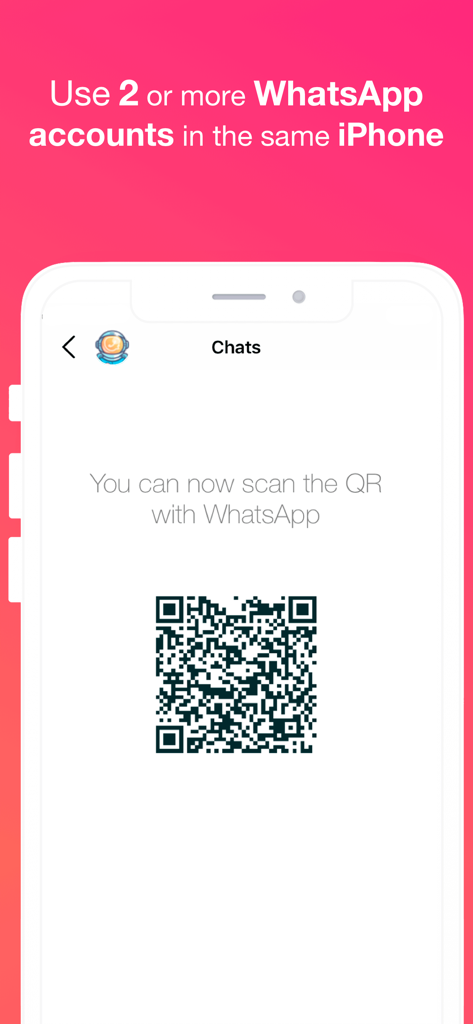
WhatsAgain for WhatsApp - Application WhatsAgain affichant un code QR pour synchroniser plusieurs comptes WhatsApp sur un seul iPhone.
Application WhatsAgain affichant un code QR pour synchroniser plusieurs comptes WhatsApp sur un seul iPhone.

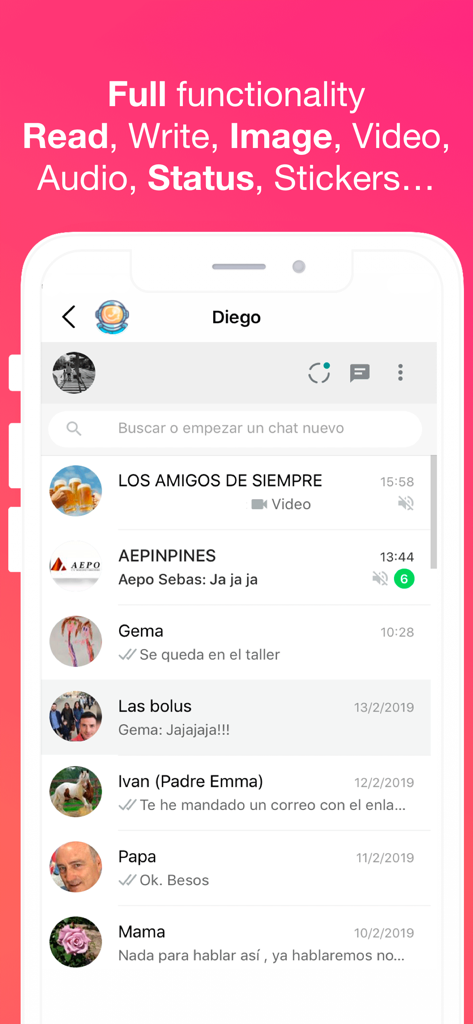
WhatsAgain for WhatsApp - Interface de l'application WhatsAgain affichant plusieurs conversations WhatsApp et les fonctionnalités prises en charge.
Interface de l'application WhatsAgain affichant plusieurs conversations WhatsApp et les fonctionnalités prises en charge.

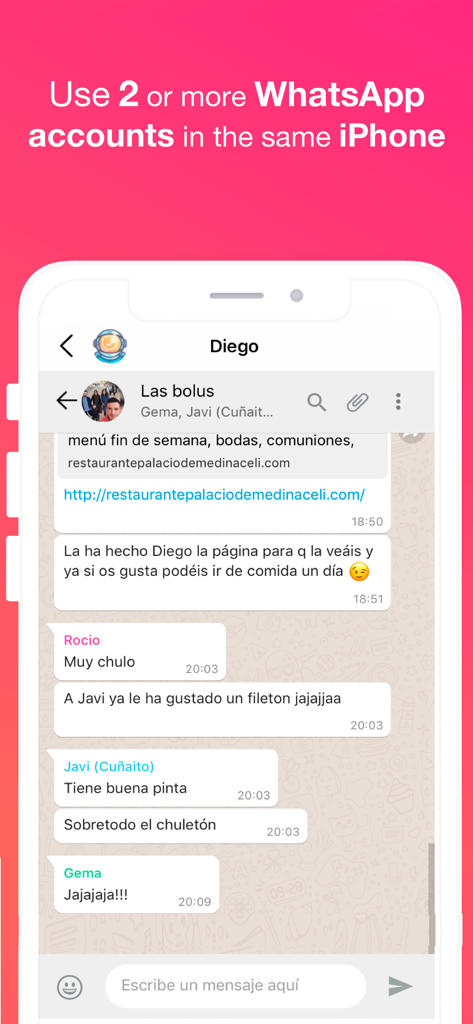
WhatsAgain for WhatsApp - Capture d'écran de l'application WhatsAgain montrant un chat de groupe WhatsApp sur un iPhone avec un texte sur l'utilisation de plusieurs comptes.
Capture d'écran de l'application WhatsAgain montrant un chat de groupe WhatsApp sur un iPhone avec un texte sur l'utilisation de plusieurs comptes.

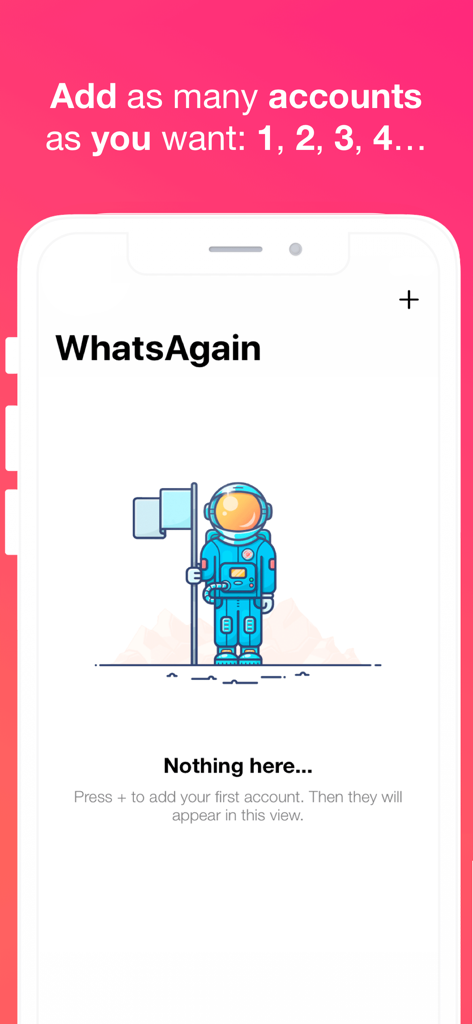
WhatsAgain for WhatsApp - Interface de l'application WhatsAgain montrant un état vide avec une illustration d'astronaute et des instructions pour ajouter plusieurs comptes WhatsApp.

Interface de l'application WhatsAgain montrant un état vide avec une illustration d'astronaute et des instructions pour ajouter plusieurs comptes WhatsApp.

Description

Welcome to WhatsAgain, the application that synchronizes your WhatsApp Web accounts. Yes, you have read well, YOUR ACCOUNTS, in plural, double accounts or multi accounts. And full screen! Read more to learn how to have more than one WhatsApp account on your iPhone, or WhatsApp on iPad, like Whatscan but working xD WhatsAgain allows you to access, through WhatsWeb, all the accounts that you have or need to manage. And also, with all the features you already have, like Whatscan but working xD And, why am I going to need something like that? Well, it's easy. We present to you several scenarios that we use now WhatsAgain. · I have two or more phones with WhatsApp: In this case, WhatsAgain, allows you to have all the WhatsApp accounts on the same device. For example, if you have a personal account, a professional account, and another technical support account. With WhatsAgain, you can access them from a single device. Great, right? How does WhatsAgain work? WhatsAgain works by pairing the official WhatsApp accounts through the WhatsWeb platform. How to match a WhatsApp account with WhatsAgain? · Open WhatsAgain and follow the steps until you see a QR code on the screen. · On the mobile with the WhatsApp account, navigate to 'Settings' -> 'WhatsApp Web / Desktop' -> 'Scan QR code'. · Scan the QR code of the mobile screen with WhatsAgain and wait for the account to load. AND READY!!! Can I stop using my official WhatsApp account on WhatsAgain? Yes of course. You simply have to close the session or the WhatsWeb sessions that you want from your WhatsApp app. SUBSCRIPTION PRICING AND TERMS You can find all related information in these links: PGDMobile / iWazowski.com Terms of Service: https://pgdmobile.com/legal/pdf/Terms_of_Service.pdf PGDMobile / iWazowski.com Privacy Policy: http://pgdmobile.com/legal/pdf/Privacy_Policy.pdf 1) About Subscription: WhatsAgain offers you the following subscription: Monthly Membership offers a monthly subscription for $0.99 after a 3-day free trial. After buying this subscription, you will unlock the following features: Send audio messages, you will be able to signin the app with your Google account, you will be able to save your WhatsApp Web session in the cloud, you will be able to open your stored sessions in other device signing in with your Google account. 2) About end of trial and subscription renewal: This price is for United States customers. Pricing in other countries may vary, and actual charges may be converted to your local currency depending on the country of residence. Your subscription will be charged to your iTunes Account at confirmation of purchase. Subscription automatically renews unless auto-renew is turned off at least 24-hours before the end of the current period. Account will be charged for renewal within 24-hours prior to the end of the current period, and identify the cost of the renewal. Subscriptions may be managed by the user and auto-renewal may be turned off by going to the user's Account Settings after purchase. Any unused portion of a free trial period, if offered, will be forfeited when the user purchases a subscription to that publication, where applicable. 3) About canceling trial or subscription: You can turn off the auto-renew for the subscription whenever you want to through iTunes. Check https://support.apple.com/HT202039. When your current trial/subscription period expires, you will be unsubscribed. The current active subscription period can not be canceled. After your subscription expires, you will no longer have access to premium features. If you have any questions or comments, feel free to contact us at support@iwazowski.com Disclaimer: WhatsAgain is a third-party app for WhatsApp. It does not have, nor does it exist, any commercial relationship, nor is it endorsed or endorsed by WhatsApp, Facebook Inc. or any of its affiliates. The application connects to your official WhatsApp Web account and complies with the terms of use of WhatsApp.

Download

Télécharger sur App Store

Cette page n'est pas une page officielle de l'application ou de son développeur, mais une publication éditoriale indépendante créée à des fins d'information et de commentaire. Sauf indication expresse contraire, ni l'application ni son développeur ne sont affiliés, approuvés, sponsorisés, autorisés ou autrement officiellement liés à MWM, Apple, Google Play, à l'éditeur de l'application ou au développeur de l'application, et rien sur cette page n'implique que l'application a été développée en utilisant les services de MWM. Toutes les marques, logos, captures d'écran et autres contenus restent la propriété de leurs propriétaires respectifs.