WristTopo: Offline Navigation

WristTopo: Offline Navigation

Télécharger sur App Store
Logo de WristTopo: Offline Navigation

WristTopo : Navigation hors ligne Pro pour votre Apple Watch

Planifiez sur iPhone, explorez sans téléphone. Cartes topographiques haute performance et guidage virage par virage conçus pour le sentier, la course et le vélo.

Éditeur

Piotr Janik

Catégorie

Navigation

Téléchargements

15K+

Note

4.9/5

Nombre d'avis

0

Langues

10

L'aventure en un coup d'œil

Découvrez l'interface utilisée par 15K+ utilisateurs.

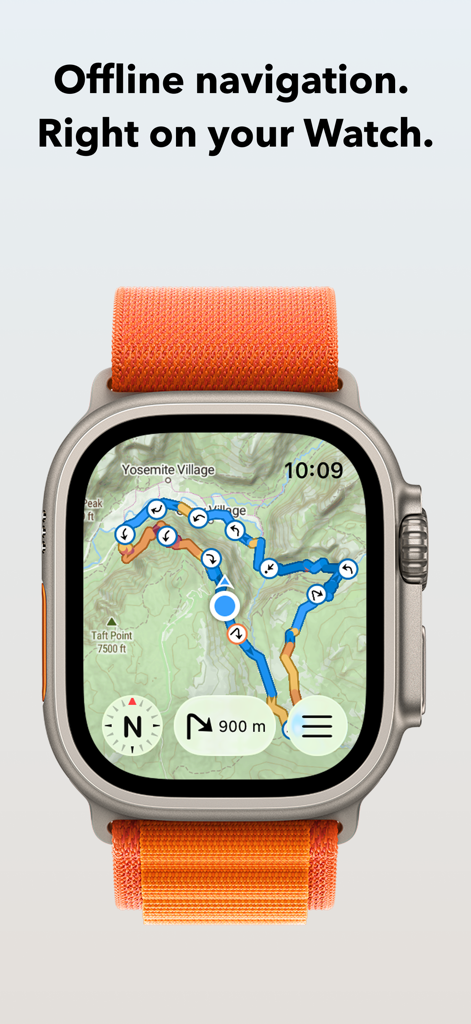
Application WristTopo affichant une carte topographique avec un itinéraire de navigation sur une Apple Watch Ultra
Application WristTopo affichant une carte topographique avec un itinéraire de navigation sur une Apple Watch Ultra

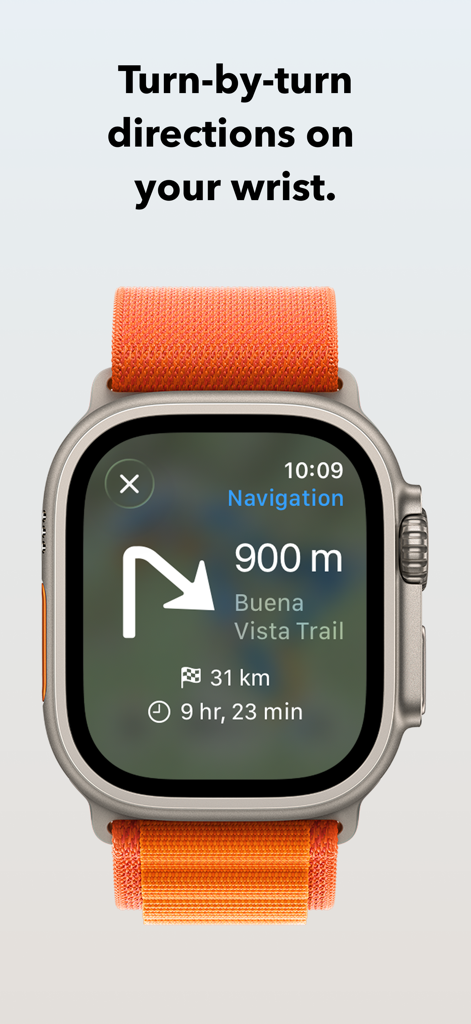
Application WristTopo affichant les directions de sentier virage par virage sur une Apple Watch Ultra
Application WristTopo affichant les directions de sentier virage par virage sur une Apple Watch Ultra

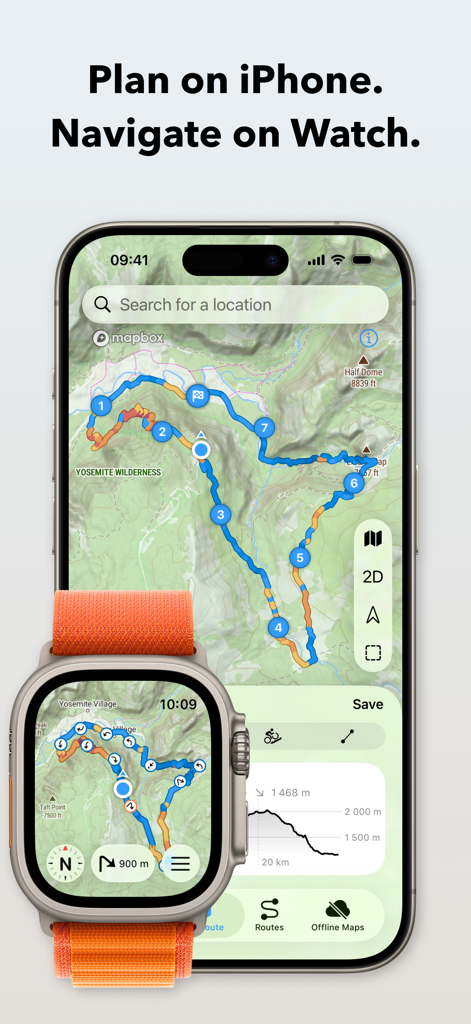
Application WristTopo montrant la planification d'itinéraires topographiques sur iPhone et la navigation sur Apple Watch Ultra
Application WristTopo montrant la planification d'itinéraires topographiques sur iPhone et la navigation sur Apple Watch Ultra

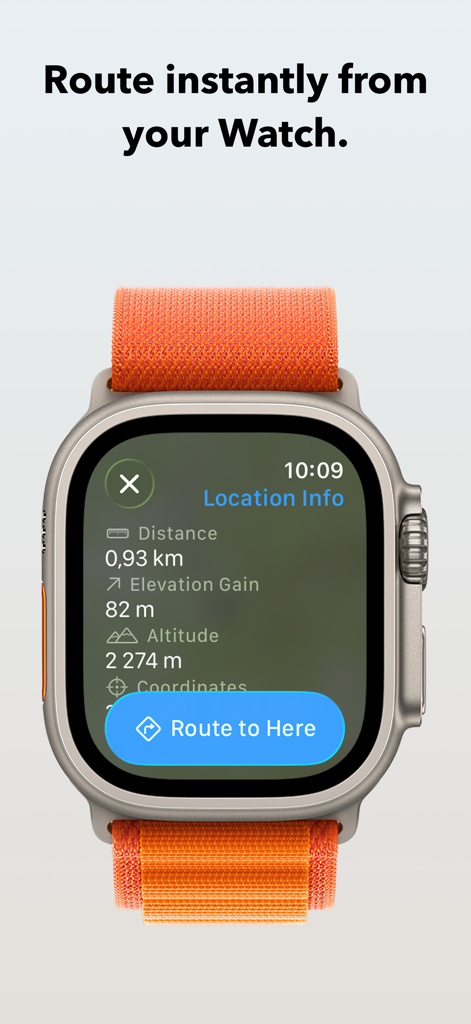
Application WristTopo sur Apple Watch affichant l'écran d'informations sur la localisation et un bouton pour Routage vers ici
Application WristTopo sur Apple Watch affichant l'écran d'informations sur la localisation et un bouton pour Routage vers ici

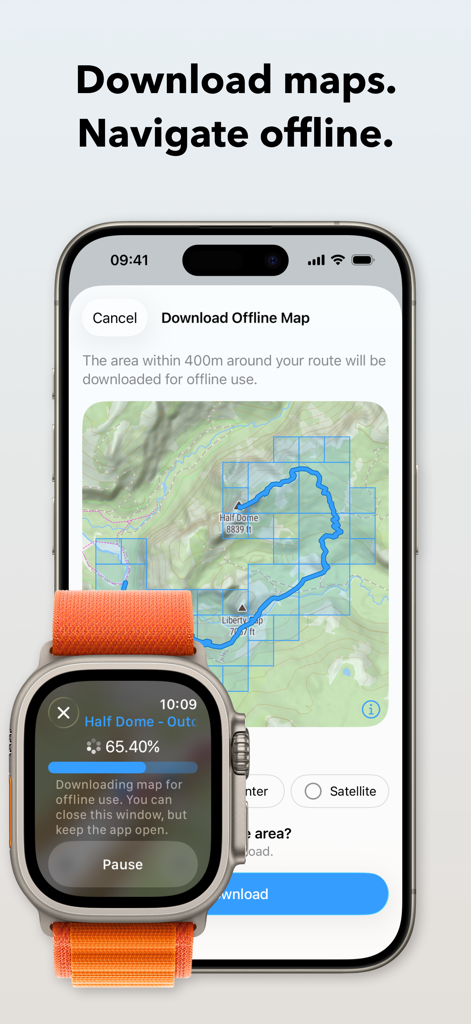
iPhone et Apple Watch affichant le processus de téléchargement d'une carte topographique hors ligne pour la randonnée
iPhone et Apple Watch affichant le processus de téléchargement d'une carte topographique hors ligne pour la randonnée

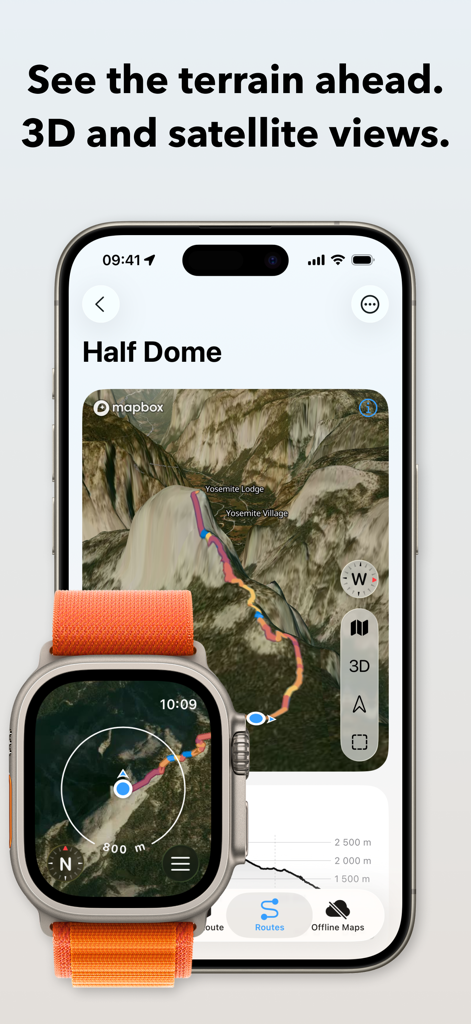
Interface de l'application WristTopo sur iPhone et Apple Watch montrant le terrain satellite 3D et la planification d'itinéraires pour Half Dome
Interface de l'application WristTopo sur iPhone et Apple Watch montrant le terrain satellite 3D et la planification d'itinéraires pour Half Dome

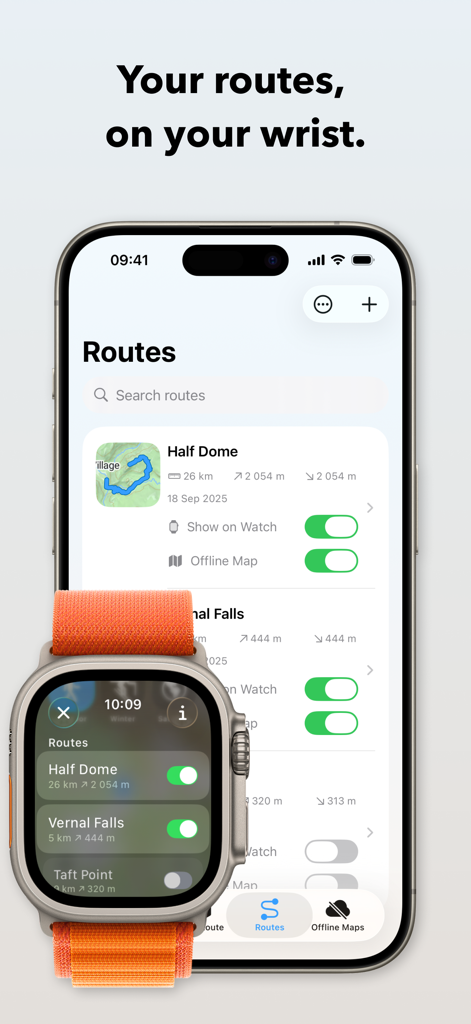
Interface de l'application WristTopo montrant la synchronisation des itinéraires de randonnée entre un iPhone et une Apple Watch Ultra
Interface de l'application WristTopo montrant la synchronisation des itinéraires de randonnée entre un iPhone et une Apple Watch Ultra

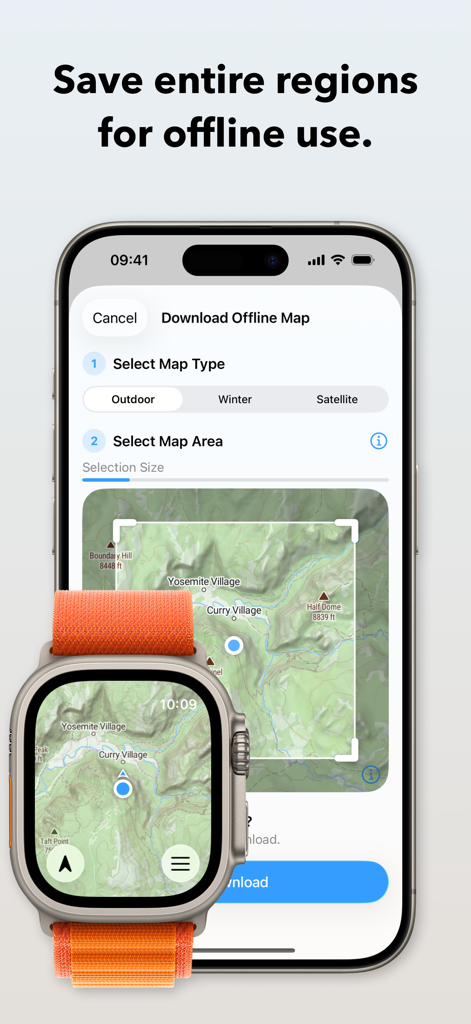
Interface de l'application WristTopo montrant comment télécharger des cartes topographiques hors ligne sur iPhone et Apple Watch Ultra.
Interface de l'application WristTopo montrant comment télécharger des cartes topographiques hors ligne sur iPhone et Apple Watch Ultra.

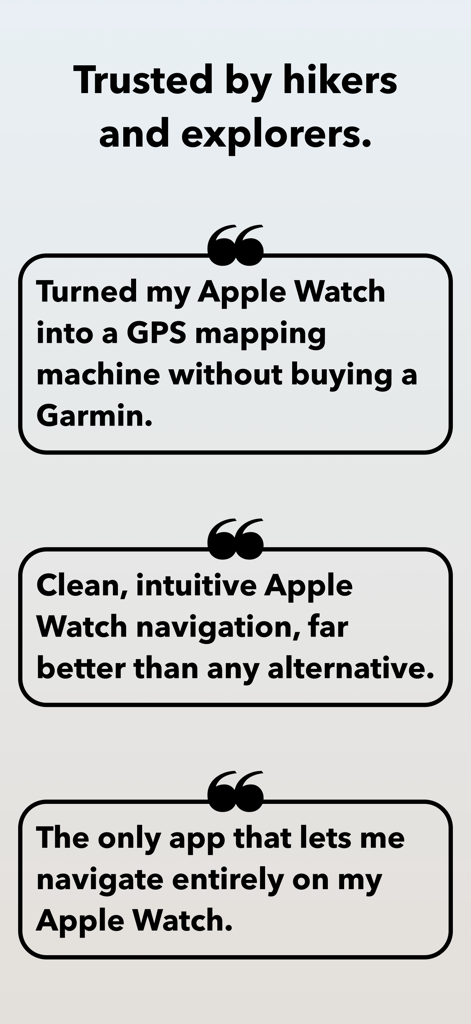
Témoignages d'utilisateurs pour WristTopo soulignant ses capacités de cartographie GPS et de navigation hors ligne sur Apple Watch

Témoignages d'utilisateurs pour WristTopo soulignant ses capacités de cartographie GPS et de navigation hors ligne sur Apple Watch

Navigation professionnelle à votre poignet

Les outils qui font la différence, choisis par 15K+ utilisateurs.

🏔️

Véritable fiabilité hors ligne

Téléchargez des cartes topographiques et satellites détaillées directement sur votre Apple Watch. Naviguez sur les sentiers les plus reculés en toute confiance, même dans les zones sans réseau.

Flux ininterrompu

Bénéficiez d'un guidage vocal virage par virage et d'alertes visuelles à votre poignet. Restez concentré sur votre course ou votre vélo sans jamais avoir besoin de sortir votre téléphone de votre sac.

🔒

Conception privée et native

Profitez d'une expérience magnifique, sans compte, qui respecte votre vie privée. Fonctionne de manière transparente avec Apple Workout pour que vos statistiques et votre navigation restent en parfaite harmonie.

À propos de l'app

Tout ce que vous devez savoir sur WristTopo: Offline Navigation.

Description

Never lose your way. From planning to navigating — all in WristTopo. Plan routes on your iPhone, sync them instantly, and navigate offline on your Apple Watch. No fiddling with your phone on the trail, mid-run, or during a ride — just reliable navigation and maps, always ready when you need them. WristTopo works on your watch without your phone or network. FOR EVERY ADVENTURE Hiking mountain trails. Running in new places. Trail running. Road cycling new routes. Mountain biking technical descents. All better when you can navigate phone-free. WristTopo adapts to how you move — with routing optimized for hiking, running, biking, and mountain biking. TURN-BY-TURN NAVIGATION Stay on track with voice guidance and visual turn notifications right on your wrist. See upcoming turns, distances, and hear spoken directions — no phone needed. Navigation works with routes planned in WristTopo, giving you confidence to explore new trails without constantly checking your phone. ROUTE PLANNER Create your perfect route before you head out — whether you're planning a hike, run, trail run, or bike ride. Simply tap to set waypoints and watch your route come to life with instant distance and elevation feedback. Choose from running, hiking, biking, mountain biking, or straight-line routing modes to match your adventure. It's incredibly intuitive — no complex menus or confusing settings, just tap and plan. QUICK ROUTE ON YOUR WATCH Need a simple route on the go? Plan directly on your watch from wherever you are. Quick Route lets you create instant point-to-point routes right from your wrist — perfect for navigating to a viewpoint, finding your way back, or exploring from your current location. No phone needed. OFFLINE MAPS, FOR REAL Download detailed summer, winter, or satellite maps straight to your watch. Once saved, they're always available — no connection needed. Choose an entire area for general use, or download map sections around a route with a single tap. CUSTOM GPX ROUTES, INSTANT SYNC Import GPX files into the iPhone app and they sync instantly to your watch. Toggle routes with a tap. Display multiple tracks at once. Routes include gradient colors (orange uphill, blue downhill) and direction arrows, so you can see steepness and direction at a glance. The entire flow is designed for speed and clarity. BUILT FOR THE OUTDOORS Navigation on Apple Watch can be this smooth. Ultra-fast performance, sharp topography, shaded relief, satellite imagery, and winter ski trails — all optimized for Apple Watch and real-world conditions. BEAUTIFULLY DESIGNED Outdoor tools don't have to sacrifice beauty for functionality. WristTopo's Liquid Glass design proves that powerful navigation can also be elegantly crafted and intuitively beautiful. Every interaction feels natural and effortless, making complex route planning and map exploration a joy to use. WORKS WITH APPLE WORKOUT Track your hike, run, or ride using Apple's own Workout app — reliable, proven, and privacy-friendly. Swipe between it and WristTopo during your adventure — both stay active and visible when you need them. ICLOUD BACKUP Routes and offline maps sync between your devices. Everything survives reinstalls and device upgrades automatically. PRIVATE BY DESIGN No accounts. No ads. No third-party servers. Your data stays securely on your device and your private iCloud — always. FREE TO START WristTopo is free to try with everything you need for shorter adventures: • Up to 3 saved routes • 3 small offline map regions • Plan with up to 5 route points • Follow routes on your Apple Watch UNLOCK PRO Upgrade for more flexibility: • Unlimited routes and larger offline regions • Voice-guided turn-by-turn navigation • Quick Route planning on your Apple Watch • GPX export to share your own tracks • Support independent app development Terms of Use: https://www.apple.com/legal/internet-services/itunes/dev/stdeula/ Privacy Policy: https://wristtopo.app/privacy

Dernière version

5.0

Taille

114.6 MB

Date de sortie

1 janv. 2025

Explorez plus loin, sans téléphone.

Découvrez la liberté de la navigation hors ligne de niveau professionnel. Téléchargez WristTopo dès aujourd'hui et apportez des cartes topographiques détaillées et un guidage virage par virage directement sur votre Apple Watch.

Télécharger sur App Store

App information, icons, screenshots, and descriptions displayed on this page are sourced from the Apple App Store and are the property of their respective developers. Download estimates and rankings are based on MWM's proprietary models and may not reflect actual figures. This page is provided for informational and analytical purposes only.

Believe this page infringes your intellectual property? File a dispute