
Cette page n'est pas une page officielle de l'application ou de son développeur, mais une publication éditoriale indépendante créée à des fins d'information et de commentaire. Sauf indication expresse contraire, ni l'application ni son développeur ne sont affiliés, approuvés, sponsorisés, autorisés ou autrement officiellement liés à MWM, Apple, Google Play, à l'éditeur de l'application ou au développeur de l'application, et rien sur cette page n'implique que l'application a été développée en utilisant les services de MWM. Toutes les marques, logos, captures d'écran et autres contenus restent la propriété de leurs propriétaires respectifs.


You Doodle - draw on photos
La personnalisation photo n'est plus une contrainte. L'application donne aux utilisateurs le pouvoir de redéfinir visuellement leurs images, sans compromis.
Téléchargements
1M+Note
Nombre d'avis
35.9KÉditeur
Catégorie
Photo & VideoLangues
16Dernière version
10.0.1Taille
54.7 MBDate de sortie
7 juin 2012Évaluation analytique des principales capacités de l'application, soulignant leur pertinence pour l'audience cible des créateurs occasionnels et des passionnés de médias sociaux.
Analyse des Fonctionnalités Clés de 'You Doodle - draw on photos'
Fonctionnalités de Partage Social Étendues
Il permet aux utilisateurs de partager facilement leurs créations vers une multitude de plateformes sociales comme Instagram, Facebook, Twitter, ainsi que par e-mail ou message, maximisant la visibilité des œuvres.
Outils de Dessin et d'Édition Complets
L'application propose une vaste gamme d'outils de dessin et d'édition, incluant pinceaux, aérographes, outils de remplissage, de flou et de retouche, permettant aux utilisateurs de manipuler et d'embellir leurs photos avec précision.
Bibliothèque Riche de Stickers, Timbres et Cadres
L'application offre des centaines de timbres, autocollants et cadres photo, ainsi que la possibilité de créer des éléments personnalisés, enrichissant considérablement la personnalisation des créations.
Options de Texte et Typographie Avancées
Cet outil permet aux utilisateurs d'ajouter du texte avec une multitude de polices, couleurs, contours, effets de brillance, 3D et rotation, idéal pour la création de mèmes ou la personnalisation de messages.
Intégration iMessage et Création de Contenu Animé
L'application propose une intégration directe avec iMessage pour des éditions rapides et l'ajout de stickers, ainsi que la création de diaporamas vidéo et l'exportation en GIF, répondant aux tendances du contenu dynamique.
Gestion des Calques et Modes de Fusion
Cet outil présente la capacité de travailler avec des calques et d'appliquer divers modes de fusion, offrant une flexibilité accrue pour des compositions complexes et des effets visuels sophistiqués.
Les captures d'écran et la description suivantes proviennent directement de la fiche officielle de l'application sur le store et sont la propriété du développeur.
App Store
Captures

L'application vous permet de concevoir des collages originaux avec des centaines de modèles disponibles et d'y intégrer des cadres personnalisés pour une finition impeccable.
Créez vos collages

Cet outil transforme vos images avec des filtres expressifs et un outil de texte intuitif pour ajouter des messages personnalisés et artistiques.
Photos magnifiées
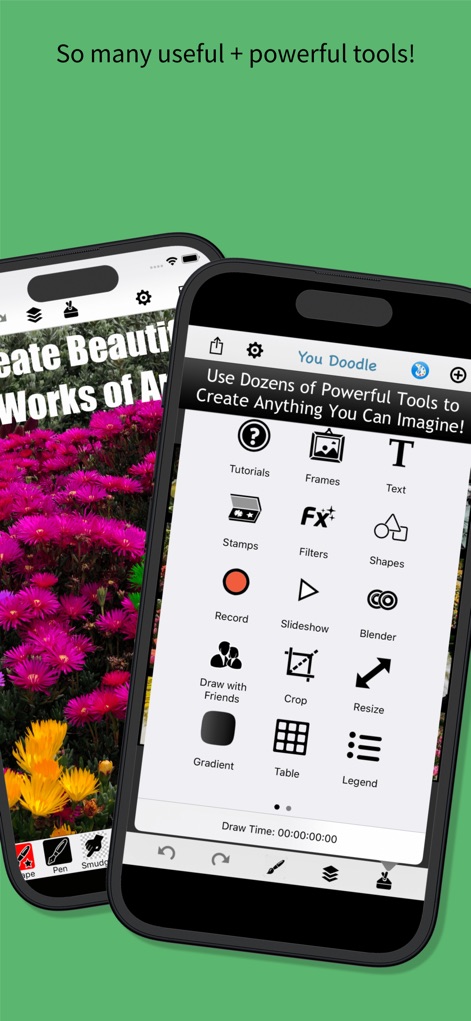
Explorez la multitude d'outils disponibles, de l'ajout de texte aux formes variées, pour libérer votre imagination et concrétiser toutes vos idées.
Outils créatifs illimités

Les utilisateurs peuvent créer des mèmes percutants et ajouter du texte expressif pour partager des messages amusants avec leurs proches ou leur communauté en ligne.
Mèmes hilarants

Cet outil permet de créer des cartes de vœux uniques en intégrant vos photos et en ajoutant des éléments décoratifs festifs comme des timbres et des autocollants.
Cartes de vœux
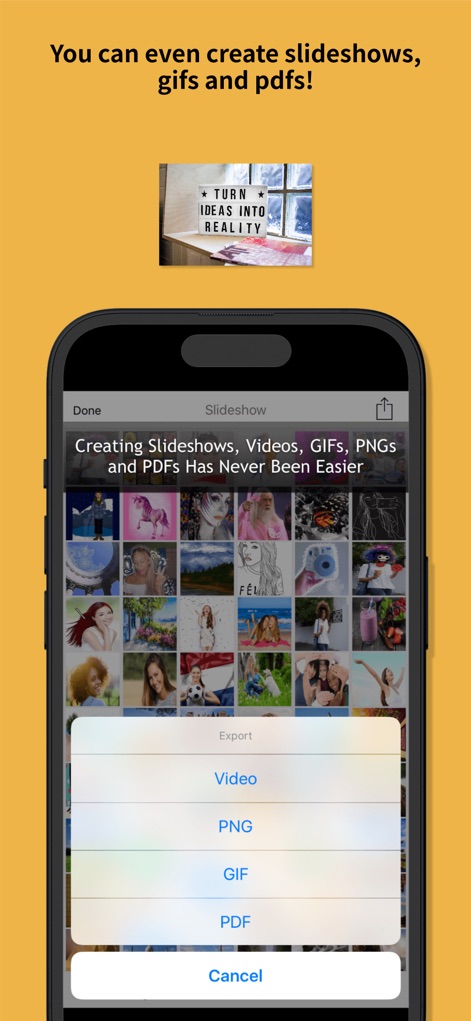
L'application permet de créer des diaporamas captivants et d'exporter vos créations dans des formats variés comme la vidéo, le GIF ou le PDF.
Exporter, Partager
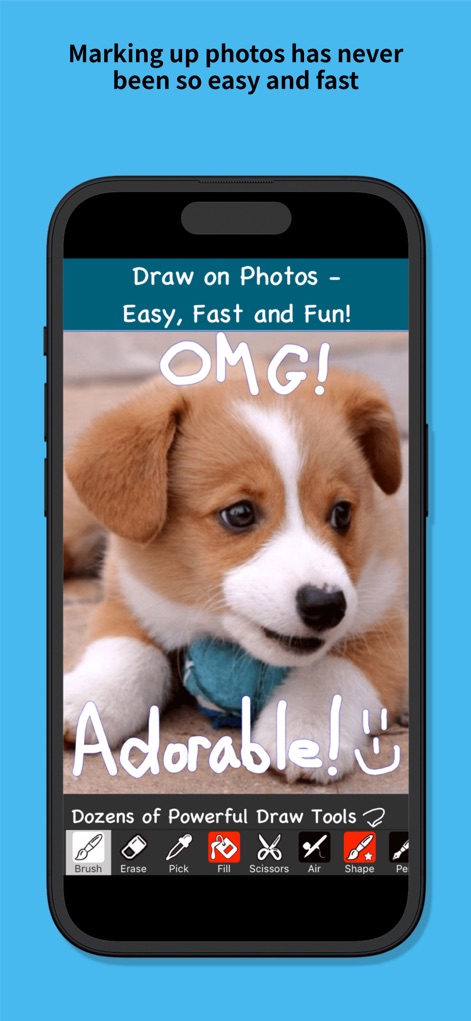
Les utilisateurs peuvent annoter leurs photos avec une grande variété d'outils de dessin, tels que le pinceau et le stylo, pour une personnalisation rapide et expressive.
Dessinez facilement
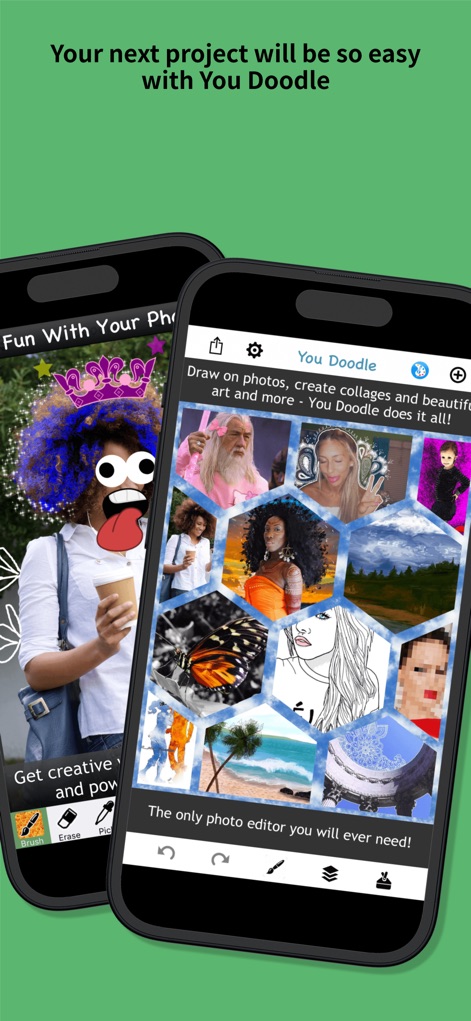
Cet éditeur complet facilite la modification d'images en offrant des outils de dessin intuitifs et la possibilité de créer des collages uniques et percutants.
Éditez vos photos
Description
Download
Apps Similaires
Apps les mieux classées dans la même catégorie

CapCut: Photo & Video Editor
BYTEDANCE PTE. LTD.

Instagram, Inc.

YouTube
Google LLC

Canva: AI Photo & Video Editor
Canva Pty Ltd

Snapchat
Snap, Inc.

快手
Beijing Kwai Technology Co., Ltd.

Edits: Video Editor
Instagram, Inc.

Meitu- AI Photo & Video Editor
Xiamen Meitu Technology Co., Ltd.

Google Photos: Backup & Edit
Google LLC
Cette page n'est pas une page officielle de l'application ou de son développeur, mais une publication éditoriale indépendante créée à des fins d'information et de commentaire. Sauf indication expresse contraire, ni l'application ni son développeur ne sont affiliés, approuvés, sponsorisés, autorisés ou autrement officiellement liés à MWM, Apple, Google Play, à l'éditeur de l'application ou au développeur de l'application, et rien sur cette page n'implique que l'application a été développée en utilisant les services de MWM. Toutes les marques, logos, captures d'écran et autres contenus restent la propriété de leurs propriétaires respectifs.