Alarm Clock ◎
Alarm Clock ◎
Scarica su App Store

Questa pagina non è una pagina ufficiale dell'app o del suo sviluppatore, ma una pubblicazione editoriale indipendente creata a scopo informativo e di commento. Salvo espressa indicazione contraria, né l'app né il suo sviluppatore sono affiliati, approvati, sponsorizzati, autorizzati o altrimenti ufficialmente collegati a MWM, Apple, Google Play, all'editore dell'app o allo sviluppatore dell'app, e nulla in questa pagina implica che l'app sia stata sviluppata utilizzando i servizi di MWM. Tutti i marchi, loghi, screenshot e altri contenuti rimangono di proprietà dei rispettivi proprietari.

Logo di Alarm Clock ◎
Scarica su App Store

Alarm Clock ◎

Rompi l'abitudine del snooze con missioni interattive come puzzle matematici e compiti di camminata. Ottieni la disciplina di cui hai bisogno per iniziare la giornata energico, informato e puntuale.

Numeri Chiave

Download

51K+

Valutazione

4.3/5

Valutazioni totali

6K+

Editore

RV AppStudios LLC

Categoria

Utilities

Lingue

18

Ultima versione

8.5

Dimensione

171.9 MB

Data di lancio

26 lug 2011
Funzioni

Conquista la tua routine mattutina

Progettate per chi dorme profondamente, le nostre missioni intelligenti e gli strumenti mattutini ti assicurano di svegliarti vigile, informato e pronto a vincere la giornata.

Missioni che potenziano il cervello

Sconfiggi l'inerzia del sonno con puzzle matematici o decifrazione di testi che costringono la tua mente a svegliarsi prima che tu possa premere snooze.

Compiti attivi per svegliarsi

Alzati fisicamente dal letto con la missione 'Cammina' o la funzione 'Agita per svegliarti', rendendo impossibile tornare a dormire.

Gli screenshot e la descrizione seguenti provengono direttamente dall'elenco ufficiale dello store dell'app e sono di proprietà dello sviluppatore.

App Store

Screenshot
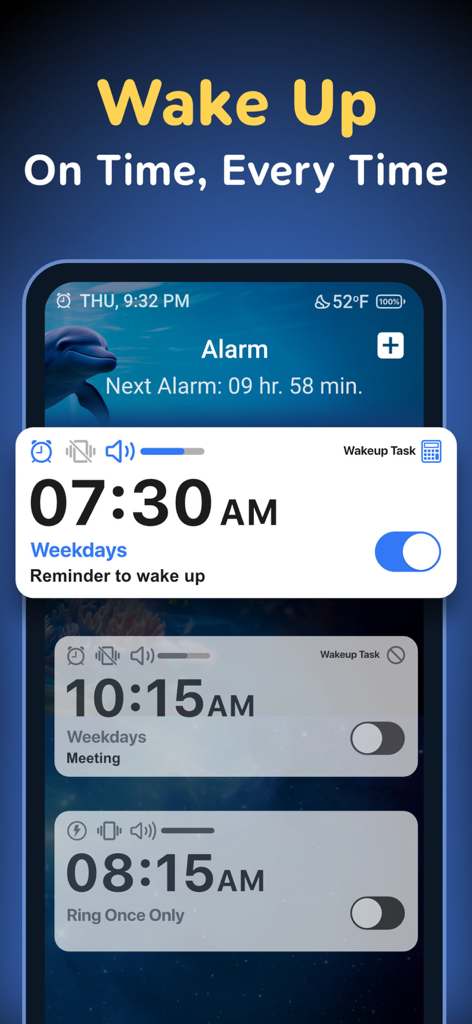
Alarm Clock ◎ - Interfaccia dell'app Sveglia che mostra più sveglie programmate e missioni per svegliarsi.
Interfaccia dell'app Sveglia che mostra più sveglie programmate e missioni per svegliarsi.

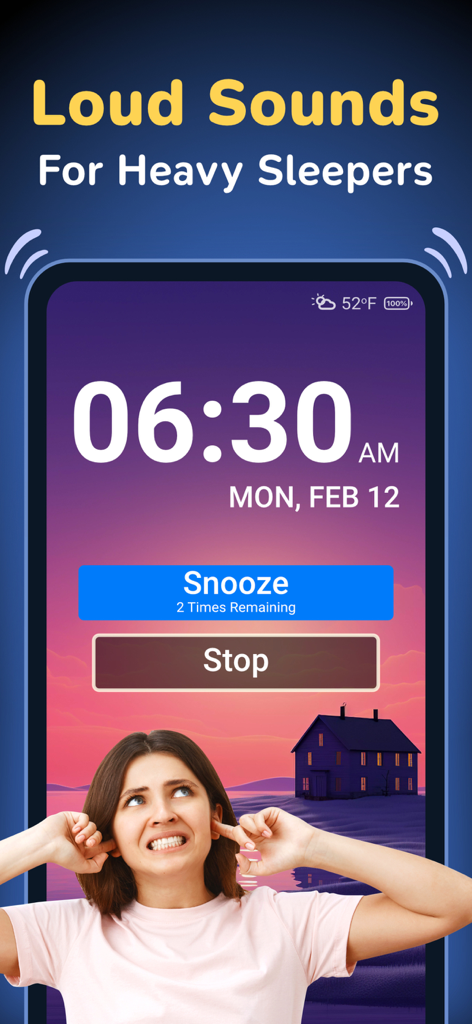
Alarm Clock ◎ - Interfaccia dell'app Sveglia che mostra le 6:30 con pulsanti snooze e stop per chi dorme profondamente.
Interfaccia dell'app Sveglia che mostra le 6:30 con pulsanti snooze e stop per chi dorme profondamente.

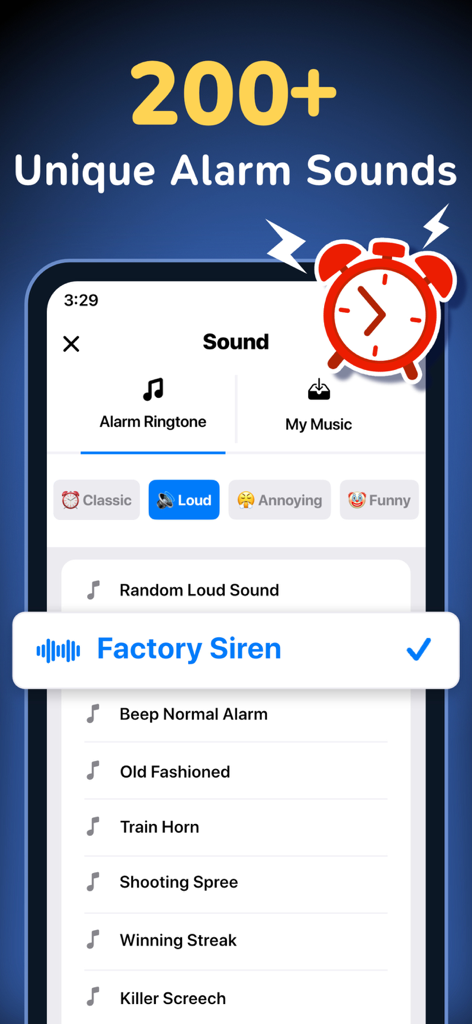
Alarm Clock ◎ - Interfaccia dell'app Sveglia che mostra oltre 200 suoni di sveglia unici, inclusi suoni forti e divertenti come la sirena di fabbrica.
Interfaccia dell'app Sveglia che mostra oltre 200 suoni di sveglia unici, inclusi suoni forti e divertenti come la sirena di fabbrica.

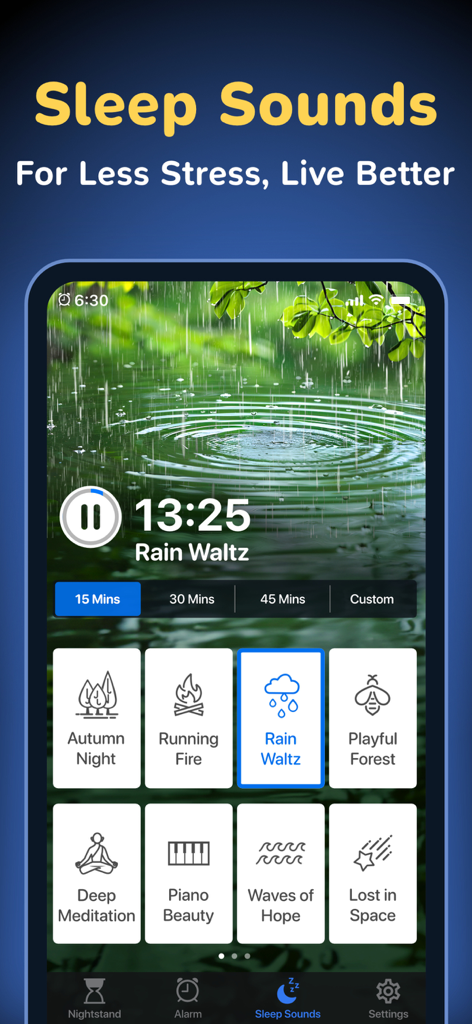
Alarm Clock ◎ - L'interfaccia Suoni per dormire dell'app Sveglia che mostra varie opzioni audio rilassanti come pioggia e musica meditativa.
L'interfaccia Suoni per dormire dell'app Sveglia che mostra varie opzioni audio rilassanti come pioggia e musica meditativa.

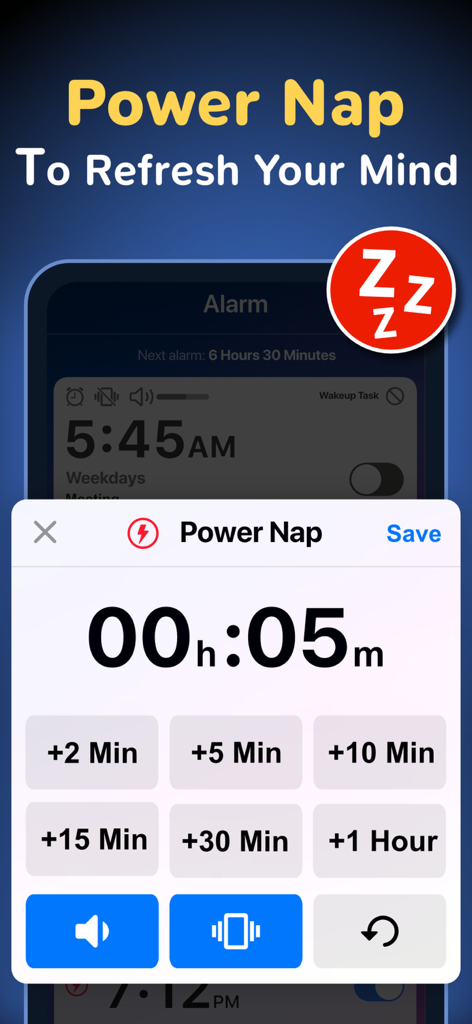
Alarm Clock ◎ - Interfaccia dell'app mobile che mostra le impostazioni del timer per i sonnellini con pulsanti di selezione rapida dell'ora.
Interfaccia dell'app mobile che mostra le impostazioni del timer per i sonnellini con pulsanti di selezione rapida dell'ora.

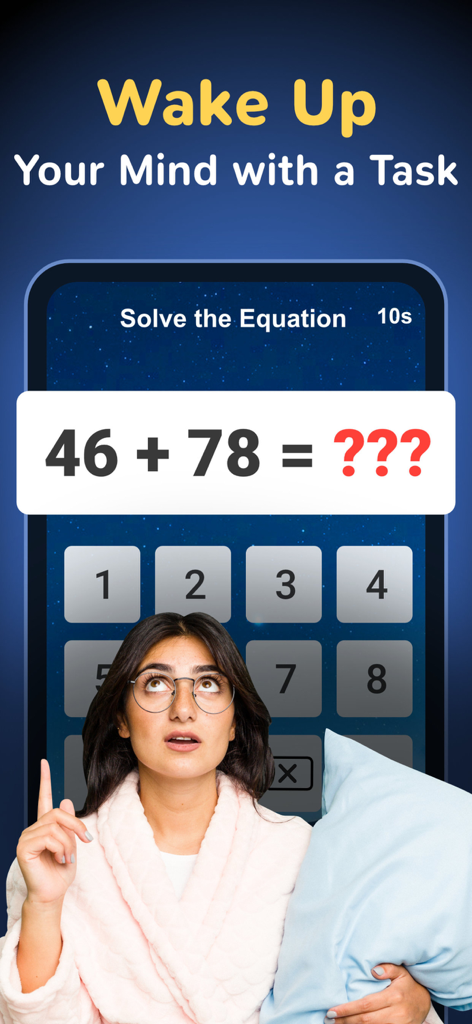
Alarm Clock ◎ - Una giovane donna in vestaglia tiene un cuscino mentre guarda un puzzle matematico sullo schermo dell'app Sveglia.
Una giovane donna in vestaglia tiene un cuscino mentre guarda un puzzle matematico sullo schermo dell'app Sveglia.

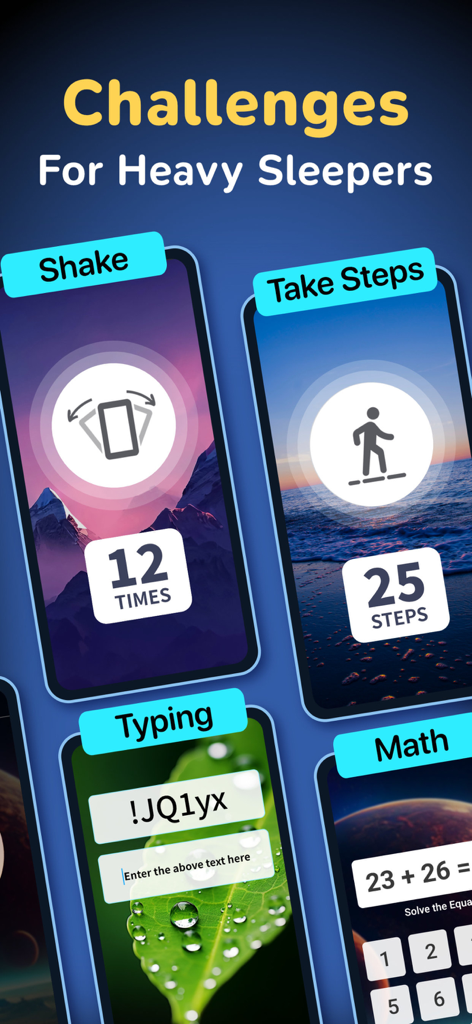
Alarm Clock ◎ - Una selezione di sfide interattive per svegliarsi nell'app Sveglia, tra cui camminare, digitare e missioni matematiche per chi dorme profondamente.
Una selezione di sfide interattive per svegliarsi nell'app Sveglia, tra cui camminare, digitare e missioni matematiche per chi dorme profondamente.

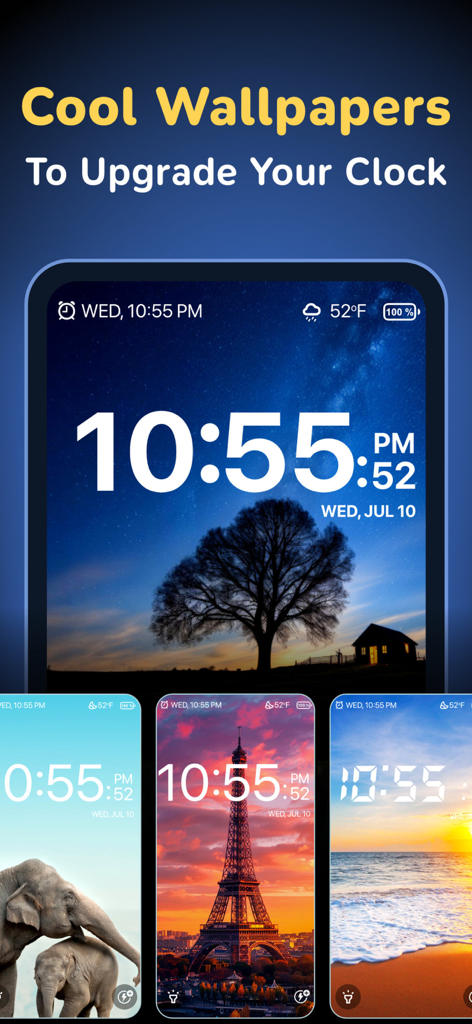
Alarm Clock ◎ - Vetrina di sfondi personalizzabili per l'app sveglia, tra cui il cielo notturno e i monumenti.
Vetrina di sfondi personalizzabili per l'app sveglia, tra cui il cielo notturno e i monumenti.

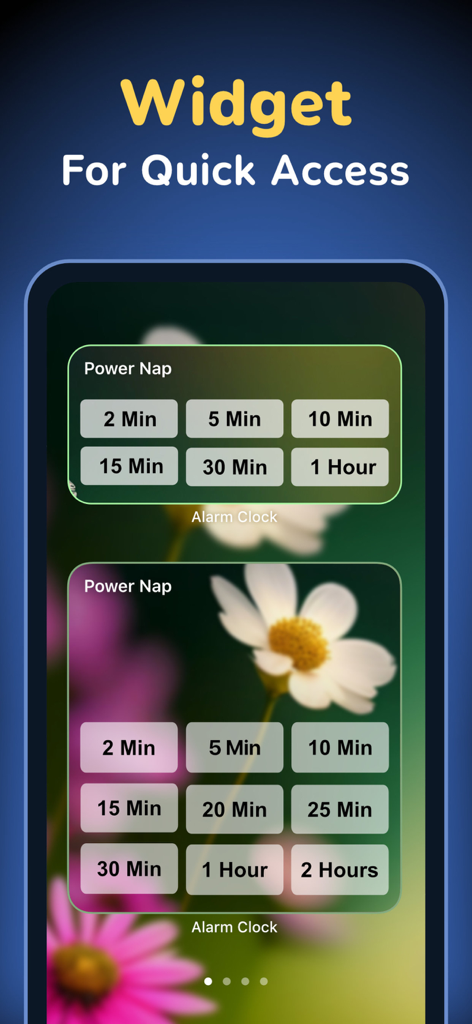
Alarm Clock ◎ - Widget dell'app sveglia che mostra le opzioni del timer per i sonnellini per un accesso rapido

Widget dell'app sveglia che mostra le opzioni del timer per i sonnellini per un accesso rapido

Descrizione

Get a loud wake up sound with smart alarm settings, weather settings, morning missions, math alarms and more, all from this single full-featured alarm clock app! Alarm Clock is a smart and powerful tool that can help even the heaviest sleepers get up in the morning. Create multiple alarms, each with loud ring tone sounds and alerts, then customize each one with features that help you wake up on time. Need a talking alarm clock with sleep timer? How about a shake-to-wake alarm? A wake-up app with puzzles and math problems that make it harder to hit the snooze button? Alarm Clock has all of these, and much more! If you find it difficult getting up in the morning and need a good puzzle alarm to get you out of bed, Alarm Clock is the app for you. There are six unique wake-up motivational challenges that keep you from turning the alarm off without being fully awake. It's perfect for heavy sleepers! Wake-up missions and alarm types: • Simple - Easy one-tap to dismiss the alarm. • Shake - Shake your device to stop the alarm. • Math - Solve a math problem to turn off the alarm sound. • Text - Unscramble the randomly generated text. • Walk - Get up and take a few steps to switch off the alarm. • Hold - Press & hold the button to terminate the alarm. Alarm Clock has all the features you need from a loud smart alarm app. It includes the wake-up missions and alerts described above, plus the ability to create multiple repeating alarms, quick-set non-recurring alarms, customize tons of settings, and more. The best features in Alarm Clock: • Create multiple alarms for a variety of uses. • Customize the number of times you can hit the snooze button. • Set the snooze time longer or shorter. • Display weather and temperature next to your alarm clock. • Smoothly increase or decrease the volume for a gentle wake-up. • Quick alarm to set a time limit for power naps and other short tasks. • Set a custom theme or photo as your clock background. • Add notes or a to-do list as wakeup reminders. • Lots of free music and loud sounds for an alarm ringtone. • Never oversleep when you use these smart alarm features! A simple but attractive interface makes Alarm Clock pleasing to use, even when you're staring at it through sleepy eyes! Use it to help you or people in your family get up in the morning, even if they're heavy sleepers. Alarm Clock is definitely not your ordinary alarm app. It's better! Alarm Clock offers premium subscription which is available on a yearly tier, auto-renewable. The yearly subscription is priced at 14.99 USD (or local equivalent) per year. Subscribe to the premium program to get access to alarm sounds, wake-up tasks, wallpapers and more... Payment will be charged to iTunes Account at confirmation of purchase. Subscription automatically renews for the same price and duration period as the original package unless auto-renew is turned off at least 24-hours before the end of the current period. An account will be charged for renewal within 24-hours prior to the end of the current period at the cost of the chosen package. Subscriptions may be managed by the user and auto-renewal may be turned off by going to the user's iTunes Account Settings after purchase. No cancellation of the current subscription is allowed during the active subscription period. You may cancel a subscription during its free trial period via the subscription setting through your iTunes account. This must be done 24 hours before the end of the subscription period to avoid being charged. You may turn off the auto-renewal of your subscription via your iTunes Account Settings. However, you are not able to cancel the current subscription during its active period. Unused portions of free trials, if offered, will be forfeited upon purchase of a subscription. Links to our Privacy Policy and Terms of Service: Privacy Policy: http://www.rvappstudios.com/app-privacy-policy.html#privacy/ Terms of Use: http://www.rvappstudios.com/app-privacy-policy.html#terms/

Download

Scarica su App Store

Questa pagina non è una pagina ufficiale dell'app o del suo sviluppatore, ma una pubblicazione editoriale indipendente creata a scopo informativo e di commento. Salvo espressa indicazione contraria, né l'app né il suo sviluppatore sono affiliati, approvati, sponsorizzati, autorizzati o altrimenti ufficialmente collegati a MWM, Apple, Google Play, all'editore dell'app o allo sviluppatore dell'app, e nulla in questa pagina implica che l'app sia stata sviluppata utilizzando i servizi di MWM. Tutti i marchi, loghi, screenshot e altri contenuti rimangono di proprietà dei rispettivi proprietari.








