Astropad Studio Drawing Tablet
Scarica su App Store

Questa pagina non è una pagina ufficiale dell'app o del suo sviluppatore, ma una pubblicazione editoriale indipendente creata a scopo informativo e di commento. Salvo espressa indicazione contraria, né l'app né il suo sviluppatore sono affiliati, approvati, sponsorizzati, autorizzati o altrimenti ufficialmente collegati a MWM, Apple, Google Play, all'editore dell'app o allo sviluppatore dell'app, e nulla in questa pagina implica che l'app sia stata sviluppata utilizzando i servizi di MWM. Tutti i marchi, loghi, screenshot e altri contenuti rimangono di proprietà dei rispettivi proprietari.


Logo di Astropad Studio Drawing Tablet
Scarica su App Store

Astropad Studio Drawing Tablet

Trasforma il tuo iPad in uno spazio di lavoro creativo di alto livello per Mac e PC. Realizzato per i professionisti che esigono prestazioni a zero ritardo, personalizzazione completa dei gesti e la libertà di lavorare ovunque.

Numeri Chiave

Download

883K+

Valutazione

4.6/5

Valutazioni totali

4K+

Editore

Astro HQ LLC

Categoria

Productivity

Lingue

4

Ultima versione

5.5.2

Dimensione

109.8 MB

Data di lancio

11 gen 2017
Funzioni

Progettato per il flusso di lavoro professionale

Astropad Studio trasforma il tuo iPad in uno strumento di produzione di alto livello, combinando la precisione dell'Apple Pencil con tutta la potenza della tua suite creativa desktop.

Velocità e precisione di livello professionale

Disegna senza ritardi grazie alla tecnologia Liquid Extreme e alla risoluzione retina con correzione del colore che rispecchia perfettamente il tuo desktop.

Gesti magici personalizzati

Crea le tue combinazioni touch-e-matita per attivare scorciatoie, mantenendo la concentrazione sulla tela e la mano lontana dalla tastiera.

Gli screenshot e la descrizione seguenti provengono direttamente dall'elenco ufficiale dello store dell'app e sono di proprietà dello sviluppatore.

App Store

Screenshot
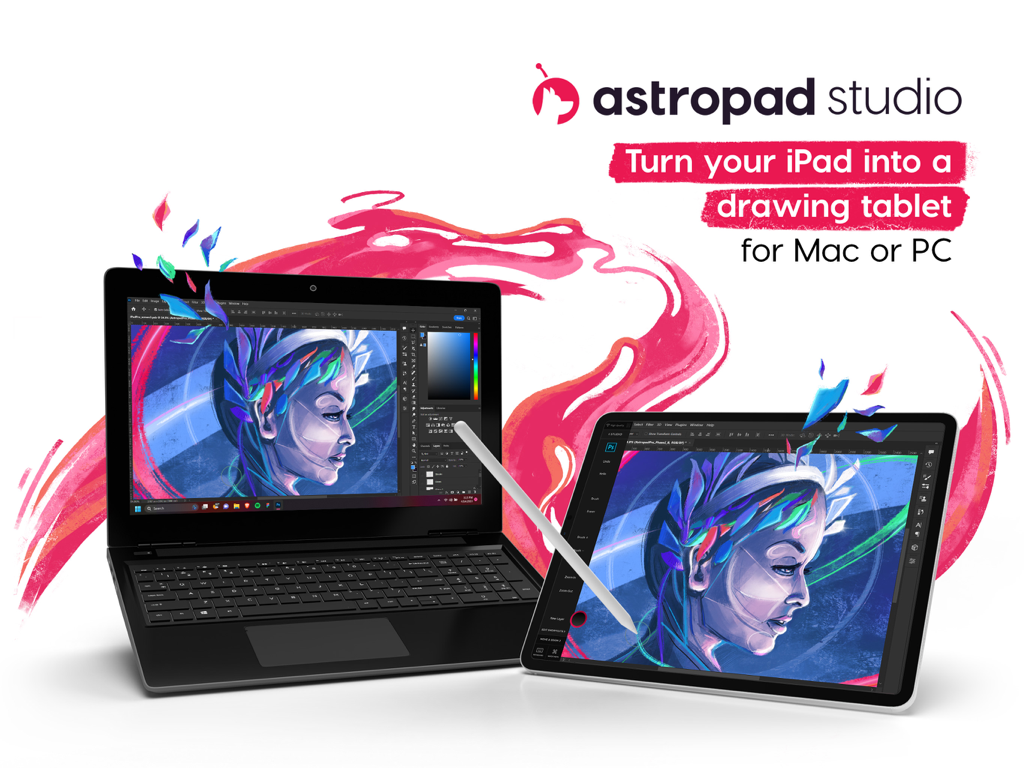
Astropad Studio Drawing Tablet - Un iPad utilizzato come tavoletta grafica professionale collegata a un laptop che esegue un software creativo
Un iPad utilizzato come tavoletta grafica professionale collegata a un laptop che esegue un software creativo

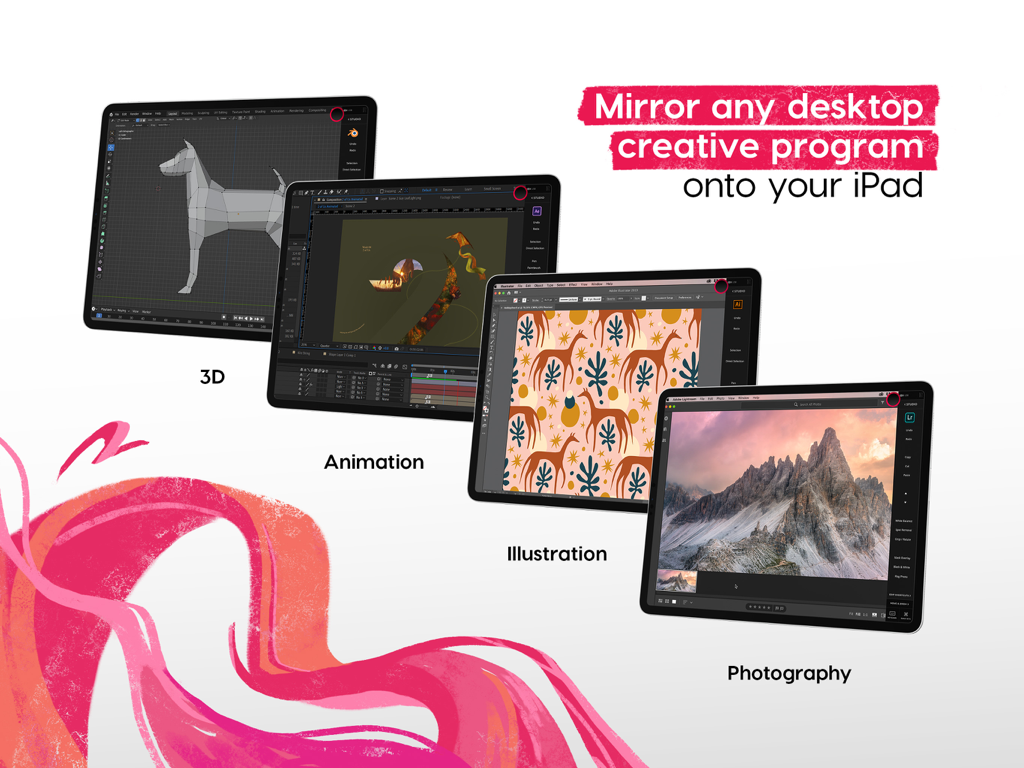
Astropad Studio Drawing Tablet - Astropad Studio che rispecchia un software creativo desktop come l'animazione 3D e l'illustrazione su un iPad
Astropad Studio che rispecchia un software creativo desktop come l'animazione 3D e l'illustrazione su un iPad

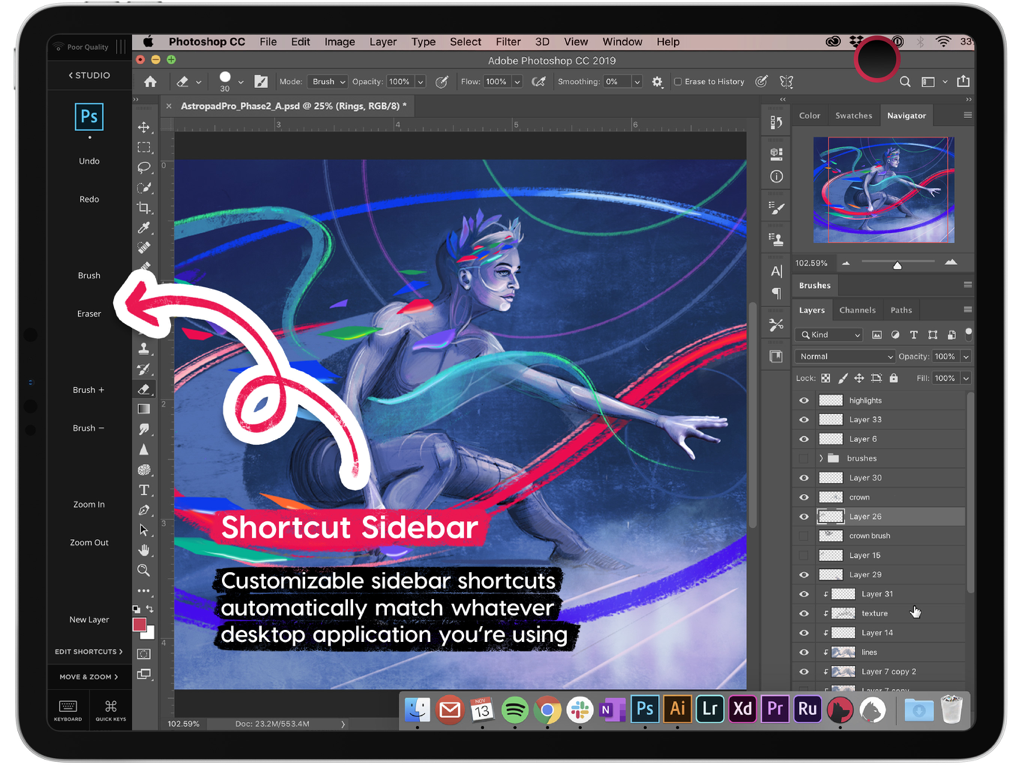
Astropad Studio Drawing Tablet - Barra laterale delle scorciatoie di Astropad Studio che mostra strumenti personalizzabili per Photoshop su iPad
Barra laterale delle scorciatoie di Astropad Studio che mostra strumenti personalizzabili per Photoshop su iPad

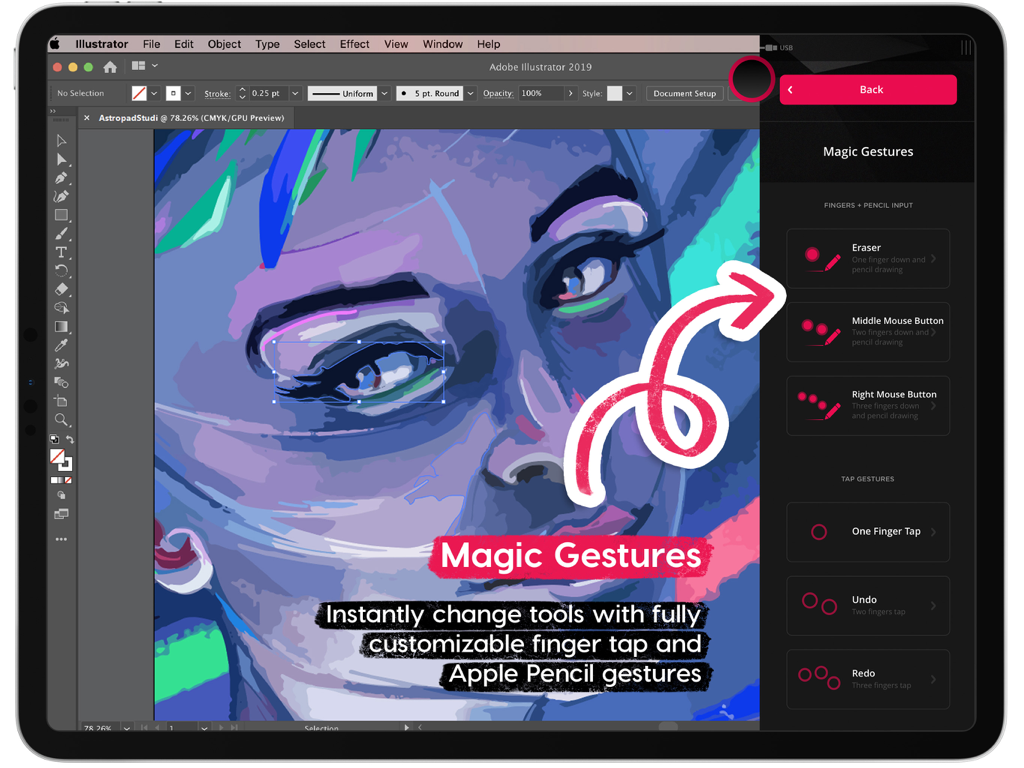
Astropad Studio Drawing Tablet - Interfaccia dei Gesti Magici di Astropad Studio per scorciatoie di disegno personalizzabili su iPad
Interfaccia dei Gesti Magici di Astropad Studio per scorciatoie di disegno personalizzabili su iPad

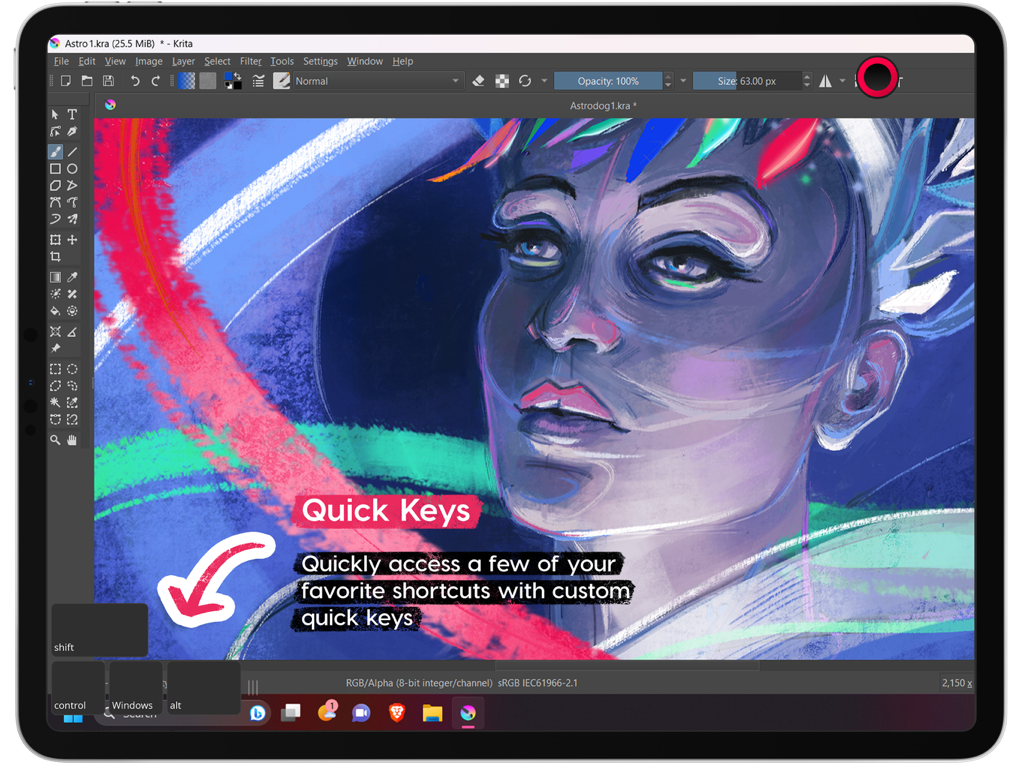
Astropad Studio Drawing Tablet - Interfaccia di Astropad Studio su iPad che evidenzia la funzione Quick Keys durante l'esecuzione del software Krita
Interfaccia di Astropad Studio su iPad che evidenzia la funzione Quick Keys durante l'esecuzione del software Krita

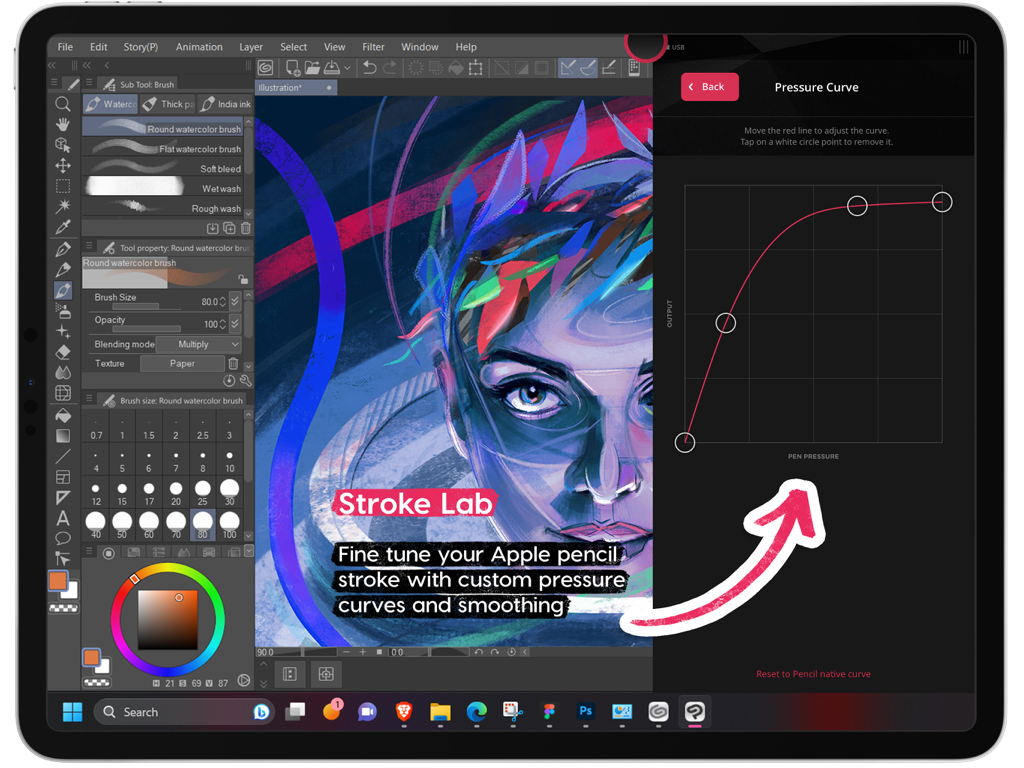
Astropad Studio Drawing Tablet - Impostazioni della curva di pressione personalizzata in Astropad Studio per Apple Pencil su iPad
Impostazioni della curva di pressione personalizzata in Astropad Studio per Apple Pencil su iPad

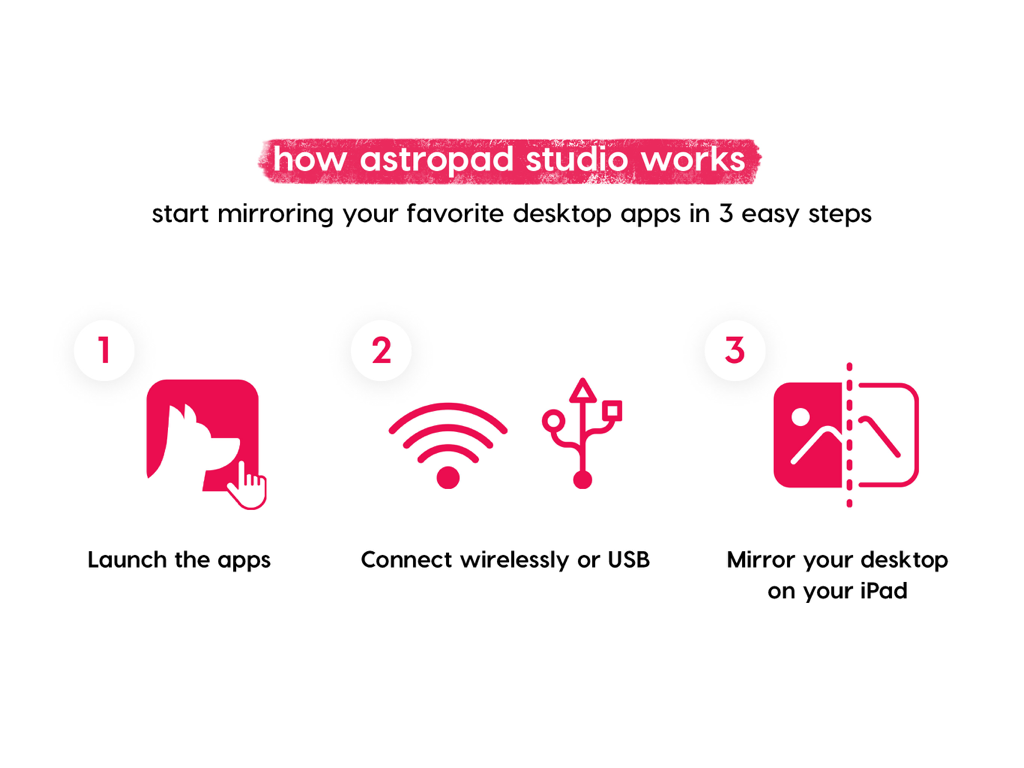
Astropad Studio Drawing Tablet - Infografica che spiega come rispecchiare le app desktop su iPad in tre passaggi con Astropad Studio

Infografica che spiega come rispecchiare le app desktop su iPad in tre passaggi con Astropad Studio

Astropad Studio Drawing Tablet - Schermata dell'offerta di prova gratuita di 14 giorni di Astropad Studio

Schermata dell'offerta di prova gratuita di 14 giorni di Astropad Studio

Descrizione

Go beyond a drawing tablet with Astropad Studio. Start a free 14-day trial today! Astropad Studio is the ultimate wireless drawing tablet, designed for the most demanding creative work. With complete workspace customization, Studio allows artists to work faster and more efficiently, with the freedom to work in the studio, at home, or on-the-go. Built for creative professionals with features like: · Wifi or USB connectivity · Built in 2nd display · Crystal clear & ultra-fast · Gesture shortcut customization · Keyboard support · Customizable pressure curves · Magic Gestures: Create your own gesture shortcuts with touch-Pencil combinations · Shortcut Sets: Sidebar shortcuts automatically adapt to match whatever Mac app you’re working in · Unlimited upgrades · Works on Mac and PC $14.99 monthly or $79.99 annually ___ STREAMLINED PRODUCTIVITY · Pinch to Zoom: Pinch to zoom and pan in Mac or PC Apps · Liquid Extreme: Up to 5x faster than baseline Liquid · Wifi & USB: Use your iPad as a drawing tablet plugged in or wirelessly · Keyboard Support: Access our built-in keyboard or use your own Bluetooth keyboard · Velocity Control: Analyzes network conditions dozens of times per second to balance image quality and latency COMPLETE CUSTOMIZATION · Magic Gestures: Create your own gesture shortcuts with touch-Pencil combinations · Shortcut Sets: Sidebar shortcuts automatically adapt to match whatever Mac app you’re working in BUILT FOR CREATIVES · Apple Pencil Optimized: Designed exclusively for the precision of Apple Pencil · Color Corrected: True to your source material with color corrected output and retina resolution ___ SYSTEM REQUIREMENTS · Mac: OS X 10.14 or later · PC: Windows 10 64-bit, build 1809 or later · iPad iOS 13.1 or later: iPad Mini 4 (2015+), iPad Air (2014+), iPad Pro (2016+), iPad 5th generation (2017+) · Optimized for iPad Pro and Apple Pencil SUBSCRIPTION TERMS · $14.99 monthly or $79.99 annually · Price may vary by location. ___ Subscriptions will be charged to your credit card using your iTunes account. Your subscription will automatically renew unless canceled at least 24 hours before the end of the current period. Subscriptions may be managed by the user and auto-renewal may be turned off by going to the user's Account Settings after purchase. No cancellation of the current subscription is allowed during active subscription period. Any unused portion of a free trial period will be forfeited when the user purchases a subscription. Your account will be charged for renewal within 24-hours prior to the end of the current period. ___ MORE RESOURCES Download the free desktop companion app: astropad.com/downloads FAQ: astropad.com/faq Support: support@astropad.com Twitter: @astropad Instagram: @astropadco Facebook: facebook.com/astropadco ___ Privacy Policy: http://astropad.com/studio/privacy.html Terms of Use: http://astropad.com/studio/terms.html

Download

Scarica su App Store

Questa pagina non è una pagina ufficiale dell'app o del suo sviluppatore, ma una pubblicazione editoriale indipendente creata a scopo informativo e di commento. Salvo espressa indicazione contraria, né l'app né il suo sviluppatore sono affiliati, approvati, sponsorizzati, autorizzati o altrimenti ufficialmente collegati a MWM, Apple, Google Play, all'editore dell'app o allo sviluppatore dell'app, e nulla in questa pagina implica che l'app sia stata sviluppata utilizzando i servizi di MWM. Tutti i marchi, loghi, screenshot e altri contenuti rimangono di proprietà dei rispettivi proprietari.








