Authy Authenticator

Authy Authenticator

Scarica su App Store
Logo di Authy Authenticator

Authy Authenticator: Autenticazione 2FA sicura per l'ecosistema Apple

Proteggi la tua vita digitale con backup crittografati su iCloud e accesso istantaneo tramite Apple Watch. Sperimenta un'autenticazione fluida e senza pubblicità, progettata per mantenere al sicuro i tuoi account online su tutti i tuoi dispositivi.

Editore

ERSIN GIDA TARIM URUNLERI SERACILIK AMBALAJ VE NAKLIYAT HIZMETLERI SANAYI TICARET LTD. STI.

Categoria

Productivity

Download

13K+

Valutazione

4.6/5

Valutazioni totali

100

Lingue

24

La sicurezza a portata di mano

Scopri l'interfaccia usata da 13K+ utenti.
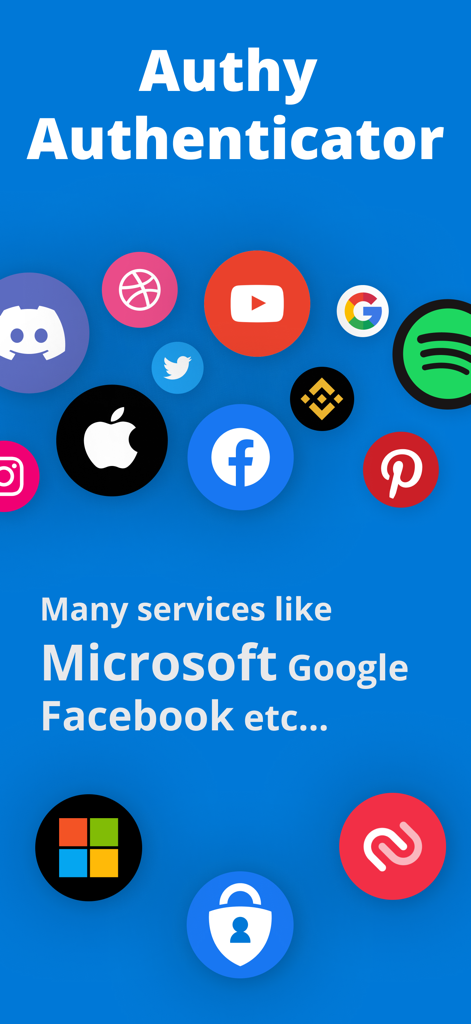
Schermata di Authy Authenticator che mostra i loghi dei servizi supportati come Google e Facebook

Schermata di Authy Authenticator che mostra i loghi dei servizi supportati come Google e Facebook

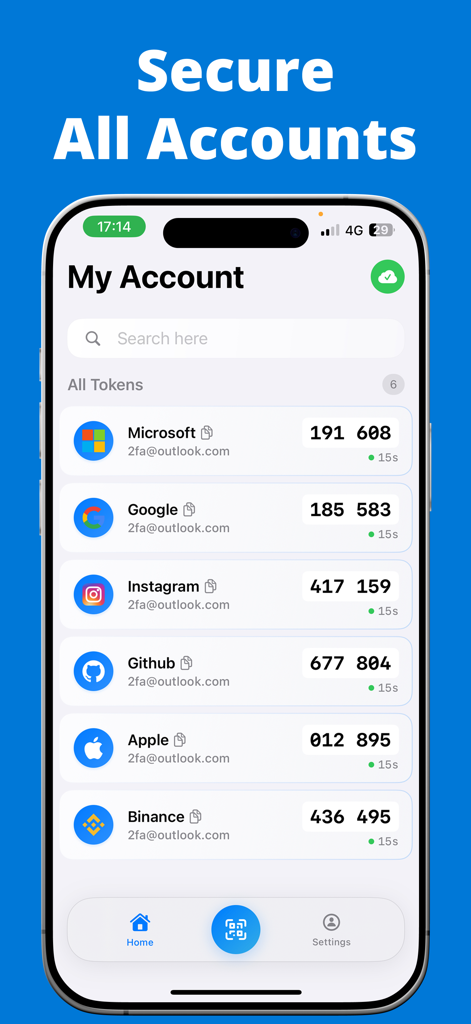
Schermata My Account dell'app Authy Authenticator che mostra i codici di sicurezza 2FA per più piattaforme online

Schermata My Account dell'app Authy Authenticator che mostra i codici di sicurezza 2FA per più piattaforme online

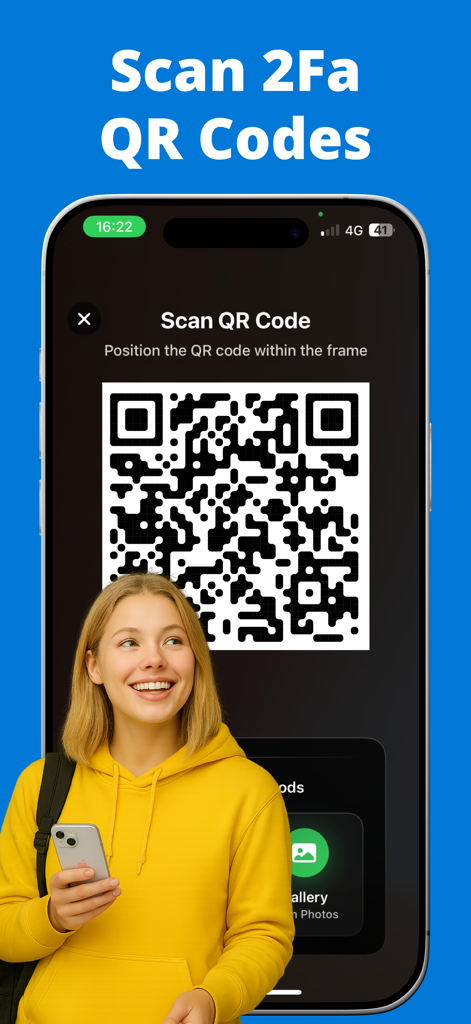
Una giovane donna che scansiona un codice QR 2FA utilizzando l'interfaccia dell'app Authy Authenticator su un iPhone.

Una giovane donna che scansiona un codice QR 2FA utilizzando l'interfaccia dell'app Authy Authenticator su un iPhone.

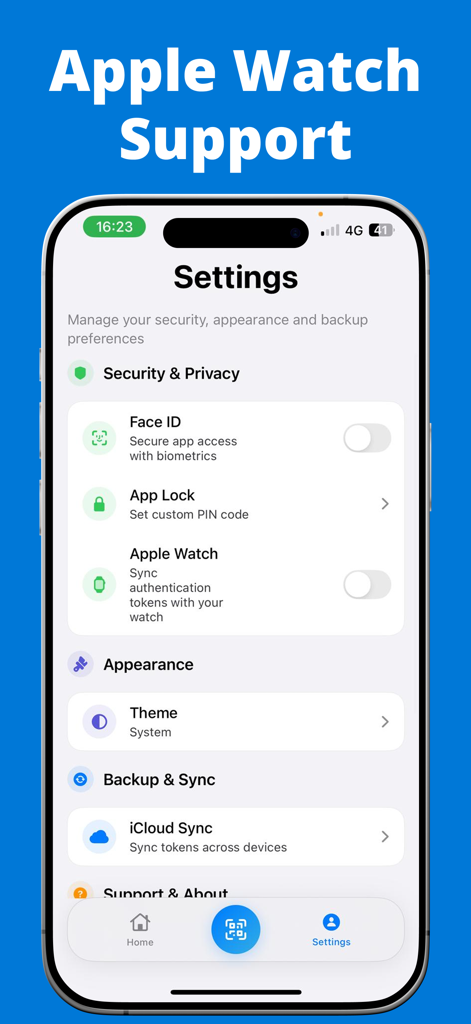
Menu delle impostazioni di Authy Authenticator con la sincronizzazione Apple Watch e la biometria Face ID

Menu delle impostazioni di Authy Authenticator con la sincronizzazione Apple Watch e la biometria Face ID

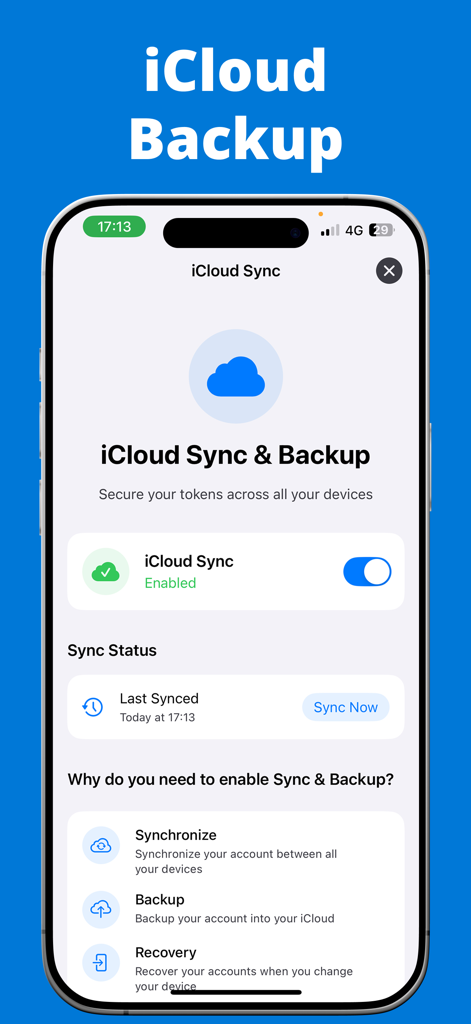
Interfaccia dell'app Authy Authenticator che mostra le impostazioni di sincronizzazione e backup iCloud per token 2FA sicuri

Interfaccia dell'app Authy Authenticator che mostra le impostazioni di sincronizzazione e backup iCloud per token 2FA sicuri

Sicurezza avanzata resa semplice

Gli strumenti che rendono questa app unica, scelti da 13K+ utenti.

☁️

Backup crittografati su iCloud

Non preoccuparti mai più di perdere l'accesso. I tuoi token 2FA vengono sottoposti a backup automatico su iCloud, garantendo un ripristino semplice in caso di smarrimento o aggiornamento del tuo dispositivo.

Integrazione con Apple Watch

Accelera il tuo flusso di lavoro visualizzando i codici di verifica direttamente dal tuo polso. Accedi alle tue piattaforme preferite senza dover prendere in mano il tuo iPhone.

🛡️

Privacy biometrica

Blocca i tuoi codici dietro Face ID o Touch ID. Sperimenta un ambiente 100% privato e senza pubblicità, dove i tuoi dati di sicurezza sensibili non lasciano mai il tuo controllo.

Info sull'app

Tutto quello che devi sapere su Authy Authenticator.

Descrizione

Authy Authenticator – Secure 2FA with iCloud Backup & Apple Watch Support Strengthen your account protection with Authy Authenticator, the fast, reliable, and secure Two-Factor Authentication (2FA) app trusted by thousands of users. Generate time-based one-time passwords (TOTP) and keep your online accounts safe from unauthorized access. Whether you're securing your Google, Facebook, Instagram, Microsoft, Amazon, or other important accounts, Authy Authenticator offers an easy, secure, and convenient way to manage all your 2FA codes. Powerful Features of Authy Authenticator: * iCloud Encrypted Backup 
Securely store your 2FA accounts with automatic iCloud backup. Recover your codes anytime, even if you lose or change your device. * Apple Watch Support 
View your verification codes right from your Apple Watch — instant access without pulling out your phone. * Multi-Device Sync 
 Seamlessly sync your 2FA accounts across multiple Apple devices, ensuring you’re always connected. * Offline Access Anywhere
 Generate one-time passwords even when offline or traveling — no internet connection required. * Quick & Easy Setup
 Add accounts via QR code scan or manual key entry in seconds. * Biometric & PIN Lock Protection 
Keep your codes safe with Face ID, Touch ID, or a secure PIN. * Works with All Popular Platforms
Compatible with Google, Facebook, Instagram, Microsoft, Amazon, Twitter, LinkedIn, GitHub, Dropbox, and any app or service supporting TOTP 2FA. * Time-Based One-Time Password (TOTP) Security 
Industry-standard TOTP algorithm ensures your codes refresh automatically every 30 seconds for strong, reliable protection. * No Ads, Fully Private 
Ad-free, privacy-first design — your information stays with you. Why risk your accounts?
Get Authy Authenticator today — the trusted, feature-packed 2FA app with iCloud Backup, Apple Watch support, and multi-device sync. Information About Subscription You can cancel your subscription or free trial anytime by cancelling your subscription through your iTunes account settings, or it will automatically renew. This must be done 24 hours before the end of the free trial or any subscription period to avoid being charged. Subscription with a free trial period will automatically renew to a paid subscription. Please note: any unused portion of a free trial period (if offered) will be forfeited when you purchase a premium subscription during the free trial period. Subscription payments will be charged to your iTunes account at confirmation of your purchase and upon commencement of each renewal term. For more information, please see our Privacy Policy and Terms of Use. Terms of Use: https://sites.google.com/view/auth-terms/ Privacy Policy: https://sites.google.com/view/auth-privacy/

Ultima versione

1.2

Dimensione

20.1 MB

Data di lancio

27 mar 2021

Non perdere mai più l'accesso ai tuoi account

Unisciti a migliaia di professionisti che proteggono la loro vita digitale con backup crittografati su iCloud e codici istantanei su Apple Watch. Prova oggi stesso una sicurezza senza attriti su tutti i tuoi dispositivi Apple.

Scarica su App Store

App information, icons, screenshots, and descriptions displayed on this page are sourced from the Apple App Store and are the property of their respective developers. Download estimates and rankings are based on MWM's proprietary models and may not reflect actual figures. This page is provided for informational and analytical purposes only.

Believe this page infringes your intellectual property? File a dispute