
Questa pagina non è una pagina ufficiale dell'app o del suo sviluppatore, ma una pubblicazione editoriale indipendente creata a scopo informativo e di commento. Salvo espressa indicazione contraria, né l'app né il suo sviluppatore sono affiliati, approvati, sponsorizzati, autorizzati o altrimenti ufficialmente collegati a MWM, Apple, Google Play, all'editore dell'app o allo sviluppatore dell'app, e nulla in questa pagina implica che l'app sia stata sviluppata utilizzando i servizi di MWM. Tutti i marchi, loghi, screenshot e altri contenuti rimangono di proprietà dei rispettivi proprietari.

Bear - Markdown Notes
L'app di Markdown pluripremiata per i professionisti creativi che apprezzano la concentrazione. Cattura idee, crea la tua wiki personale e scrivi senza distrazioni su tutti i tuoi dispositivi Apple.
Download
4M+Valutazione
Valutazioni totali
31K+Editore
Categoria
ProductivityLingue
11Ultima versione
2.6.4Dimensione
143.5 MBData di lancio
2 nov 2016Eleva la tua arte digitale
Creato per i minimalisti creativi, Bear unisce un design elegante a potenti strumenti Markdown per aiutarti a concentrarti sul tuo lavoro migliore, senza ingombri.
Scrittura senza distrazioni
Una tela pulita e bellissima che nasconde la sintassi tecnica del Markdown, permettendoti di entrare in uno stato di flusso con tipografia e temi splendidi.
Organizzazione fluida basata sui tag
Sostituisci le rigide strutture a cartelle con tag annidati flessibili e WikiLink per costruire una base di conoscenza personale che cresce insieme alle tue idee.
Domande Frequenti
Tutto quello che devi sapere su Bear - Markdown Notes
Che cos'è Bear - Markdown Notes?
Bear è un'app Markdown incredibilmente semplice per catturare, scrivere e organizzare la vita. Permette agli utenti di prendere appunti, pianificare, scrivere un diario, creare liste, abbozzare idee e collegare note.
Ho bisogno di un account per usare l'app Bear?
No, Bear non richiede alcuna registrazione o account. Gli utenti possono aprire l'app e iniziare a scrivere immediatamente senza alcun passaggio iniziale.
Posso abbozzare idee con una Apple Pencil in Bear?
Sì, Bear supporta l'abbozzo di idee su iPad con una tela estensibile e Apple Pencil, così come altri stilo.
L'app Bear usa Markdown per la formattazione?
Sì, Bear utilizza un Markdown flessibile. Gli utenti possono lavorare in testo normale e applicare formattazione come grassetto, corsivo, barrato, collegamenti e tabelle. Markdown si nasconde per un'esperienza di lettura pulita.
Come posso organizzare le note nell'app Bear?
Bear permette l'organizzazione con #tag, #tag con più parole# e #tag annidati/tag#. Gli utenti possono anche fissare tag importanti e aggiungere attività direttamente nelle note per una facile gestione.
L'app Bear - Markdown Notes è privata?
Sì, Bear è privata nel suo nucleo. Gli sviluppatori confermano di non poter vedere le note degli utenti, i tag o qualsiasi altro contenuto, garantendo la privacy dell'utente.
Quali sono le opzioni di prezzo per Bear Pro?
Bear Pro costa $2.99 al mese o $29.99 all'anno. I prezzi possono variare a seconda della località e vengono addebitati tramite il tuo account App Store.
Bear Pro offre una prova gratuita?
Sì, Bear Pro include una prova gratuita di 14 giorni. Qualsiasi porzione non utilizzata della prova viene persa se un utente acquista un abbonamento.
Bear Pro può sincronizzare le note su più dispositivi?
Sì, Bear Pro consente la sincronizzazione delle note tra iPhone, iPad e Mac tramite iCloud, garantendo che le note siano accessibili su tutti i tuoi dispositivi.
Come posso bloccare note individuali nell'app Bear?
Bear Pro permette agli utenti di crittografare note individuali con una password privata. Permette anche di bloccare l'intera app Bear con Face ID o Touch ID per una maggiore sicurezza.
Quali formati di esportazione sono disponibili in Bear Pro?
Bear Pro supporta l'esportazione di note in formato HTML, DocX, PDF, JPG ed ePub. La versione gratuita esporta in testo semplice, Markdown, TextBundle, nota Bear e testo formattato.
L'app Bear può cercare testo all'interno di immagini e PDF?
Sì, Bear Pro consente di cercare testo all'interno di foto e PDF nelle note di Bear. Questa funzionalità di ricerca avanzata richiede un abbonamento a Bear Pro.
Come cancello il mio abbonamento a Bear Pro?
Gli utenti gestiscono gli abbonamenti a Bear Pro nelle Impostazioni dell'Account App Store dopo l'acquisto. Il rinnovo automatico deve essere annullato almeno 24 ore prima della fine del periodo corrente.
L'app Bear supporta le lingue da destra a sinistra (RTL)?
Sì, Bear supporta tutti gli script, comprese le lingue da destra a sinistra (RTL) come arabo, ebraico e persiano, garantendo un'ampia compatibilità linguistica.
Posso personalizzare temi e icone dell'app in Bear?
Sì, Bear Pro offre quasi 30 temi per gli spazi di scrittura sia in modalità chiara che scura, e permette agli utenti di scegliere le icone dell'app per personalizzare la propria esperienza.
Gli screenshot e la descrizione seguenti provengono direttamente dall'elenco ufficiale dello store dell'app e sono di proprietà dello sviluppatore.
App Store
Screenshot
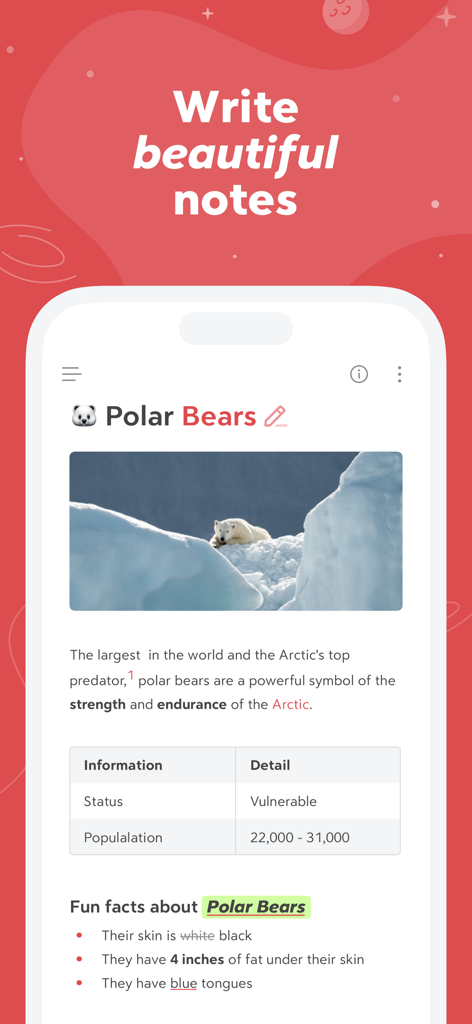
Schermata dello smartphone che mostra l'app Bear con una nota formattata sugli orsi polari, inclusa un'immagine e una tabella
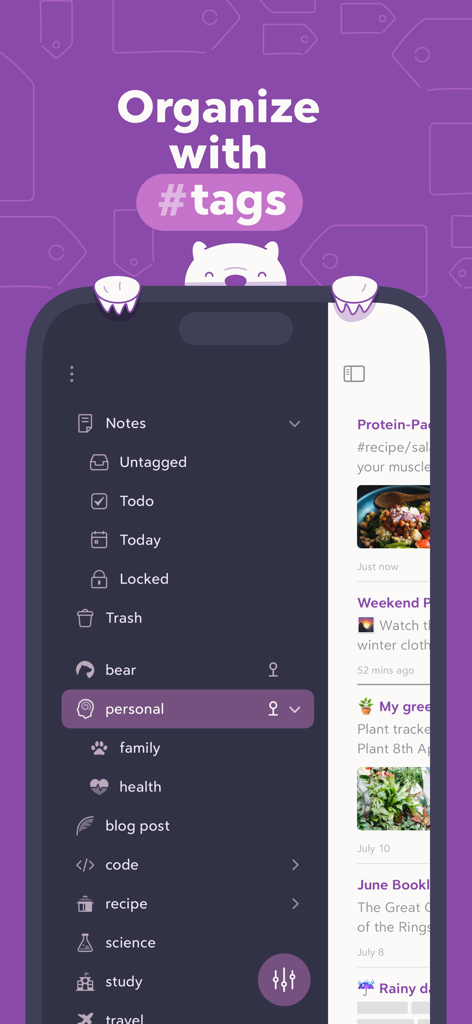
Interfaccia dell'app Bear che mostra l'organizzazione delle note utilizzando hashtag annidati in una barra laterale in modalità scura
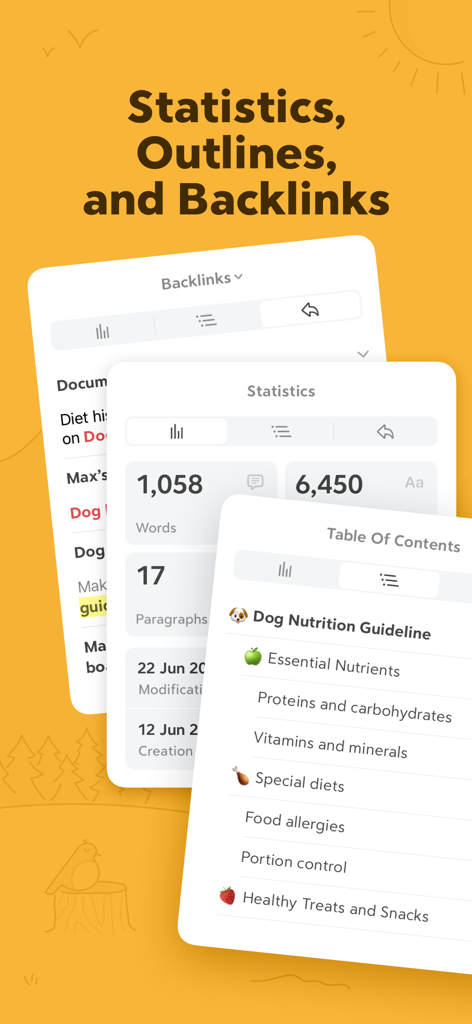
Interfaccia dell'app Bear che mostra le statistiche sul conteggio delle parole, l'indice e i pannelli dei backlink
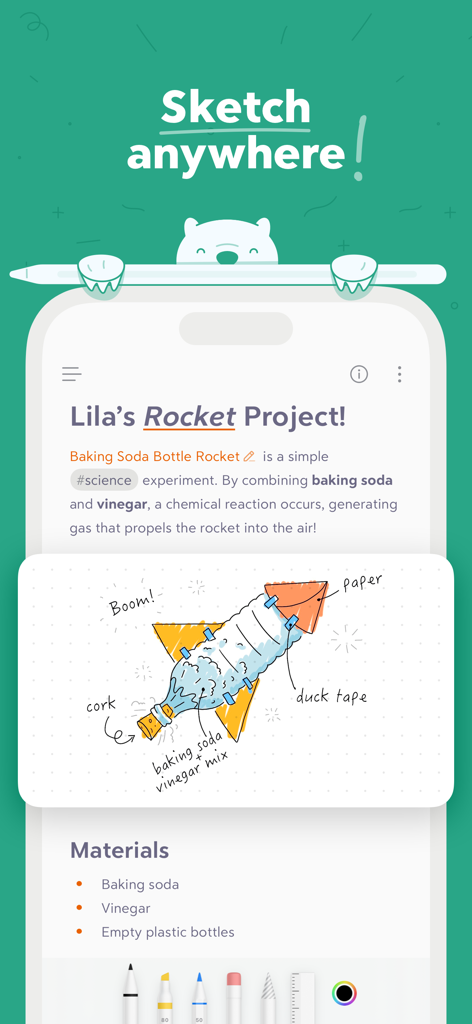
Interfaccia dell'app Bear che mostra una nota di un progetto scientifico con un'illustrazione di un razzo fatta a mano
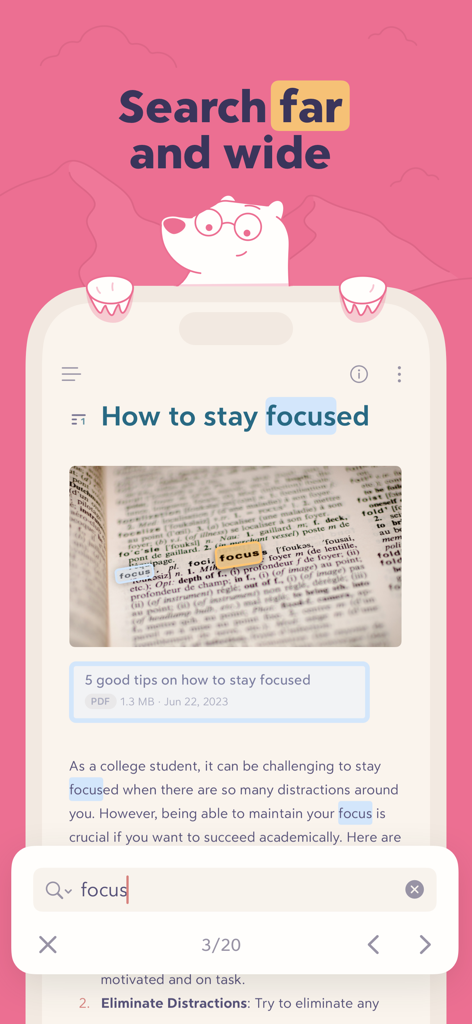
Interfaccia dell'app Bear che mostra i risultati di ricerca per la parola 'focus' evidenziata all'interno di testo e immagini
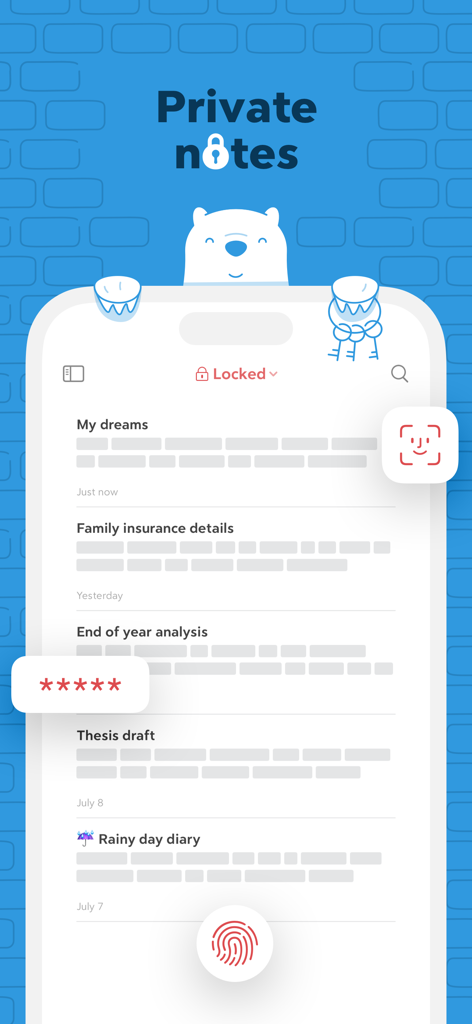
Interfaccia dell'app Bear che mostra note private protette da Face ID, Touch ID e crittografia tramite password
Descrizione
Download
App Simili
App con funzionalità ed esperienza simili

Notion: Notes, Tasks, AI
Notion Labs, Incorporated

Freenotes®: AI Notes Taking
Hangzhou Free Notes Technology Co., Ltd

Structured - Daily Planner
unorderly GmbH

Google Tasks: Get Things Done
Google LLC

TickTick:To-Do List & Calendar
Appest Limited

Noteful: Notes & PDF Markup
Noteful Technologies Ltd

Todoist: To Do List & Calendar
Doist Inc.

To do list MinimaList & Widget
Inner Grow Limited

monday.com - Work Platform
monday.com Ltd.
Questa pagina non è una pagina ufficiale dell'app o del suo sviluppatore, ma una pubblicazione editoriale indipendente creata a scopo informativo e di commento. Salvo espressa indicazione contraria, né l'app né il suo sviluppatore sono affiliati, approvati, sponsorizzati, autorizzati o altrimenti ufficialmente collegati a MWM, Apple, Google Play, all'editore dell'app o allo sviluppatore dell'app, e nulla in questa pagina implica che l'app sia stata sviluppata utilizzando i servizi di MWM. Tutti i marchi, loghi, screenshot e altri contenuti rimangono di proprietà dei rispettivi proprietari.