ClinoScope

ClinoScope

Scarica su App Store
Logo di ClinoScope

ClinoScope: Inclinometro 3D Professionale per un Livellamento di Precisione

Trasforma il tuo iPhone in uno strumento ad alta precisione per l'edilizia, la calibrazione audio e lo sport. Monitora beccheggio, rollio e imbardata con grafici in tempo reale e acquisisce prove del lavoro con istantanee temporizzate.

Scarica su App Store

Editore

TOON,LLC

Categoria

Utilities

Download

2K+

Valutazione

1.0/5

Valutazioni totali

0

Lingue

1

Precisione Visualizzata

Scopri l'interfaccia usata da 2K+ utenti.
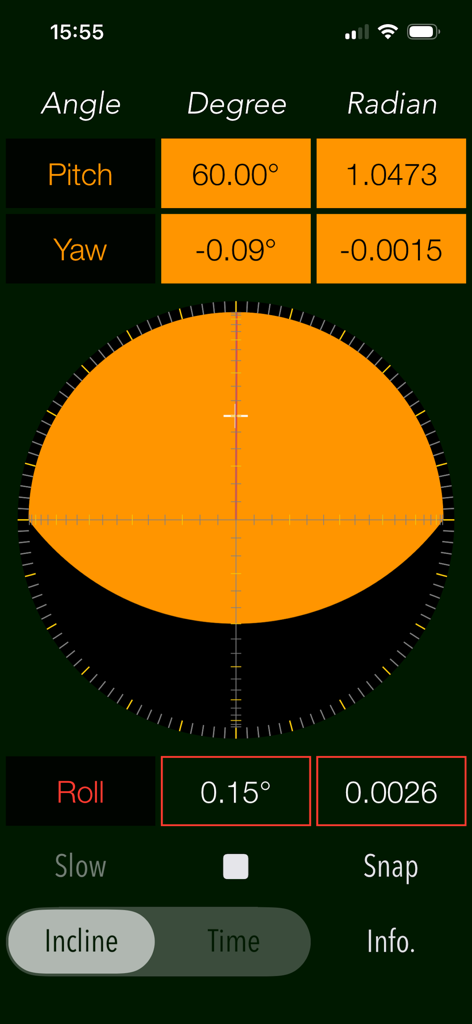
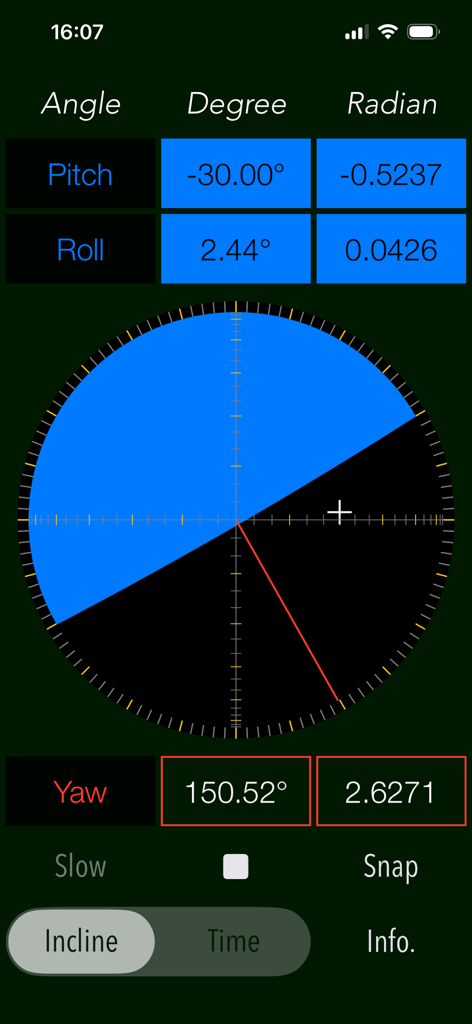
Interfaccia dell'inclinometro 3D ClinoScope che mostra le misurazioni in tempo reale di beccheggio, imbardata e rollio

Interfaccia dell'inclinometro 3D ClinoScope che mostra le misurazioni in tempo reale di beccheggio, imbardata e rollio

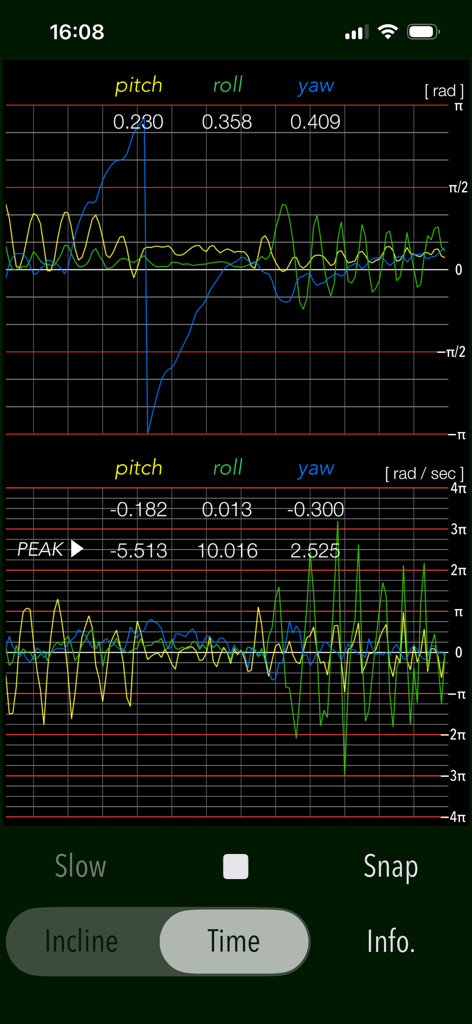
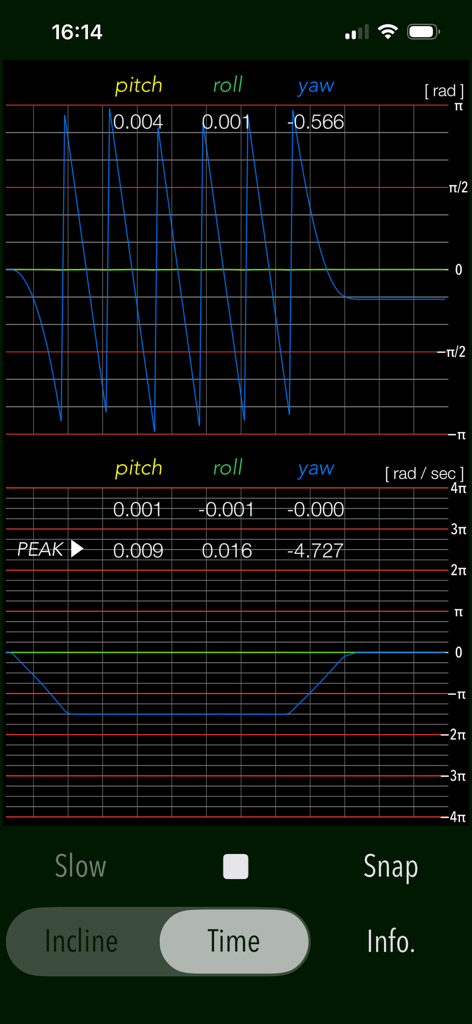
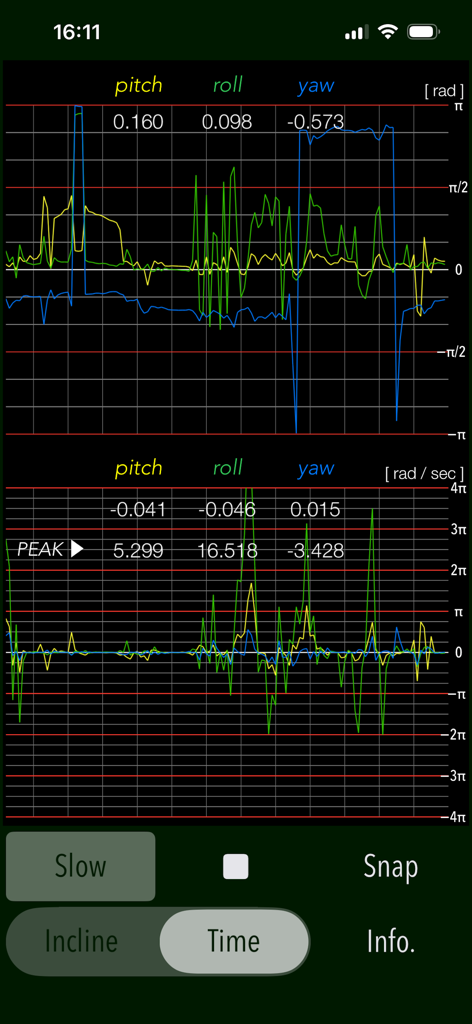
Grafico in tempo reale dei sensori di beccheggio, rollio e imbardata nell'app ClinoScope

Grafico in tempo reale dei sensori di beccheggio, rollio e imbardata nell'app ClinoScope

Interfaccia dell'app ClinoScope che mostra l'inclinazione 3D con misurazioni di beccheggio, rollio e imbardata

Interfaccia dell'app ClinoScope che mostra l'inclinazione 3D con misurazioni di beccheggio, rollio e imbardata

Grafici delle misurazioni in tempo reale di beccheggio, rollio e imbardata nella modalità TIME dell'app ClinoScope

Grafici delle misurazioni in tempo reale di beccheggio, rollio e imbardata nella modalità TIME dell'app ClinoScope

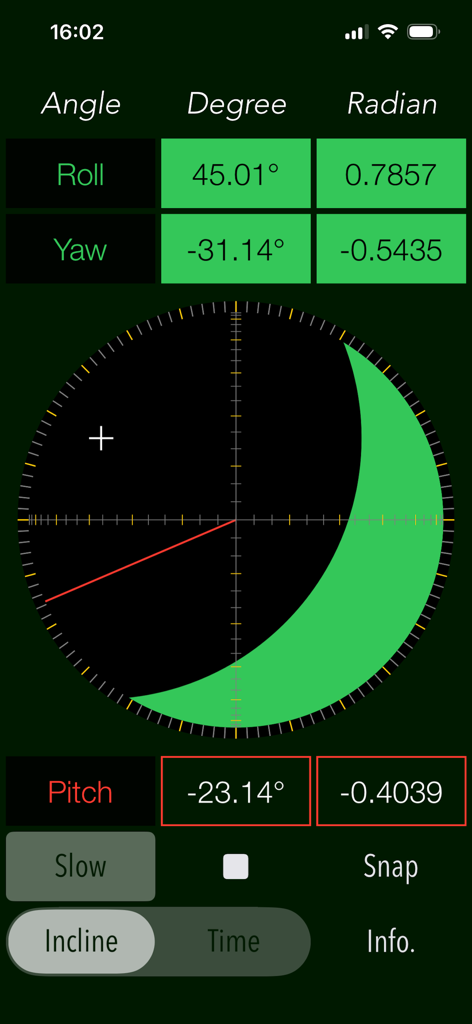
Interfaccia dell'app ClinoScope che mostra misurazioni tridimensionali dell'inclinometro per rollio, imbardata e beccheggio in gradi e radianti

Interfaccia dell'app ClinoScope che mostra misurazioni tridimensionali dell'inclinometro per rollio, imbardata e beccheggio in gradi e radianti

Grafici in tempo reale degli angoli di beccheggio, rollio e imbardata e della velocità angolare nell'app ClinoScope

Grafici in tempo reale degli angoli di beccheggio, rollio e imbardata e della velocità angolare nell'app ClinoScope

Padroneggia Ogni Angolo con Precisione Professionale

Gli strumenti che rendono questa app unica, scelti da 2K+ utenti.

🎯

Rilevamento a 3 Assi ad Alta Precisione

Sfrutta i sensori interni del tuo iPhone per ottenere dati di inclinazione di grado clinico su beccheggio, rollio e imbardata con feedback visivo in tempo reale.

📊

Monitoraggio del Movimento in Tempo Reale

Usa la modalità TIME per graficare la velocità angolare e la stabilità, fornendo le conoscenze scientifiche necessarie per la calibrazione di attrezzature delicate.

Prova del Lavoro Documentata

Acquisisci e salva istantaneamente le misurazioni con timestamp e dati di orientamento per verificare l'accuratezza del livellamento per i clienti o i registri di progetto.

Info sull'app

Tutto quello che devi sapere su ClinoScope.

Descrizione

"ClinoScope" is a handy incline analysis tool that measures tilt angles and the three-dimensional inclination of objects relative to gravity, using your iPhone’s accelerometer and gyro sensors. You can quickly check slopes in various places, like uneven floors, leaning buildings, or leveling equipment. It can display the current terminal posture in real time by two measurement modes: INCLINE mode for inclinometer readings and TIME mode for a gyro-positioning time graph. Features: - Optimized for iPhone, Compact code size. - Measurement of three-dimensional angles of elevation, slope or inclination. - Inclination measurement function (INCLINE) - Gyro-positioning time graph function (TIME) - Switching function of sensor sampling period (SLOW): fast 10Hz / slow 1Hz - Snapshot (SNAP): Capture the measurement results to Photos. Applications: - Measurement of tilt states, such as furniture and floors. - Adjustment of the horizontal reference level when installing the equipment. - Measuring angle on moving vehicles. - Setting adjustment, such as audio equipment. - Use in various Sports, for example, measurement of the green inclination angle of the golf. Functions: 1) INCLINE (3-dimensional inclinometer) INCLINE mode utilizes the information of the acceleration sensor and operates as the three-dimensional inclinometer. It displays the angle and gradient in visually in accordance with the spatial attitude of the iPhone devices. The measurement display is slightly different by the terminal posture state (FaceUp, Portrait, Landscape) as follows: - FaceUP (Terminal horizontal, Flat): FaceUP is the state that the terminal has become horizontal to the ground plane. In this case, it appears the angle of pitch and roll in the arc, and the angle of yaw in the circle needle. It also displays the cross mark (+) on the position of the zenith (or the nadir), such as seeing the terminal from directly above. - Portrait (Vertical possession): Portrait is a state that you have hold the terminal to the vertical. The lower side of the Home button is standard. In this case, it appears the angle of pitch and yaw in the arc, and the angle of the roll in a circle needle. - Landscape (Horizontal possession): Landscape is the state that you have got sideways a terminal, the home button right side will be the standard. In this case, it appears the angle of roll and yaw in the arc, and the angle of the pitch in the circle needle. 2) TIME (time graph) TIME mode is used to see in real time the data of the 3-axis (pitch / yaw / roll) angle and the angular velocity output from the gyro sensor to display the graph. Please use this mode in the state of FaceUP. - Angle display: pitch: -π/2 - π/2 [rad] (-90° - +90°) yaw: -π - π [rad] (-180° - +180°) roll: -π - π [rad] (-180°- +180°) - Acceleration: pitch/yaw/roll: -4π(-12.56) - +4π(12.56) [rad/sec] 3) Snapshot Measurement results can be saved as a picture image in the Photo Library. Time stamp and device orientation information will also be displayed. # Display of device orientation: - Flat: indicates terminal horizontal and is synonymous with FaceUP. - Portrait: indicates Vertical possession. - Landscape: indicates Horizontal possession. Note: - Avoid using the device with excessive acceleration as it may cause device malfunction. - To ensure accurate posture measurement, turn off “Portrait Orientation Lock” in the iPhone's Control Center. Please visit our iOS app support page for more information on this app.

Ultima versione

7.0

Dimensione

0.4 MB

Data di lancio

26 apr 2016

Precisione in Tasca. Risultati di cui ti Puoi Fidare.

Che tu stia livellando un cantiere professionale, calibrando sistemi audio di fascia alta o leggendo il green, ottieni l'accuratezza basata sui dati di cui hai bisogno. Scarica ClinoScope e trasforma oggi il tuo iPhone in un inclinometro 3D di livello professionale.

Scarica su App Store

App information, icons, screenshots, and descriptions displayed on this page are sourced from the Apple App Store and are the property of their respective developers. Download estimates and rankings are based on MWM's proprietary models and may not reflect actual figures. This page is provided for informational and analytical purposes only.

Believe this page infringes your intellectual property? File a dispute