Connect My Computer

Connect My Computer

Scarica su App Store
Logo di Connect My Computer

Connect My Computer: La Potenza del Tuo Desktop, Ovunque Tu Porti il Tuo iPad

Il client VNC ad alte prestazioni per professionisti agili. Accedi in modo sicuro al tuo Mac o PC con precisione Retina, scorciatoie da tastiera complete e controllo preciso dei gesti dal tuo dispositivo mobile.

Editore

Hana Mobile LLC

Categoria

Productivity

Download

233K+

Valutazione

2.9/5

Valutazioni totali

2K+

Lingue

13

Potenza Desktop, Tascabile

Scopri l'interfaccia usata da 233K+ utenti.
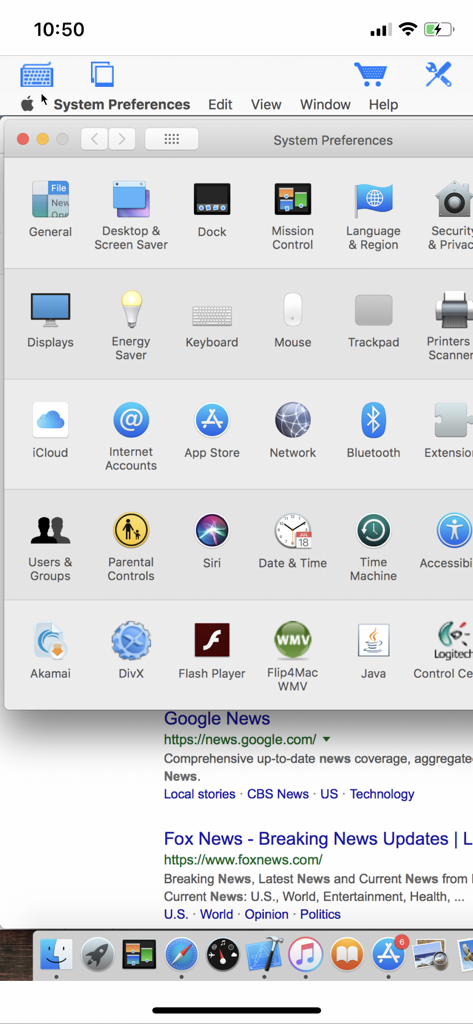
Accesso remoto alle Preferenze di Sistema di macOS su uno schermo di iPhone utilizzando l'app Connect My Computer

Accesso remoto alle Preferenze di Sistema di macOS su uno schermo di iPhone utilizzando l'app Connect My Computer

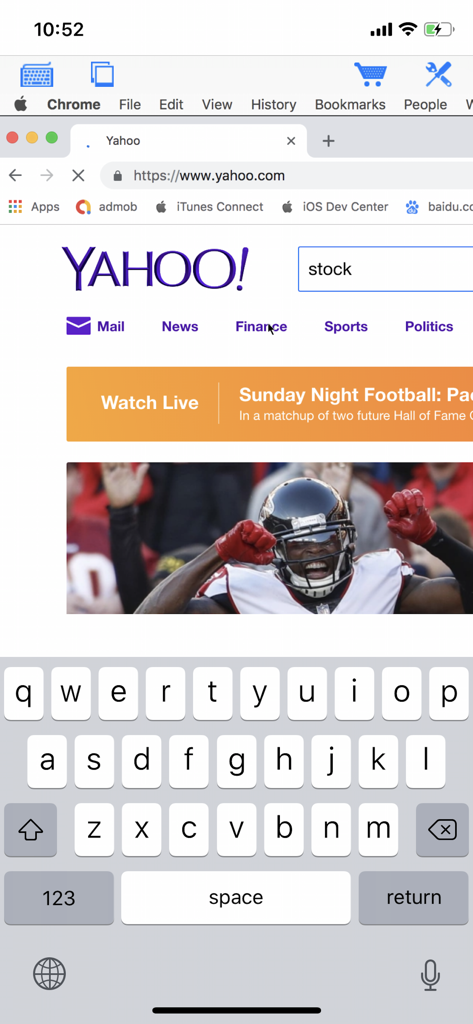
Un iPhone che visualizza una sessione desktop remota con il sito web di Yahoo e una tastiera virtuale sullo schermo

Un iPhone che visualizza una sessione desktop remota con il sito web di Yahoo e una tastiera virtuale sullo schermo

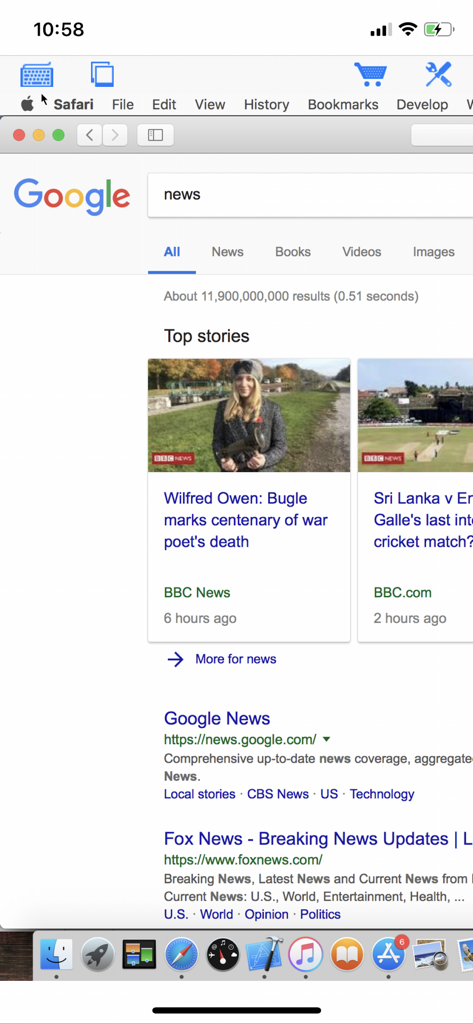
Accesso remoto a un desktop Mac che mostra il browser Safari su uno schermo di iPhone

Accesso remoto a un desktop Mac che mostra il browser Safari su uno schermo di iPhone

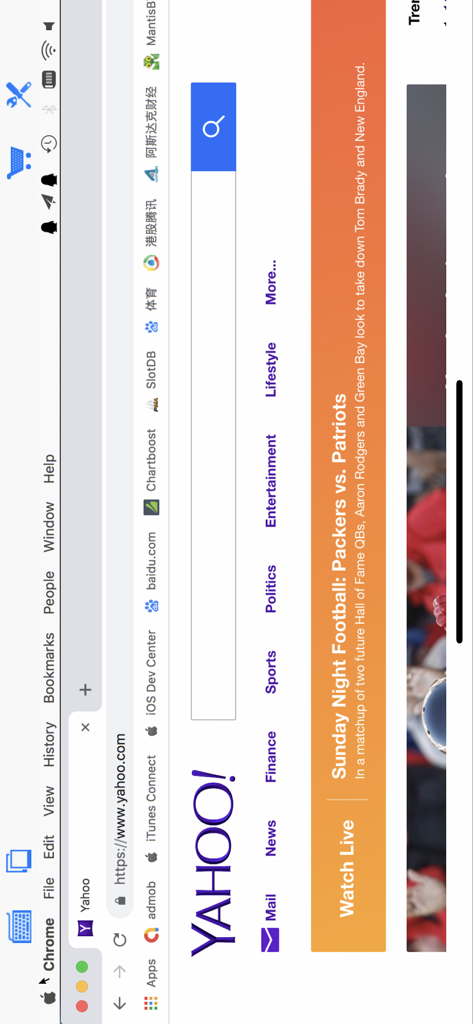
Visualizzazione remota di un desktop Mac che esegue il browser Chrome con la homepage di Yahoo aperta tramite l'app Connect My Computer

Visualizzazione remota di un desktop Mac che esegue il browser Chrome con la homepage di Yahoo aperta tramite l'app Connect My Computer

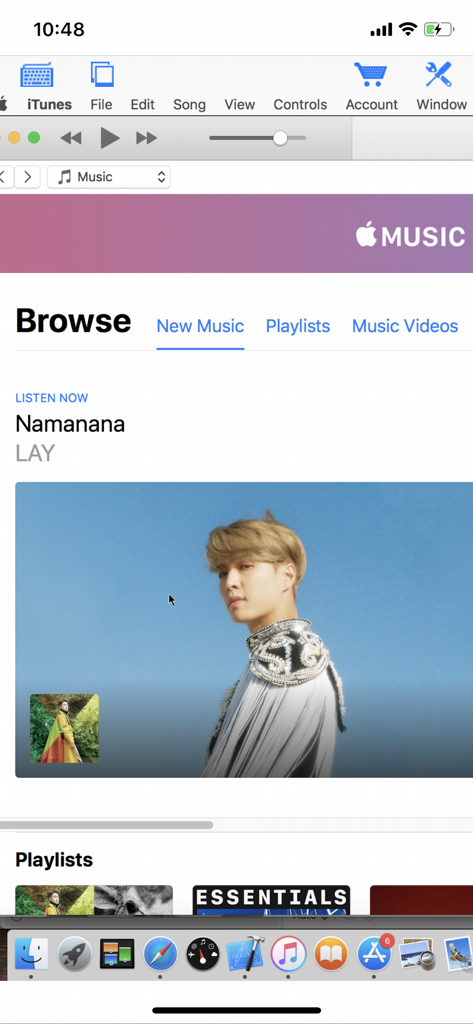
Visualizzazione remota di un desktop di un computer Mac con iTunes aperto tramite l'app mobile Connect My Computer

Visualizzazione remota di un desktop di un computer Mac con iTunes aperto tramite l'app mobile Connect My Computer

Il Tuo Intero Desktop, Sempre a Portata di Mano

Gli strumenti che rendono questa app unica, scelti da 233K+ utenti.

🖥️

Accesso Desktop Professionale

Esegui software Mac e Windows ad alto consumo di risorse direttamente dal tuo dispositivo mobile. Perfetto per controllare rendering, attivare script o accedere a file in movimento.

🖱️

Controllo Tattile di Precisione

Sperimenta una vera navigazione desktop con supporto completo per il trackpad, funzionalità di clic destro e tasti modificatori personalizzati progettati per flussi di lavoro professionali.

🚀

Leggero e Senza Abbonamento

Salta le costose tariffe aziendali. Goditi una connessione ad alta velocità ed economica che supporta tutto, dai più recenti sistemi operativi Mac ai server Windows legacy.

Info sull'app

Tutto quello che devi sapere su Connect My Computer.

Descrizione

Connect to your Mac computers from iPad/iPhone/iPod Touch at anytime! Great functionalities and It's FREE! Support Retina display for the new iPad and iPhone XS Max! Compared with this free version, the Pro version has more features: - Multiple connections - Trackpad to move mouse cursor (also support click) and do mouse wheel scroll - Mouse right click, hover and mouse drag - Modifier keypad including Shift, Ctrl and Alt which enables you to press almost any key combinations. - A cool functional keyboard: Cut, copy & paste and other shortcuts keypad, including HOME, END, PAGE UP, PAGE DOWN, Arrow keys, etc. - Virtual left button and right mouse button - Easy dragging and resizing using virtual mousepad - Support video output (need iPad or iOS4 and output connector) Features: - Specifically designed for both iPad and iPhone - Support Retina display for the new iPad and iPhone 4/4S - Take advantage of iPad's big screen - Portrait and landscape mode - Support various resolutions and colors - Tap to do click, double tap to double click, and all easy to use features - Pinch to zoom in and out. Choose the zoom scale you like - International keyboard support for many languages, including French, German, Italian, Korean, Russian, Swedish, Spanish, Portuguese etc. - Mac OS X Login - Easy to use design Supported Platform: - Mac OS X Mountain Lion - Mac OS X Lion - Mac OS X Snow Leopard - Mac OS X Leopard - Mac OS X Tiger - Windows with VNC server installed Note: This is also a full VNC client. Thus you can also use it to connect to Windows with VNC server installed. Brief install instructions (Use it if you do not need step-by-step instructions): How to configure my Mac? - Mac OS Tiger: http://www.macminicolo.net/Mac_VNC_tutor.html - Leopard or Snow Leopard: http://reviews.cnet.com/8301-13727_7-10329122-263.html For detailed setup instructions and more information, see http://www.hanajobs.com/mobile/forums/show/13.page Send your comments/suggestions to hanamobiles@gmail.com or visit our website.

Ultima versione

1.4.1

Dimensione

6.6 MB

Data di lancio

1 ott 2010

Pronto ad Accedere al Tuo Computer da Ovunque?

Unisciti a oltre 233.000 professionisti che trasformano il loro iPad e iPhone in una postazione di lavoro mobile. Scarica oggi stesso il client VNC gratuito e lascia il laptop a casa.

Scarica su App Store

App information, icons, screenshots, and descriptions displayed on this page are sourced from the Apple App Store and are the property of their respective developers. Download estimates and rankings are based on MWM's proprietary models and may not reflect actual figures. This page is provided for informational and analytical purposes only.

Believe this page infringes your intellectual property? File a dispute