Control Panel for YouTube

Control Panel for YouTube

Scarica su App Store
Logo di Control Panel for YouTube

Control Panel per YouTube: Recupera la Tua Concentrazione e Pulisci il Tuo Feed

L'estensione Safari definitiva per minimalisti digitali. Blocca le pubblicità, nascondi gli Shorts e rimuovi ogni distrazione per trasformare YouTube in un potente strumento di produttività.

Scarica su App Store

Editore

J BUCHANAN & L.J BUCHANAN

Categoria

Productivity

Download

3K+

Valutazione

4.2/5

Valutazioni totali

0

Lingue

1

Recupera il Tuo Schermo

Scopri l'interfaccia usata da 3K+ utenti.
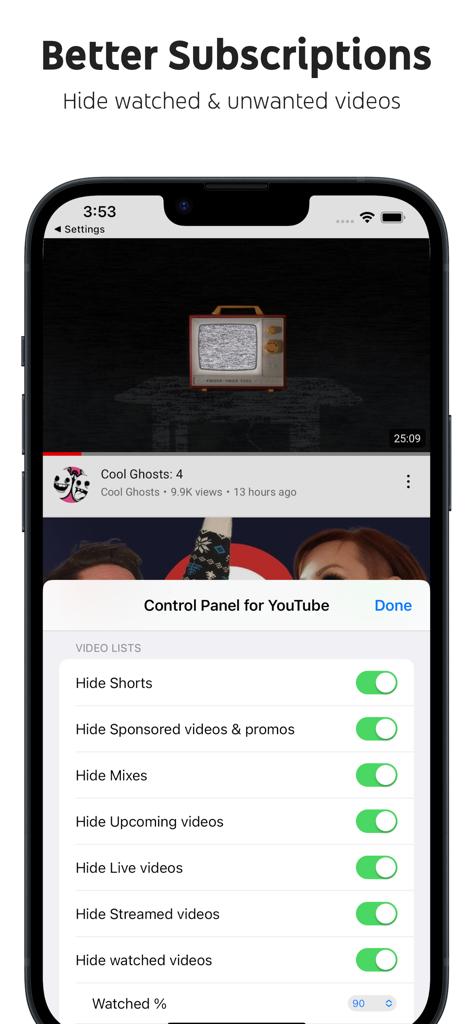
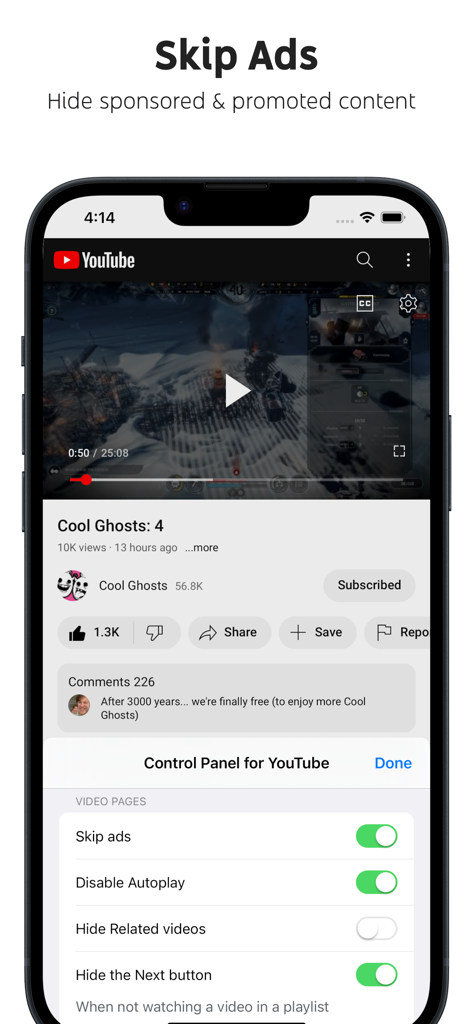
Interfaccia di Control Panel per YouTube che mostra le impostazioni per nascondere shorts e video sponsorizzati su un iPhone.

Interfaccia di Control Panel per YouTube che mostra le impostazioni per nascondere shorts e video sponsorizzati su un iPhone.

Smartphone che mostra l'interfaccia dell'app Control Panel per YouTube con la funzione Salta pubblicità abilitata

Smartphone che mostra l'interfaccia dell'app Control Panel per YouTube con la funzione Salta pubblicità abilitata

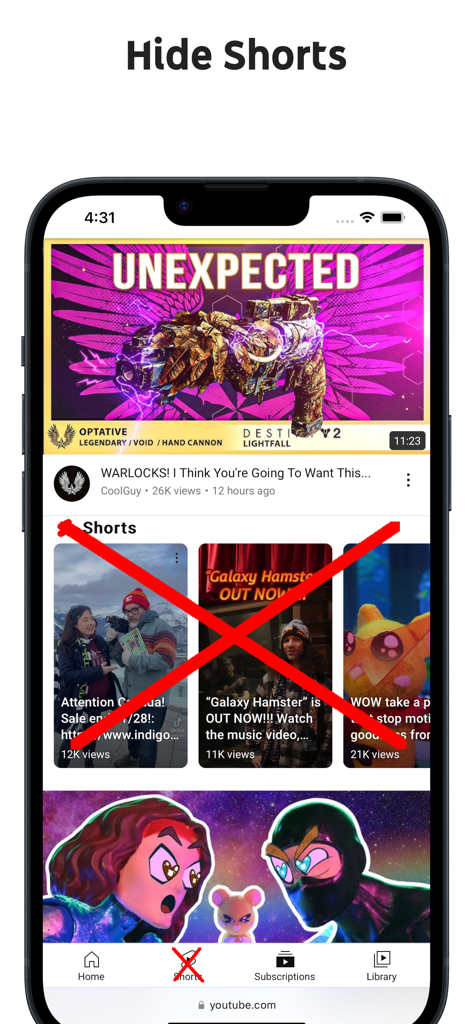
Uno screenshot che mostra un browser mobile con contenuti e icone di navigazione di YouTube Shorts barrati per dimostrare la funzione nascondi shorts

Uno screenshot che mostra un browser mobile con contenuti e icone di navigazione di YouTube Shorts barrati per dimostrare la funzione nascondi shorts

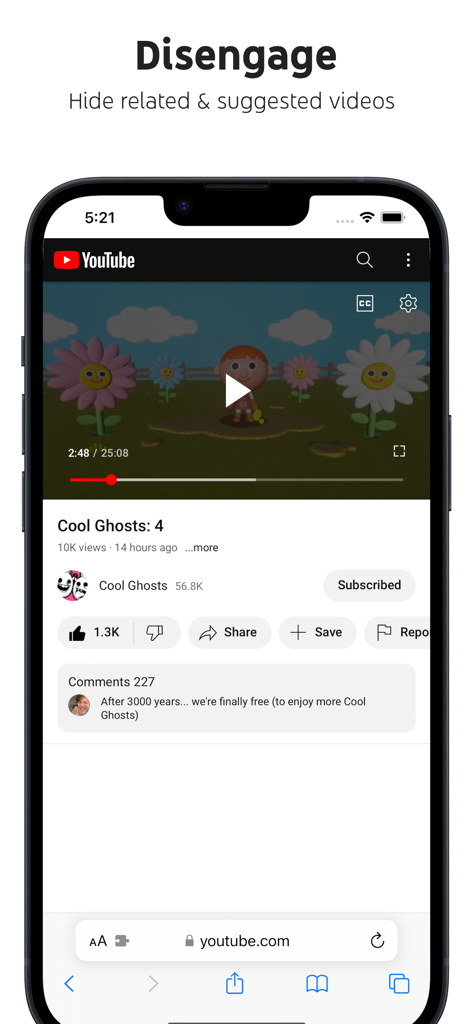
Screenshot dell'iPhone che mostra un video di YouTube con video correlati e suggeriti nascosti utilizzando l'estensione Safari Control Panel per YouTube

Screenshot dell'iPhone che mostra un video di YouTube con video correlati e suggeriti nascosti utilizzando l'estensione Safari Control Panel per YouTube

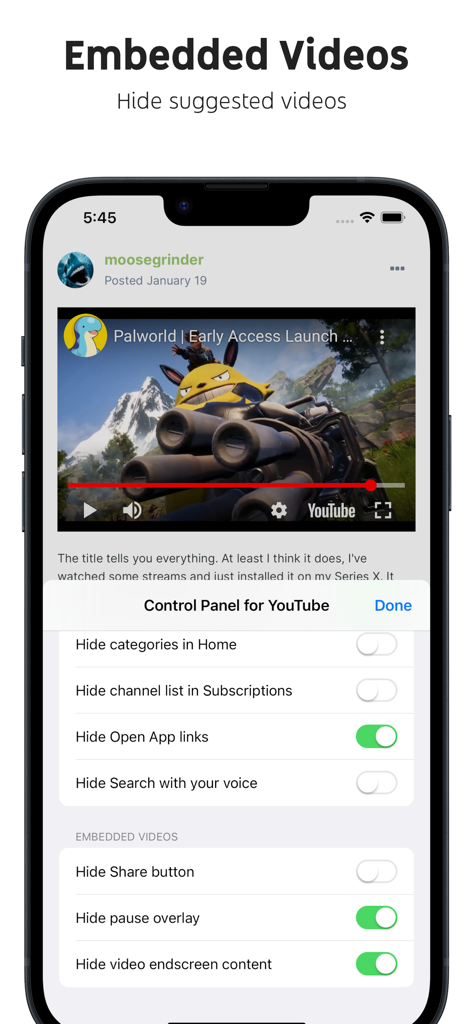
Interfaccia delle impostazioni di Control Panel per YouTube su iPhone per personalizzare gli elementi dei video incorporati

Interfaccia delle impostazioni di Control Panel per YouTube su iPhone per personalizzare gli elementi dei video incorporati

Recupera il Tuo Tempo e la Tua Concentrazione

Gli strumenti che rendono questa app unica, scelti da 3K+ utenti.

🎯

Uccidi l'Algoritmo

Elimina la fatica degli 'Shorts' e le raccomandazioni infinite. Nascondi distrazioni come commenti, video correlati e feed principali per rimanere concentrato su ciò che sei venuto effettivamente a guardare.

🛠️

Personalizzazione di Livello Pro

Ripristina i filtri 'Data di caricamento', recupera gli elementi classici dell'interfaccia utente e rimuovi ogni esperimento fastidioso. Dalle miniature quadrate ai link personalizzati nella barra laterale, controlli ogni pixel.

🔋

Produttività Pura

Attiva la riproduzione in background su dispositivi mobili e nascondi i prompt 'Apri App'. Niente pubblicità, niente upsell 'Premium' e niente riassunti AI—solo un ambiente pulito e sterile per imparare e lavorare.

Info sull'app

Tutto quello che devi sapere su Control Panel for YouTube.

Descrizione

Ads: • Block ads • Hide Sponsored videos & promos • Hide Merch, Offers etc. (desktop version) YouTube experiments: • Restore Subscriptions link in sidebar (desktop version) • Restore order of sidebar items (desktop version) • Restore small thumbnails in Related (desktop version) • Restore "Upload date" search filter (desktop version) New video player UI: • Disable new progress bar and controls (desktop version) - Note: this will stop working when YouTube removes the old player UI • Hide new full screen controls • Hide "More videos" in full screen • Always use compact Play button (desktop version) • Remove background from controls (desktop version) • Restore Miniplayer button (desktop version) • Restore corner click to toggle full screen (desktop version) • Hide full screen title (desktop version) • Hide full screen like/dislike buttons (desktop version) Annoyances: • Hide AI summaries • Remove pink gradient from progress bars • Hide information panels • Hide Premium upsells • Disable video previews (desktop version) • Disable themed hover effects (desktop version) • Automatically pause channel trailers (desktop version) • Allow background playback (mobile version) • Hide Open App links (mobile version) Video lists: • Hide suggested sections • Hide Live videos • Hide Streamed videos • Hide Mixes • Hide Playlists • Hide Movies and TV • Hide Upcoming videos • Hide Members only videos • Hide Collaborations in Subscriptions • Hide Auto-dubbed videos in Related • Hide watched videos • Hide hidden videos - Hides the "Undo" button after 5 seconds • Hide channels - Adds "Hide channel" to video menus • Disable Home feed • Search thumbnail size (desktop version) • Minimum grid items per row (desktop version) • Hide Posts in Home (mobile version) Video pages: • Disable Autoplay • Disable Ambient mode • Hide Related videos • Hide the Next button • Hide channel watermark • Hide Share/Thanks/Clip etc. • Hide Ask button • Hide video metadata • Hide Comments • Always use theater mode (desktop version) • Full size theater mode (desktop version) • Disable enlarged UI in theater mode (desktop version) • Always use original audio (desktop version) • Hide video end cards (desktop version) • Hide video endscreen content (desktop version) • Hide Premium Jump ahead button (desktop version) • Hide Chat (desktop version) • Add Take snapshot to video menu (JPEG / PNG) (desktop version) • Make Transcript downloadable (desktop version) Shorts: • Hide Shorts • Redirect Shorts to the normal player • Hide suggested actions • Hide link to related Short by the same channel • Always show progress bar • Stop Shorts looping • Hide Remix button (desktop version) • Hide Shorts metadata until hover (desktop version) • Minimum Shorts per row (desktop version) UI tweaks: • Show full video titles • Use square corners for thumbnails and videos • Hide categories in Home • Hide channel banner images • Hide Search with your voice • Enforce theme (desktop version) • Link YouTube logo to Subscriptions (desktop version) • Tidy Guide sidebar (desktop version) • Hide "Latest" bar in Subscriptions (desktop version) • Use grid view for Subscriptions & Search (portrait only) (mobile version) • Hide Explore button in Home (mobile version) • Hide channel list in Subscriptions (mobile version) Embedded videos: • Hide Share button • Hide pause overlay

Ultima versione

1.27.1

Dimensione

0.9 MB

Data di lancio

25 feb 2024

Riprendi il Controllo della Tua Esperienza YouTube

Unisciti a migliaia di minimalisti digitali che hanno eliminato le distrazioni, bloccato le pubblicità e trasformato YouTube nello strumento di produttività che dovrebbe essere.

Scarica su App Store

App information, icons, screenshots, and descriptions displayed on this page are sourced from the Apple App Store and are the property of their respective developers. Download estimates and rankings are based on MWM's proprietary models and may not reflect actual figures. This page is provided for informational and analytical purposes only.

Believe this page infringes your intellectual property? File a dispute