Copied - Auto Paste Keyboard
Scarica su App Store

Questa pagina non è una pagina ufficiale dell'app o del suo sviluppatore, ma una pubblicazione editoriale indipendente creata a scopo informativo e di commento. Salvo espressa indicazione contraria, né l'app né il suo sviluppatore sono affiliati, approvati, sponsorizzati, autorizzati o altrimenti ufficialmente collegati a MWM, Apple, Google Play, all'editore dell'app o allo sviluppatore dell'app, e nulla in questa pagina implica che l'app sia stata sviluppata utilizzando i servizi di MWM. Tutti i marchi, loghi, screenshot e altri contenuti rimangono di proprietà dei rispettivi proprietari.

Logo di Copied - Auto Paste Keyboard
Scarica su App Store

Copied - Auto Paste Keyboard

Smetti di ripetersi e recupera il tuo tempo. Organizza frammenti personalizzati, gestisci la cronologia degli appunti e inserisci modelli complessi con un singolo tocco su tutti i tuoi dispositivi.

Numeri Chiave

Download

21K+

Valutazione

4.4/5

Valutazioni totali

800

Editore

Sharply Labs Ltd

Categoria

Utilities

Lingue

1

Ultima versione

2.50

Dimensione

261.2 MB

Data di lancio

24 giu 2020
Funzioni

Potenzia la Tua Produttività Mobile

Smetti di perdere tempo a scrivere le stesse risposte. Trasforma la tua tastiera in un kit di strumenti ad alte prestazioni con frammenti organizzati e scorciatoie istantanee.

Frammenti a un Tocco

Salva le tue frasi più utilizzate, modelli di email e FAQ. Inseriscili istantaneamente in qualsiasi app senza la complicazione del copia-incolla.

Organizzazione di Livello Pro

Categorizza i tuoi contenuti in una struttura di cartelle multilivello. Tieni perfettamente ordinati le risposte di lavoro, le informazioni personali e i collegamenti.

Gli screenshot e la descrizione seguenti provengono direttamente dall'elenco ufficiale dello store dell'app e sono di proprietà dello sviluppatore.

App Store

Screenshot
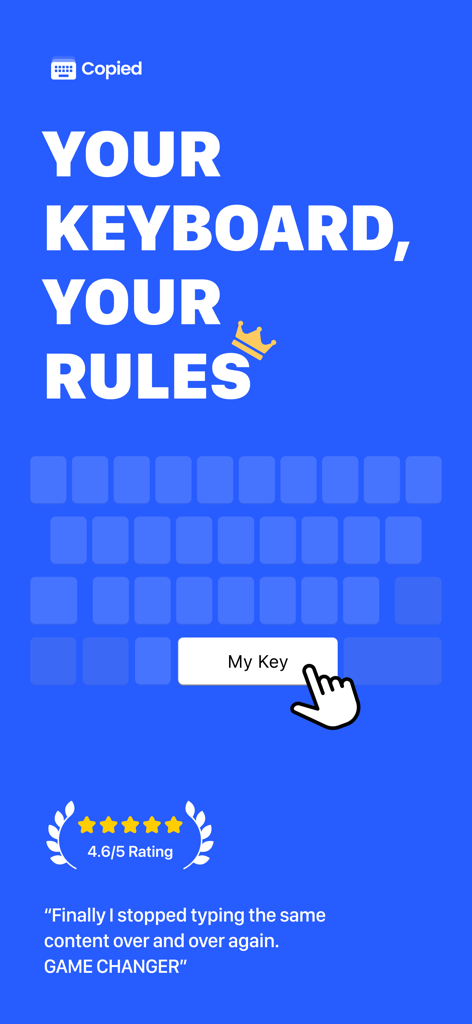
Copied - Auto Paste Keyboard - Schermata promozionale per l'app Copied con il testo La Tua Tastiera Le Tue Regole e una testimonianza con valutazione di 4,6 stelle
Schermata promozionale per l'app Copied con il testo La Tua Tastiera Le Tue Regole e una testimonianza con valutazione di 4,6 stelle

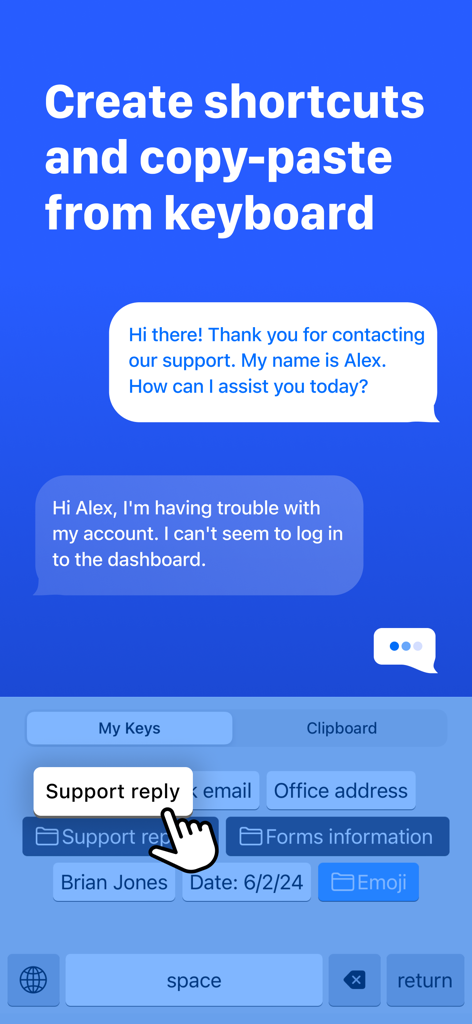
Copied - Auto Paste Keyboard - Schermata mobile che mostra una tastiera personalizzata con tasti di scelta rapida per incollare rapidamente testi come risposte di supporto e indirizzi d'ufficio.
Schermata mobile che mostra una tastiera personalizzata con tasti di scelta rapida per incollare rapidamente testi come risposte di supporto e indirizzi d'ufficio.

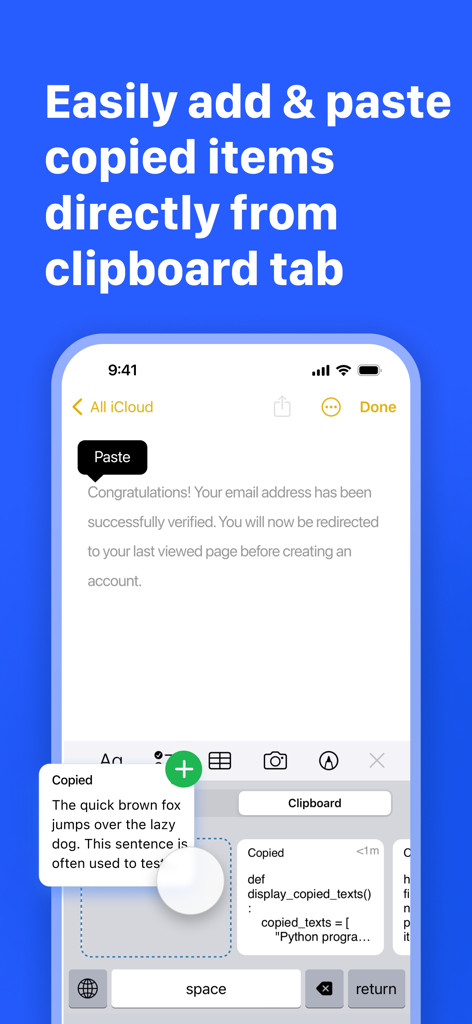
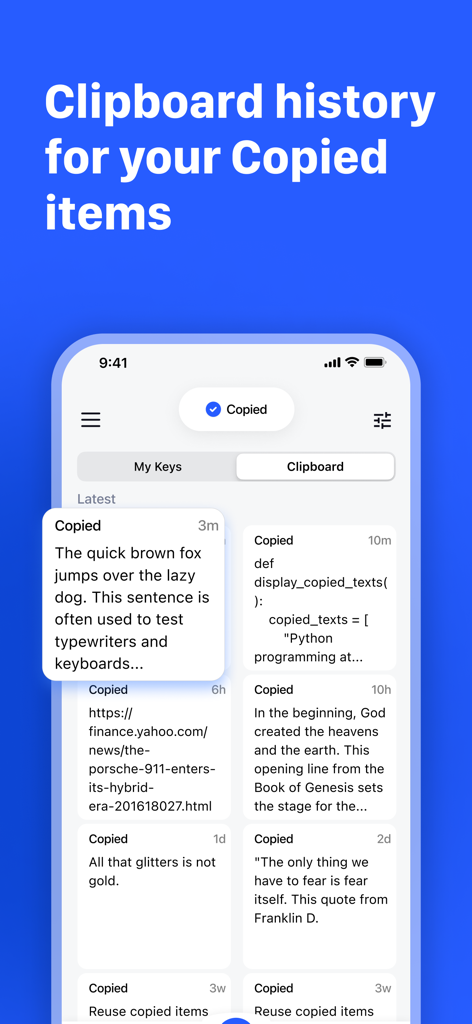
Copied - Auto Paste Keyboard - Interfaccia della tastiera dell'app Copied che mostra la scheda degli appunti con frammenti di testo salvati per un rapido incolla
Interfaccia della tastiera dell'app Copied che mostra la scheda degli appunti con frammenti di testo salvati per un rapido incolla

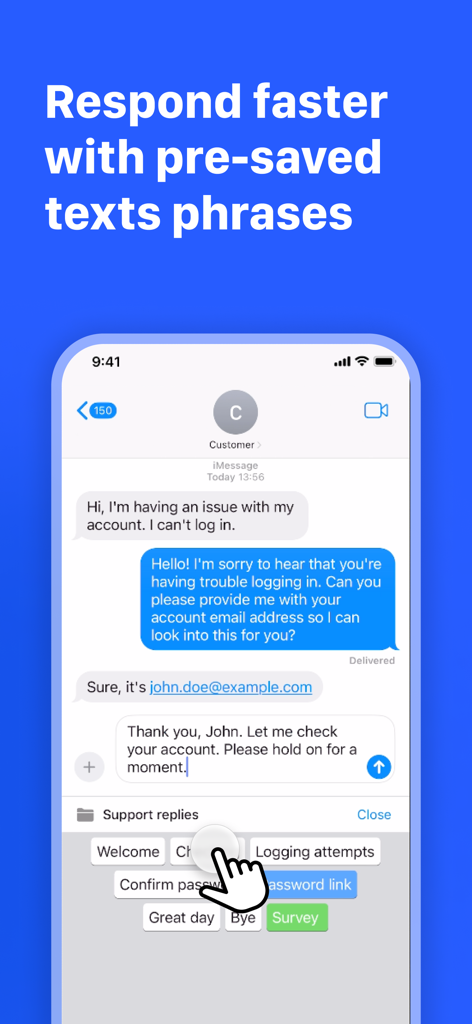
Copied - Auto Paste Keyboard - Schermata dell'iPhone che mostra l'app Copied keyboard con frasi di testo pre-salvate per messaggistica di supporto clienti rapida.
Schermata dell'iPhone che mostra l'app Copied keyboard con frasi di testo pre-salvate per messaggistica di supporto clienti rapida.

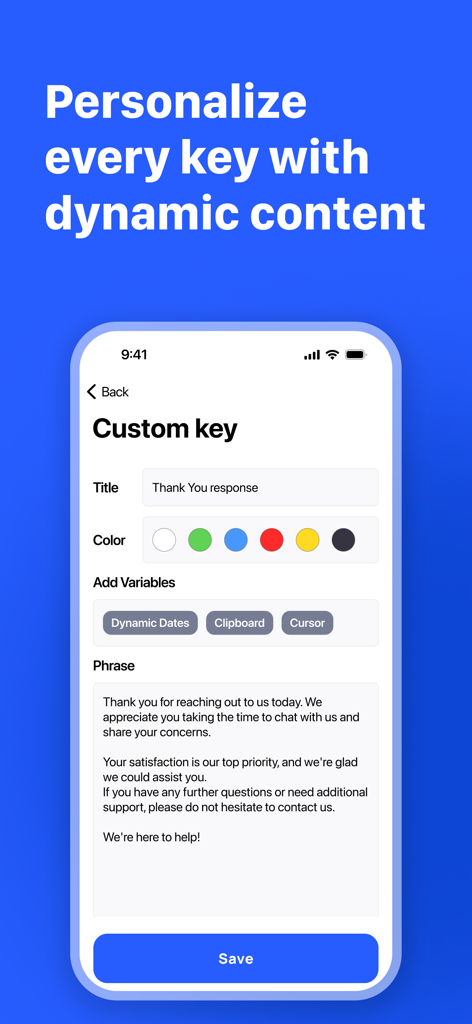
Copied - Auto Paste Keyboard - Interfaccia per personalizzare un tasto della tastiera personalizzato con variabili dinamiche e frammenti di testo automatizzati
Interfaccia per personalizzare un tasto della tastiera personalizzato con variabili dinamiche e frammenti di testo automatizzati

Copied - Auto Paste Keyboard - Interfaccia dell'app Copied che mostra la cronologia degli appunti con vari frammenti di testo e collegamenti salvati su un iPhone
Interfaccia dell'app Copied che mostra la cronologia degli appunti con vari frammenti di testo e collegamenti salvati su un iPhone

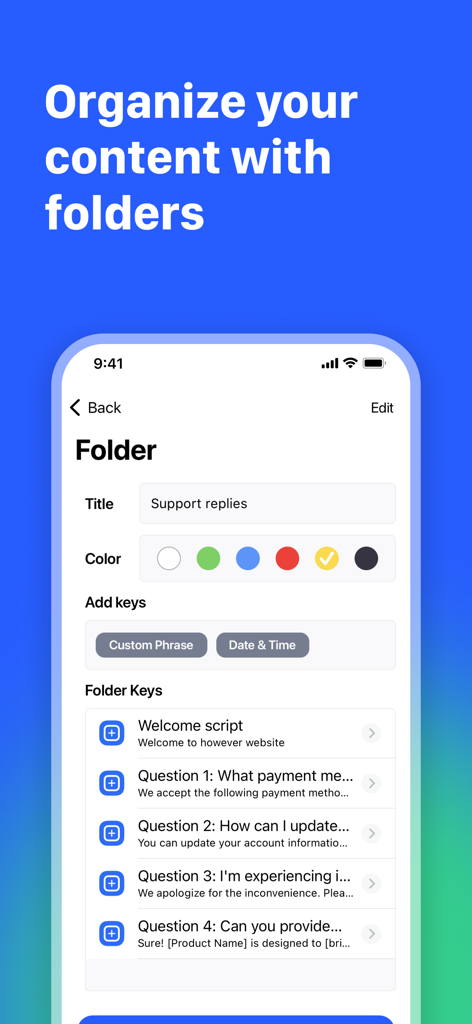
Copied - Auto Paste Keyboard - L'interfaccia dell'app Copied che mostra una cartella intitolata Risposte di supporto con un elenco di frasi personalizzate salvate.
L'interfaccia dell'app Copied che mostra una cartella intitolata Risposte di supporto con un elenco di frasi personalizzate salvate.

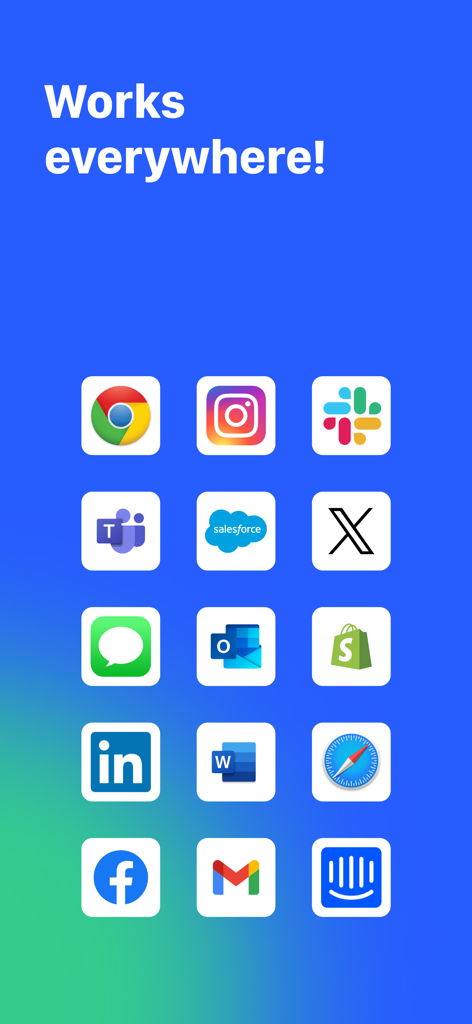
Copied - Auto Paste Keyboard - Una griglia di icone di app popolari tra cui Slack Gmail e Instagram che mostrano la compatibilità con la tastiera Copied

Una griglia di icone di app popolari tra cui Slack Gmail e Instagram che mostrano la compatibilità con la tastiera Copied

Descrizione

Make Your Keyboard Do More! Optimize your keyboard and save time. Stop typing the same thing again and again... Be more efficient and personalize your own pre-program keyboard. Copied allows you to add your own custom shortcuts, phrases, and responses to your keyboard. Now you can be more PRODUCTIVE with Copied! Get control of the keyboard and insert your input to the keys and save time. Personalize your custom phrases and templates, save time by inserting snippets, templates, phrases and much more, with just a tap of your keyboard. It's so easy to create a custom key PHRASE, put al group of words standing together and tap SAVE to save yourself time typing on the old keyboard. Copied keyboard, is a great tool for custom text replacement by creating smart keyboard shortcuts. Copied PRO FEATURES: * Clipboard - Add copied, easy add copied text to a list, and paste fast * Organize custom text snippets and phrases in a multi-level folder structure * Expand autotext abbreviations into longer phrases * Remap special characters or text to the keyboard * Copy and paste clipboard keyboard * Use custom phrases with dynamic contents, such as the current date/time, manual input, or calculations * Add custom keys for quick responses, such as emails, shortcuts, phone numbers, address, ID, username etc * Create folders and organize your inputs by custom folders/categories * Variables and templates, insert dynamic variables into your keys, for example, dates. time, clipboard, copy, content, etc * Sync and backup your keys with iCloud * Save Time and use the spare time you gain and Enjoy Life! * Clipboard history manager Copied is a universal app, so it works equally well on the iPhone and iPad. You get up to the 4 keys for free or upgrade to Pro to get unlimited key phrases. To enable the keys you create in the app to be shared with the keyboard 'allow full access' needs to be enabled. We only use this to allow data to be shared between the app and the keyboard, we do not use other features 'full-access' allows such as network access. With Copied clipboard keyboard shortcuts, you will have two Keyboards, a native keyboard+ the Copied keyboard (shortcuts & phrases). Using an additional mobile keyboard is an essential utility for the mobile power user. Snippets, email templates, shortcut phrases, and clipboard manager saves you a lot of your precious time. Use a better keyboard themes. The Time Saving Tool For Busy People. Save time, work smarter, and Download for Free! Pro Terms: Payment will be charged to your iTunes account at confirmation of purchase. Subscription automatically renews unless auto-renew is turned off at least 24 hours before the end of the current period. Account will be charged for renewal within 24 hours of the end of the current period, and the cost of the renewal will be provided. Subscriptions may be managed by the user. Auto-renewal may be turned off by going to the user’s Account Settings after purchase. No cancellation of the current subscription is allowed during the active subscription period. Any unused portion of a free trial period, if offered, will be forfeited when the user purchases a subscription to that publication. Payments and Renewal: Payment will be charged to iTunes Account at confirmation of purchase. Subscription automatically renews unless auto-renew is turned off at least 24-hours before the end of the current period. Account will be charged for renewal within 24-hours prior to the end of the current period. You can manage or turn off auto-renew in your Account settings at any time after purchase No cancellation of the current subscription is allowed during the active period. Terms of use: http://www.sharplylabs.com/nextboard-tos Privacy policy: http://www.sharplylabs.com/nextboard-privacy-policy Contact - www.sharplylabs.com

Download

Scarica su App Store

Questa pagina non è una pagina ufficiale dell'app o del suo sviluppatore, ma una pubblicazione editoriale indipendente creata a scopo informativo e di commento. Salvo espressa indicazione contraria, né l'app né il suo sviluppatore sono affiliati, approvati, sponsorizzati, autorizzati o altrimenti ufficialmente collegati a MWM, Apple, Google Play, all'editore dell'app o allo sviluppatore dell'app, e nulla in questa pagina implica che l'app sia stata sviluppata utilizzando i servizi di MWM. Tutti i marchi, loghi, screenshot e altri contenuti rimangono di proprietà dei rispettivi proprietari.








