Dark Mode for Safari: NightEye
Scarica su App Store

Questa pagina non è una pagina ufficiale dell'app o del suo sviluppatore, ma una pubblicazione editoriale indipendente creata a scopo informativo e di commento. Salvo espressa indicazione contraria, né l'app né il suo sviluppatore sono affiliati, approvati, sponsorizzati, autorizzati o altrimenti ufficialmente collegati a MWM, Apple, Google Play, all'editore dell'app o allo sviluppatore dell'app, e nulla in questa pagina implica che l'app sia stata sviluppata utilizzando i servizi di MWM. Tutti i marchi, loghi, screenshot e altri contenuti rimangono di proprietà dei rispettivi proprietari.

Logo di Dark Mode for Safari: NightEye
Scarica su App Store

Dark Mode for Safari: NightEye

Proteggi i tuoi occhi e aumenta la tua produttività notturna. NightEye offre una modalità oscura e un filtro per la luce blu coerenti e rilassanti su tutti i tuoi dispositivi Apple, senza mai raccogliere i tuoi dati.

Numeri Chiave

Download

8K+

Valutazione

3.8/5

Valutazioni totali

300

Editore

PROMOTINO LTD OOD

Categoria

Utilities

Lingue

33

Ultima versione

5.3.7

Dimensione

10.3 MB

Data di lancio

18 mar 2019
Funzioni

Progettato per il Nottambulo Moderno

Night Eye non è solo un tema; è un potente set di strumenti per proteggere i tuoi occhi e migliorare la tua concentrazione in ogni angolo del web.

Modalità Scura Intelligente

Converte in modo intelligente ogni sito web in un tema scuro mantenendo le immagini nitide e chiare per un'esperienza fluida.

Protezione Avanzata per gli Occhi

Riduci l'affaticamento e migliora il sonno riducendo la luce blu e attenuando gli schermi al tuo livello di comfort esatto.

Gli screenshot e la descrizione seguenti provengono direttamente dall'elenco ufficiale dello store dell'app e sono di proprietà dello sviluppatore.

App Store

Screenshot
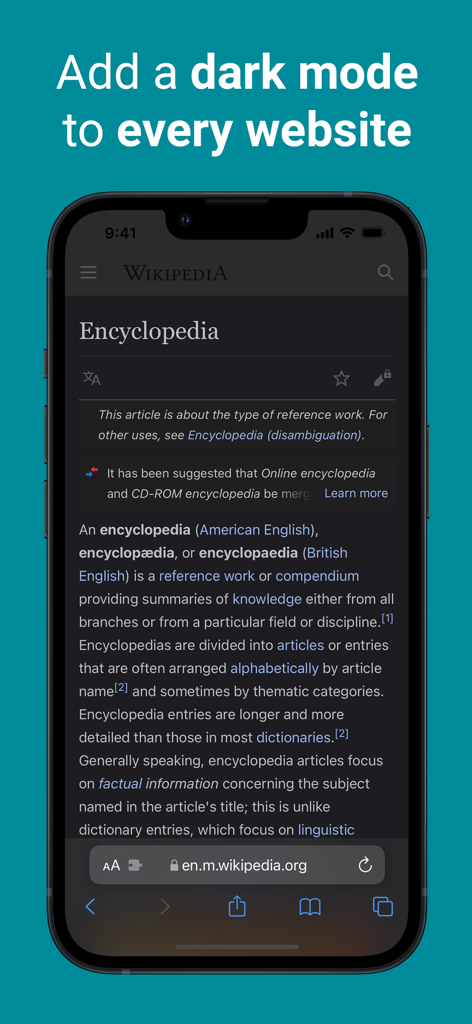
Dark Mode for Safari: NightEye - iPhone che mostra Wikipedia in modalità scura utilizzando l'estensione NightEye per Safari
iPhone che mostra Wikipedia in modalità scura utilizzando l'estensione NightEye per Safari

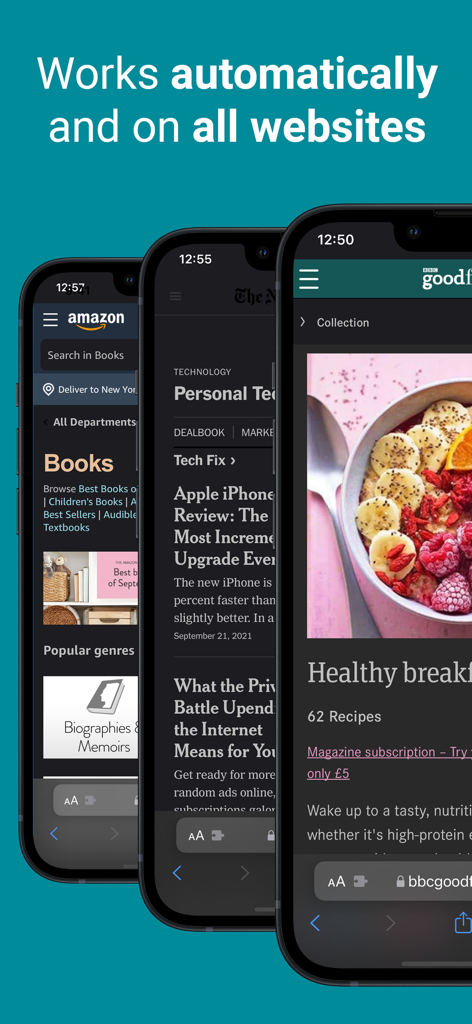
Dark Mode for Safari: NightEye - Estensione NightEye che mostra la conversione automatica in modalità scura su Amazon e siti di notizie
Estensione NightEye che mostra la conversione automatica in modalità scura su Amazon e siti di notizie

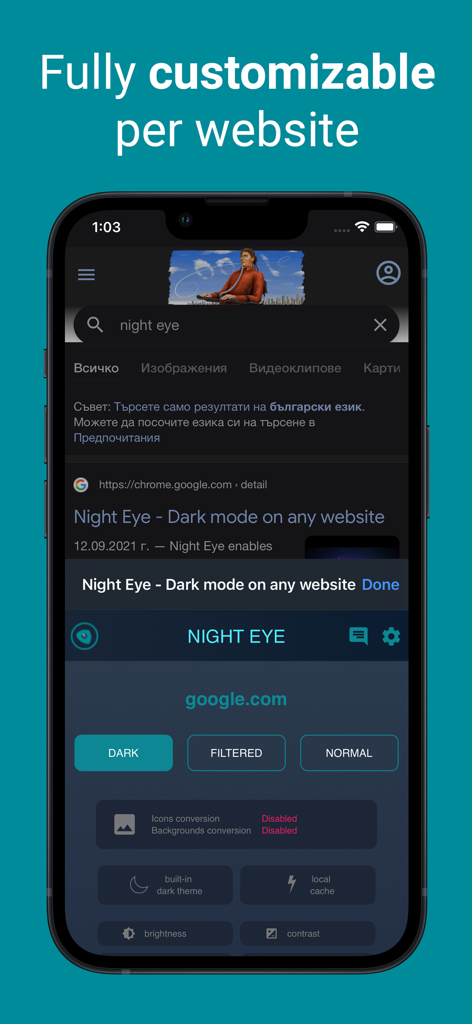
Dark Mode for Safari: NightEye - Screenshot dell'iPhone che mostra le opzioni di personalizzazione per l'estensione Night Eye per Safari su una pagina di ricerca Google in modalità scura
Screenshot dell'iPhone che mostra le opzioni di personalizzazione per l'estensione Night Eye per Safari su una pagina di ricerca Google in modalità scura

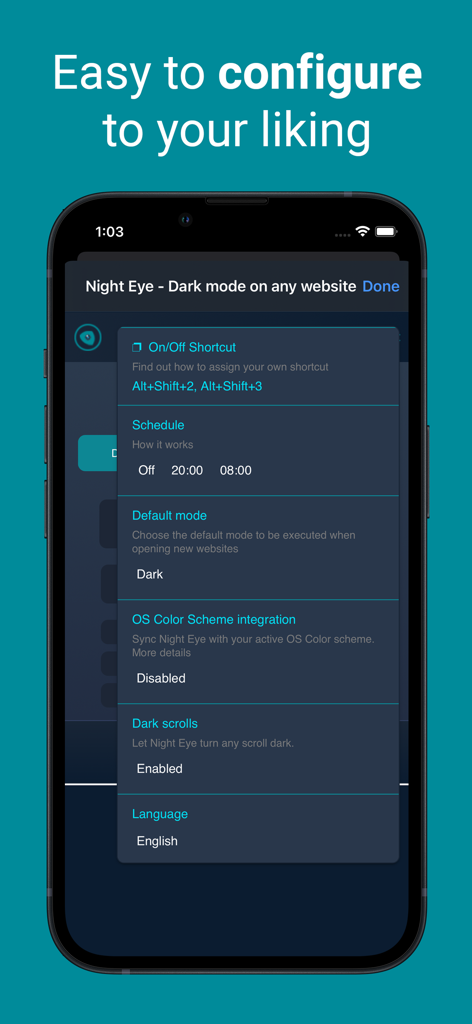
Dark Mode for Safari: NightEye - Schermata delle impostazioni dell'app Night Eye che mostra opzioni di configurazione come la pianificazione, la modalità predefinita e l'integrazione dello schema colori del sistema operativo

Schermata delle impostazioni dell'app Night Eye che mostra opzioni di configurazione come la pianificazione, la modalità predefinita e l'integrazione dello schema colori del sistema operativo

Descrizione

Enhance your browsing with Night Eye, a browser extension specially designed for a flawless "dark mode" experience on any site. By utilizing an advanced "dark mode" transformation technique, it efficiently evaluates and adjusts every color to provide a consistent and soothing dark theme. Opting for a dark interface can significantly diminish eye strain, making it a perfect choice for those sensitive to bright screens, or for users who often find themselves in dimly lit surroundings. Studies even indicate that reduced ambient light can positively influence sleep patterns. With Night Eye, dive into a serene "dark mode" on popular platforms such as Messenger, Quora, Search, Reddit, Wikipedia, and beyond. Further, its compatibility with native dark themes on select sites ensures you have total autonomy over your digital landscape. Dive into the world of "dark mode" with Night Eye and redefine your browsing ambiance. Discover the perfect dark mode experience for your browsing needs with Night Eye's four tailored plans: 1. Night Eye Lite: - Enjoy dark mode on up to 5 websites. - Switch between websites as often as you like. 2. Night Eye Pro: - Unlock the app's full potential on up to 3 browsers. - Yearly subscription plan. - Get started with a 2-month free trial (no payment required), which can be extended to a full year! 3. Night Eye Pro Max: - Experience complete dark mode capabilities on up to 6 browsers. - Yearly subscription plan. 4. Night Eye Ultimate: - Dive into the ultimate dark mode experience on up to 10 browsers. - Make it yours forever with a one-time payment. Explore Night Eye and transform your browsing experience today! AVAILABLE MODES Our extension offers three modes: Dark, Filtered, and Normal. - In Dark mode, all colors, small images, and icons are converted to provide the best dark experience. - In Filtered mode, the website's colors are not changed, but you can adjust brightness, contrast, warmth, and more. - Normal mode allows you to switch back to the website's regular theme. GLOBAL OPTIONS - OS/Browser Color scheme integration - integrate with your operating system's or browser's color scheme - Deep integration with websites that have their own built-in dark themes. - Scheduling for dark mode to turn on and off - Custom dark mode for online PDFs - Export/Import data between your browsers DARK MODE OPTIONS PER WEBSITE You can customize Night Eye's settings for a single website or globally, including adjusting contrast, blue light filter, and dimming. - Images - Night Eye analyses and converts only the small images and icons in a website to give you even smoother experience. Facebook posts and other significant media are not converted. - Brightness / Saturation / Contrast - Adjust the brightness, the contrast and the saturation to match the recommended healthy levels and protect your eyes. The default setting for each is 50%, but you can customize each to the preferred levels. - Blue Light - Take care of your eyes by eliminating the blue light coming from your screen. Highly recommended especially during late night browsing. Simply slide to the preferred level of warmth. - Dim - Extremely useful if you are working in a dark space/room and the screen is the only source of light in the room. The default setting is set to 50%, but you can customize it as you please. WE CARE ABOUT PRIVACY Safari will alert you that the extension may read and change all your data on the websites that you visit. Here is why: This extension analyses the colors of each webpage and converts them in order to give you a smooth and consistent dark mode. There is no other way the extension can convert the colors without the privilege to access them. However, we NEVER collect any of your data. Our business model relies on subscriptions and not on storing and selling your data. Last but not least, we are also internet users and don’t want to be evil.

Download

Scarica su App Store

Questa pagina non è una pagina ufficiale dell'app o del suo sviluppatore, ma una pubblicazione editoriale indipendente creata a scopo informativo e di commento. Salvo espressa indicazione contraria, né l'app né il suo sviluppatore sono affiliati, approvati, sponsorizzati, autorizzati o altrimenti ufficialmente collegati a MWM, Apple, Google Play, all'editore dell'app o allo sviluppatore dell'app, e nulla in questa pagina implica che l'app sia stata sviluppata utilizzando i servizi di MWM. Tutti i marchi, loghi, screenshot e altri contenuti rimangono di proprietà dei rispettivi proprietari.








