Dark Reader: PDF Viewer

Dark Reader: PDF Viewer

Scarica su App Store
Logo di Dark Reader: PDF Viewer

Dark Reader: Visualizzatore PDF — La modalità notturna definitiva per ogni documento

Proteggi i tuoi occhi e leggi comodamente in condizioni di scarsa illuminazione. Trasforma istantaneamente i PDF in un sorprendente tema scuro su iPhone, iPad e Mac: niente più affaticamento visivo digitale durante le sessioni di lavoro o studio notturno.

Scarica su App Store

Editore

Utsav Mangla

Categoria

Productivity

Download

600

Valutazione

1.0/5

Valutazioni totali

0

Lingue

14

Vedi la differenza

Scopri l'interfaccia usata da 600 utenti.
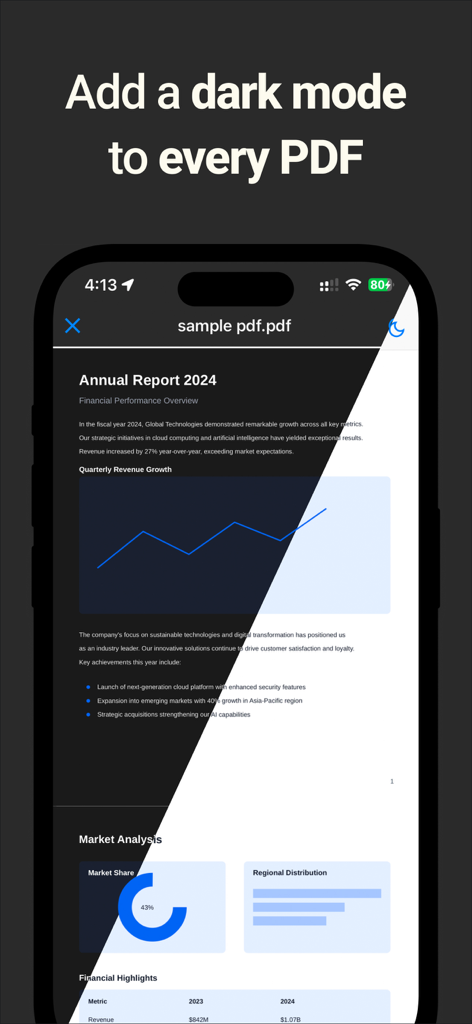
Uno schermo iPhone che mostra un report PDF con un confronto fianco a fianco della modalità chiara e della modalità scura.

Uno schermo iPhone che mostra un report PDF con un confronto fianco a fianco della modalità chiara e della modalità scura.

Valutazione a cinque stelle e testimonianza utente per Dark Reader PDF Viewer su iPhone.

Valutazione a cinque stelle e testimonianza utente per Dark Reader PDF Viewer su iPhone.

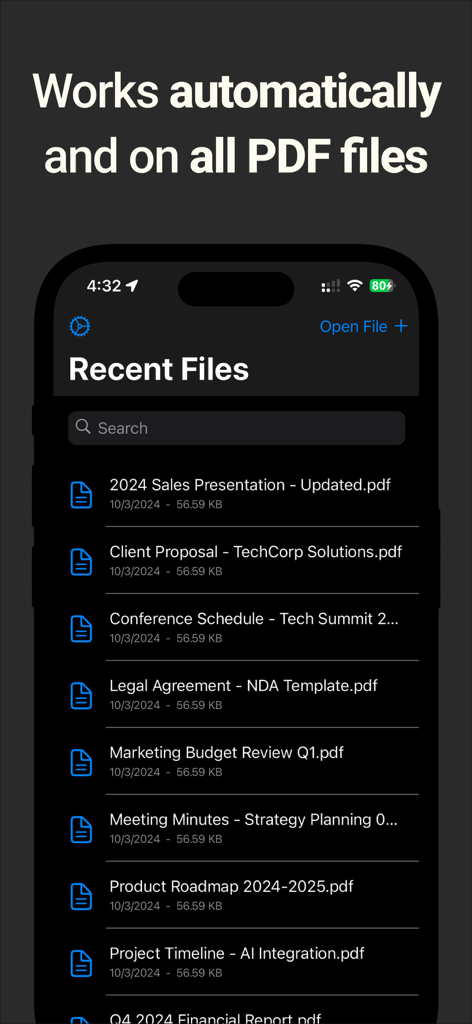
Screenshot dell'app Dark Reader PDF Viewer che mostra un elenco di file recenti nell'interfaccia in modalità scura

Screenshot dell'app Dark Reader PDF Viewer che mostra un elenco di file recenti nell'interfaccia in modalità scura

Ottimizzato per la tua migliore esperienza di lettura

Gli strumenti che rendono questa app unica, scelti da 600 utenti.

👁️

Comfort avanzato per gli occhi

Elimina l'affaticamento visivo digitale e il mal di testa con una modalità scura ad alto contrasto che rende la lettura di testi lunghi senza sforzo in ambienti con scarsa illuminazione.

Conversione automatica senza interruzioni

Dimentica le regolazioni manuali. Apri qualsiasi report, documento di ricerca o eBook e l'app applica istantaneamente una perfetta visualizzazione a tema scuro.

📱

Produttività multipiattaforma

Un'esperienza unificata su iPhone, iPad e macOS che consente di risparmiare batteria sugli schermi OLED e si integra perfettamente nel tuo flusso di lavoro in modalità scura.

Info sull'app

Tutto quello che devi sapere su Dark Reader: PDF Viewer.

Descrizione

Dark Reader: PDF Viewer is the best way to read and manage PDF files in dark mode or night mode. Reduce eye strain, save battery, and enjoy a more comfortable reading experience by instantly converting your PDF documents into dark mode. Why choose DarkPDF? ► PDF Dark Mode & Night Mode – Instantly switch any PDF into dark mode for easier reading at night. ► Works Automatically – Open any PDF and DarkPDF applies dark mode right away. ► All-in-One PDF Viewer – A clean and simple PDF viewer with dark mode support for iPad, iPhone and macOS. ► Convert PDF into Dark Mode – Turn your documents into a dark theme view with one tap. ► Perfect for Eye Comfort – Ideal for students, professionals, and night readers who want to protect their eyes. DarkPDF is the best PDF viewer with dark mode extension for iOS. Whether it’s reports, eBooks, contracts, lecture notes, or presentations, DarkPDF adds a dark reading experience to every PDF. Download DarkPDF: PDF Night Mode Viewer today and enjoy a smarter, more comfortable way to read PDFs on your iPhone, iPad and macOS. Privacy Policy: https://www.freeprivacypolicy.com/live/17cd28ef-f6e3-42ae-b053-1a317183d906 Terms of Use: https://www.apple.com/legal/internet-services/itunes/dev/stdeula

Ultima versione

1.0.7

Dimensione

62.7 MB

Data di lancio

7 ott 2024

Dai una pausa ai tuoi occhi stanotte.

Unisciti a migliaia di studenti e professionisti che utilizzano Dark Reader per eliminare l'affaticamento visivo e padroneggiare la lettura notturna su iPhone, iPad e Mac.

Scarica su App Store

App information, icons, screenshots, and descriptions displayed on this page are sourced from the Apple App Store and are the property of their respective developers. Download estimates and rankings are based on MWM's proprietary models and may not reflect actual figures. This page is provided for informational and analytical purposes only.

Believe this page infringes your intellectual property? File a dispute