
Questa pagina non è una pagina ufficiale dell'app o del suo sviluppatore, ma una pubblicazione editoriale indipendente creata a scopo informativo e di commento. Salvo espressa indicazione contraria, né l'app né il suo sviluppatore sono affiliati, approvati, sponsorizzati, autorizzati o altrimenti ufficialmente collegati a MWM, Apple, Google Play, all'editore dell'app o allo sviluppatore dell'app, e nulla in questa pagina implica che l'app sia stata sviluppata utilizzando i servizi di MWM. Tutti i marchi, loghi, screenshot e altri contenuti rimangono di proprietà dei rispettivi proprietari.

Device Monitor Z: CPU x RAM OS
Potenzia il tuo iPhone con un toolkit completo. Tieni traccia dell'utilizzo di CPU/GPU in tempo reale, analizza la latenza di rete ed esegui il benchmark del tuo hardware con widget ingegnerizzati con precisione e diagnostica professionale.
Download
61K+Valutazione
Valutazioni totali
0Editore
Categoria
Developer ToolsLingue
5Ultima versione
26.0Dimensione
38.8 MBData di lancio
13 lug 2023Padroneggia le Prestazioni del Tuo Hardware
Sblocca analisi tecniche approfondite con monitoraggio di livello professionale, diagnostica di rete e strumenti di benchmarking hardware progettati per utenti avanzati.
Monitoraggio Sistema Live
Tieni traccia dell'utilizzo di CPU, RAM e disco in tempo reale. Identifica i colli di bottiglia delle risorse e mantieni il tuo dispositivo al massimo dell'efficienza con dati ad alta densità.
Toolkit di Rete Pro
Vai oltre i test di velocità di base. Analizza le reti locali, esegui query DNS e utilizza scanner di porte per ottimizzare la tua connettività e la latenza di gioco.
Gli screenshot e la descrizione seguenti provengono direttamente dall'elenco ufficiale dello store dell'app e sono di proprietà dello sviluppatore.
App Store
Screenshot
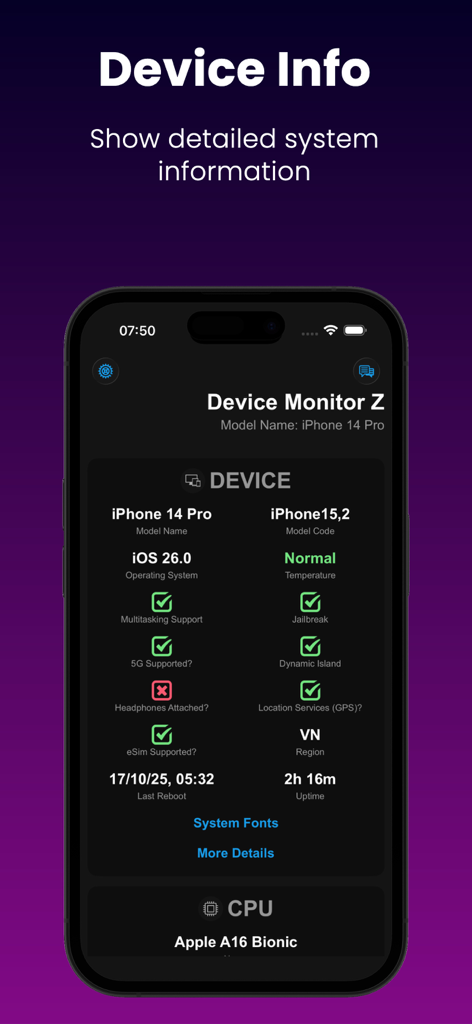
App Device Monitor Z che mostra informazioni dettagliate sul sistema e sulla CPU su un iPhone.
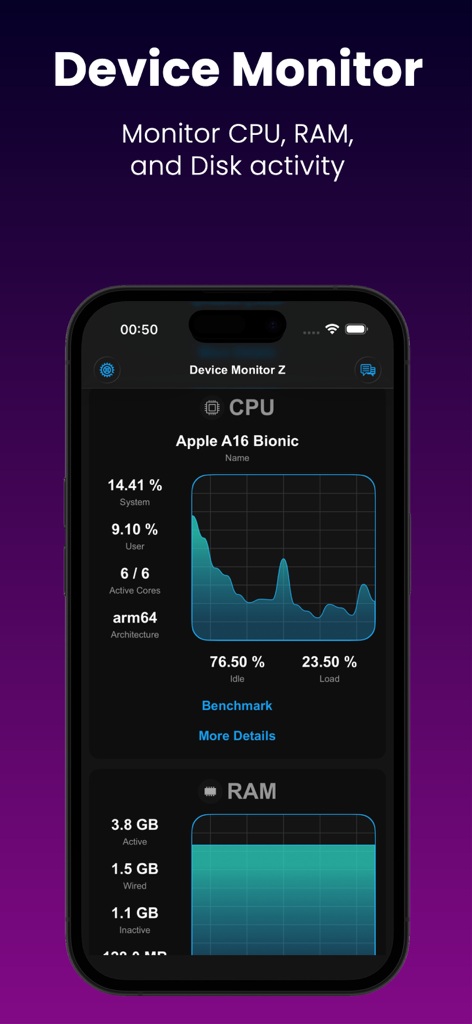
Dashboard di monitoraggio CPU e RAM in tempo reale nell'app Device Monitor Z per iPhone.
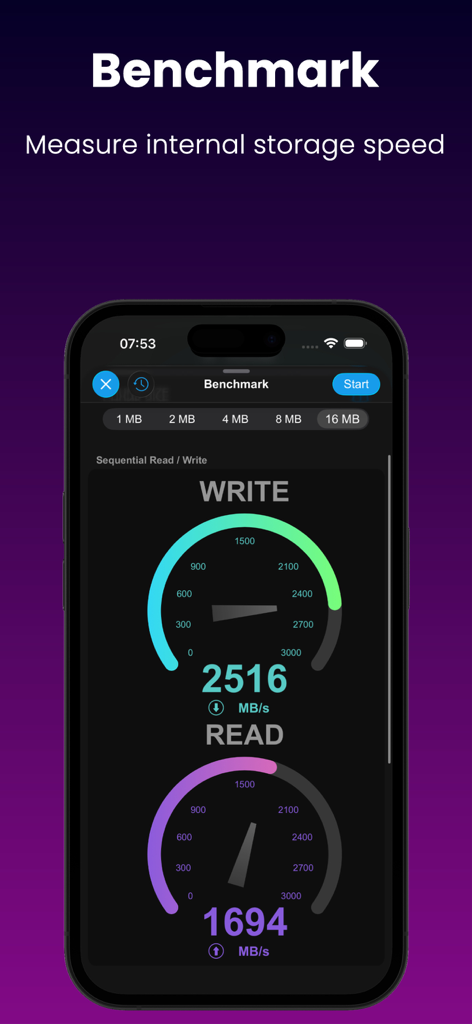
Schermata dell'app mobile che mostra uno strumento di benchmark del disco che misura le velocità di lettura e scrittura sequenziale con indicatori visivi.
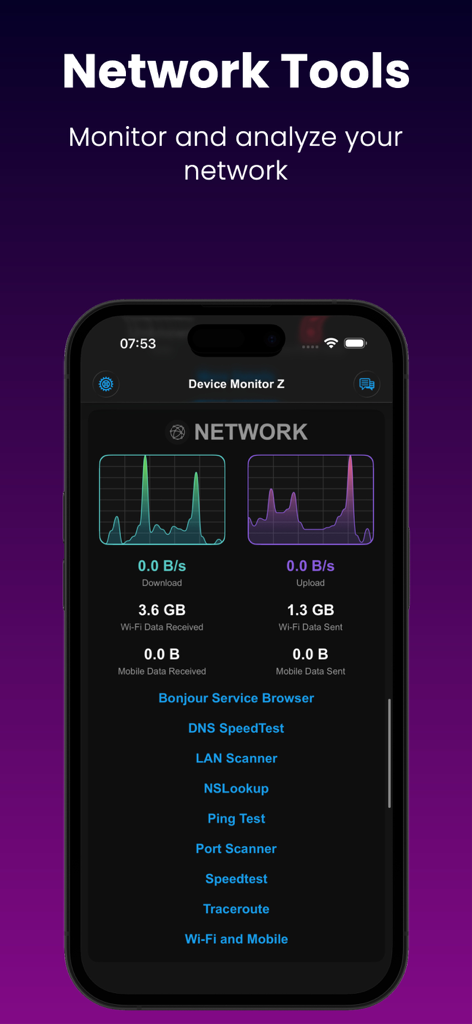
Schermata dell'app Device Monitor Z che mostra grafici di download e upload di rete in tempo reale con un elenco di strumenti diagnostici.
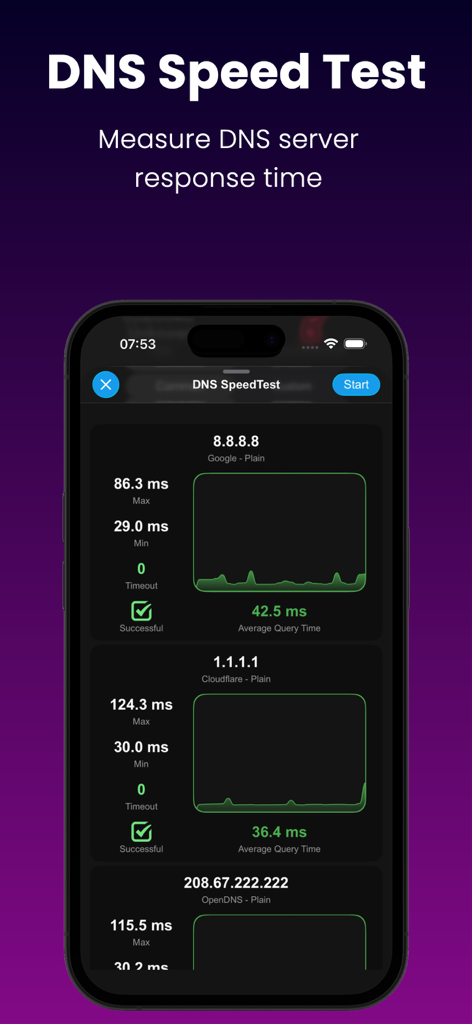
Interfaccia dell'app Device Monitor Z che mostra un test di velocità DNS che confronta i tempi di risposta dei server Google, Cloudflare e OpenDNS.
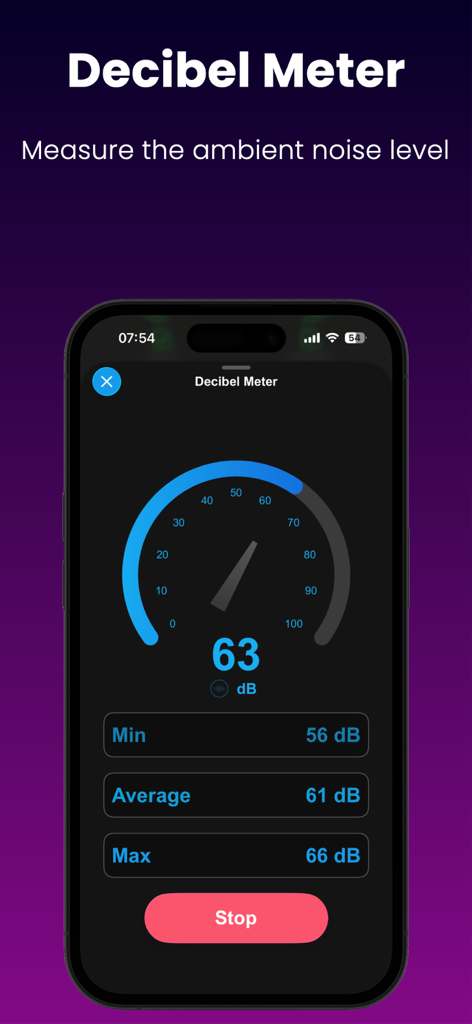
Interfaccia del misuratore di decibel nell'app Device Monitor Z che mostra i livelli di rumore ambientale in tempo reale.
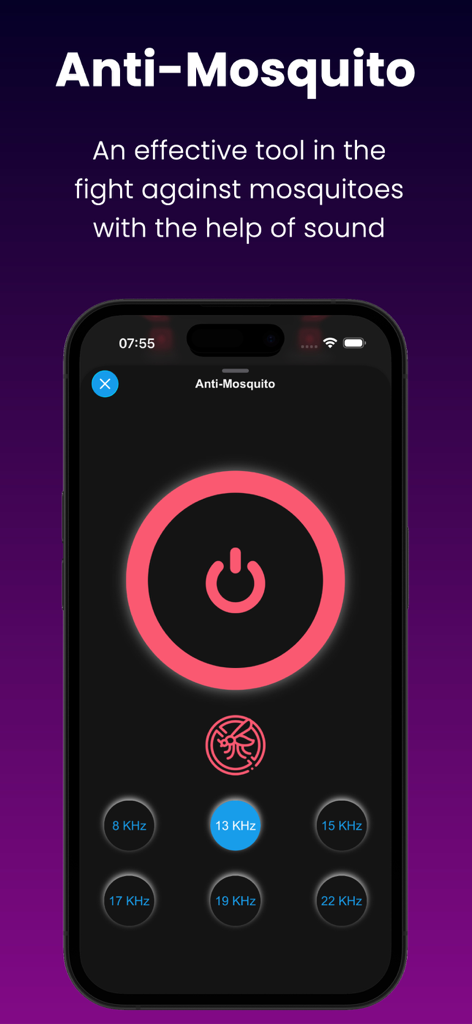
Interfaccia dello strumento Anti Zanzara che mostra varie opzioni di frequenza sonora.
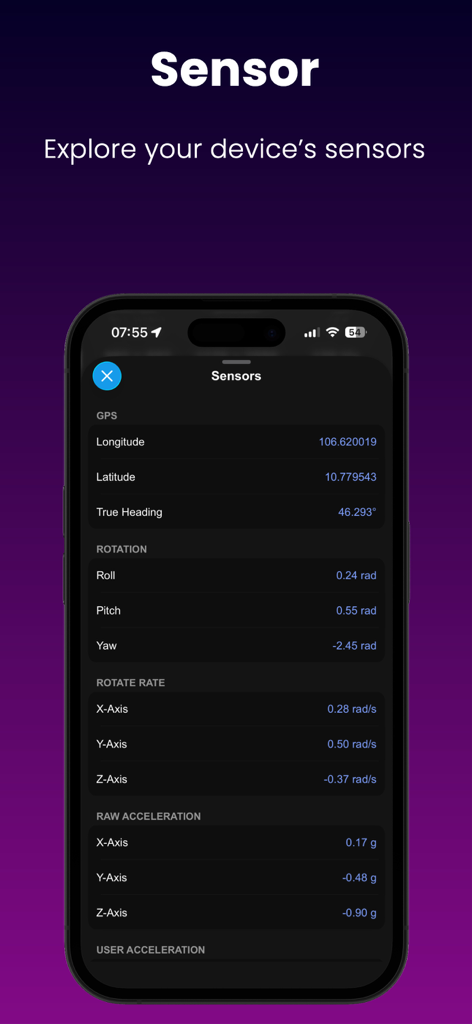
App Device Monitor Z che mostra dati dei sensori in tempo reale per rotazione GPS e accelerazione.
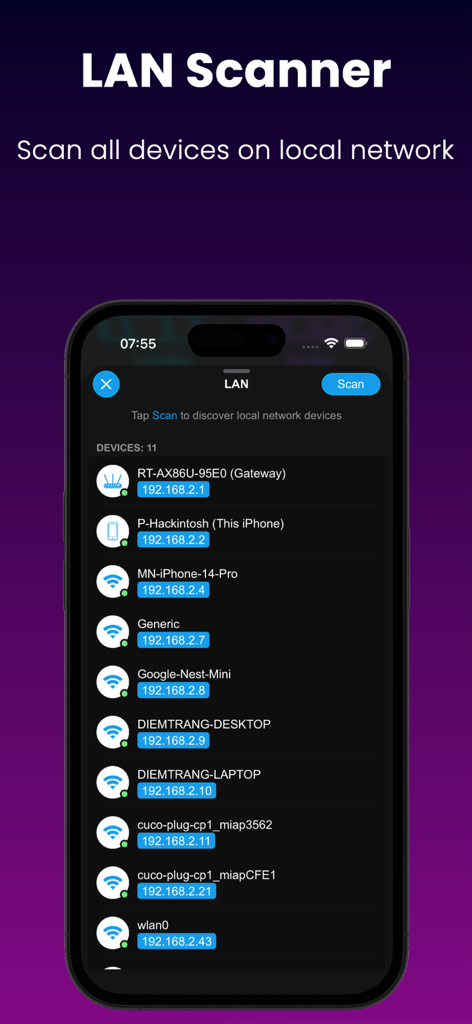
Interfaccia dello Scanner LAN che elenca dispositivi e indirizzi IP su una rete locale.
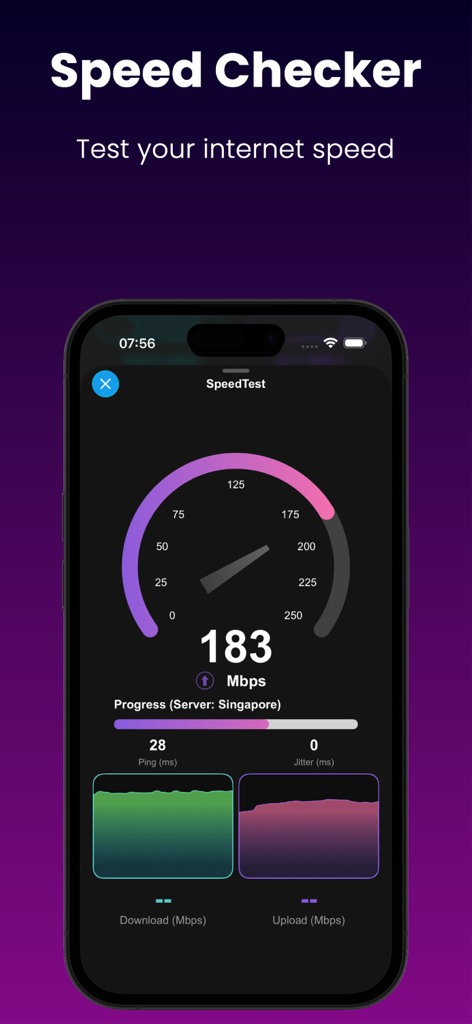
Schermata dello smartphone che mostra un test di velocità di Internet con metriche di download e upload.
Descrizione
Download
App Simili
App più classificate nella stessa categoria

TestFlight
Apple Inc.

Replit: Vibe Code Apps
Replit, Inc

GitHub
GitHub

O-KAM Pro
Shenzhen VeePai IoT Intelligent Technology LLC

Apple Developer
Apple Inc.

Expo Go
650 Industries, Inc.

Scriptable
Simon Stovring

App Store Connect
Apple Inc.

Sekai: Create · Remix · Play
Versa AI, Inc.
Questa pagina non è una pagina ufficiale dell'app o del suo sviluppatore, ma una pubblicazione editoriale indipendente creata a scopo informativo e di commento. Salvo espressa indicazione contraria, né l'app né il suo sviluppatore sono affiliati, approvati, sponsorizzati, autorizzati o altrimenti ufficialmente collegati a MWM, Apple, Google Play, all'editore dell'app o allo sviluppatore dell'app, e nulla in questa pagina implica che l'app sia stata sviluppata utilizzando i servizi di MWM. Tutti i marchi, loghi, screenshot e altri contenuti rimangono di proprietà dei rispettivi proprietari.