
Questa pagina non è una pagina ufficiale dell'app o del suo sviluppatore, ma una pubblicazione editoriale indipendente creata a scopo informativo e di commento. Salvo espressa indicazione contraria, né l'app né il suo sviluppatore sono affiliati, approvati, sponsorizzati, autorizzati o altrimenti ufficialmente collegati a MWM, Apple, Google Play, all'editore dell'app o allo sviluppatore dell'app, e nulla in questa pagina implica che l'app sia stata sviluppata utilizzando i servizi di MWM. Tutti i marchi, loghi, screenshot e altri contenuti rimangono di proprietà dei rispettivi proprietari.


Dual Camera Split Videos: Revo
Cattura l'azione e la tua reazione in una singola ripresa. Lo studio multi-camera n. 1 per registrare prospettive anteriori e posteriori, reagire al web in tempo reale e trasmettere in live con modalità professionali picture-in-picture, senza bisogno di montaggio.
Download
36K+Valutazione
Valutazioni totali
2K+Editore
Categoria
Photo & VideoLingue
7Ultima versione
1.3.7Dimensione
22.8 MBData di lancio
7 ago 2021Doppia Visuale, Metà Sforzo
Migliora il tuo storytelling con funzionalità multi-camera progettate per la prossima generazione di creator. Dalle reazioni virali ai vlog immersivi, Revo cattura ogni prospettiva in una sola ripresa, risparmiandoti ore di montaggio.
Storytelling a Doppio Obiettivo
Registra contemporaneamente dalle fotocamere anteriori e posteriori con le modalità Split Screen o PIP. Perfetto per condividere l'azione del mondo e la tua reazione autentica in un unico frame.
Studio di Reazione Istantaneo
Utilizza le modalità Web e Upload per filmare te stesso su siti web live o video esistenti. È il collegamento definitivo per creare video di reazione e tutorial di alto coinvolgimento senza un PC.
Gli screenshot e la descrizione seguenti provengono direttamente dall'elenco ufficiale dello store dell'app e sono di proprietà dello sviluppatore.
App Store
Screenshot
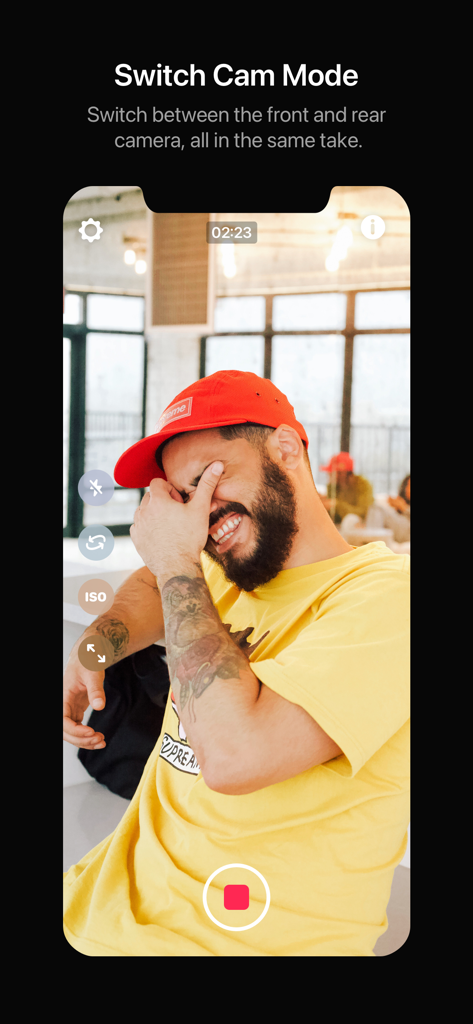
L'interfaccia della modalità Switch Cam nell'app Revo che mostra un vlogger mentre registra e passa tra le fotocamere anteriori e posteriori.
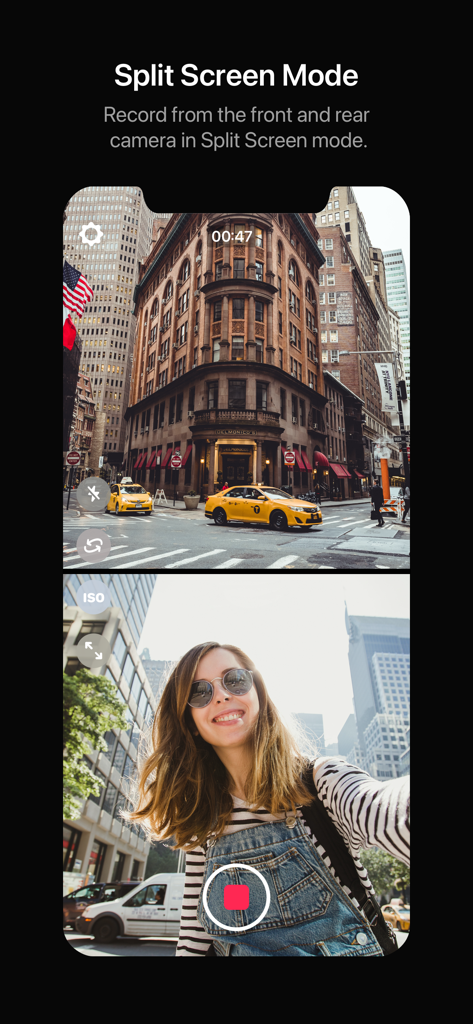
Una sessione di registrazione in modalità split screen che mostra contemporaneamente le viste della fotocamera anteriore e posteriore
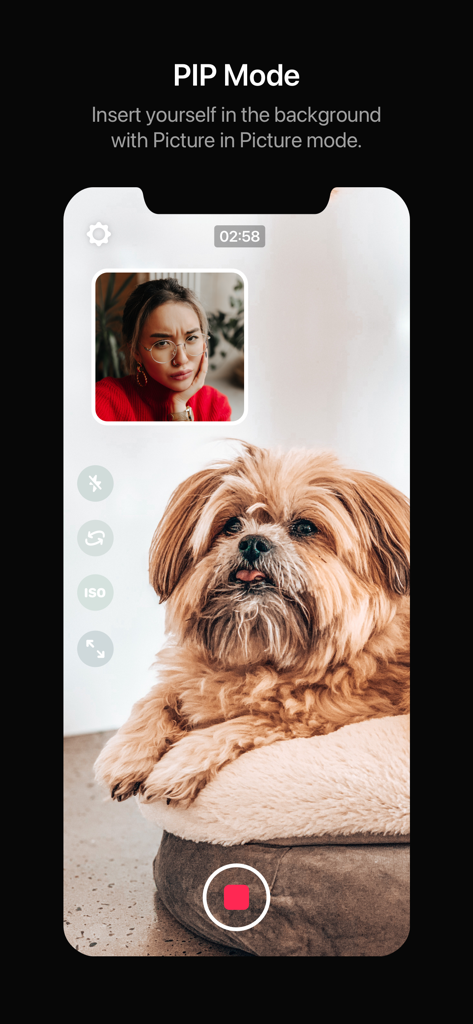
App a doppia fotocamera che mostra la modalità PIP con una finestra di reazione su un video di un cane
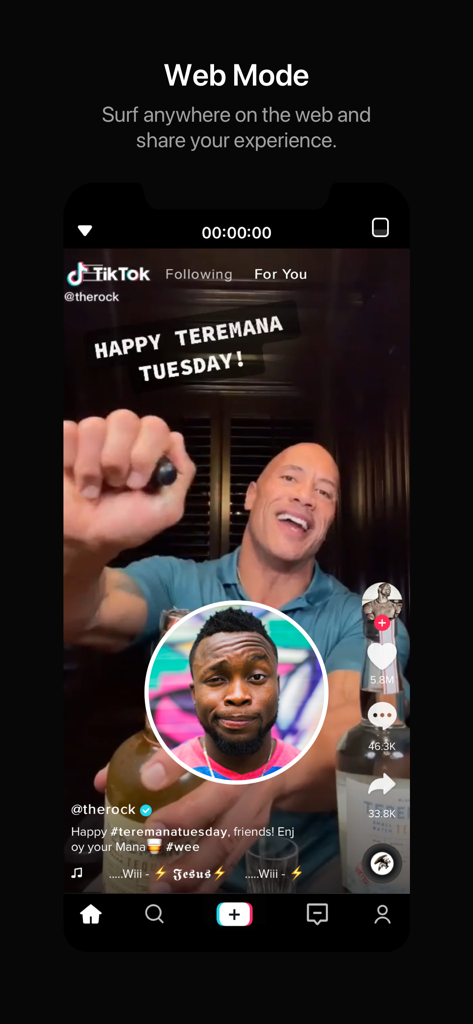
Schermata dello smartphone che mostra la modalità Web dell'app Revo per la registrazione di video di reazione su TikTok
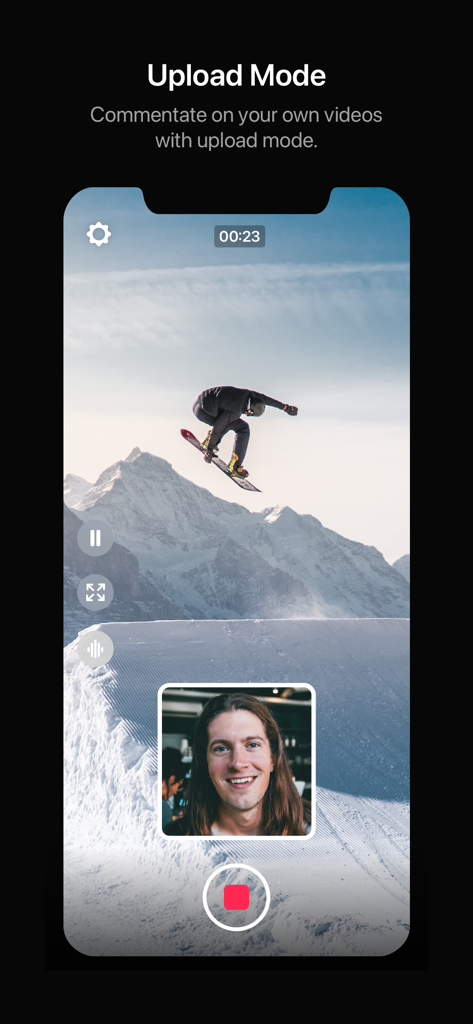
Un utente registra un video di reazione su una clip di snowboard utilizzando la modalità Upload di Revo in layout picture-in-picture
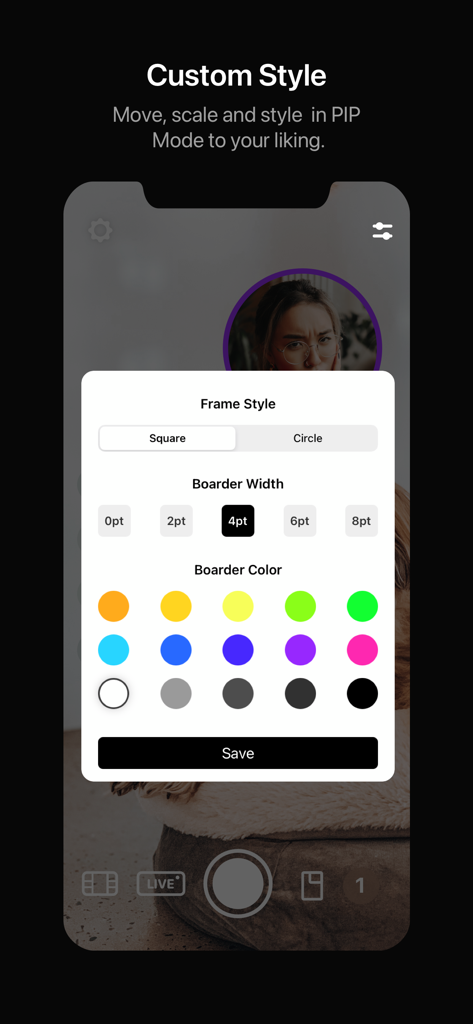
Interfaccia dell'app Revo che mostra le opzioni di personalizzazione per la modalità PIP, inclusi lo stile del frame, la larghezza del bordo e il colore del bordo
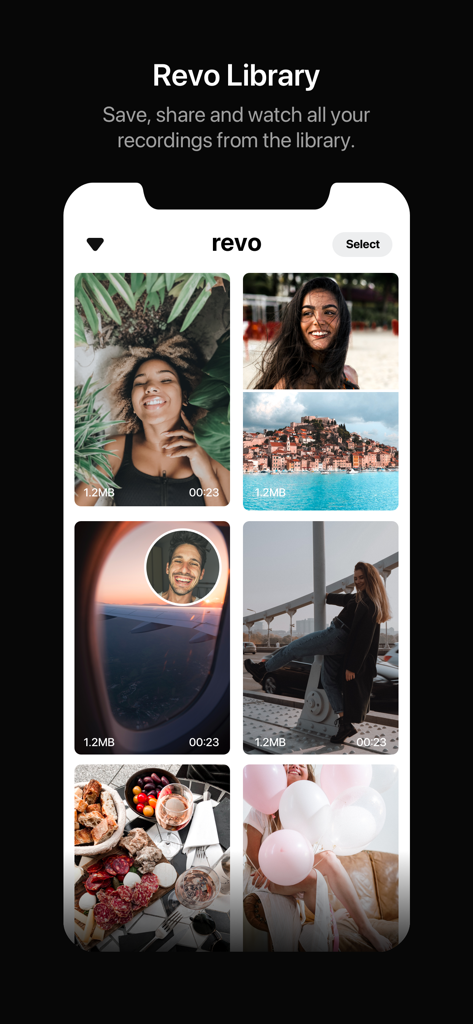
Interfaccia della libreria dell'app Revo che mostra una griglia di registrazioni video a doppia fotocamera salvate.
Descrizione
Download
App Simili
App con funzionalità ed esperienza simili

2Camera Dual Camera Front Back
自力 黄
CamFusion - Dual Camera 视频抽帧截图
Liangjie Information Technology (Chengmai) Co., Ltd.

Double Camera •
Dayworks, LLC

2Cam – Dual & Double Camera
VISION FZ LLE

Dualgram
Just2us Pte Ltd
DUBL Pro
DUBL, INC.

DoubleTake - Multicam video
Bending Spoons Apps ApS
Questa pagina non è una pagina ufficiale dell'app o del suo sviluppatore, ma una pubblicazione editoriale indipendente creata a scopo informativo e di commento. Salvo espressa indicazione contraria, né l'app né il suo sviluppatore sono affiliati, approvati, sponsorizzati, autorizzati o altrimenti ufficialmente collegati a MWM, Apple, Google Play, all'editore dell'app o allo sviluppatore dell'app, e nulla in questa pagina implica che l'app sia stata sviluppata utilizzando i servizi di MWM. Tutti i marchi, loghi, screenshot e altri contenuti rimangono di proprietà dei rispettivi proprietari.