Gammel

Gammel

Scarica su App Store
Logo di Gammel

Gammel: Smetti di fare calcoli mentali e celebra ogni traguardo

Widget dal design accattivante per la tua schermata di blocco e Apple Watch che mostrano l'età esatta dei tuoi figli, animali domestici e anniversari in settimane, mesi o anni.

Scarica su App Store

Editore

Luke Johnson

Categoria

Utilities

Download

100

Valutazione

1.0/5

Valutazioni totali

0

Lingue

1

Età a colpo d'occhio

Scopri l'interfaccia usata da 100 utenti.
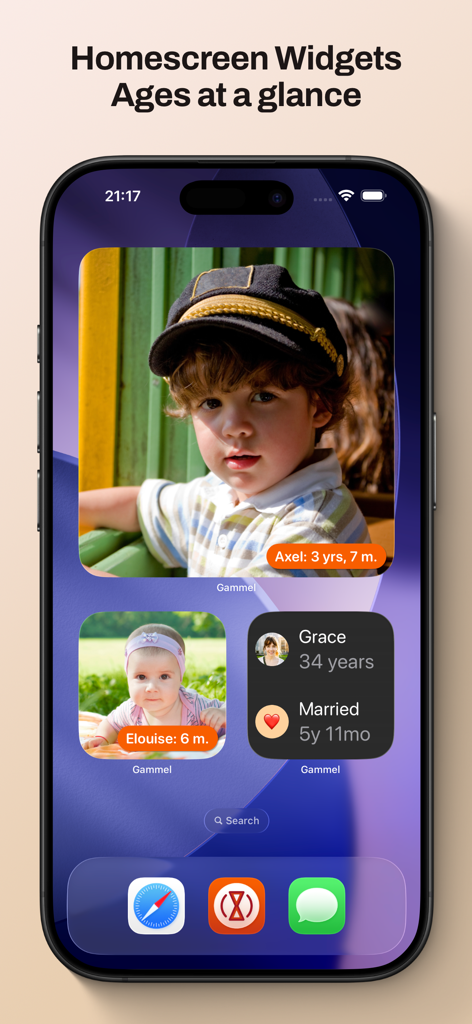
Una schermata Home di iPhone con widget Gammel che mostrano foto ed età monitorate di bambini e un anniversario di matrimonio.

Una schermata Home di iPhone con widget Gammel che mostrano foto ed età monitorate di bambini e un anniversario di matrimonio.

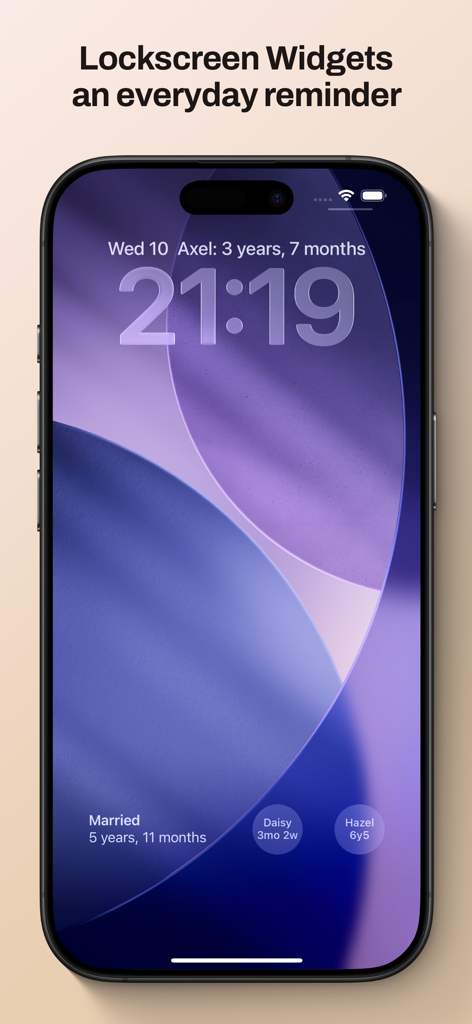
Schermata di blocco dell'iPhone che mostra i widget Gammel per monitorare le età e i traguardi familiari

Schermata di blocco dell'iPhone che mostra i widget Gammel per monitorare le età e i traguardi familiari

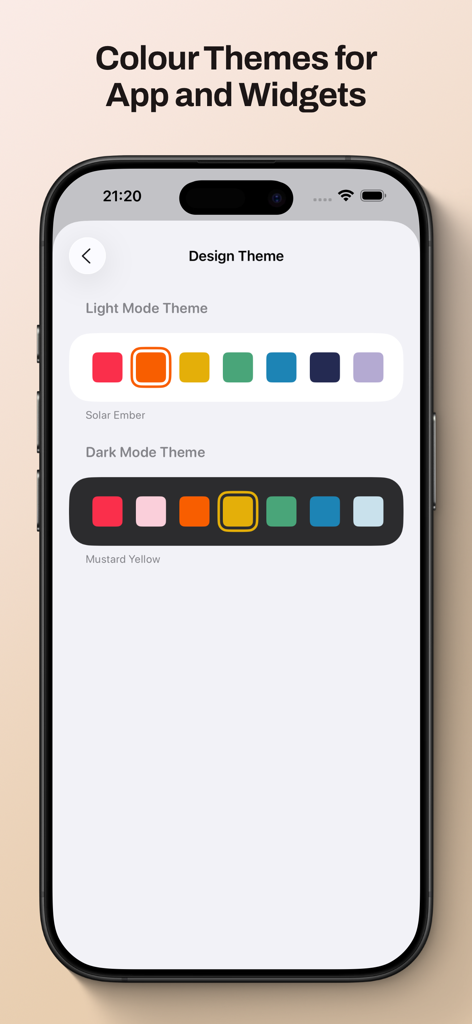
Schermata dell'app Gammel che mostra le opzioni di tema colore in modalità chiara e scura per la personalizzazione dei widget e dell'interfaccia.

Schermata dell'app Gammel che mostra le opzioni di tema colore in modalità chiara e scura per la personalizzazione dei widget e dell'interfaccia.

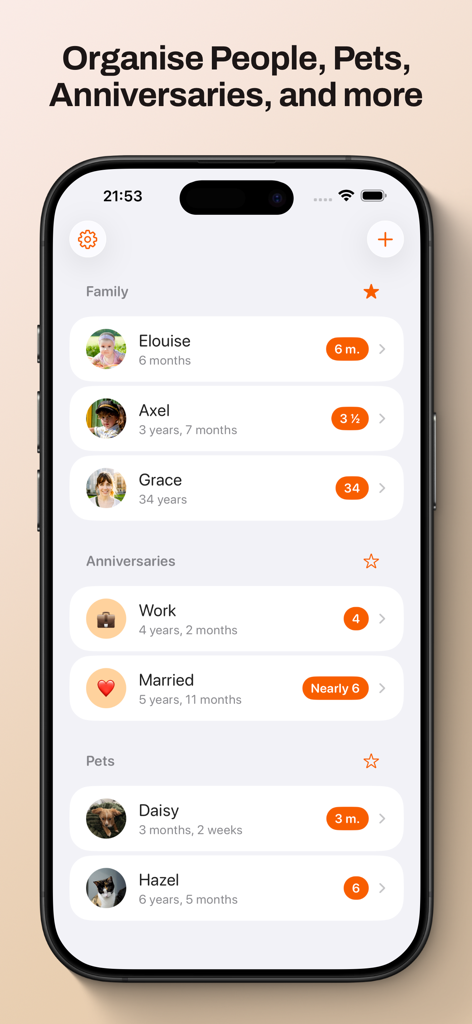
Dashboard dell'app Gammel che visualizza il monitoraggio organizzato dell'età per familiari, anniversari e animali domestici.

Dashboard dell'app Gammel che visualizza il monitoraggio organizzato dell'età per familiari, anniversari e animali domestici.

Non fare mai più calcoli mentali

Gli strumenti che rendono questa app unica, scelti da 100 utenti.

🍼

Logica intelligente dell'età

Tieni traccia senza sforzo dei neonati in settimane, dei bambini piccoli in mesi e dei bambini in anni: l'app adatta automaticamente il formato man mano che crescono.

📱

Widget consultabili a colpo d'occhio

Posiziona le età direttamente sulla schermata di blocco o sulla schermata Home. Perfetto per risposte rapide in ambulatorio o durante le riunioni di famiglia.

☁️

Sincronizzazione iCloud privata

I tuoi dati rimangono sicuri e privati. Sincronizza i tuoi traguardi senza problemi tra iPhone, iPad, Mac e Apple Watch.

Info sull'app

Tutto quello che devi sapere su Gammel.

Descrizione

Gammel helps you remember the ages of your loved ones with easy to configure Lock Screen and Home Screen widgets. “During the first few years of my son’s life I would need to know his age in weeks, then months, and I was always having to stop and think and do maths in my head. I created Gammel so I could have a widget on my phone as a quick and easy reminder, and so I wouldn’t have to do mental calculations while lacking sleep!” — Luke, developer of Gammel Want to remember and communicate the age of your newborn or toddler? Gammel shows you their age in the most appropriate way, weeks, months, and then years. Want to track how long you’ve been married or in your current relationship? Gammel shows you how long. How about the age of your pets? Gammel has you covered there too. Puppies, dogs, cats, birds, gold fish. With Gammel, you can add your children, nieces and nephews, grandchildren, friends and family, anybody you need to remember the age of. Then, easily group those you add, and favourite which group you would like to appear at the top of your dashboard. Your data is stored in iCloud and then syncs across your iPhone, iPad, Apple Watch, and even your Mac. Widgets Add widgets to your Home Screen, Lock Screen or Apple Watch as a constant reminder. Let Gammel select the most relevant age to show you based on the people you have added, or you can set who to show yourself. On your Home Screen choose from an image widget to display a single person, or a details widget to show more. Add customised Gammel widgets to your iPhone, iPad, and Mac, and add complications to your Apple Watch so the info is right in front of you, and always at hand. Design Themes You can easily change the colour theme of Gammel, this will control the highlight colour in app and on the image Display Age widget. Age Display Style Gammel has two age display styles, Smart and Casual. Choose the style that best suits the age or anniversary you want to display. * The Smart style will display ages in days, weeks, and months for babies and toddlers, then years and months. * The Casual style is more for describing the age in casual conversation, where the exact age isn't as important Shortcuts Gammel also supports shortcuts, allowing you to get an age you have added, either the current age or how old that person was or will be given a date as an input. The output can then be passed to other shortcut steps.

Ultima versione

1.2.1

Dimensione

9.0 MB

Data di lancio

23 gen 2025

Smetti di fare calcoli mentali e celebra ogni traguardo

Unisciti a genitori impegnati e amanti degli animali che usano Gammel per tenere l'età dei loro cari proprio sulla loro schermata di blocco. Scarica ora e semplifica la tua giornata.

Scarica su App Store

App information, icons, screenshots, and descriptions displayed on this page are sourced from the Apple App Store and are the property of their respective developers. Download estimates and rankings are based on MWM's proprietary models and may not reflect actual figures. This page is provided for informational and analytical purposes only.

Believe this page infringes your intellectual property? File a dispute