Image to Text - Scan & Convert
Scarica su App Store

Questa pagina non è una pagina ufficiale dell'app o del suo sviluppatore, ma una pubblicazione editoriale indipendente creata a scopo informativo e di commento. Salvo espressa indicazione contraria, né l'app né il suo sviluppatore sono affiliati, approvati, sponsorizzati, autorizzati o altrimenti ufficialmente collegati a MWM, Apple, Google Play, all'editore dell'app o allo sviluppatore dell'app, e nulla in questa pagina implica che l'app sia stata sviluppata utilizzando i servizi di MWM. Tutti i marchi, loghi, screenshot e altri contenuti rimangono di proprietà dei rispettivi proprietari.

Logo di Image to Text - Scan & Convert
Scarica su App Store

Image to Text - Scan & Convert

Lo strumento di produttività definitivo per professionisti impegnati e studenti. Digitalizza senza sforzo note scritte a mano, scansiona documenti in batch e converti file in Word o PDF con totale privacy.

Numeri Chiave

Download

5K+

Valutazione

5.0/5

Valutazioni totali

0

Editore

CLIXADE LTD

Categoria

Utilities

Lingue

64

Ultima versione

2.2.7

Dimensione

95.9 MB

Data di lancio

25 gen 2022
Funzioni

Ottimizza il Tuo Flusso di Lavoro Digitale

Smetti di digitare manualmente e inizia a scansionare. Converti istantaneamente qualsiasi immagine o nota scritta a mano in testo modificabile con precisione di livello professionale.

OCR Fulmineo

Estrai testo da foto, screenshot e documenti in pochi secondi utilizzando una tecnologia di riconoscimento avanzata creata per una produttività ad alta velocità.

Digitalizza la Scrittura a Mano

Perfetto per studenti e professionisti. Colma il divario tra carta e digitale convertendo le tue note cartacee in file elettronici ricercabili.

Gli screenshot e la descrizione seguenti provengono direttamente dall'elenco ufficiale dello store dell'app e sono di proprietà dello sviluppatore.

App Store

Screenshot
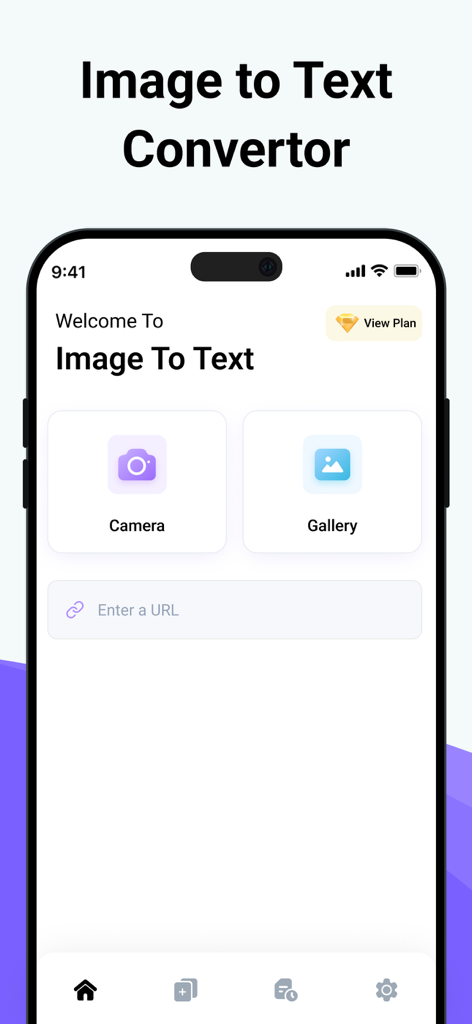
Image to Text - Scan & Convert - Interfaccia principale dell'app Da Immagine a Testo con pulsanti fotocamera e galleria per la scansione dei documenti
Interfaccia principale dell'app Da Immagine a Testo con pulsanti fotocamera e galleria per la scansione dei documenti

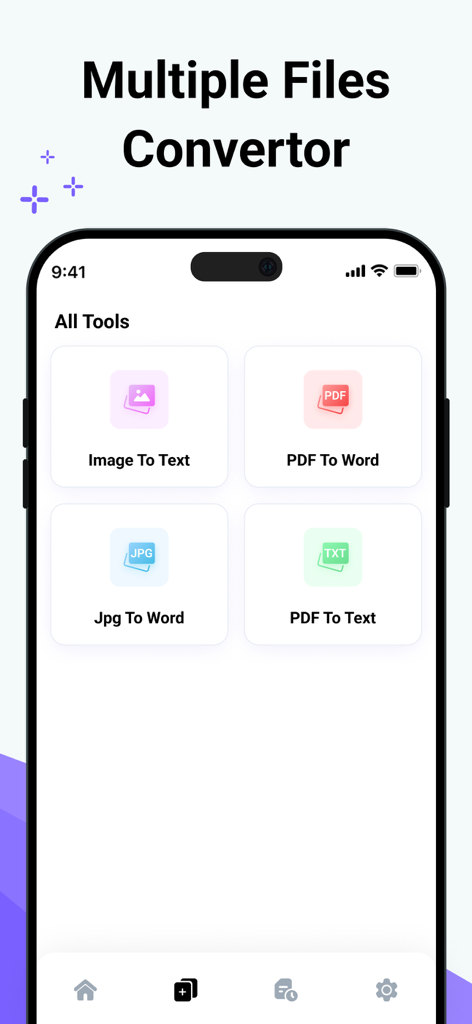
Image to Text - Scan & Convert - Interfaccia dell'app mobile che mostra vari strumenti di conversione file come Da Immagine a Testo e Da PDF a Word
Interfaccia dell'app mobile che mostra vari strumenti di conversione file come Da Immagine a Testo e Da PDF a Word

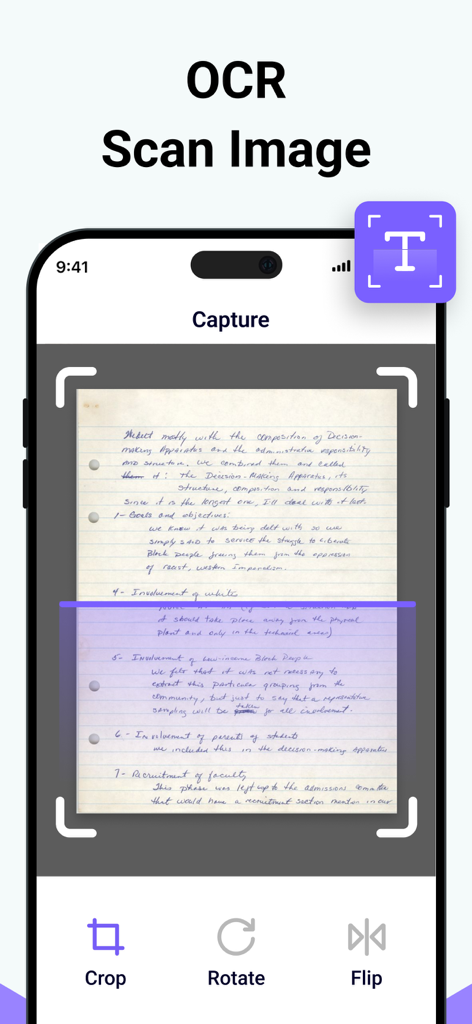
Image to Text - Scan & Convert - Interfaccia dell'app mobile che cattura e scansiona una nota scritta a mano per l'estrazione del testo OCR
Interfaccia dell'app mobile che cattura e scansiona una nota scritta a mano per l'estrazione del testo OCR

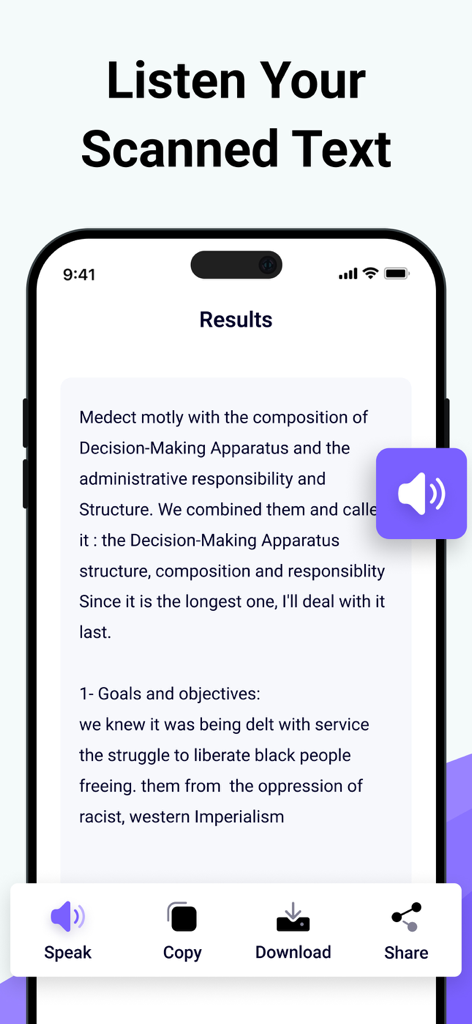
Image to Text - Scan & Convert - Interfaccia dell'app Da Immagine a Testo che mostra i risultati di una scansione con opzioni per ascoltare, copiare e scaricare il testo
Interfaccia dell'app Da Immagine a Testo che mostra i risultati di una scansione con opzioni per ascoltare, copiare e scaricare il testo

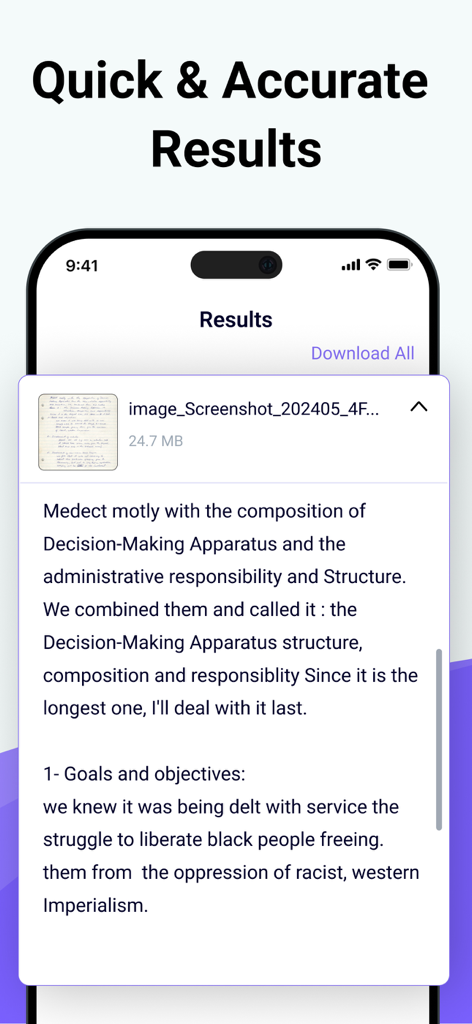
Image to Text - Scan & Convert - Testo digitale estratto da una nota scritta a mano mostrato nella schermata dei risultati dell'app

Testo digitale estratto da una nota scritta a mano mostrato nella schermata dei risultati dell'app

Descrizione

Photo to Text Scanner App enables you to extract text from images. With this app, you can swiftly scan text from any chosen image. Photo to text app scan text quickly identifies and recognizes the text. Our Text Extractor saves you time by directly copying text from images. Scan the printed text and convert it using our free image to text converter. Introducing our advanced image to text Scanner that helps you keep your documents secure in your smart device. This handwriting to text tool ensures fast and accurate results generation. This free application allows you to scan the images immediately and convert them to editable text. There are many text scanner apps to copy and convert text from images. But this one is lightweight and quickly scans the text. If you have any pictures or doctor's prescription to convert into a soft copy? Give a try to this text scanner app to quickly extract text and copy text from anywhere. This photo to text extractor is one of the best free text scanner apps to extract text from images, extracting text from images quickly and accurately. You know that manual typing takes too much time, especially if you scan lengthy notes or documents with many pages. The ideal approach is to utilize this image to text converter app, which takes little time and allows you to convert several images into text with advanced technology of Text scanner. How to use our picture to text converter Converting your images to text is as simple as you just need to: Take a picture or upload it from your photo gallery. Select more images to get results at the same time. Click on the Submit File button. Then copy the text, share the text, and download the file. Key features: ● Here are the key features of our photo to text converter. ● Extract text from the image upload the image from the gallery or capture using the camera. ● Scans images fast. ● Convert handwritten notes into digitalize. ● Accurate results. ● More than one uploading image option. ● Allows cropping of an image. ● No-cost usage of Text scanner. ● Start a new session with a single click. ● Provides two options for later use, i.e., Copy and Download. ● Super fast mode. ● History of your previous scan image. ● Save scanned text in the clipboard. ● PDF to Word converter ● FPG to Word converter ● PDF to Text converter We have made it easy for everyone to use this Text text scanner and convert image to text. You don’t need to pay a single penny to scan text files with this Text scanner app. Our purpose is to provide you with the best experience with a text scanner. That’s not all You can convert handwritten notes to e-notes. This tool can scan the text that appears on the TV or any other smart screen. Note: We value your privacy and will never use or share your personal information with third parties. None of the images uploaded to our image to text are stored or shared with third parties. This app is completely safe and can be used by anyone. If you have any further questions or encounter any problems while using this app, please feel free to contact us so that we can resolve the issue as soon as possible. We value your feedback as it helps us improve our application and provide you with a better user experience. Payment will be charged to your iTunes Account at confirmation of purchase. Your subscription will automatically renew unless auto-renew is turned off at least 24 hours before the end of the current subscription period. Your account renewal will be charged within 24 hours before the end of the current subscription period. Automatic renewals cost the same price you were originally charged for the subscription. You can manage your subscriptions and turn off auto-renewal by visiting your account settings in the App Store after purchase. Terms of Use: https://clixade.com/terms-and-conditions Privacy Policy: https://clixade.com/privacy-policy

Download

Scarica su App Store

Questa pagina non è una pagina ufficiale dell'app o del suo sviluppatore, ma una pubblicazione editoriale indipendente creata a scopo informativo e di commento. Salvo espressa indicazione contraria, né l'app né il suo sviluppatore sono affiliati, approvati, sponsorizzati, autorizzati o altrimenti ufficialmente collegati a MWM, Apple, Google Play, all'editore dell'app o allo sviluppatore dell'app, e nulla in questa pagina implica che l'app sia stata sviluppata utilizzando i servizi di MWM. Tutti i marchi, loghi, screenshot e altri contenuti rimangono di proprietà dei rispettivi proprietari.








