
IP Test - Bandwidth test


L'utility essenziale e senza fronzoli per gli ingegneri di rete. Valuta il throughput locale, simula traffico intenso con payload TCP/UDP personalizzati e identifica i colli di bottiglia con precisione.
Editore
Categoria
UtilitiesDownload
1K+Valutazione
Valutazioni totali
0Lingue
1Scopri l'interfaccia usata da 1K+ utenti.
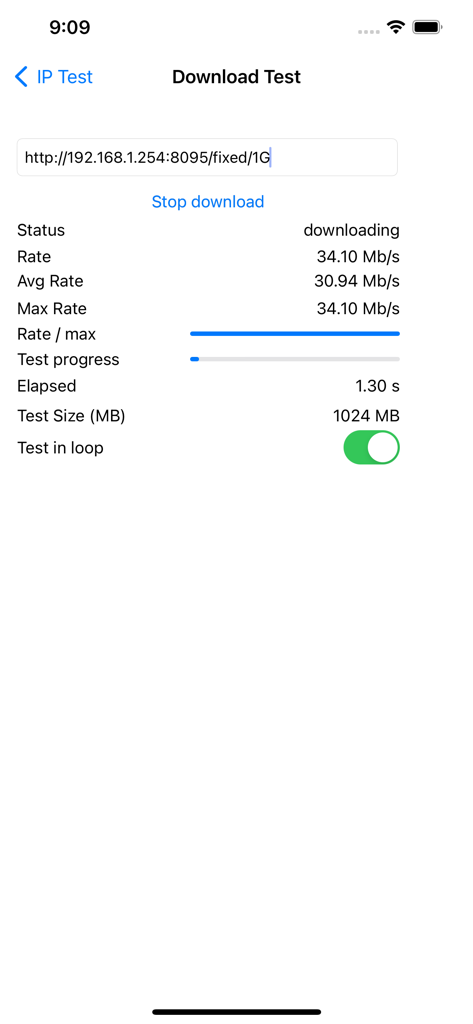
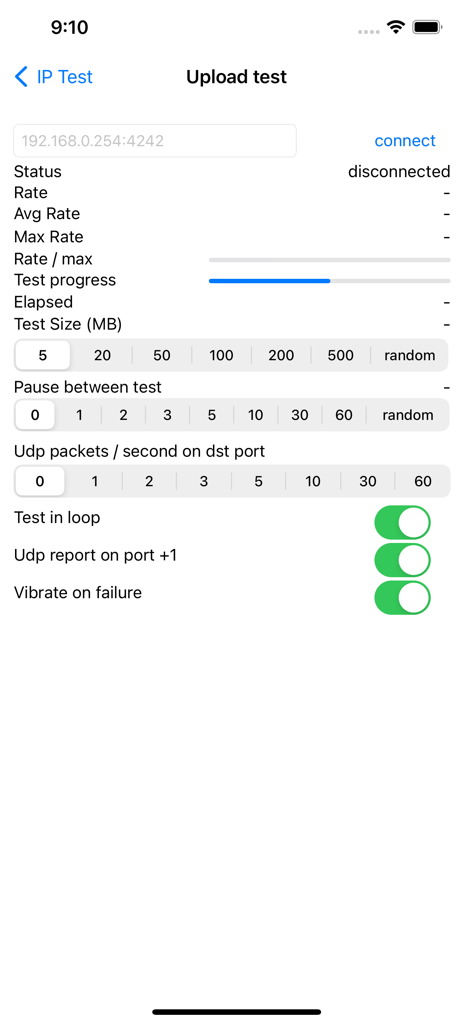
Gli strumenti che rendono questa app unica, scelti da 1K+ utenti.
Vai oltre i normali test di velocità eseguendo trasferimenti TCP specifici o inviando traffico UDP parallelo per verificare le prestazioni specifiche di QoS e protocollo.
Simula traffico intenso con payload regolabili fino a 500 MB e modalità loop per identificare guasti intermittenti e colli di bottiglia hardware.
Rimani concentrato sull'hardware con avvisi di vibrazione aptica in caso di guasti di trasferimento e reporting preciso della velocità sia per la connettività dell'host locale che remota.
Tutto quello che devi sapere su IP Test - Bandwidth test.
Descrizione
Ultima versione
1.3.0
Dimensione
1.4 MB
Data di lancio
16 gen 2013
Aggiungi questa utility di livello professionale al tuo kit di strumenti di rete. Esegui diagnostiche TCP/UDP granulari, gestisci payload personalizzati e individua i colli di bottiglia con l'efficienza di uno strumento CLI.
App più classificate nella stessa categoria

Google LLC

Google LLC

China Mobile Online Services Co., Ltd.

Google LLC

Servicos e Informacoes do Brasil

DEEP FLOW SOFTWARE SERVICES - FZCO

Servicos e Informacoes do Brasil

Microsoft Corporation

YUNFAN TECHNOLOGY CO., LIMITED
App information, icons, screenshots, and descriptions displayed on this page are sourced from the Apple App Store and are the property of their respective developers. Download estimates and rankings are based on MWM's proprietary models and may not reflect actual figures. This page is provided for informational and analytical purposes only.
Believe this page infringes your intellectual property? File a dispute