Keep It Mobile
Keep It Mobile
Scarica su App Store

Questa pagina non è una pagina ufficiale dell'app o del suo sviluppatore, ma una pubblicazione editoriale indipendente creata a scopo informativo e di commento. Salvo espressa indicazione contraria, né l'app né il suo sviluppatore sono affiliati, approvati, sponsorizzati, autorizzati o altrimenti ufficialmente collegati a MWM, Apple, Google Play, all'editore dell'app o allo sviluppatore dell'app, e nulla in questa pagina implica che l'app sia stata sviluppata utilizzando i servizi di MWM. Tutti i marchi, loghi, screenshot e altri contenuti rimangono di proprietà dei rispettivi proprietari.

Logo di Keep It Mobile
Scarica su App Store

Keep It Mobile

Cattura, organizza e trova senza intoppi ogni nota, link e documento. Costruito per professionisti che richiedono un'esperienza potente, privata e nativa dell'ecosistema Apple.

Numeri Chiave

Download

5K+

Valutazione

4.6/5

Valutazioni totali

500

Editore

Steve Harris

Categoria

Productivity

Lingue

3

Ultima versione

2.7.7

Dimensione

51.2 MB

Data di lancio

15 set 2017
Funzioni

La tua vita digitale, perfettamente organizzata

Dalla ricerca complessa alla gestione delle attività quotidiane, Keep It è lo spazio di lavoro professionale definitivo progettato per l'utente avanzato che richiede un'esperienza Apple senza interruzioni.

Gestione sofisticata della conoscenza

Organizza il tuo secondo cervello utilizzando cartelle nidificate, bundle multifunzionali ed etichette colorate per mantenere progetti ad alto rischio separati e accessibili.

Un hub universale per documenti

Scrivi in Markdown, scansiona posta fisica o annota PDF con Apple Pencil. È una libreria di livello professionale che gestisce ogni tipo di file con cui lavori.

Gli screenshot e la descrizione seguenti provengono direttamente dall'elenco ufficiale dello store dell'app e sono di proprietà dello sviluppatore.

App Store

Screenshot
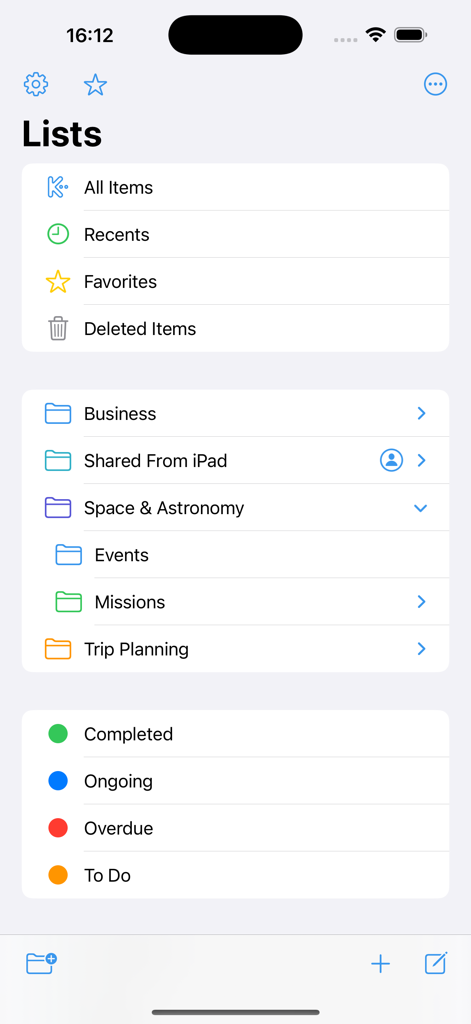
Keep It Mobile - Interfaccia dell'app Keep It Mobile che mostra varie liste, cartelle gerarchiche ed etichette di stato colorate per la gestione dei documenti.
Interfaccia dell'app Keep It Mobile che mostra varie liste, cartelle gerarchiche ed etichette di stato colorate per la gestione dei documenti.

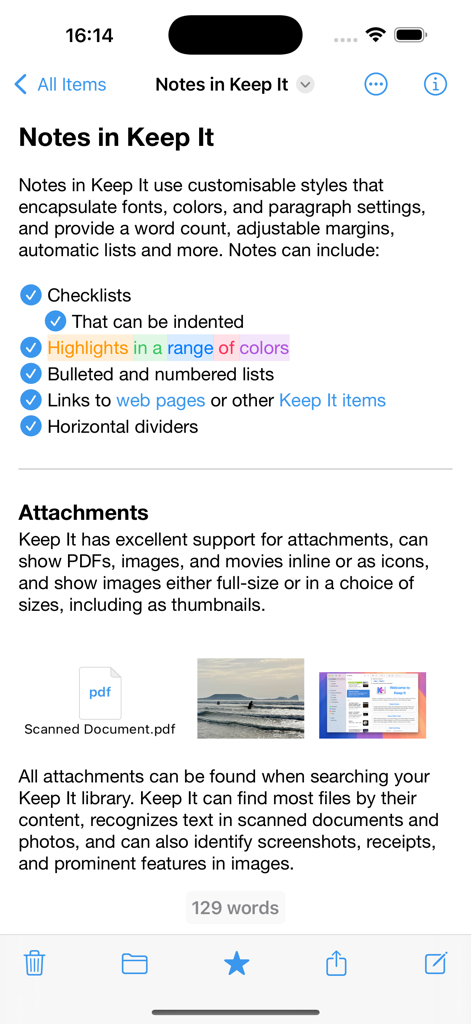
Keep It Mobile - Interfaccia dell'app Keep It Mobile che mostra una nota con elenchi di controllo, evidenziazioni colorate e allegati di file.
Interfaccia dell'app Keep It Mobile che mostra una nota con elenchi di controllo, evidenziazioni colorate e allegati di file.

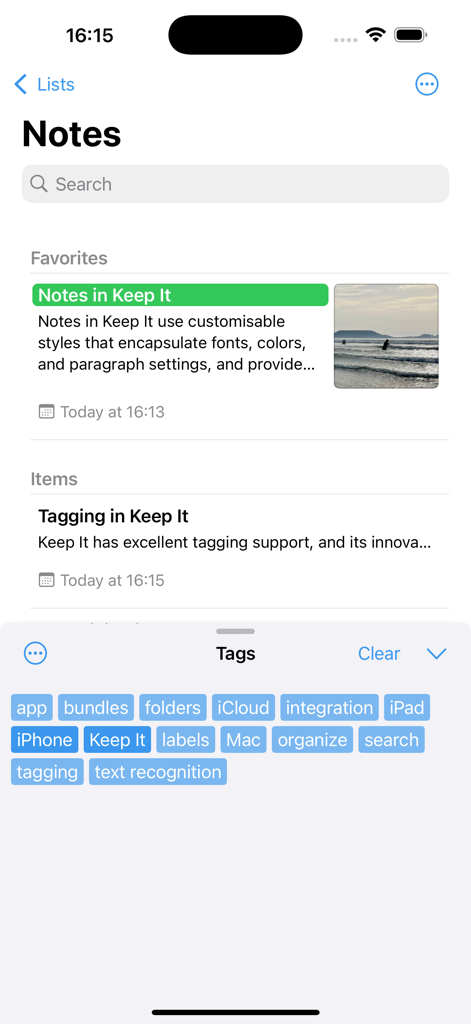
Keep It Mobile - App Keep It Mobile che mostra l'elenco delle note e una selezione di nuvola di tag per l'organizzazione digitale.
App Keep It Mobile che mostra l'elenco delle note e una selezione di nuvola di tag per l'organizzazione digitale.

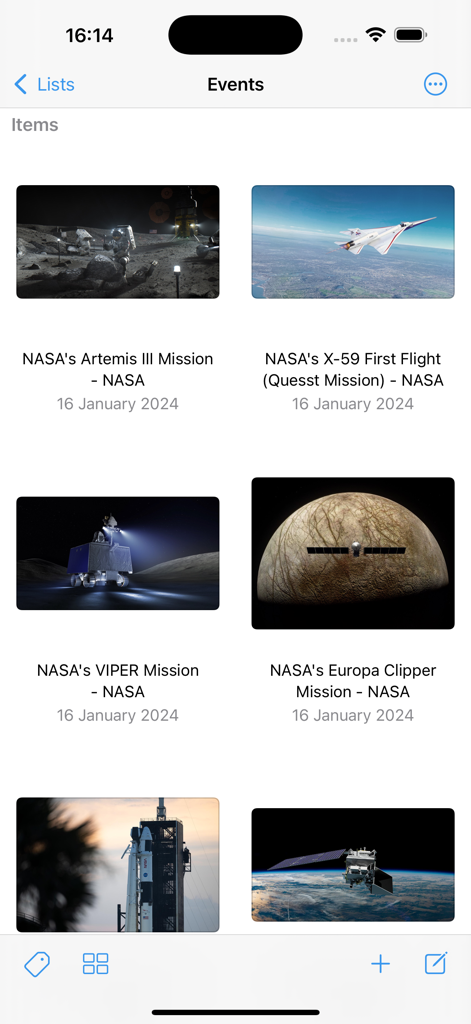
Keep It Mobile - App Keep It Mobile che mostra una vista a griglia di link web salvati e documenti di missione.

App Keep It Mobile che mostra una vista a griglia di link web salvati e documenti di missione.

Descrizione

Keep It for iPad and iPhone is a powerful notebook and document organizer that can be used on its own or in conjunction with Keep It for Mac, available separately. Keep It can create and edit notes, rich text, plain text and Markdown files, scan documents, edit PDFs, archive emails, save web links in a variety of formats, preview and search just about any kind of file, and organize these in a variety of ways. All the files, folders and tags you store in Keep It are available in the Files app, can be opened and edited in other applications, and shared with other Keep It users via iCloud. Notes, Documents and Everything Else • Create notes with styles, checklists and attachments that look good and read well on all your devices • Create and edit rich text, plain text and Markdown files • Adjustable display margins and word count available in all Keep It’s text editors • Scan documents, add photos or videos, and save any kind of file to Keep It’s library • Edit PDFs, play movies, and preview everything else with Quick Look • Save web links for offline viewing as PDFs or web archives • Create templates or empty files in any format using stationery • View and work with mail messages and their attachments • Merge multiple items into a single note Organize • Use folders to organize things hierarchically • Swipe right on a folder to focus the sidebar on it and its children • Add tags to items and filter items with one touch using the Tag Filter • Use color-coded labels to quickly identify items • Use bundles to collect items together and see them in more than one place • See favorite items, and add lists to the Favorites Bar • All lists can have their own sort settings and colors Works With Other Apps • Add text, links, and files to Keep It using its share extension • Access and manage all the files, folders and tags you add to Keep It in the Files app • Open files for editing in other apps from within Keep It or their document browser • Share items in Keep It to other apps using the Share sheet • Drag text, images, links, files and mail messages to Keep It • Automate Keep It with Shortcuts Search • Search for items by their names, kind, content, dates, tags and more • Combine suggestions to create complex queries with ease • Step through found text in notes, editable text documents, web pages, and PDFs • Save searches to the sidebar for reuse Keep It on iPad • Use Quick File to file items quickly using a keyboard-friendly interface • Use Quick Open to quickly navigate to any list or item by typing its name • Constrain the width when editing notes or text files in full screen mode • Annotate PDFs and images and add sketches to notes with Apple Pencil And More… • Use the Recents list to see things you’ve added or viewed lately • Share folders and items with other Keep It users via iCloud • Encrypt any file with a password • Copy clickable links to items and lists in Keep It • See items that link to the current item and navigate between them SUBSCRIPTIONS Use of Keep It Mobile requires a paid subscription that you can purchase in the app. A choice of monthly and yearly subscriptions is available, and these include a free trial. Payment will be charged to your iTunes Account following the free trial, unless you cancel the subscription at least 24-hours before the end of the trial period. The subscription will automatically renew unless auto-renew is turned off at least 24-hours before the end of the current period. Your iTunes Account will be charged for renewal within 24-hours prior to the end of the current period. Subscriptions may be managed and auto-renewal may be turned off by going to your Account Settings after purchase. Any unused portion of a free trial period, if offered, will be forfeited when the user purchases a subscription to that publication, where applicable. Terms of Use: https://reinventedsoftware.com/keepit/ios/terms.html

Download

Scarica su App Store

Questa pagina non è una pagina ufficiale dell'app o del suo sviluppatore, ma una pubblicazione editoriale indipendente creata a scopo informativo e di commento. Salvo espressa indicazione contraria, né l'app né il suo sviluppatore sono affiliati, approvati, sponsorizzati, autorizzati o altrimenti ufficialmente collegati a MWM, Apple, Google Play, all'editore dell'app o allo sviluppatore dell'app, e nulla in questa pagina implica che l'app sia stata sviluppata utilizzando i servizi di MWM. Tutti i marchi, loghi, screenshot e altri contenuti rimangono di proprietà dei rispettivi proprietari.








