Memo-Only Memopad

Memo-Only Memopad

Scarica su App Store
Logo di Memo-Only Memopad

Memo-Only Memopad: Pensiero Organizzato Senza Abbonamenti

Il notepad minimalista e velocissimo per un'organizzazione approfondita. Cattura idee, codifica attività per colore e struttura le cartelle a tuo modo, tutto con un acquisto una tantum e zero pubblicità.

Scarica su App Store

Editore

GIGABIT GAME LAB

Categoria

Productivity

Download

600

Valutazione

4.1/5

Valutazioni totali

0

Lingue

2

Il Minimalismo in Azione

Scopri l'interfaccia usata da 600 utenti.
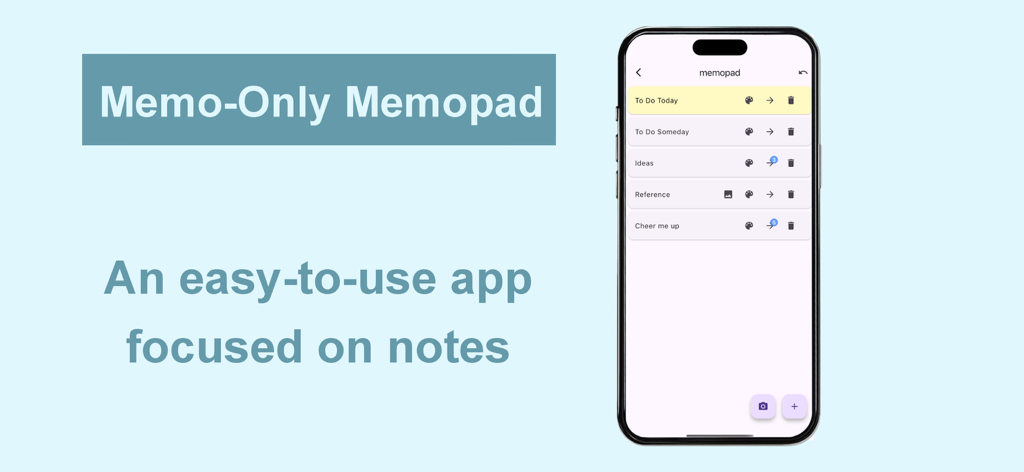
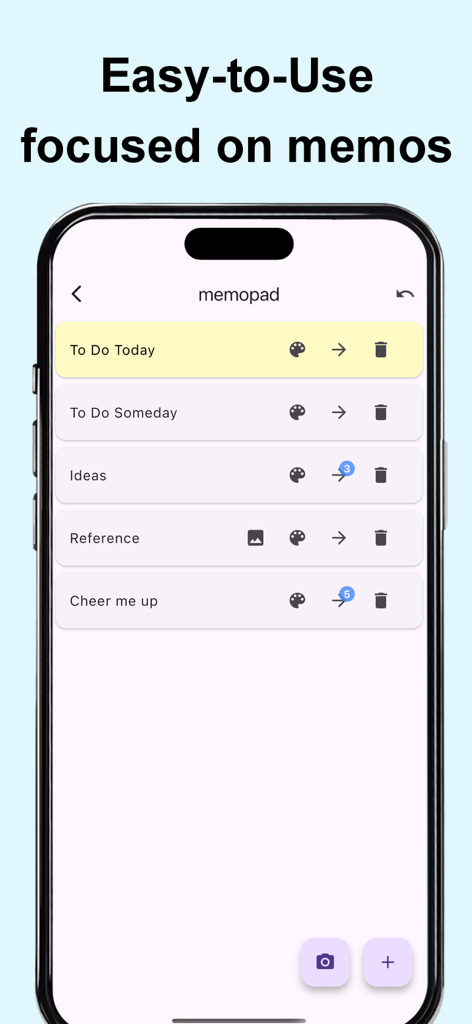
Interfaccia dell'app Memo-Only Memopad che mostra un elenco di categorie di note organizzate su un iPhone

Interfaccia dell'app Memo-Only Memopad che mostra un elenco di categorie di note organizzate su un iPhone

Interfaccia utente minimalista dell'app Memo-Only Memopad che mostra un elenco di note categorizzate e codificate per colore su uno schermo di smartphone.

Interfaccia utente minimalista dell'app Memo-Only Memopad che mostra un elenco di note categorizzate e codificate per colore su uno schermo di smartphone.

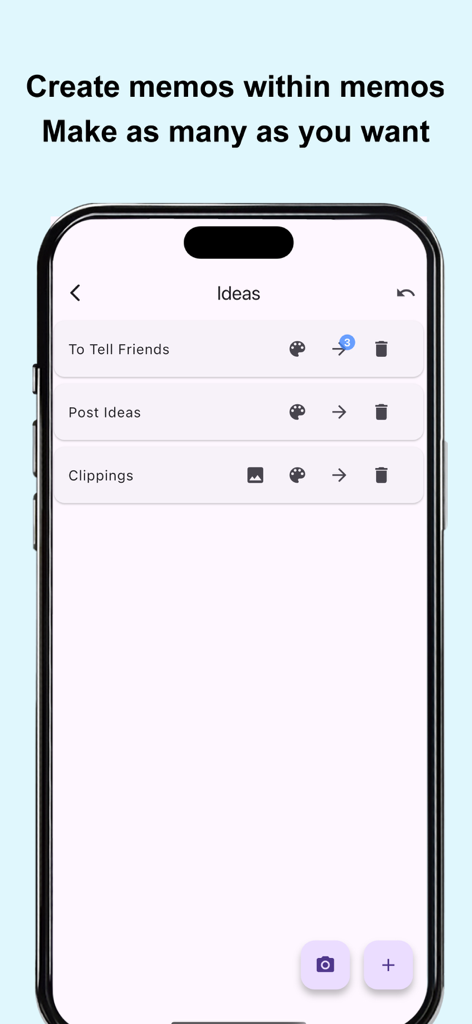
Screenshot dell'interfaccia dell'app Memo-Only Memopad che mostra l'organizzazione di cartelle nidificate e liste di memo gerarchiche

Screenshot dell'interfaccia dell'app Memo-Only Memopad che mostra l'organizzazione di cartelle nidificate e liste di memo gerarchiche

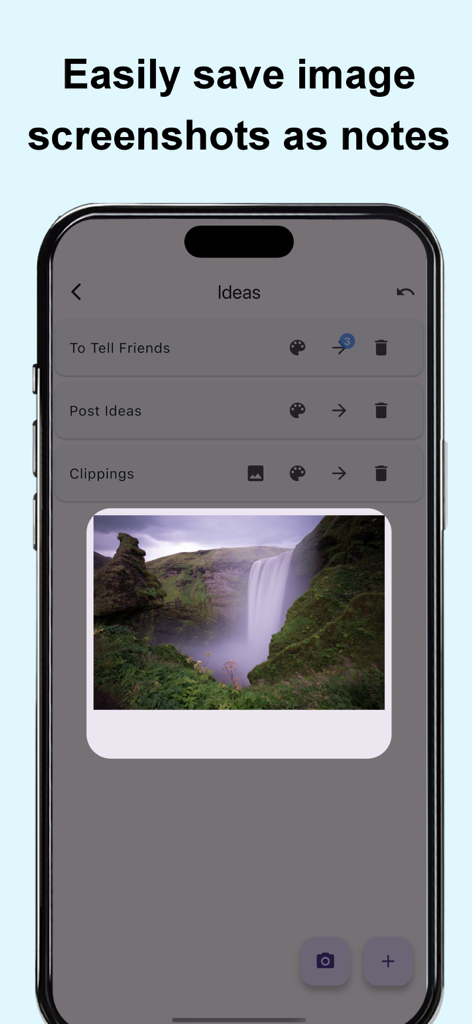
Schermata dello smartphone che mostra l'app Memo-Only Memopad con un'immagine a cascata salvata come nota visiva

Schermata dello smartphone che mostra l'app Memo-Only Memopad con un'immagine a cascata salvata come nota visiva

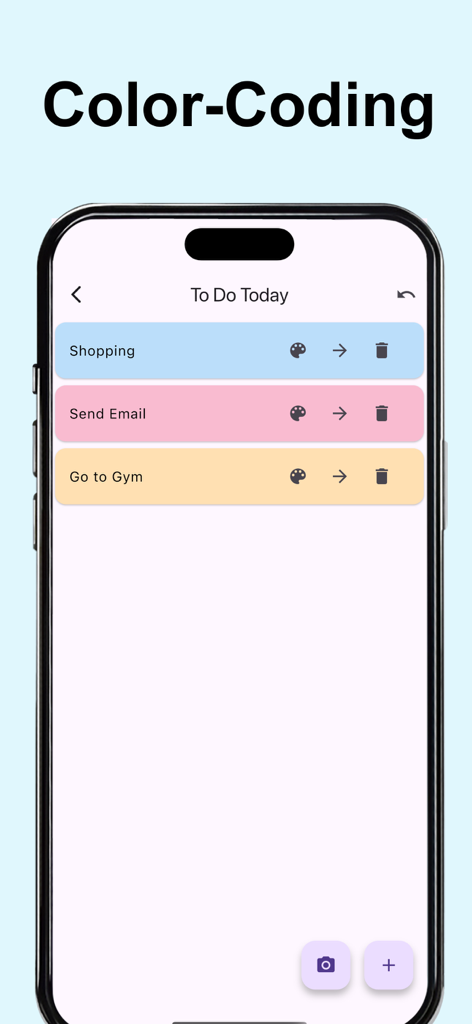
Uno schermo mobile che mostra note e liste di cose da fare codificate per colore nell'app Memo-Only Memopad

Uno schermo mobile che mostra note e liste di cose da fare codificate per colore nell'app Memo-Only Memopad

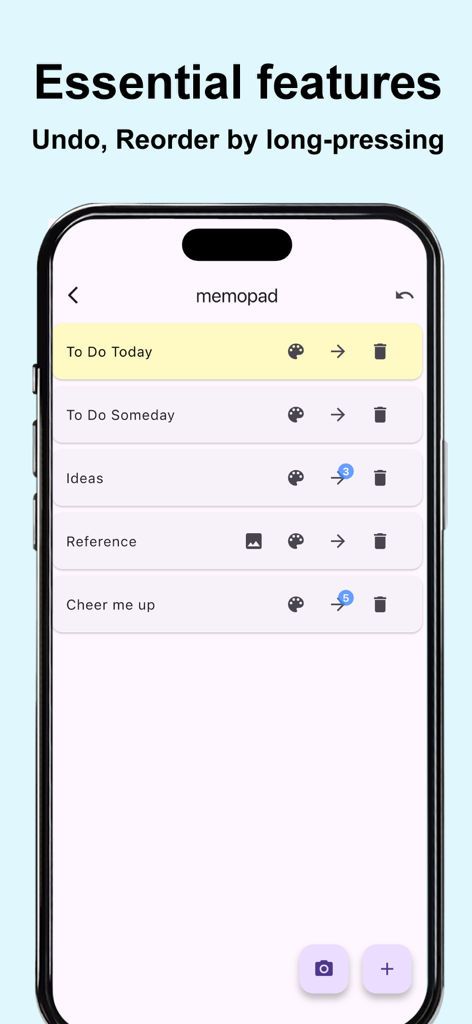
Interfaccia minimalista di Memo-Only Memopad che mostra un elenco di memo con funzioni annulla e riordina

Interfaccia minimalista di Memo-Only Memopad che mostra un elenco di memo con funzioni annulla e riordina

Produttività Senza Rumore

Gli strumenti che rendono questa app unica, scelti da 600 utenti.

💸

Paga una Volta, Possiedi per Sempre

Sfuggì alla fatica degli abbonamenti con un singolo acquisto una tantum. Nessuna pubblicità, nessun addebito mensile sulla tua carta di credito, solo i tuoi appunti.

📂

Padroneggia la Tua Gerarchia

Vai oltre le semplici liste con l'organizzazione cartella-in-cartella. Perfetto per romanzieri, studenti e project manager che desiderano struttura.

Cattura Istantanea Offline

Zero schermate di caricamento e funzionalità 100% offline. Cattura pensieri istantaneamente in metropolitana, in aereo o in movimento.

Info sull'app

Tutto quello che devi sapere su Memo-Only Memopad.

Descrizione

This simple note app for person who wanted an app focused solely on making note-taking as easy as possible. The key point is its instant clarity and simple usability at a glance, yet it still includes all the essential features you’d expect from a memo app. ■ Memo-Only Memo App Features -Folder-in-folder organization: create memos within child folders, with automatic display of the number of child memos -Undo function: return to your previous action with a single tap -Easily reorder memos by long-pressing and dragging -Create image memos (use the camera or select from your photo library) -Color-code your memos -Autosave -Works offline—even without an internet connection -Supports eye-friendly, popular dark mode (automatically applies if your device is set to dark mode) -Lightweight app for fast startup -One-time purchase: no subscriptions or ads ■ Recommended Uses -Quickly jot down your ideas as soon as they come to mind! Use text or camera photos. Categorize freely for easy searching! -Shopping list memos: color-code items as you buy them! -To-do lists: create today’s or this week’s to-dos, easily categorize by type! Mark completed tasks with colors! -Save screenshots of news you see while browsing on your phone! -List memorable quotes by person for quick reference and motivation! -Draft notes for essays or novels—easy to reorder and organize! -Brainstorm ideas like sticking sticky notes—perfect for planning sessions! -Create separate memo folders for each person you interact with—use as a topic notebook for friends or family! -Perfect as a flashcard app for students or professionals: write the question on the memo, the answer in a child memo, and color memos as you master them for a sense of achievement! -Daily ranking check: record as text or screenshot! ■ How to Use ▶ Creating Memos -Tap the + icon at the bottom right to create a text memo. -Tap the camera icon at the bottom right to take a photo or select one from your album to create an image memo. ▶ Operating Memos -Tap memo text to edit. -Use the icons on the right to “Change color,” “Move to child folder,” or “Delete.” -For image memos, an image icon will appear—tap it to view the saved image. -The number of child memos is shown as a number on the arrow to the child folder. ▶ Undo Action -Use the Undo button at the top right to return to your previous action—rest easy, even if you delete something by mistake!

Ultima versione

1.0.6

Dimensione

24.5 MB

Data di lancio

10 giu 2025

Pronto a Recuperare la Tua Concentrazione?

Unisciti a migliaia di minimalisti organizzati che hanno detto addio alla fatica degli abbonamenti. Ottieni appunti istantanei e senza pubblicità con un singolo acquisto una tantum. Le tue idee, le tue cartelle, tue per sempre.

Scarica su App Store

App information, icons, screenshots, and descriptions displayed on this page are sourced from the Apple App Store and are the property of their respective developers. Download estimates and rankings are based on MWM's proprietary models and may not reflect actual figures. This page is provided for informational and analytical purposes only.

Believe this page infringes your intellectual property? File a dispute