My IP Address Checker & Test

My IP Address Checker & Test


Scarica su App Store
Logo di My IP Address Checker & Test

Verifica e Test del mio indirizzo IP: Visione di rete professionale in un clic

L'estensione essenziale per Safari per sviluppatori e utenti attenti alla privacy. Verifica istantaneamente i tuoi indirizzi IPv4/v6, i dettagli dell'ISP e lo stato della VPN con la massima privacy dei dati.

Scarica su App Store

Editore

Jelle Bekirovic

Categoria

Developer Tools

Download

2K+

Valutazione

1.0/5

Valutazioni totali

0

Lingue

1

La tua connessione, visualizzata

Scopri l'interfaccia usata da 2K+ utenti.
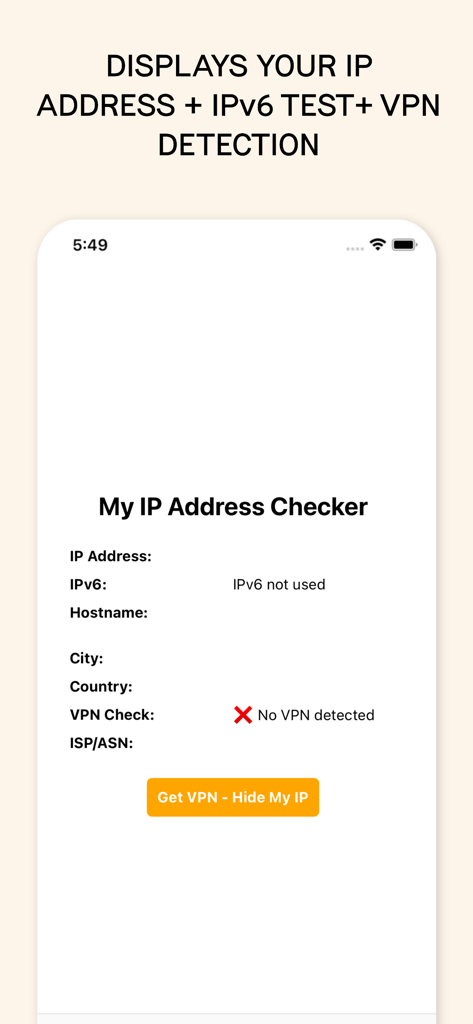
Schermata dell'app che mostra le funzionalità di rilevamento dell'indirizzo IP IPv6 e VPN

Schermata dell'app che mostra le funzionalità di rilevamento dell'indirizzo IP IPv6 e VPN

Screenshot dell'iPhone che mostra l'interfaccia dell'app My IP Address Checker con dettagli per il rilevamento dell'indirizzo IP IPv6 e della VPN

Screenshot dell'iPhone che mostra l'interfaccia dell'app My IP Address Checker con dettagli per il rilevamento dell'indirizzo IP IPv6 e della VPN

Gestisci la tua connessione con strumenti professionali

Gli strumenti che rendono questa app unica, scelti da 2K+ utenti.

🛡️

Controllo VPN e privacy con un tocco

Verifica istantaneamente se la tua VPN sta mascherando la tua identità e la tua posizione per garantire che la tua impronta digitale rimanga privata.

🔍

Intelligenza tecnica approfondita

Vai oltre le basi con supporto completo IPv4/IPv6, dettagli ASN e ricerca del nome host per una gestione professionale della rete.

Accesso a Safari senza attriti

Elimina le schede aggiuntive. Accedi al tuo profilo di rete completo tramite un'estensione leggera progettata per il tuo flusso di lavoro macOS e iOS.

Info sull'app

Tutto quello che devi sapere su My IP Address Checker & Test.

Descrizione

My IP Address Checker is your go-to tool for detailed information about your current IP address and network status. With just one click, you can access vital details such as your IPv4 and IPv6 addresses, ISP/ASN information, hostname, city, country, and even detect the presence of a VPN. ### Features - Instant IP Information: Quickly retrieve your current IP address (IPv4) and, if available, IPv6 address. - Detailed Geolocation: Find out the city and country of your IP address. - ISP and ASN Details: Get comprehensive data about your Internet Service Provider and Autonomous System Number. - Hostname Lookup: See the hostname associated with your IP addresses. - VPN Detection (beta): Determine whether you are connected via a VPN with a simple check. Still experimental, so not 100% accurate. - Privacy and Security: No personal information is stored or shared. Your IP data is securely fetched and displayed. ### How It Works 1. Activate the Extension in Safari by clicking on the Aa button in your browser and selecting Manage Extensions. 2. Open the Extension by clicking on the Aa button and then on SEO Website Scanner. 3. We Fetch IP Data: The extension fetches IP data to provide the IP information. 4. Displays the Information: View your IP address, geolocation, hostname, ISP/ASN, and VPN status effortlessly in the popup. ### Why You Need It - IP Info: See you IP info such as your IPv4 and IPv6 addresses, ISP/ASN information, hostname, city, country, and even detect the presence of a VPN. - Verify VPN Connection (beta): Ensure your VPN connection is active and properly masking your IP address. This site and extension were created in English and translated in other languages, which could lead to translation errors. Please keep this in mind.

Ultima versione

1.0.6

Dimensione

17.9 MB

Data di lancio

24 lug 2024

Proteggi la tua connessione in un clic

Unisciti a migliaia di sviluppatori e utenti attenti alla privacy che verificano lo stato della loro VPN e la sicurezza della rete direttamente da Safari. Scarica subito l'estensione.

Scarica su App Store

App information, icons, screenshots, and descriptions displayed on this page are sourced from the Apple App Store and are the property of their respective developers. Download estimates and rankings are based on MWM's proprietary models and may not reflect actual figures. This page is provided for informational and analytical purposes only.

Believe this page infringes your intellectual property? File a dispute