My Notes - Notebook, Notepad
Scarica su App Store

Questa pagina non è una pagina ufficiale dell'app o del suo sviluppatore, ma una pubblicazione editoriale indipendente creata a scopo informativo e di commento. Salvo espressa indicazione contraria, né l'app né il suo sviluppatore sono affiliati, approvati, sponsorizzati, autorizzati o altrimenti ufficialmente collegati a MWM, Apple, Google Play, all'editore dell'app o allo sviluppatore dell'app, e nulla in questa pagina implica che l'app sia stata sviluppata utilizzando i servizi di MWM. Tutti i marchi, loghi, screenshot e altri contenuti rimangono di proprietà dei rispettivi proprietari.

Logo di My Notes - Notebook, Notepad
Scarica su App Store

My Notes - Notebook, Notepad

Progetta un santuario digitale che rifletta il tuo stile. Cattura note vocali, schizzi e liste di cose da fare in un unico luogo, bello e sicuro, con temi personalizzati e widget per la schermata home.

Numeri Chiave

Download

6K+

Valutazione

4.3/5

Valutazioni totali

0

Editore

MARKO NIKOLIC PR RACUNARSKO PROGRAMIRANJE ASCENDIK NIS

Categoria

Productivity

Lingue

29

Ultima versione

2.1.1

Dimensione

128.6 MB

Data di lancio

24 ago 2023
Funzioni

I tuoi pensieri, con stile e al sicuro

Trasforma il modo in cui catturi le idee con un quaderno digitale personalizzato che si adatta al tuo stile di vita, dagli appunti accademici ai processi creativi.

Personalizzazione estetica

Trasforma la tua scrittura di appunti in autoespressione con splendidi temi e sfondi che fanno sentire il tuo spazio di lavoro digitale come a casa.

Brain dump multimodale

Non limitarti a digitare: schizza le tue idee, registra memo vocali e allega foto per catturare ogni scintilla di ispirazione nel momento in cui avviene.

Gli screenshot e la descrizione seguenti provengono direttamente dall'elenco ufficiale dello store dell'app e sono di proprietà dello sviluppatore.

App Store

Screenshot
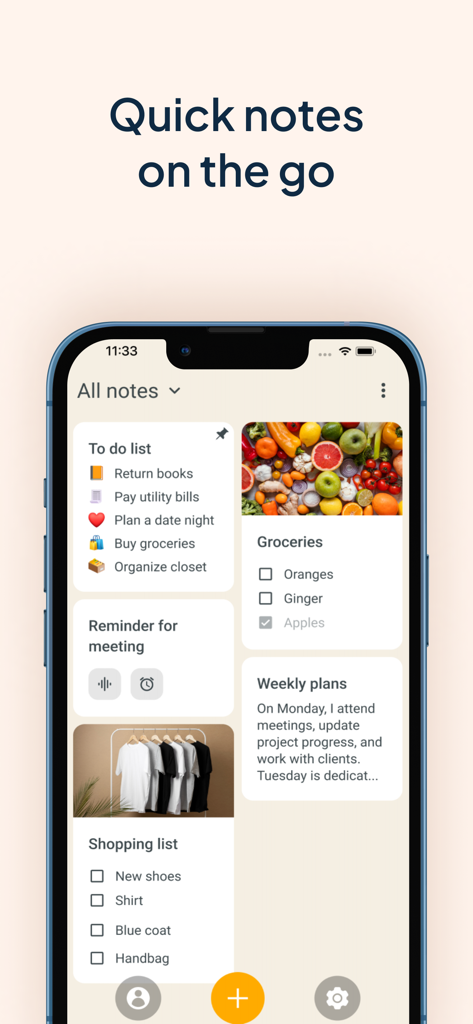
My Notes - Notebook, Notepad - Uno schermo di smartphone che mostra una varietà di schede di appunti estetiche, comprese liste di cose da fare e liste di controllo fotografiche
Uno schermo di smartphone che mostra una varietà di schede di appunti estetiche, comprese liste di cose da fare e liste di controllo fotografiche

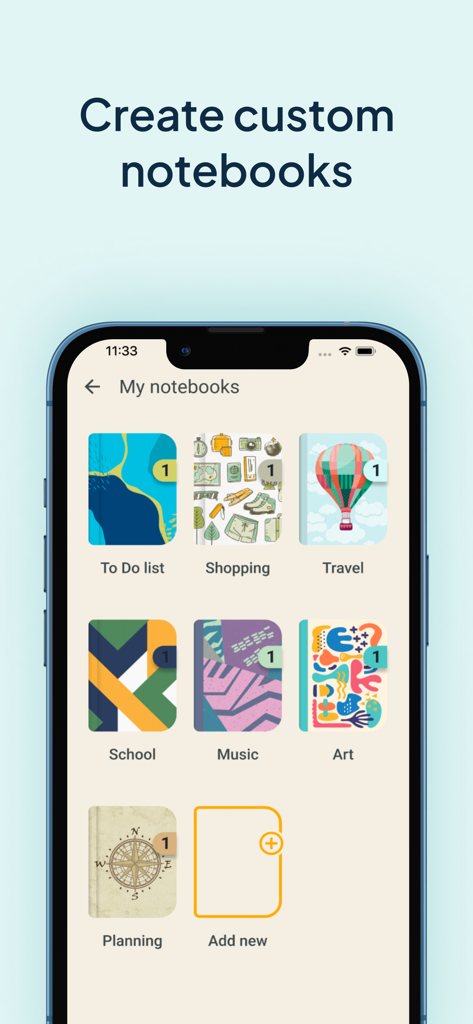
My Notes - Notebook, Notepad - Un'interfaccia di app mobile intitolata My Notebooks che mostra varie copertine di quaderni digitali colorate e a tema per l'organizzazione.
Un'interfaccia di app mobile intitolata My Notebooks che mostra varie copertine di quaderni digitali colorate e a tema per l'organizzazione.

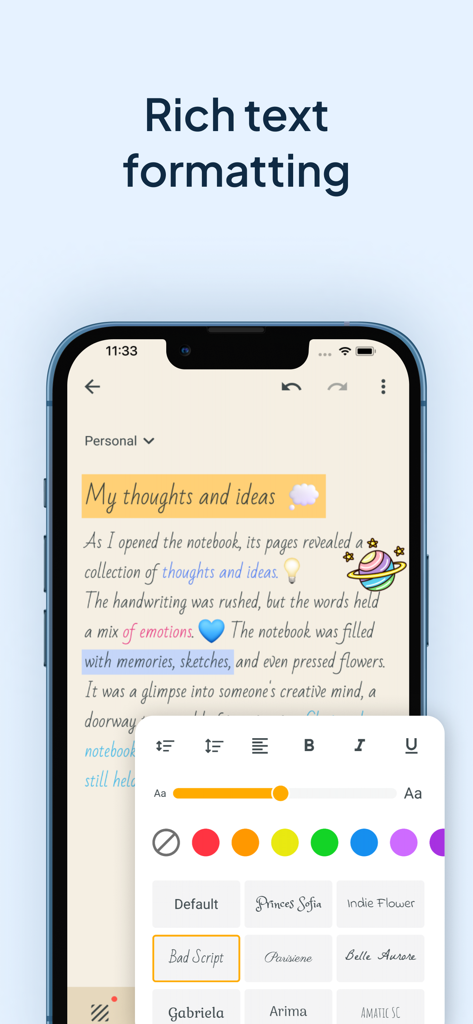
My Notes - Notebook, Notepad - Schermata dello smartphone che mostra le opzioni di formattazione del testo avanzato dell'app My Notes, inclusi caratteri personalizzati, colori e dimensioni dei caratteri per la scrittura di appunti estetica
Schermata dello smartphone che mostra le opzioni di formattazione del testo avanzato dell'app My Notes, inclusi caratteri personalizzati, colori e dimensioni dei caratteri per la scrittura di appunti estetica

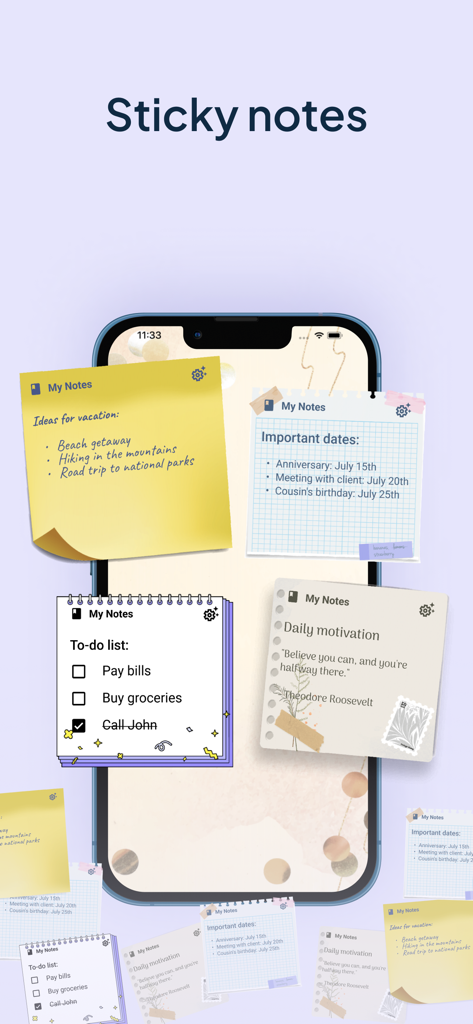
My Notes - Notebook, Notepad - Schermata home dello smartphone che mostra vari widget estetici di note adesive per organizzare attività e idee.
Schermata home dello smartphone che mostra vari widget estetici di note adesive per organizzare attività e idee.

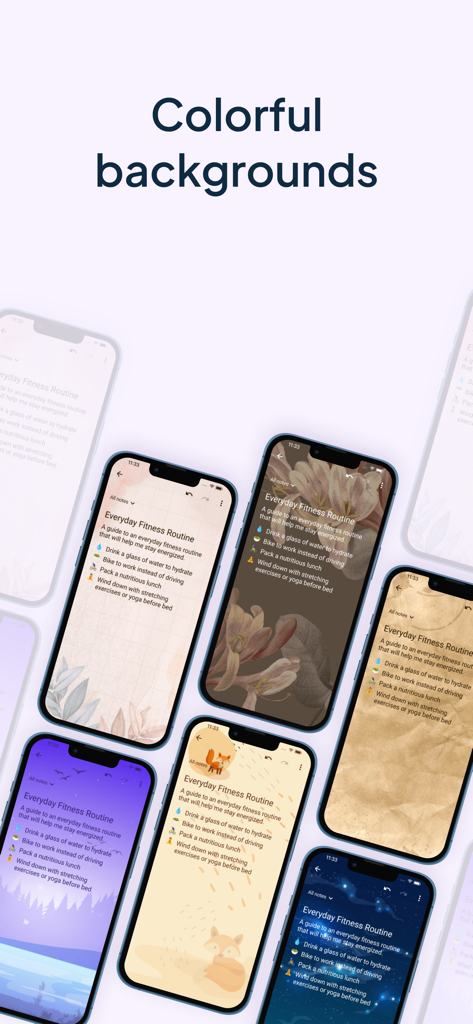
My Notes - Notebook, Notepad - Una visualizzazione di vari temi di sfondo estetici e colorati per appunti digitali
Una visualizzazione di vari temi di sfondo estetici e colorati per appunti digitali

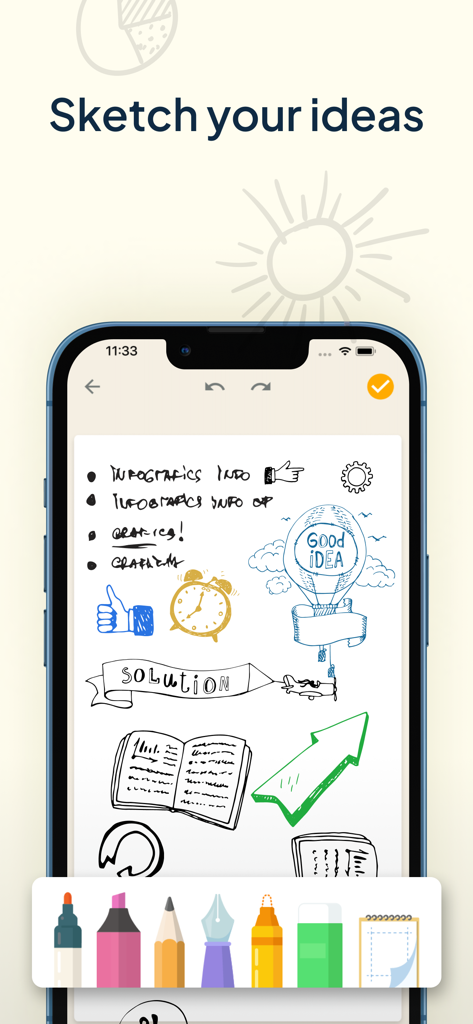
My Notes - Notebook, Notepad - Schermata dell'iPhone che mostra schizzi e diagrammi disegnati a mano nell'app My Notes con una barra degli strumenti di disegno digitale in basso
Schermata dell'iPhone che mostra schizzi e diagrammi disegnati a mano nell'app My Notes con una barra degli strumenti di disegno digitale in basso

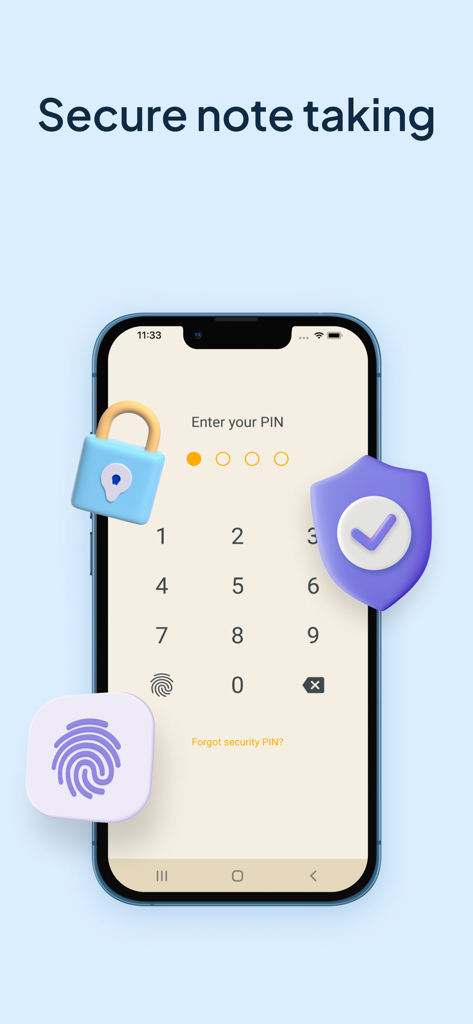
My Notes - Notebook, Notepad - Display di uno smartphone che mostra una schermata di immissione PIN per prendere appunti in modo sicuro con icone di lucchetto e scudo
Display di uno smartphone che mostra una schermata di immissione PIN per prendere appunti in modo sicuro con icone di lucchetto e scudo

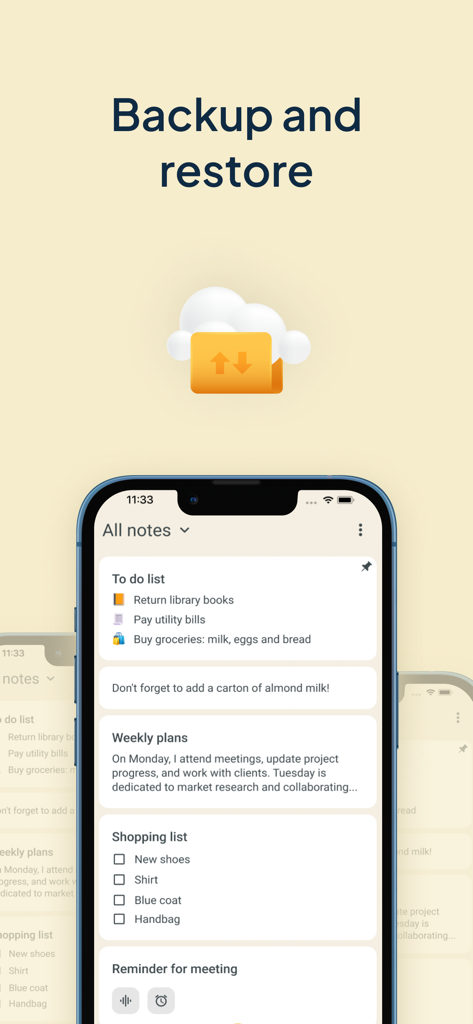
My Notes - Notebook, Notepad - Interfaccia dell'app My Notes che mostra la funzione di backup e ripristino con sincronizzazione cloud

Interfaccia dell'app My Notes che mostra la funzione di backup e ripristino con sincronizzazione cloud

Descrizione

Get ready to experience the power of efficient note taking and task management with My Notes - Notebook, Notepad. This app is designed to be your go-to tool for capturing and managing all your ideas, thoughts, and important information in one place. This notebook with calendar will revolutionize the way you write down things and keep a log of your tasks. No need to wonder how to stay organized any longer! With My Notes - Notebook, Notepad, you can create separate notebooks for different subjects or projects, ensuring a well-organized workspace for lists or audio notes. Take advantage of its useful features such as daily checklists, drawing capabilities, text formatting, lovely backgrounds and themes, and a convenient widget that allows you to access your quick notes with ease. Also bear in mind that protection is important so you can keep your secrets safe with the built-in codelock feature. Say hello to a digital memo notepad that enhances your productivity and creativity! REDEFINING THE ART OF TAKING NOTES: Create separate notebooks for different purposes, keeping your writings organized and easily accessible. Use the checklists option to manage your tasks list and to-do lists efficiently, ensuring that nothing falls through the cracks. Capture your thoughts and ideas effortlessly with the ability to type, draw, or even record audio notes. Enhance your notebook with rich text formatting options, including bold, italic, underline, and bullet points. Archive writings that you no longer need but still want to keep for future reference. The archive feature helps you maintain a clean and organized color notes app. CUSTOMIZATION THAT SETS YOUR NOTEBOOKS APP APART: Choose from a wide range of attractive backgrounds and themes to personalize your notes taking experience. Adjust font sizes, colors, and styles to make your notes visually appealing and easy to read. Access your memo notes with ease using the convenient widget shown on your device's home screen just like sticky notes. MULTIMEDIA TO VISUALIZE YOUR IDEAS: Unleash your creativity and sketch or draw notes to illustrate your thoughts visually. Insert photos, images, and videos to create multimedia-rich entries that bring your memories and concepts to life. Record notes to capture lectures, interviews, or important discussions, ensuring you never miss a detail. PROTECT AND SECURE YOUR NOTE WRITER: Safeguard the thoughts that you jot down, a checklist or voice notes by backing them up to the cloud or internal storage. Set up a codelock to protect sensitive information like tasks schedule or an important to do list. Restore your notebook entries from previous backups, giving you peace of mind even if your device is lost, damaged, or replaced. WHY GO PREMIUM? Unlock the full potential of this new take notes app with the premium version, granting you access to advanced features and exclusive benefits, access to premium backgrounds, themes and additional customization options. Enjoy an ad-free experience, allowing you to focus solely on your creative moments and tasks without any distractions. Lifetime access with one-time payment is available for users, but you can choose the subscription plan as well that best suits your needs. We can offer you a Premium 1-year subscription or a 1-month subscription plan. Your iTunes account will be charged at confirmation of purchase. The subscription will automatically renew unless auto-renew is turned off at least 24 hours before the end of the billing period. You can go to your iTunes Account Settings to manage your subscription & turn off auto-renew. Any unused portion of the free trial period, if offered, will be forfeited when you purchase a subscription. Terms of Use: https://www.apple.com/legal/internet-services/itunes/dev/stdeula/ Privacy Policy: https://www.ascendik.com/privacy-policy/ Do you have questions or feedback? Feel free to contact us at notebook.support@ascendik.com

Download

Scarica su App Store

Questa pagina non è una pagina ufficiale dell'app o del suo sviluppatore, ma una pubblicazione editoriale indipendente creata a scopo informativo e di commento. Salvo espressa indicazione contraria, né l'app né il suo sviluppatore sono affiliati, approvati, sponsorizzati, autorizzati o altrimenti ufficialmente collegati a MWM, Apple, Google Play, all'editore dell'app o allo sviluppatore dell'app, e nulla in questa pagina implica che l'app sia stata sviluppata utilizzando i servizi di MWM. Tutti i marchi, loghi, screenshot e altri contenuti rimangono di proprietà dei rispettivi proprietari.








