MyKeyboard - Custom Keyboard

MyKeyboard - Custom Keyboard

Scarica su App Store
Logo di MyKeyboard - Custom Keyboard

MyKeyboard: Progetta il layout personalizzato definitivo e caratteri estetici

Supera l'esperienza standard di iOS. Usa un semplice drag-and-drop per costruire il tuo layout perfetto, distinguerti sui social media con caratteri unici e aumentare la tua produttività con tasti azione e temi personalizzati su misura per la tua identità.

Scarica su App Store

Editore

FiveSheep OU

Categoria

Utilities

Download

5K+

Valutazione

3.7/5

Valutazioni totali

200

Lingue

7

Le tue chiavi, le tue regole

Scopri l'interfaccia usata da 5K+ utenti.

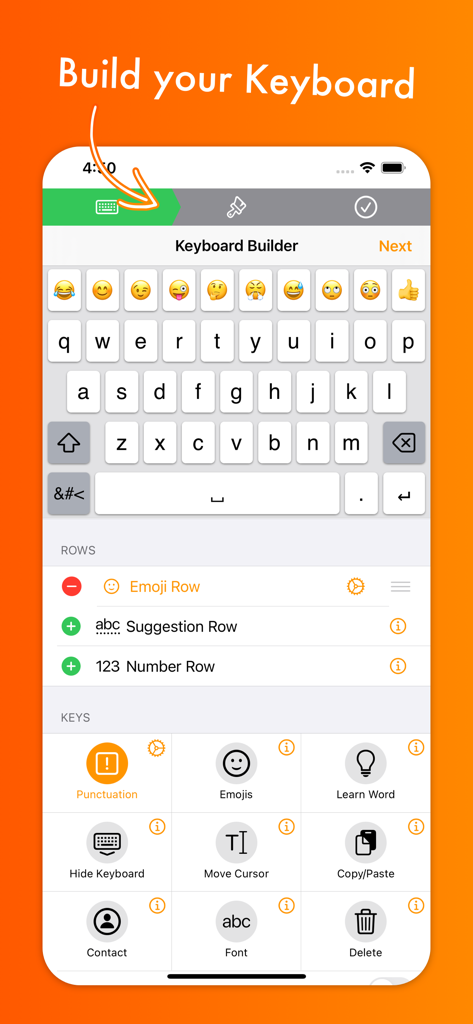
Interfaccia dell'app MyKeyboard che mostra il costruttore della tastiera con opzioni per personalizzare righe e tasti per iOS
Interfaccia dell'app MyKeyboard che mostra il costruttore della tastiera con opzioni per personalizzare righe e tasti per iOS

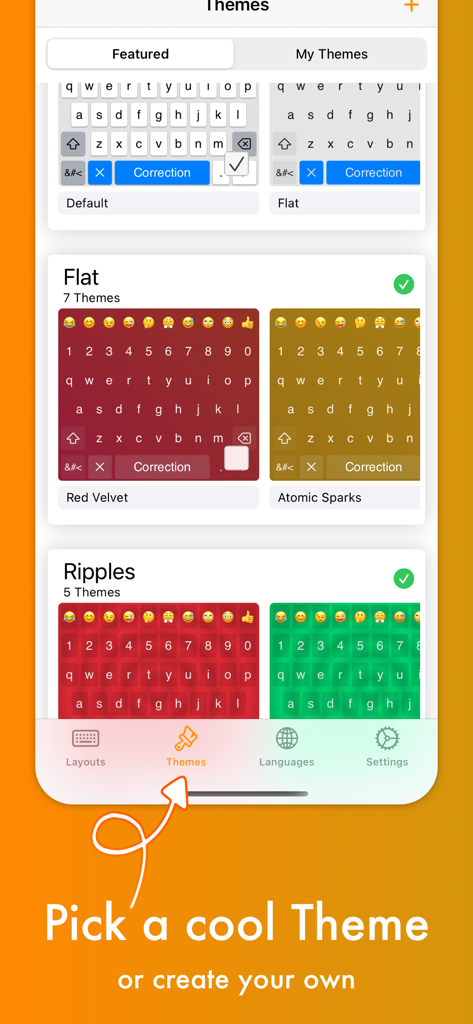
Schermata che mostra vari temi di tastiera colorati come Red Velvet e Atomic Sparks all'interno dell'app
Schermata che mostra vari temi di tastiera colorati come Red Velvet e Atomic Sparks all'interno dell'app

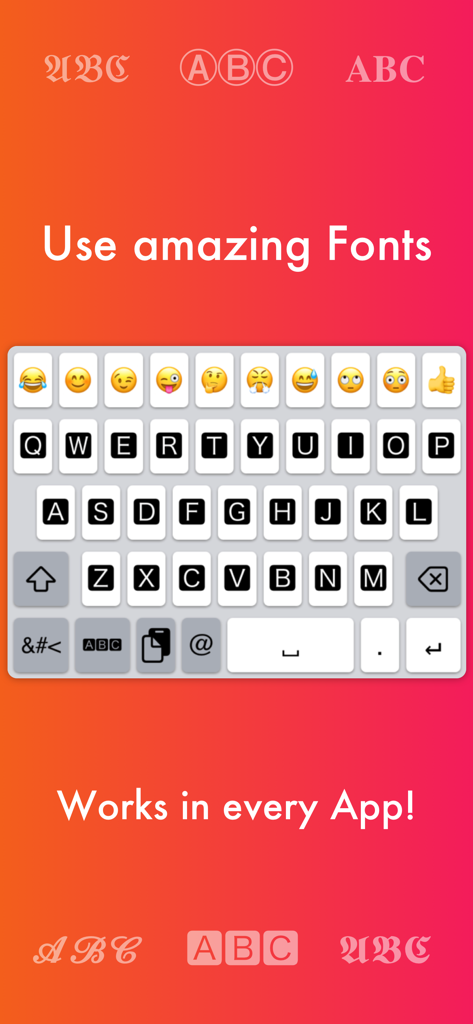
Interfaccia tastiera personalizzata che mostra vari stili di font e opzioni emoji per iOS
Interfaccia tastiera personalizzata che mostra vari stili di font e opzioni emoji per iOS

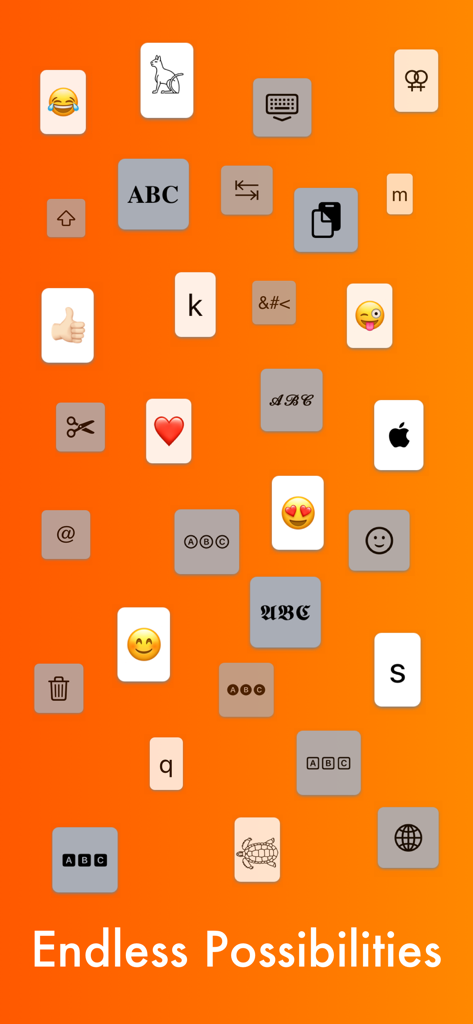
Vari tasti della tastiera tra cui emoji, font e icone di utilità su sfondo arancione con testo Endless Possibilities
Vari tasti della tastiera tra cui emoji, font e icone di utilità su sfondo arancione con testo Endless Possibilities

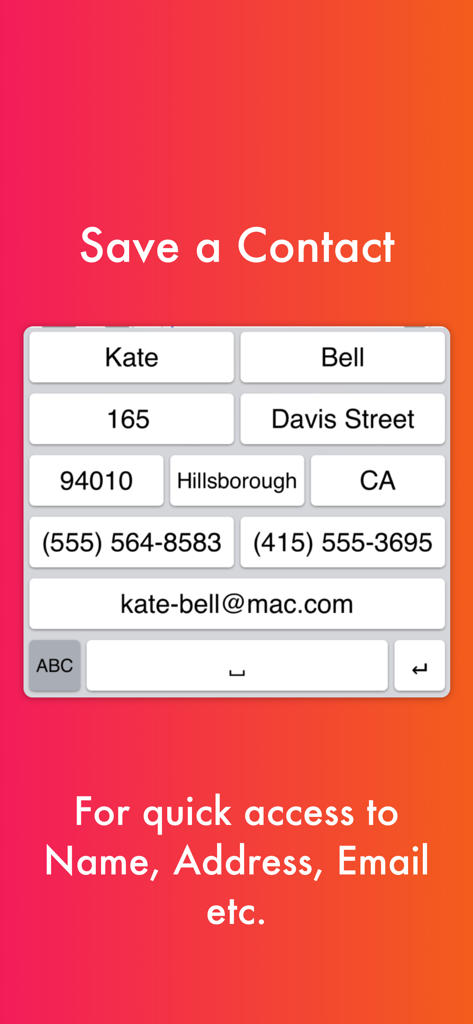
Layout tastiera personalizzato con tasti di scelta rapida per un rapido accesso alle informazioni di contatto come nome, indirizzo e email.
Layout tastiera personalizzato con tasti di scelta rapida per un rapido accesso alle informazioni di contatto come nome, indirizzo e email.

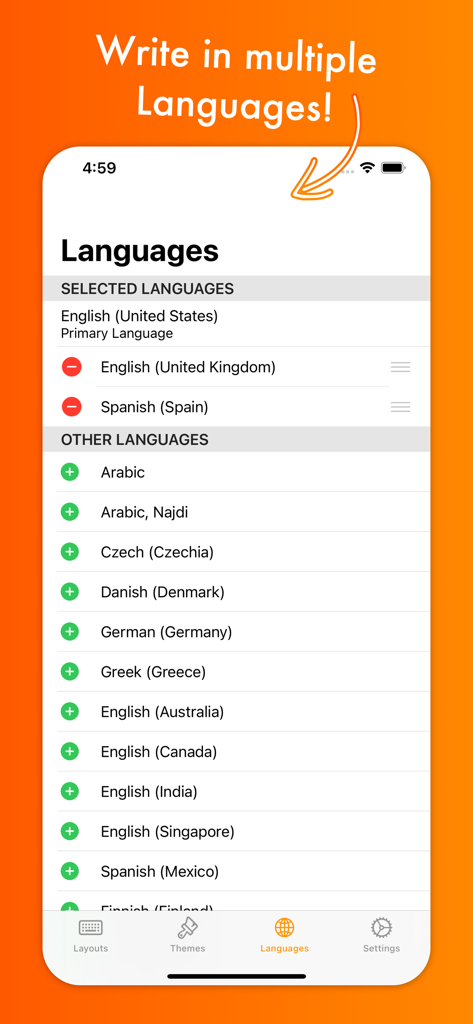
Schermata di selezione della lingua nell'app MyKeyboard che mostra opzioni per più lingue e dialetti di tastiera internazionali.
Schermata di selezione della lingua nell'app MyKeyboard che mostra opzioni per più lingue e dialetti di tastiera internazionali.

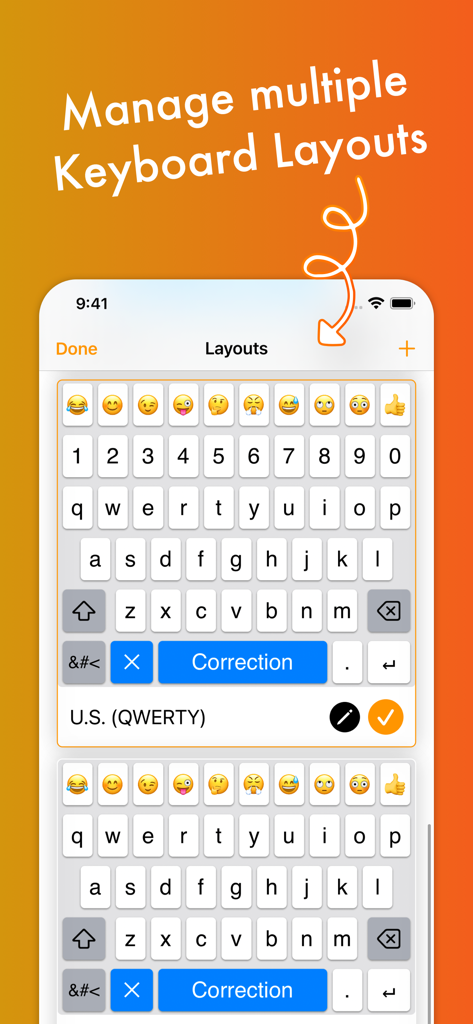
Interfaccia che mostra come gestire layout tastiera personalizzati multipli con righe emoji e numeri

Interfaccia che mostra come gestire layout tastiera personalizzati multipli con righe emoji e numeri

Migliora il tuo gioco di battitura

Gli strumenti che rendono questa app unica, scelti da 5K+ utenti.

🚀

Scorciatoie di produttività professionali

Aggiungi righe personalizzate e tasti con un tocco per Copia, Incolla e modalità Trackpad per completare le attività in pochi secondi.

Caratteri estetici ovunque

Distinguiti sui social media con caratteri unici che funzionano direttamente su Instagram, TikTok e WhatsApp.

🎨

Stile di temi infinito

Abbina il tuo stile unico personalizzando tutto, dagli sfondi fotografici alle forme e ai colori dei tasti.

Info sull'app

Tutto quello che devi sapere su MyKeyboard - Custom Keyboard.

Descrizione

Customize virtually anything about your iOS keyboard, with simple drag and drop. Add or remove keys or rows, customize the way keys look and behave, change the duration until subkeys (the keys that pop up when holding on a key) pop up, add and remove subkeys and add keys with custom actions. MyKeyboard is beloved by its users for its ease of use and endless possibilities. For example, the emoji row is a standard feature of the custom Keyboard and can be changed to contain all of your favorite emoji. These emoji keys then automatically contain subkeys with similar emoji which you can personalize. By default, a number row is also in the keyboard, providing you fast access to these often-used keys. Another amazing feature of MyKeyboard is the switchable fonts. MyKeyboard contains 19 amazing fonts that can be used across almost all apps, including WhatsApp, Instagram, Facebook and iMessage. You can add a font key to your keyboard and switch to the font by tapping on it. Custom key actions include: - Insert Appearance - Insert - Replace Word With Appearance - Show Subkeys - Shift - Caps Lock - Cut - Copy - Paste - Accept Correction - Dismiss Correction - Learn Current Word - Switch Keyboard - Switch To Main Keyboard - Hide Keyboard - Next Input Mode - Delete Last Character - Activate Deletion Mode - Clear - Clear Left - Clear Left Word - Clear Right - Clear Right Word - Clear Word - Switch to Emoji Board (Switches you to the emoji keyboard; Learn more about this when you google emoji keyboard) These actions can be triggered on tap and hold. When no hold action is set for a specific key, the keyboard goes into trackpad mode, allowing you to shift the insertion point around by swiping. The deletion mode is similar and allows you to delete by swiping left and retract from it by swiping right. By default, it is the hold/press action on the delete key. You can also increase or decrease the key hold time until these actions are triggered, but you will have to perform swift key gestures when setting it very low. ~~ Keyboard Builder ~~ Use the keyboard builder for creating a fully customized keyboard layout in less than a minute. Your own keyboard layout is called “My Keyboard” and can be configured in every imaginable way. You can even add a copy, cut or paste key, a font key, an emoji key, a move cursor key, a “delete all” key and so much more. You can also create your own keys, for example for inserting copypasta or using copy/paste keys to perform these actions faster. We have made keyboard customization very accessible and it's easily doable for everyone. And it is customizable in every extend. For example, by adding a lot of g keys to a keyboard you could essentially create your own g board, or by adding multiple font switching keys to one, you can create your own font keyboard. ~~ Themes ~~ You can choose from a variety of free and paid themes, or go ahead and create your own customized keyboard theme. Theme customization can be used to change every aspect of your keyboard: background and foreground colors, shadow and border sizes and their colors, key corner radius and you can even set a custom height for your keys! Even a custom keyboard background image is configurable with your own photo. In the section “my themes”, you can see and manage all of your customized themes. Themes can even be shared with your friends who also use MyKeyboard!

Ultima versione

3.7.11

Dimensione

22.3 MB

Data di lancio

30 nov 2019

Inizia a costruire la tastiera dei tuoi sogni

Unisciti a migliaia di utenti esperti di iOS che hanno abbandonato quella predefinita. Personalizza il tuo layout, sblocca oltre 19 caratteri unici e digita più velocemente con le tue azioni personalizzate.

Scarica su App Store

App information, icons, screenshots, and descriptions displayed on this page are sourced from the Apple App Store and are the property of their respective developers. Download estimates and rankings are based on MWM's proprietary models and may not reflect actual figures. This page is provided for informational and analytical purposes only.

Believe this page infringes your intellectual property? File a dispute