Questa pagina non è una pagina ufficiale dell'app o del suo sviluppatore, ma una pubblicazione editoriale indipendente creata a scopo informativo e di commento. Salvo espressa indicazione contraria, né l'app né il suo sviluppatore sono affiliati, approvati, sponsorizzati, autorizzati o altrimenti ufficialmente collegati a MWM, Apple, Google Play, all'editore dell'app o allo sviluppatore dell'app, e nulla in questa pagina implica che l'app sia stata sviluppata utilizzando i servizi di MWM. Tutti i marchi, loghi, screenshot e altri contenuti rimangono di proprietà dei rispettivi proprietari.
NoteLedge - Mood Board & Notes
Cattura idee da Pinterest, disegna con pennelli professionali e organizza i tuoi progetti di design in splendide storie visive sul tuo iPad.
Numeri Chiave
Download
116K+
Valutazione
4.2/5
Valutazioni totali
2K+
Editore
Kdan Mobile Software LTD
Categoria
Productivity
Lingue
11
Ultima versione
8.3.8
Dimensione
428.3 MB
Data di lancio
17 gen 2012
Funzioni
Il Tuo Studio di Design Digitale
Lo spazio di lavoro tutto-in-uno per i designer per catturare ispirazioni, disegnare idee e organizzare mood board multimediali in un unico posto flessibile.
Ritaglia dal Web Senza Interruzioni
Trascina e rilascia istantaneamente immagini, testi e video da Pinterest o da qualsiasi sito web direttamente nelle tue note per mantenere organizzata la tua ispirazione.
Mood Board Professionali
Visualizza la tua visione con pennelli avanzati, tavolozze di colori personalizzate e strumenti di stratificazione progettati per designer di moda, interni e prodotti.
Gli screenshot e la descrizione seguenti provengono direttamente dall'elenco ufficiale dello store dell'app e sono di proprietà dello sviluppatore.
App Store
Screenshot
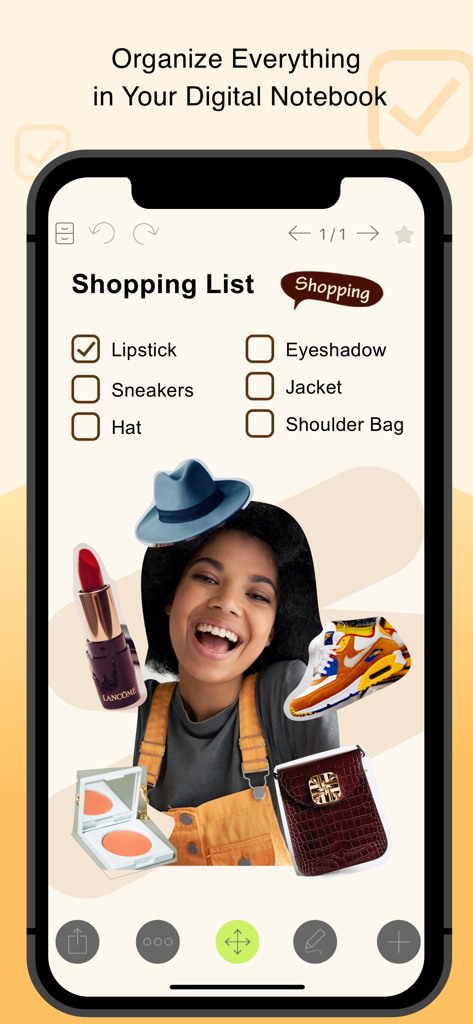
Una lista della spesa digitale e una mood board di moda nell'app NoteLedge con caselle di controllo e foto di prodotti
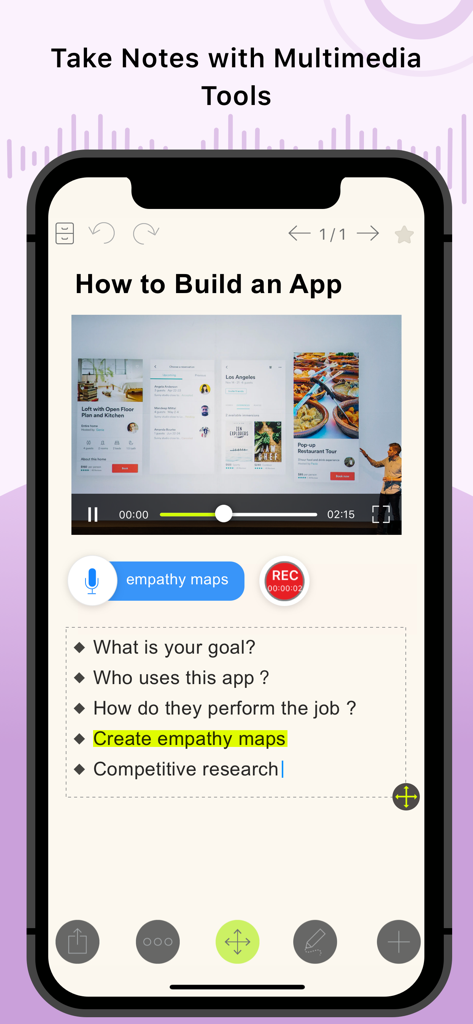
App mobile NoteLedge che mostra una nota con riproduzione video e registrazione audio.
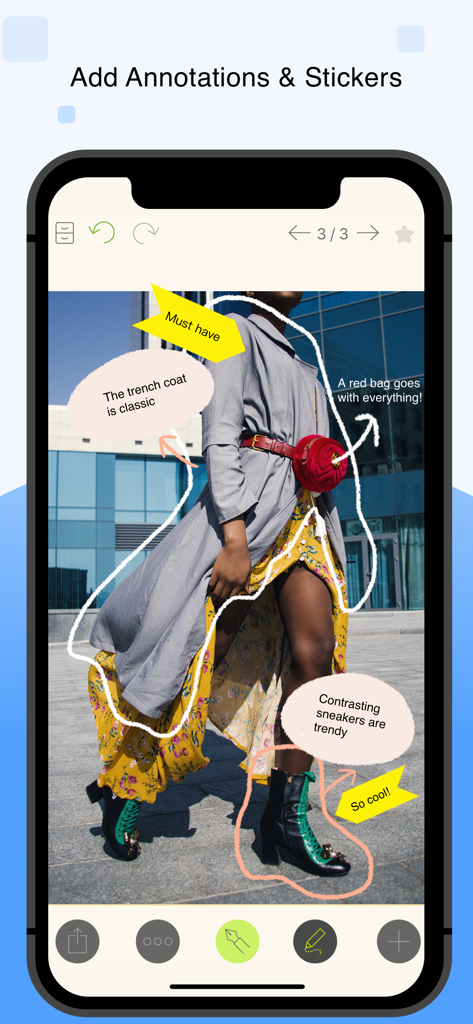
Mood board di moda con annotazioni disegnate a mano e adesivi nell'app NoteLedge
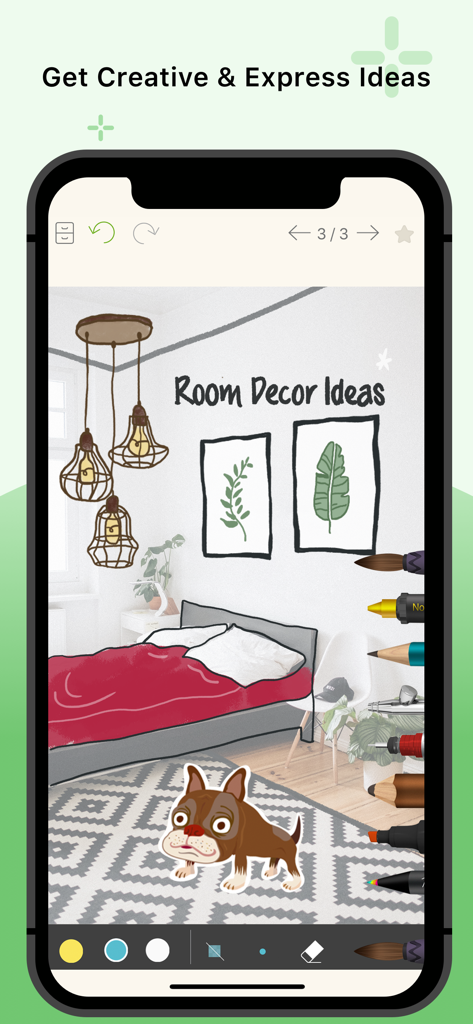
Schermata dello smartphone che mostra l'app NoteLedge con una mood board di arredamento e strumenti di disegno
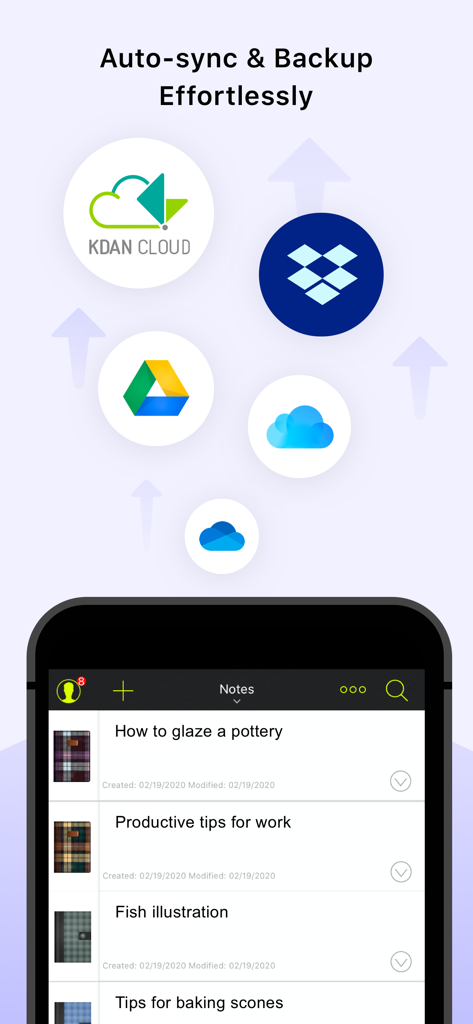
Interfaccia dell'app NoteLedge che mostra opzioni di sincronizzazione cloud e un elenco di note di progetti creativi
Descrizione
NoteLedge is a digital notebook for designers and creatives to quickly capture inspiration and organize everything in one place. Discover ideas from Pinterest, web pages, YouTube, Vimeo, or your surroundings, save clips to your notes and add your thoughts. NoteLedge streamlines your creative process, allowing you to connect the dots and get creative in the flexible workspace.
Create mood boards or collages to play around with content and visualize your thoughts. Draw, outline, and make quick design sketches with a variety of brushes for designers. Present work straight from your smart device or share notes in PDF format with audio and video included. Communicate ideas with your team or clients efficiently multimedia aids. NoteLedge is the best note-taking app for creative projects including interior styling, home decor, product design, fashion design, character design, and more!
AWARDS & RECOGNITION
- Featured as “Perfect with Apple Pencil,” “Amazing Apps for iPad Pro,” and “Easy Note-taking” on the App Store
- Designated app for iPad program at Monbulk College, Australia & Special Education School in Tokushima, Japan
KEY FEATURES
CAPTURE IDEAS QUICKLY
- Record audio, add photos, or insert videos
- Web Clipper – Clip images, texts or screenshots from Pinterest and websites with easy drag and drop (iPad only)
- Clip videos from YouTube & Vimeo, and take notes while you’re streaming videos (iPad only)
- Type anywhere and stay organized with bullet points and checklists
EMPOWER YOUR CREATIVITY
- Draw, outline, sketch, or color with a variety of brushes for designers and creators*
- Create custom brush tips and modify the effects* (iPad only)
- Get colors from a photo and generate stunning color palettes in seconds* (iPad only)
- Customize fonts with your own handwriting*
- Make mood boards, design boards, idea boards
- Create collages by cutting out images and arranging layers
- Get creative with a variety of stickers and covers*
- Select note paper for Cornell notes, planner, lined paper, graphic paper, and more (iPad only)
- Customize note paper with your own photos (iPad only)
- Stylus support: Apple Pencil, Adonit, Wacom Bamboo, and Pogo Connect 2
SYNC, MANAGE & SHARE
- Export notes to PDFs with audio and video included*
- Auto-sync to multiple cloud storages, including Kdan Cloud, iCloud, Dropbox, OneDrive, and Google Drive*
- Add notes to Apple and Google Calendar
- Present work in slideshow mode
- Protect the app with a password or Touch ID / Face ID*
(*Premium features available with Creativity 365 or NoteLedge Pro subscription)
SUBSCRIPTION PLANS
NoteLedge offers awesome free features for multimedia note-taking. Take better notes the way you like with the following upgrade options:
- Kdan Cloud: $2.99/month or $9.99/year
- NoteLedge Pro: $4.99/month, $10.99/3 months, or $29.99/year
- Creativity 365: $9.99/month, $19.99/3 months, or $59.99/year - Free trial available. Get premium access to the Creativity 365 App series across phone, tablet, and desktop.
Subscriptions will be charged through your iTunes account at the confirmation of purchase. Your subscription will automatically renew unless cancelled at least 24 hours before the end of the current subscription period. Your iTunes account will be charged for renewal within 24-hours prior to the end of the current period, for the same duration and at the current subscription price. You may manage your subscriptions in your iTunes Account Settings after purchase. No cancellation of the current subscription is allowed during an active subscription period.
Terms of service: https://www.kdanmobile.com/terms_of_service
Privacy Policy: https://www.kdanmobile.com/privacy_policy
CAN WE GIVE YOU A HAND?
Got a question? Contact us at helpdesk@kdanmobile.com or check out https://support.kdanmobile.com.
Questa pagina non è una pagina ufficiale dell'app o del suo sviluppatore, ma una pubblicazione editoriale indipendente creata a scopo informativo e di commento. Salvo espressa indicazione contraria, né l'app né il suo sviluppatore sono affiliati, approvati, sponsorizzati, autorizzati o altrimenti ufficialmente collegati a MWM, Apple, Google Play, all'editore dell'app o allo sviluppatore dell'app, e nulla in questa pagina implica che l'app sia stata sviluppata utilizzando i servizi di MWM. Tutti i marchi, loghi, screenshot e altri contenuti rimangono di proprietà dei rispettivi proprietari.









