OCR Text Scanner – Text reader

OCR Text Scanner – Text reader

Scarica su App Store
Logo di OCR Text Scanner – Text reader

Scanner Testo OCR – Lettore di Testo: Trasforma Senza Sforzo Documenti Fisici in Testo Digitale Modificabile

Smetti di perdere tempo con l'inserimento manuale dei dati. Usa l'OCR di livello professionale per scansionare, estrarre ed esportare testo da qualsiasi foto o documento direttamente in PDF in pochi secondi.

Scarica su App Store

Editore

David Serrano Canales

Categoria

Utilities

Download

1K+

Valutazione

4.7/5

Valutazioni totali

100

Lingue

9

Efficienza in Azione

Scopri l'interfaccia usata da 1K+ utenti.
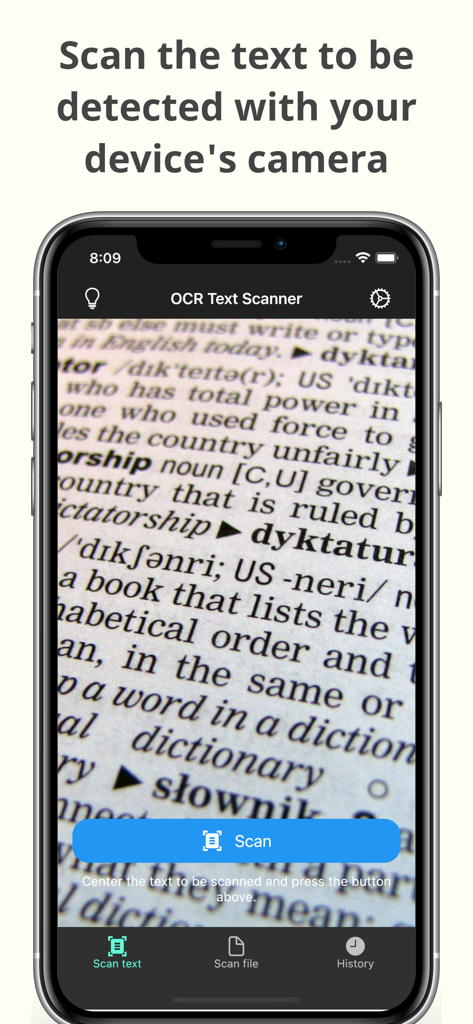
Interfaccia fotocamera dell'app OCR Text Scanner che scansiona testo da un documento

Interfaccia fotocamera dell'app OCR Text Scanner che scansiona testo da un documento

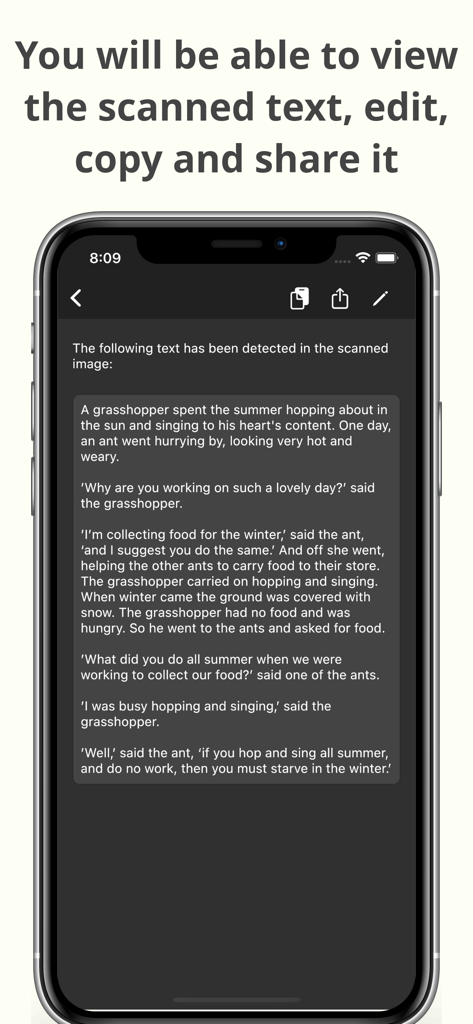
Uno smartphone che visualizza testo scansionato con opzioni per modificare, copiare e condividere all'interno dell'app OCR Text Scanner

Uno smartphone che visualizza testo scansionato con opzioni per modificare, copiare e condividere all'interno dell'app OCR Text Scanner

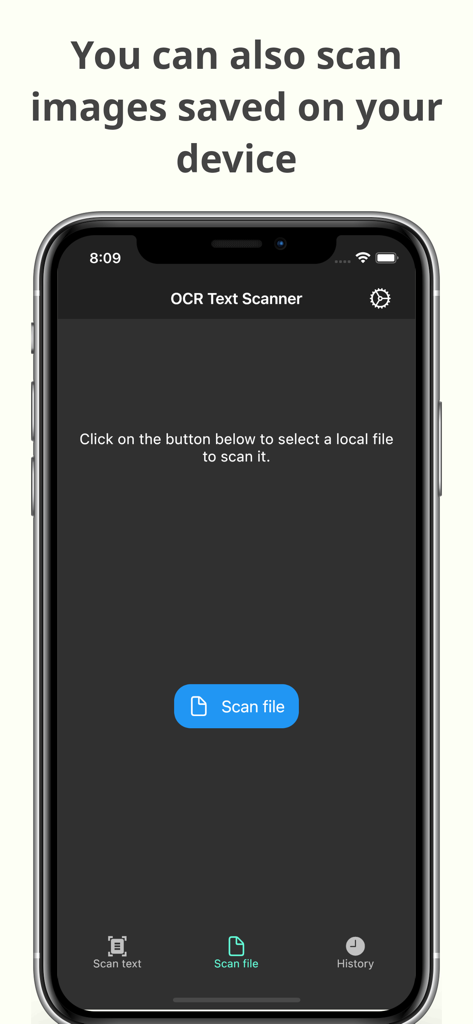
Interfaccia dell'app OCR Text Scanner che mostra la funzione per scansionare immagini salvate sul dispositivo per il riconoscimento del testo

Interfaccia dell'app OCR Text Scanner che mostra la funzione per scansionare immagini salvate sul dispositivo per il riconoscimento del testo

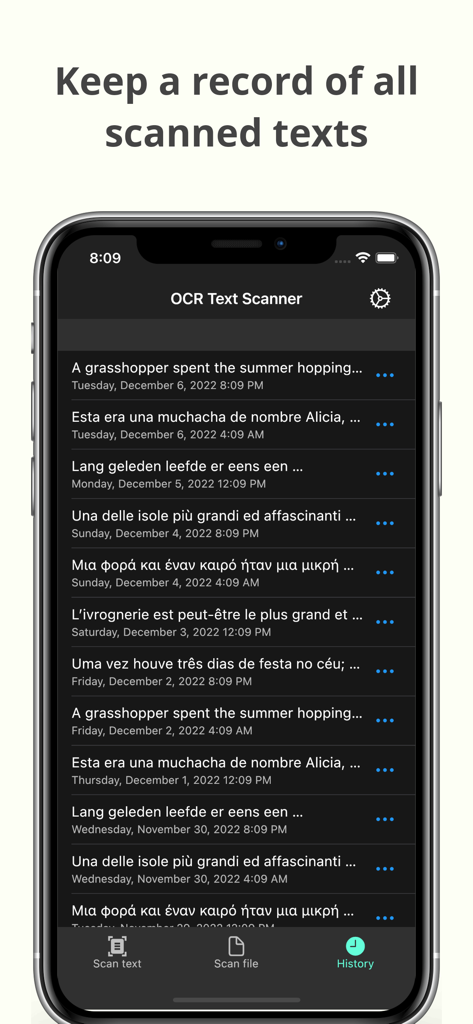
Schermata cronologia dell'app OCR Text Scanner che mostra un elenco di scansioni di testo registrate con date

Schermata cronologia dell'app OCR Text Scanner che mostra un elenco di scansioni di testo registrate con date

Trasforma Documenti Fisici in Risorse Digitali

Gli strumenti che rendono questa app unica, scelti da 1K+ utenti.

Estrazione Istantanea del Testo

Scatta una foto per estrarre testo da libri, documenti o lavagne con un'accuratezza leader del settore.

📲

Copia e Condividi Istantaneamente

Sposta i tuoi dati dove ti servono. Invia il testo scansionato direttamente alla tua email, alle note o agli strumenti di gestione dei progetti.

🗂️

Archiviazione Automatica e PDF

Accedi alla cronologia completa delle scansioni e genera PDF professionali per un flusso di lavoro senza ingombri e senza carta.

Info sull'app

Tutto quello che devi sapere su OCR Text Scanner – Text reader.

Descrizione

OCR Text Scanner is an OCR reader (Optical Character Recognition) that will allow you to scan texts from the physical world with your device's camera and convert them to digital format quickly and easily. Features: - Image to text: scan any text with the camera and get its digital representation - You can also scan local images of your device to convert any picture to text - Copy, edit, and share all the texts you have scanned - Convert text scanned with the OCR reader to a PDF file - Review any text previously recognized with the OCR scanner in the History section > How does this application work? To start text scanning, all you have to do is open the application, which by default will open with the camera scanner ready to scan text. From there you just have to point at the text you want to scan and press the “Scan” button. The app will show you a preview of the captured image, at this point you can choose to scan only a fraction of the taken image if you don't want to scan it all. The application will then proceed to perform text recognition and show you the recognized characters, allowing you to go from image to text quickly and easily. > Can I convert an existing picture to text? Of course! To do a photo to text conversion, go to the image scanning section and press the button to choose an image. A selector will open where you can choose which pre-existing image from your device you want to scan. From this point the process is exactly the same as when scanning with the camera: you will be shown a preview of the image where you can choose to scan it all or just a fraction, then the text recognition will start and you will be shown the recognized characters. > What can I do with scanned texts? After using the Text Scanner function to recognize text, it will be displayed on the screen. Here you can edit the recognized text to make any corrections you deem appropriate. You can then copy that text to use it in any other application on your device, as well as share it with other people or applications through the sharing option. Additionally, users who have subscribed to the Premium membership can also automatically convert scanned text into a PDF file. > Is there any type of record of the scanned texts? Yes. All texts that have been scanned with the Text Reader function, regardless of whether they were scanned with your device's camera or by image file recognition, are stored in the History section. Go to this section to see all these texts and click on any of them to see their details, copy it, share it, or export it to a file in PDF format. Here you can also delete texts that you no longer want to keep. In short, OCR Text Scanner is your trusted OCR scanner that will allow you to convert any picture to text that you can capture with your camera or from any image you have, it will allow you to perform all the appropriate actions on them and give you all the power of digitization within your mobile device. Download now to start digitizing text!

Ultima versione

1.15.0

Dimensione

84.2 MB

Data di lancio

17 nov 2021

Smetti di Riscrivere e Inizia a Digitalizzare Oggi

Unisciti a migliaia di studenti e professionisti che risparmiano ore di lavoro manuale. Scarica lo scanner OCR ad alta precisione e trasforma qualsiasi documento in testo modificabile in pochi secondi.

Scarica su App Store

App information, icons, screenshots, and descriptions displayed on this page are sourced from the Apple App Store and are the property of their respective developers. Download estimates and rankings are based on MWM's proprietary models and may not reflect actual figures. This page is provided for informational and analytical purposes only.

Believe this page infringes your intellectual property? File a dispute