
Questa pagina non è una pagina ufficiale dell'app o del suo sviluppatore, ma una pubblicazione editoriale indipendente creata a scopo informativo e di commento. Salvo espressa indicazione contraria, né l'app né il suo sviluppatore sono affiliati, approvati, sponsorizzati, autorizzati o altrimenti ufficialmente collegati a MWM, Apple, Google Play, all'editore dell'app o allo sviluppatore dell'app, e nulla in questa pagina implica che l'app sia stata sviluppata utilizzando i servizi di MWM. Tutti i marchi, loghi, screenshot e altri contenuti rimangono di proprietà dei rispettivi proprietari.

PDF pages Extractor & Splitter
Smetti di condividere file voluminosi e inizia a condividere solo ciò che conta. Estrai intervalli di pagine specifici, rimuovi password e organizza i tuoi PDF con precisione chirurgica, perfettamente integrato con l'app File di iOS.
Download
3K+Valutazione
Valutazioni totali
0Editore
Categoria
ProductivityLingue
1Ultima versione
15Dimensione
6.8 MBData di lancio
31 gen 2018Lavora in Modo più Intelligente con Strumenti PDF di Precisione
Smetti di lottare con documenti ingombranti. Estrai esattamente ciò di cui hai bisogno, rimuovi il bloat dei file e ottimizza il tuo flusso di lavoro mobile in pochi secondi.
Estrazione Chirurgica delle Pagine
Seleziona intervalli di pagine specifici o numeri singoli come 2, 8 e 25. Perfetto per estrarre pagine di firma o capitoli di studio chiave senza il materiale di riempimento.
Gestione Sicura delle Password
Elabora facilmente documenti protetti e rimuovi le password per una condivisione più rapida. Ideale per gestire file legali o finanziari sensibili in movimento.
Gli screenshot e la descrizione seguenti provengono direttamente dall'elenco ufficiale dello store dell'app e sono di proprietà dello sviluppatore.
App Store
Screenshot
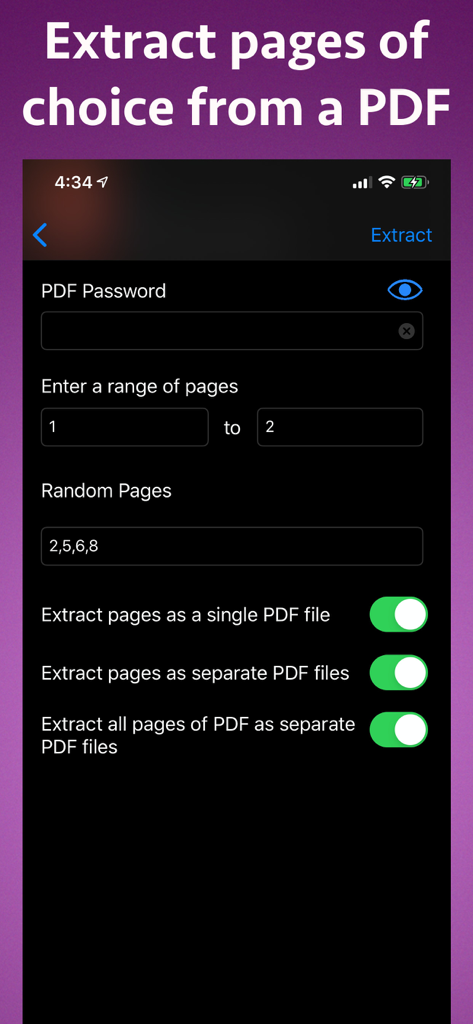
Interfaccia per estrarre pagine specifiche da un file PDF su iPhone
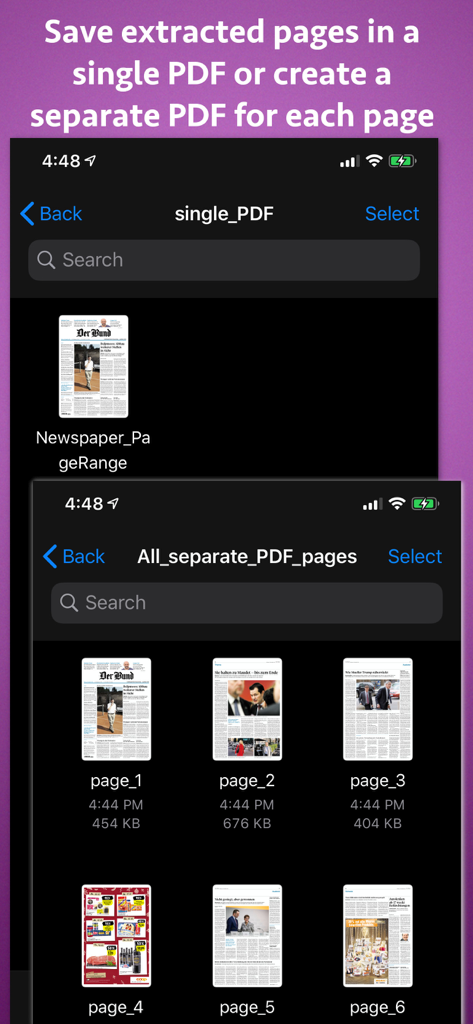
Interfaccia che mostra le opzioni per salvare le pagine PDF estratte come un singolo documento o file separati per ogni pagina
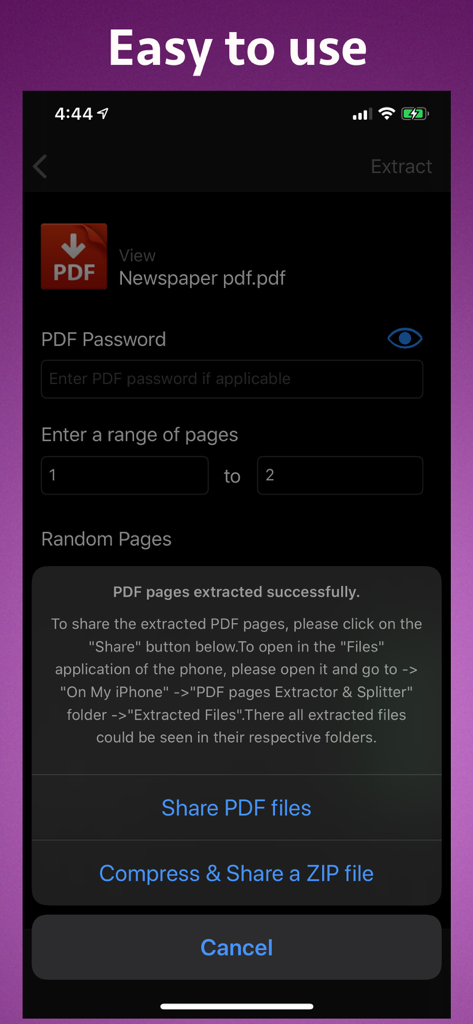
Interfaccia che mostra l'estrazione riuscita di pagine PDF con opzioni per condividere file o comprimerli in un file ZIP
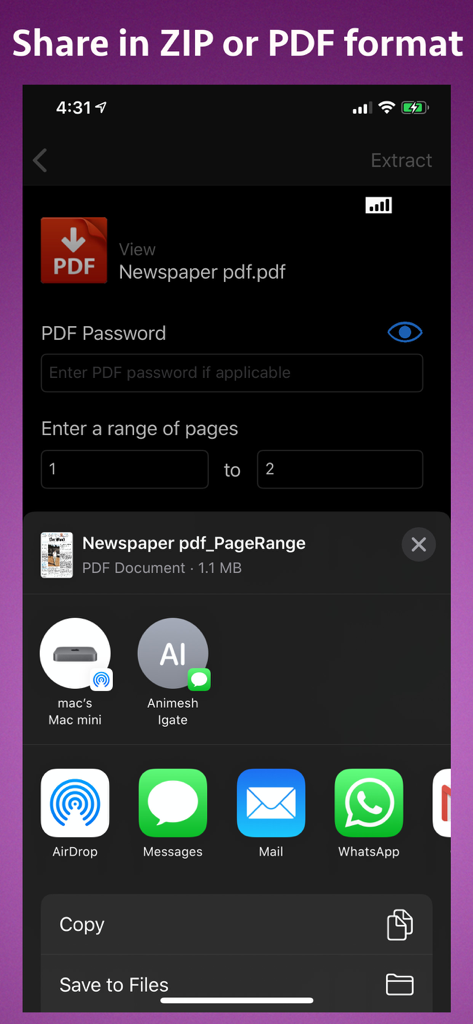
Interfaccia che mostra le impostazioni di estrazione delle pagine PDF e le opzioni di condivisione su iPhone
Descrizione
Download
App Simili
App più classificate nella stessa categoria

ChatGPT
OpenAI OpCo, LLC

Google Gemini
Google LLC

Grok
X.AI Corporation

Gmail - Email by Google
Google LLC

千问 - 阿里最强大模型官方AI助手
Shanghai Zhixin Puhui Technology Co., Ltd.

Google Drive
Google LLC

Microsoft Authenticator
Microsoft Corporation

Google Sheets
Google LLC

Google Docs
Google LLC
Questa pagina non è una pagina ufficiale dell'app o del suo sviluppatore, ma una pubblicazione editoriale indipendente creata a scopo informativo e di commento. Salvo espressa indicazione contraria, né l'app né il suo sviluppatore sono affiliati, approvati, sponsorizzati, autorizzati o altrimenti ufficialmente collegati a MWM, Apple, Google Play, all'editore dell'app o allo sviluppatore dell'app, e nulla in questa pagina implica che l'app sia stata sviluppata utilizzando i servizi di MWM. Tutti i marchi, loghi, screenshot e altri contenuti rimangono di proprietà dei rispettivi proprietari.