PDF to Pages by PDF2Office

PDF to Pages by PDF2Office

Scarica su App Store
Logo di PDF to Pages by PDF2Office

PDF to Pages di PDF2Office: Trasforma PDF statici in documenti Pages completamente modificabili

Smetti di ridigitare e inizia a modificare. Preserva layout, stili e tabelle con precisione professionale direttamente sul tuo iPhone. Converti file interi o aree specifiche e sincronizza senza interruzioni con iCloud, Dropbox e Google Drive.

Editore

Recosoft Corporation

Categoria

Productivity

Download

32K+

Valutazione

1.0/5

Valutazioni totali

0

Lingue

5

Precisione in azione

Scopri l'interfaccia usata da 32K+ utenti.
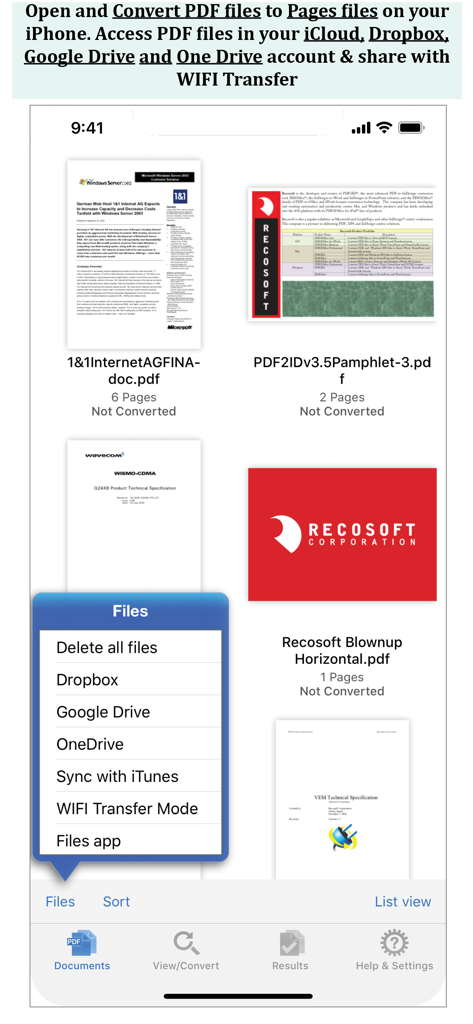
Schermata dell'app iPhone che mostra un elenco di file PDF e un menu con opzioni per Dropbox, Google Drive e OneDrive.

Schermata dell'app iPhone che mostra un elenco di file PDF e un menu con opzioni per Dropbox, Google Drive e OneDrive.

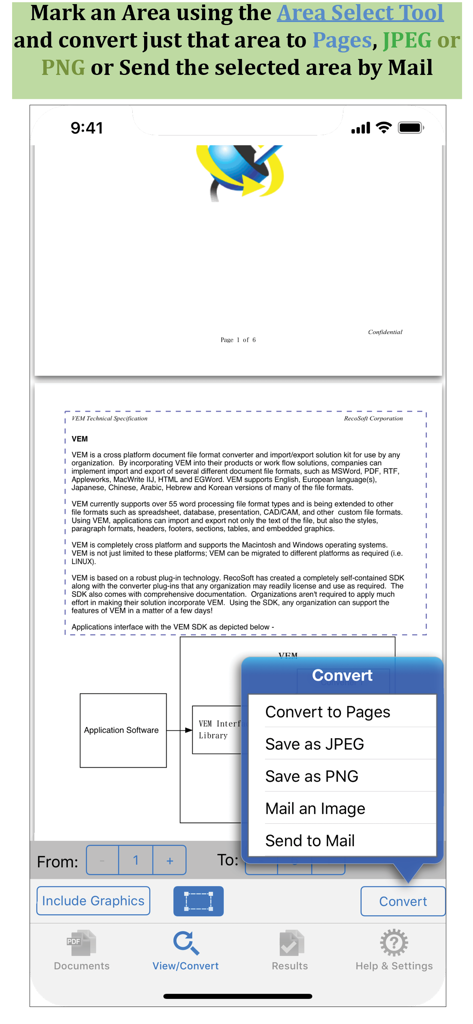
Screenshot dell'app PDF to Pages che mostra lo strumento di selezione dell'area per convertire sezioni specifiche del documento

Screenshot dell'app PDF to Pages che mostra lo strumento di selezione dell'area per convertire sezioni specifiche del documento

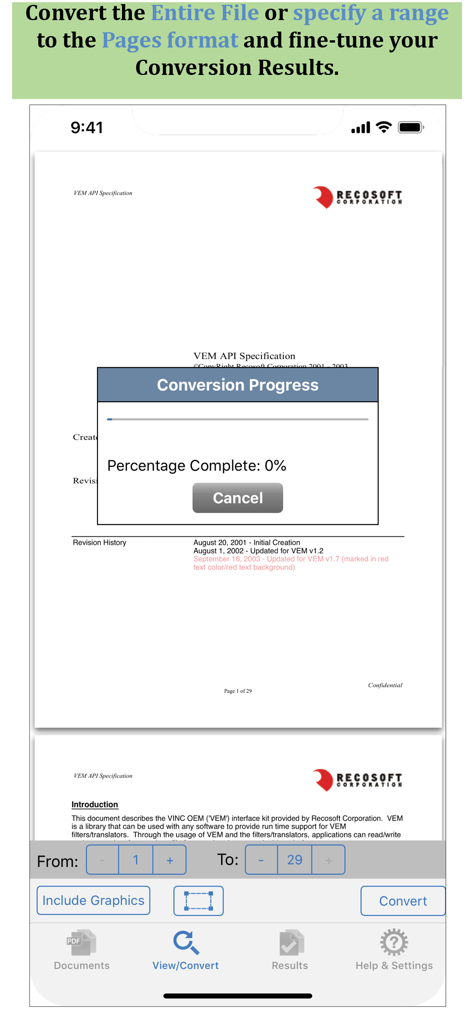
Interfaccia dell'app PDF to Pages che mostra una finestra di avanzamento della conversione e opzioni di selezione dell'intervallo di pagine

Interfaccia dell'app PDF to Pages che mostra una finestra di avanzamento della conversione e opzioni di selezione dell'intervallo di pagine

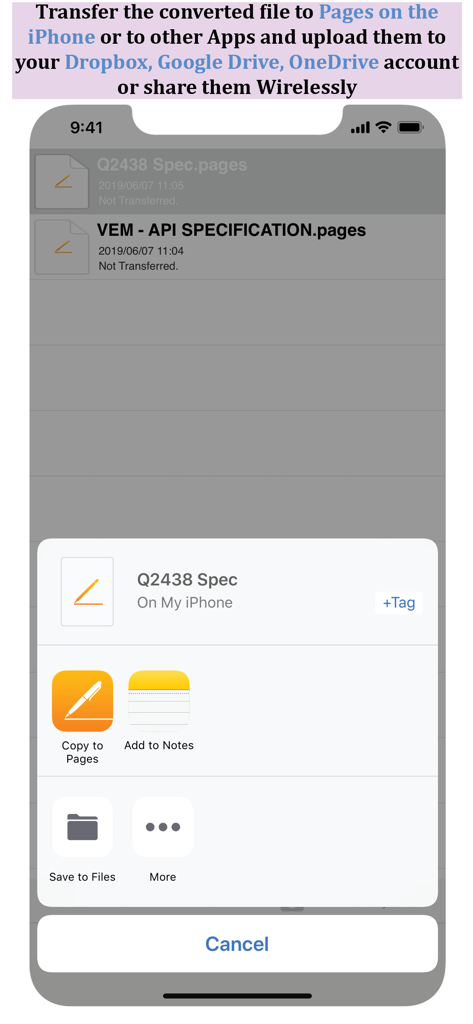
Foglio di condivisione che mostra opzioni per copiare i file convertiti in Pages o salvarli nello spazio di archiviazione cloud su iPhone

Foglio di condivisione che mostra opzioni per copiare i file convertiti in Pages o salvarli nello spazio di archiviazione cloud su iPhone

Trasforma PDF statici in documenti Pages dinamici

Gli strumenti che rendono questa app unica, scelti da 32K+ utenti.

📄

Mantenimento fedele del layout

Mantieni intatti paragrafi, tabelle e stili. Salta la riformattazione e inizia subito a modificare in Pages.

🎯

Selezione precisa dell'area

Converti solo ciò di cui hai bisogno. Seleziona sezioni specifiche da estrarre come testo modificabile o immagini per una rapida condivisione e riutilizzo.

☁️

Integrazione fluida del flusso di lavoro

Connettiti a Dropbox, Google Drive o utilizza il trasferimento WiFi per sincronizzare i tuoi documenti nel tuo ecosistema Apple senza sforzo.

Info sull'app

Tutto quello che devi sapere su PDF to Pages by PDF2Office.

Descrizione

PDF to Pages by PDF2Office converts your PDF to editable Pages files on your iPhone. Convert PDF to Pages documents instantly with a simple tap. Convert the entire document, range of pages or select and mark specific areas in a page to convert using the Area Select tool and have it editable on your iPhone! PDF to Pages converts PDF files to fully editable Pages files by recreating the intended construction and layout of the document. PDF to Pages forms paragraphs; applies styles; re-groups independent graphic elements; extracts images and creates tables automatically. PDF to Pages also provides detailed options for fine-tuning the conversion process. Every page in a PDF file is converted to an equivalent page in the resulting Pages document. PDF to Pages comes with a fully integrated PDF viewer allowing you to view the file you want to convert. Features * Convert PDFs to editable Pages files * Read PDF Files using the integrated PDF viewer. * Mark just the area within a page to convert. You can convert just the marked area to Pages, JPEG or PNG types * Select an area and have the contents embedded into a new Mail automatically. * Cloud services integration allows you to transfer files between your Dropbox/OneDrive/GoogleDrive account * Use WIFI transfer mode to transfer files between your computer and iPhone * Use standard Pinch in/Pinch Out to change the viewing magnification * Use the all in 1 interface to Convert and View PDF files. * The converted result is easily editable in Pages * Transfer your converted files to any other software on the iPhone that can accept Pages files. * Convert the entire file or a range of pages only Recosoft is the developer of PDF2Office the de-facto PDF conversion software for the Mac and iPad; PDF2ID the PDF-to-InDesign converter and ID2Office, the InDesign to Word/PowerPoint tool. Refer to our web site to view the entire desktop line of products that we are now bringing to the iOS. Note: PDF to Pages by PDF2Office does not perform Optical Character Recognition. An image in a PDF file is treated as an image.

Ultima versione

1.7.5

Dimensione

57.8 MB

Data di lancio

13 dic 2013

Trasforma i tuoi PDF in documenti Pages modificabili

Smetti di ridigitare e inizia a modificare. Unisciti a oltre 32.000 professionisti che utilizzano PDF2Office per mantenere il loro flusso di lavoro mobile in movimento con precisione e facilità.

Scarica su App Store

App information, icons, screenshots, and descriptions displayed on this page are sourced from the Apple App Store and are the property of their respective developers. Download estimates and rankings are based on MWM's proprietary models and may not reflect actual figures. This page is provided for informational and analytical purposes only.

Believe this page infringes your intellectual property? File a dispute