PM Pro: Password Manager

PM Pro: Password Manager


Scarica su App Store
Logo di PM Pro: Password Manager

PM Pro: Gestore Password – Il Tuo Vault Digitale Sicuro, 100% Offline

Riprendi il controllo con la crittografia AES-256 di livello militare e zero esposizione al cloud. Archivia password, note e immagini localmente con un pagamento unico: niente abbonamenti, niente violazioni dei dati, nessun compromesso.

Scarica su App Store

Editore

Taha Husain

Categoria

Productivity

Download

800

Valutazione

5.0/5

Valutazioni totali

0

Lingue

1

Uno Sguardo Dentro la Tua Fortezza

Scopri l'interfaccia usata da 800 utenti.
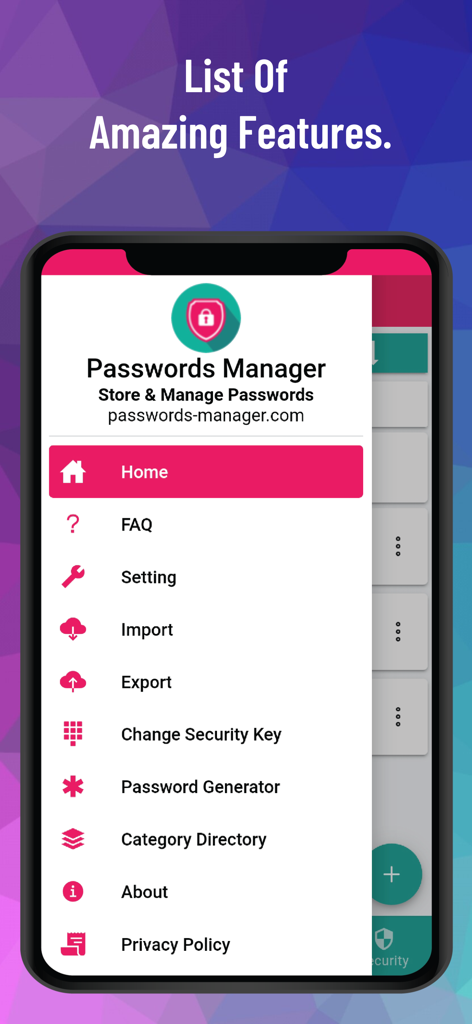
Schermata dello smartphone che mostra il menu di navigazione laterale dell'app PM Pro Password Manager con varie funzionalità di sicurezza.

Schermata dello smartphone che mostra il menu di navigazione laterale dell'app PM Pro Password Manager con varie funzionalità di sicurezza.

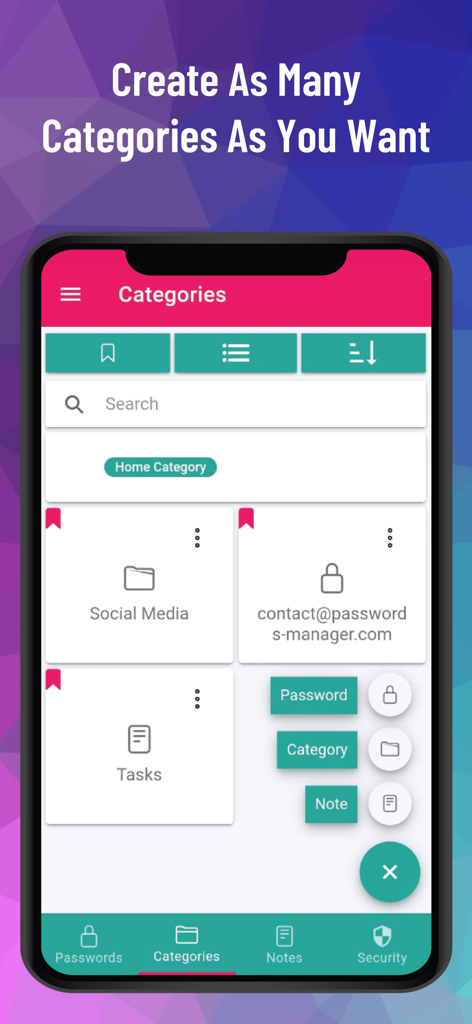
Schermata dell'app PM Pro che mostra l'organizzazione di categorie personalizzate per password e note

Schermata dell'app PM Pro che mostra l'organizzazione di categorie personalizzate per password e note

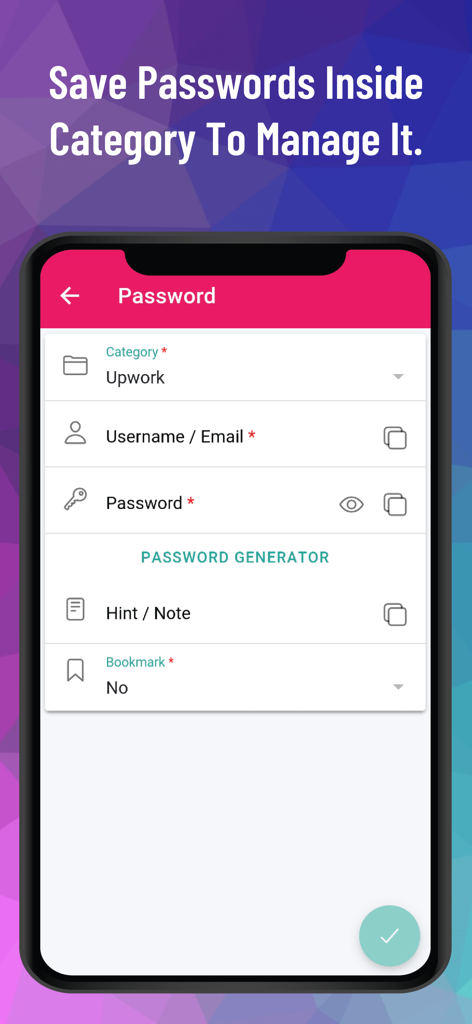
Interfaccia dell'app mobile per il salvataggio e la gestione delle password all'interno di categorie specifiche in PM Pro

Interfaccia dell'app mobile per il salvataggio e la gestione delle password all'interno di categorie specifiche in PM Pro

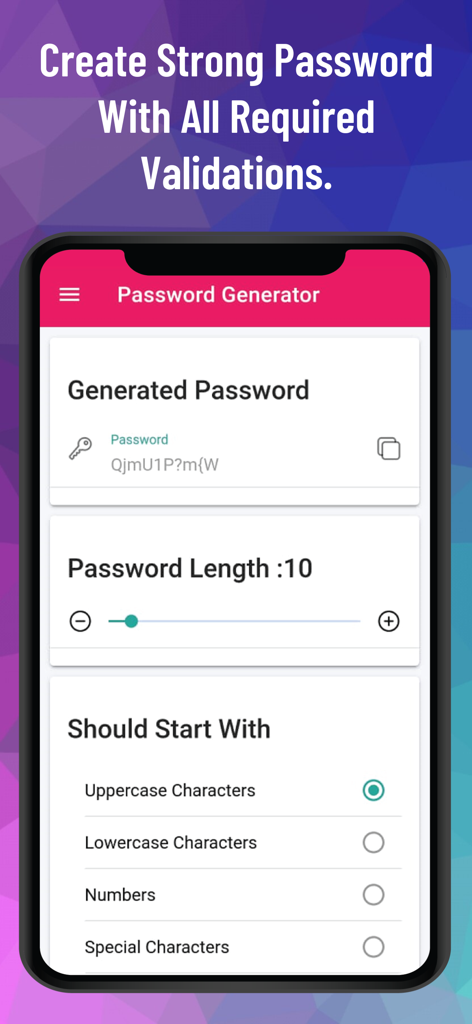
Screenshot della schermata del generatore di password nell'app PM Pro che mostra opzioni di lunghezza e caratteri personalizzati

Screenshot della schermata del generatore di password nell'app PM Pro che mostra opzioni di lunghezza e caratteri personalizzati

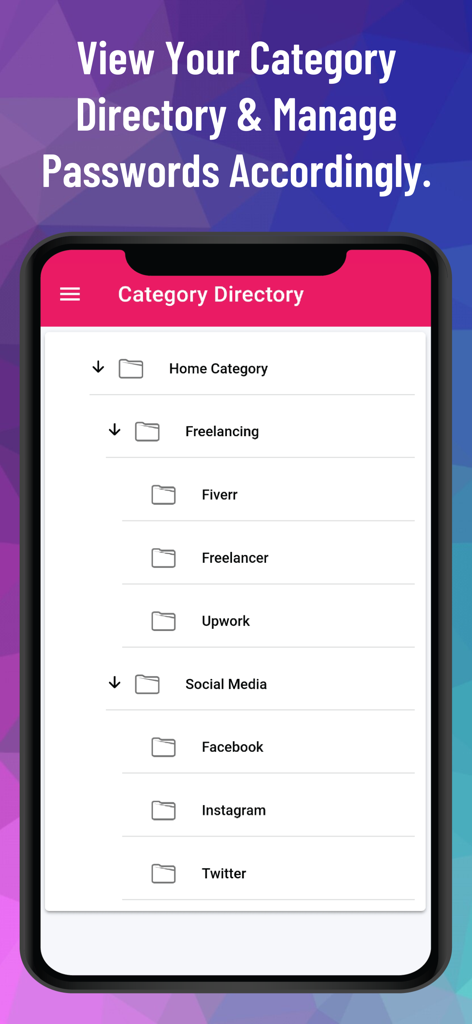
Un'interfaccia mobile che visualizza una directory di categorie gerarchica per organizzare le password in cartelle come Freelancing e Social Media.

Un'interfaccia mobile che visualizza una directory di categorie gerarchica per organizzare le password in cartelle come Freelancing e Social Media.

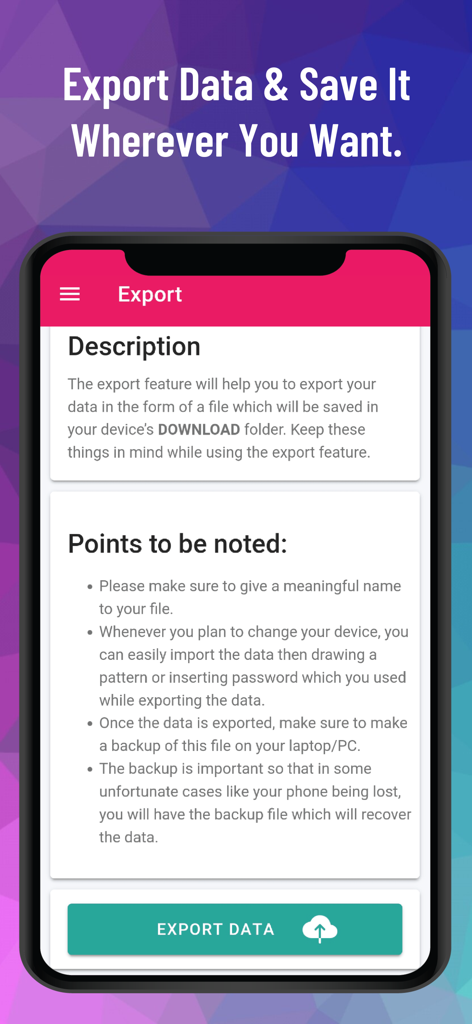
Interfaccia di esportazione dati dell'app gestore password offline PM Pro.

Interfaccia di esportazione dati dell'app gestore password offline PM Pro.

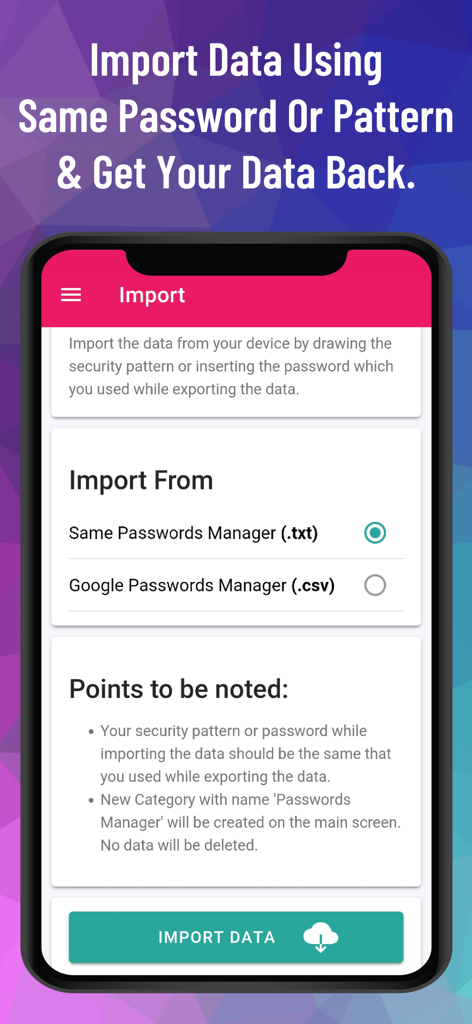
Interfaccia di PM Pro Password Manager che mostra le opzioni di importazione dati da file txt e csv

Interfaccia di PM Pro Password Manager che mostra le opzioni di importazione dati da file txt e csv

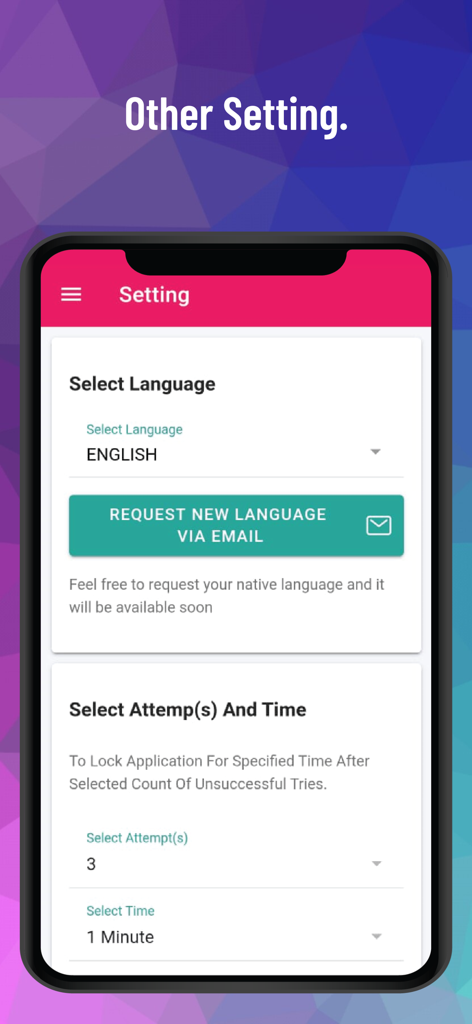
Schermata delle impostazioni di PM Pro che mostra la selezione della lingua e i controlli di blocco tentativi di accesso per una maggiore sicurezza.

Schermata delle impostazioni di PM Pro che mostra la selezione della lingua e i controlli di blocco tentativi di accesso per una maggiore sicurezza.

Controllo Totale sulla Tua Identità Digitale

Gli strumenti che rendono questa app unica, scelti da 800 utenti.

🔒

Architettura 100% Offline

I tuoi dati non toccano mai internet. Tutto viene archiviato localmente con crittografia AES-256 bit, garantendo protezione da perdite di dati dal cloud e hackeraggi remoti.

🎟️

Zero Affaticamento da Abbonamento

Possiedi i tuoi strumenti per sempre. Salta le quote mensili dei gestori tradizionali con un modello di pagamento unico che offre accesso illimitato a vita.

📂

Un Vault Digitale Completo

Vai oltre le password. Organizza immagini, note sicure e campi personalizzati in categorie multilivello per mantenere meticolosamente strutturata la tua intera vita digitale.

Info sull'app

Tutto quello che devi sapere su PM Pro: Password Manager.

Descrizione

Passwords-Manager-PRO is a 100% offline password management application that enables users to store, organize, and manage their passwords, notes and other sensitive information locally on their devices without relying on cloud-based services. Highly Secure Offline Passwords Manager Application: This application is 100% offline without even having the internet connection in this application. It stores data only on the user's device and encrypts it using AES-256 bit encryption, ensuring high security and privacy. Multiple Login Types: The application offers users the flexibility to choose from three different login types: Pattern, Passwords, and Biometric. Malicious Login Detection: The app locks itself temporarily for a specified period of time after multiple failed login attempts, protecting against unauthorized access and brute-force attacks. Category-wise Data Organization: The application offers a hierarchical organization system, allowing users to categorize their data using multi-level categories. This means that users can create nested categories to structure their information effectively. Within these categories, users can store passwords, notes, and other relevant data. Custom Fields: The application provides support for an unlimited number of custom fields. These custom fields include Plain Text Box, Passwords Box, Note Box, and even the ability to store Images. Password Generator: The application includes a Password Generator tool that assists users in creating highly secure passwords. Weak & Repeated Passwords Alert: To enhance password security and assist users in managing their passwords effectively, the application provides a dedicated feature that lists all repeated and weak passwords separately. Multiple View Types: The application incorporates a user interface (UI) and user experience (UX) feature that allows users to choose between two different views for displaying their data: tile view or list view. Multiple Color Themes: At present, this application provides support for two distinct color themes: "Dark" and "Light." Users have the option to choose between these two themes based on their preference and visual comfort. Multiple Language Support: At present, the application provides support for a wide range of languages, surpassing 14 language options. Export Data: Since the Passwords Manager application operates entirely offline, transferring data to a new device requires a manual export of their data from the current device and securely stores it somewhere before uninstalling the application. File Import Data: Passwords Manager allows users to effortlessly import their passwords from various file formats. Whether it's a Google CSV file, a Passwords Manager (.txt) file, or a Passwords Manager (.csv) file, the application provides the flexibility to import data from other sources. QR Code Import: Passwords can be effortlessly transferred between devices by simply scanning a QR code within the application. To initiate the transfer, users can scan the QR code displayed on the source device using the QR code scanning feature within the application. Sync Data In Device: Users have the option to import/export their data to/from the application and enable the SYNC feature, which automatically synchronizes any changes made to the data within the application to the stored file in the device. Bookmark: The application provides users with the ability to bookmark their most frequently accessed data, enabling quick and convenient access whenever needed.. Auto Logout Application: This functionality ensures that if the application is left unattended or unused for a specified period, it will automatically log out to protect sensitive information from unauthorized access. Unlimited Access: The application operates on a one-time payment model, providing users with lifetime access and usage without any additional monthly or annual charges.

Ultima versione

12.5

Dimensione

25.4 MB

Data di lancio

27 giu 2023

Proteggi il Tuo Vault con Accesso Offline a Vita

Metti fine all'affaticamento da abbonamento e ai rischi del cloud. Proteggi i tuoi dati sensibili con la crittografia AES-256 archiviata localmente sul tuo dispositivo: niente internet richiesto, niente tracciamento dei dati, niente costi ricorrenti.

Scarica su App Store

App information, icons, screenshots, and descriptions displayed on this page are sourced from the Apple App Store and are the property of their respective developers. Download estimates and rankings are based on MWM's proprietary models and may not reflect actual figures. This page is provided for informational and analytical purposes only.

Believe this page infringes your intellectual property? File a dispute