PortKnock
PortKnock
Scarica su App Store

Questa pagina non è una pagina ufficiale dell'app o del suo sviluppatore, ma una pubblicazione editoriale indipendente creata a scopo informativo e di commento. Salvo espressa indicazione contraria, né l'app né il suo sviluppatore sono affiliati, approvati, sponsorizzati, autorizzati o altrimenti ufficialmente collegati a MWM, Apple, Google Play, all'editore dell'app o allo sviluppatore dell'app, e nulla in questa pagina implica che l'app sia stata sviluppata utilizzando i servizi di MWM. Tutti i marchi, loghi, screenshot e altri contenuti rimangono di proprietà dei rispettivi proprietari.


Logo di PortKnock
Scarica su App Store

PortKnock

Proteggi la tua infrastruttura mantenendo le porte sensibili invisibili all'internet pubblico. Invia sequenze TCP/UDP personalizzate con protezione password e automatizza il tuo flusso di lavoro con l'avvio integrato delle app.

Numeri Chiave

Download

33K+

Valutazione

4.5/5

Valutazioni totali

0

Editore

Danny Sung

Categoria

Utilities

Lingue

1

Ultima versione

4.18

Dimensione

11.2 MB

Data di lancio

11 mar 2010
Funzioni

Accesso Stealth e Controllo di Precisione

L'utility definitiva senza pubblicità per gli amministratori di rete per proteggere l'infrastruttura remota utilizzando protocolli avanzati di port knocking.

Protezione Server Stealth

Elimina i rischi di brute-force mantenendo le porte dei servizi completamente chiuse al pubblico finché non autorizzi l'accesso con una sequenza segreta.

Automazione Istantanea del Flusso di Lavoro

Colma il divario tra sicurezza e velocità con un Auto App Launcher che attiva il tuo client SSH nel momento in cui il cancello è aperto.

Gli screenshot e la descrizione seguenti provengono direttamente dall'elenco ufficiale dello store dell'app e sono di proprietà dello sviluppatore.

App Store

Screenshot
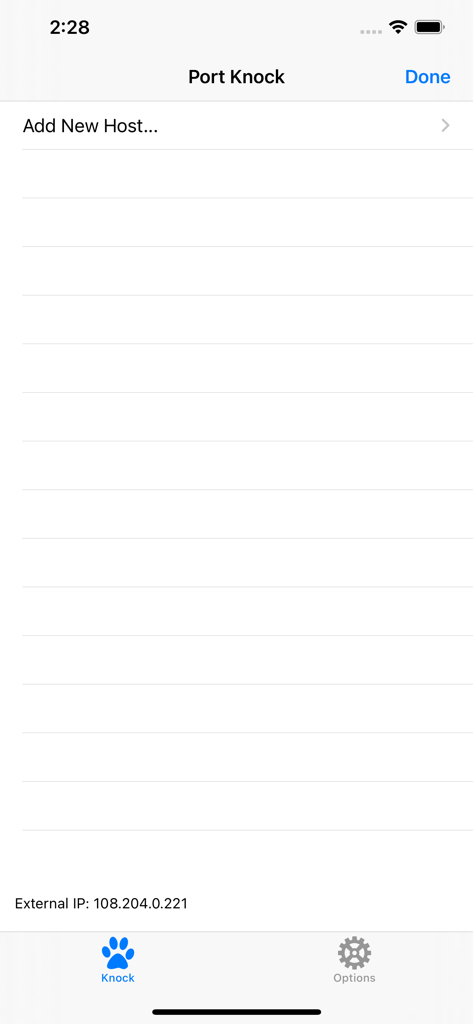
PortKnock - Schermata principale dell'app PortKnock che mostra l'opzione per aggiungere un nuovo host e l'indirizzo IP esterno.
Schermata principale dell'app PortKnock che mostra l'opzione per aggiungere un nuovo host e l'indirizzo IP esterno.

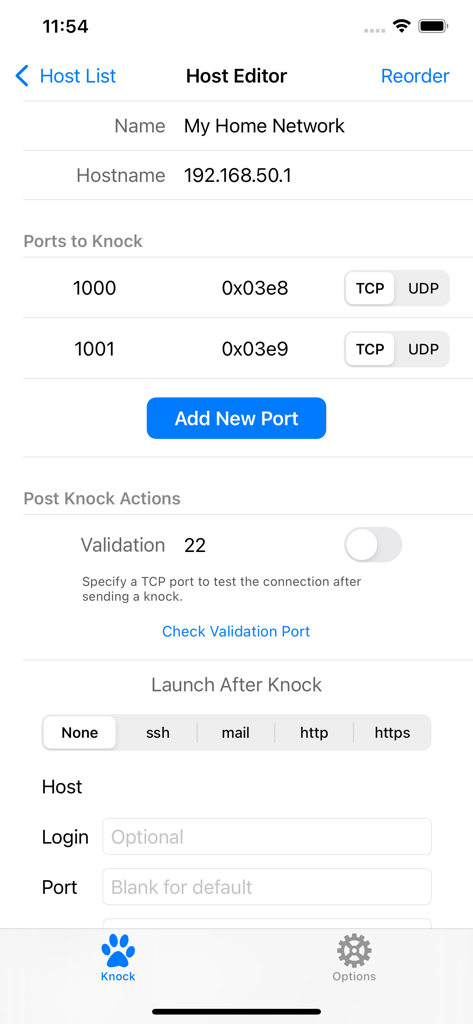
PortKnock - Schermata di modifica host nell'app PortKnock che mostra la configurazione di rete e le impostazioni di port knocking.
Schermata di modifica host nell'app PortKnock che mostra la configurazione di rete e le impostazioni di port knocking.

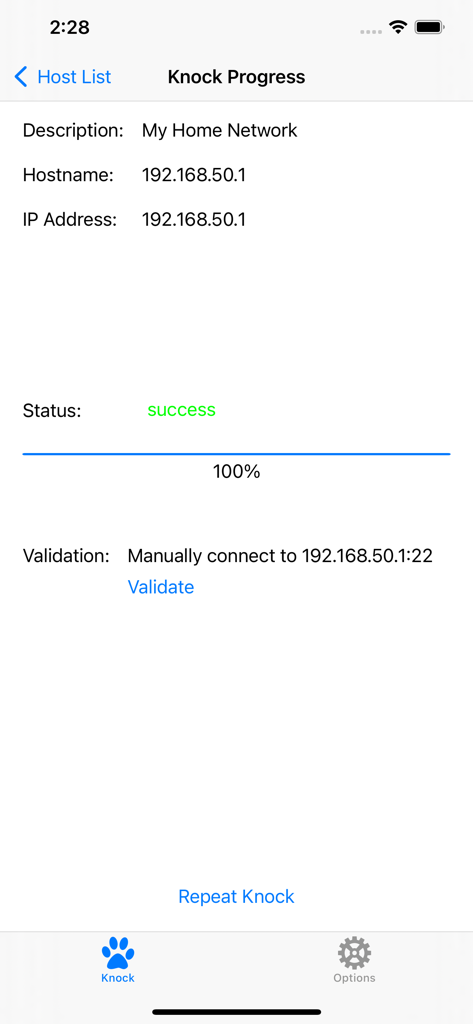
PortKnock - Schermata dell'app PortKnock che mostra il completamento della sequenza di port knock riuscita per un host di rete.
Schermata dell'app PortKnock che mostra il completamento della sequenza di port knock riuscita per un host di rete.

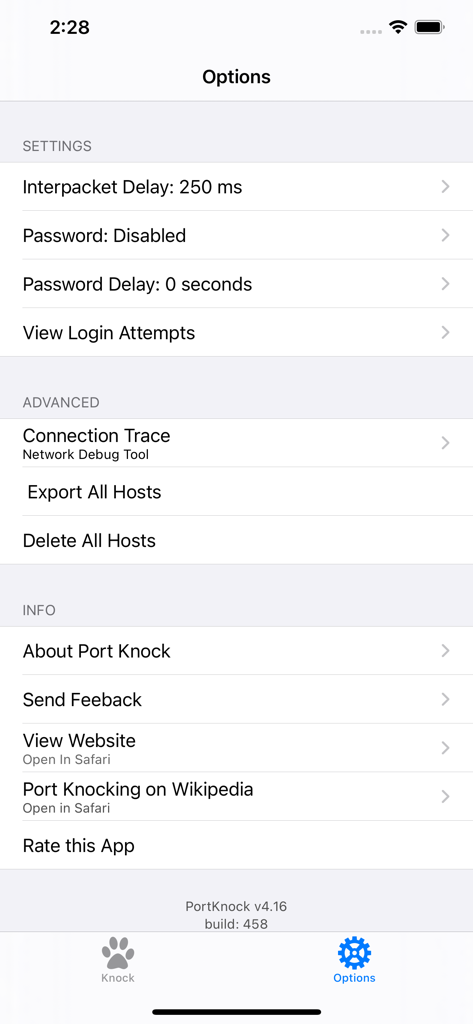
PortKnock - La schermata delle impostazioni e delle opzioni dell'app PortKnock che mostra la configurazione per i pacchetti di rete e la sicurezza.

La schermata delle impostazioni e delle opzioni dell'app PortKnock che mostra la configurazione per i pacchetti di rete e la sicurezza.

Descrizione

-- Overview -- This application is a simple port knocker for the iPhone, generally useful only to network administrators. You *must* have a port knock daemon running on your server for this application to be useful. Features in this version of Port Knock: - Password Protection - Knock Validation - Import/Export Hosts - Auto App Launcher(+) - Knock Progress Screen - Shows your External IP Address - Arbitrary number of ports per host - An unlimited number of host definitions - TCP/UDP configuration per port - Selectively sending knocks through WiFi or Carrier/3G networks - Configurable interpacket delay - Has no advertising -- Use Cases -- This app is ideal if you're on a WiFi network but don't have a port knocker on the available computers. If you're sitting behind a NAT, the iPhone/iPod Touch will have the same IP as any of the other computers on your network. This is also great to use with TouchTerm or any other ssh or telnet software for the iPhone.Just give it the hostname and a list of ports, and whether you want it to send TCP or UDP packets. -- Brief Description of Port Knocking for the Layman -- Port Knocking is a technique to secure services behind a firewall until a specific knock sequence is given. This is not to be confused with port scanning (a network management tool for discovering open services on a system). Imagine you left your kids at home alone. You don't want them to open the door for strangers. And when a stranger comes knocking, you don't even want them to come to the door, because you don't want them to know your kids are there. But, when you or other family members come, you might want them to open the door for you. So you teach them to listen for a certain rattat-tat-tat or special knock that only you and your family know. This is the same concept you can apply to your servers. If you run a knock daemon on your server, this app then lets you send the special knock to it. A more technical description of port knocking can be found on Wikipedia: http://en.wikipedia.org/wiki/Port_knocking -- Additional Info -- If you're in need of a knock server, I personally use Judd Vinet's knock daemon for linux. It's quite easy to use: http://www.zeroflux.org/projects/knock You can find of information and a nice list of other knock clients and servers over at http://www.portknocking.org/ -- Notes -- + There are some restrictions regarding the Auto App Launcher. For SSH, you can only create temporary connections. For Mail, you will always be shown a new compose mail window first. Unfortunately, this is due to the way App integration works on iOS. There's not much I can do to address these issues at this time. -- Support -- For better support, please send bug reports and feature requests to danny@sungheroes.com, rather than simply posting it in a review. You can find more info on using PortKnock at the main website: http://www.sungheroes.com/products/portknock-iphone/ -- History -- 2022-02-28 PortKnock 4.18 released. LaunchApp automatically works again. Fixed some import bugs. 2018-01-xx PortKnock 4.12 supports IPv6 2017-09-xx PortKnock 4.0 released for iOS 10.3 2013-02-15 PortKnock 3.2 should work again on iOS5 2011-Jul-10 PortKnock 3.0.833 released. Added password protection, knock validation, import/export hosts, auto app launcher, and knock progress screen. 2010-Dec-14 PortKnock 2.02 released. Added a 'copy hosts' feature. Host/Port reordering should now work correctly. Entry fields should now work properly on iOS 4.2.1. 2010-Sep-25 PortKnock 2.01 is now available in the app store. iPhone 4's should no longer have an issue. If you are experiencing problems, please email me. 2010-Sep-09 The iPhone4 issue should be resolved. A bug fix release has been submitted. Thank you all for your patience!

Download

Scarica su App Store

Questa pagina non è una pagina ufficiale dell'app o del suo sviluppatore, ma una pubblicazione editoriale indipendente creata a scopo informativo e di commento. Salvo espressa indicazione contraria, né l'app né il suo sviluppatore sono affiliati, approvati, sponsorizzati, autorizzati o altrimenti ufficialmente collegati a MWM, Apple, Google Play, all'editore dell'app o allo sviluppatore dell'app, e nulla in questa pagina implica che l'app sia stata sviluppata utilizzando i servizi di MWM. Tutti i marchi, loghi, screenshot e altri contenuti rimangono di proprietà dei rispettivi proprietari.








