Proxygen

Proxygen

Scarica su App Store
Logo di Proxygen

Proxygen: Debugging HTTP Professionale per iOS e Mac

Ottimizza il tuo testing delle API con prestazioni di livello server. Intercetta, modifica e analizza il traffico di rete senza sforzo, senza complessi setup di proxy Wi-Fi o certificati manuali.

Editore

Pasi Salenius

Categoria

Developer Tools

Download

44K+

Valutazione

4.4/5

Valutazioni totali

0

Lingue

1

Ispeziona con Precisione

Scopri l'interfaccia usata da 44K+ utenti.
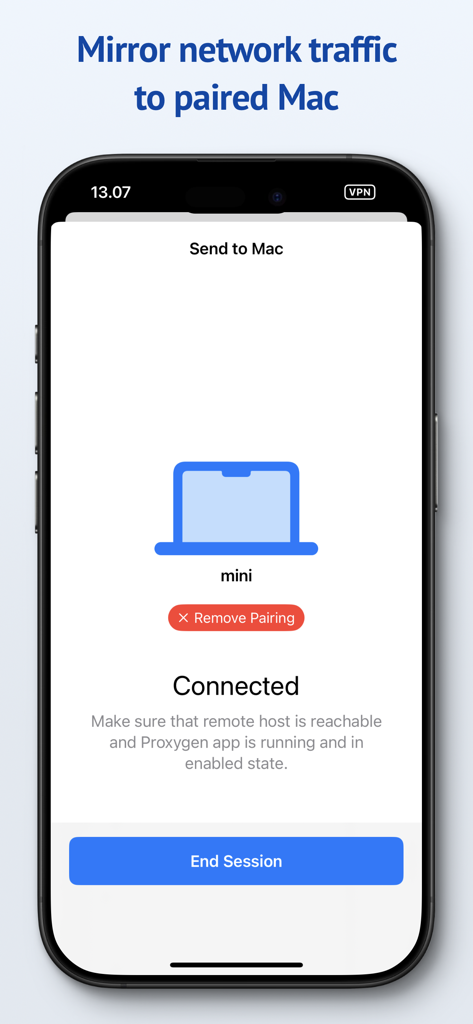
Interfaccia dell'app Proxygen su iPhone che mostra una sessione connessa per il mirroring del traffico di rete su un Mac associato per il debugging.

Interfaccia dell'app Proxygen su iPhone che mostra una sessione connessa per il mirroring del traffico di rete su un Mac associato per il debugging.

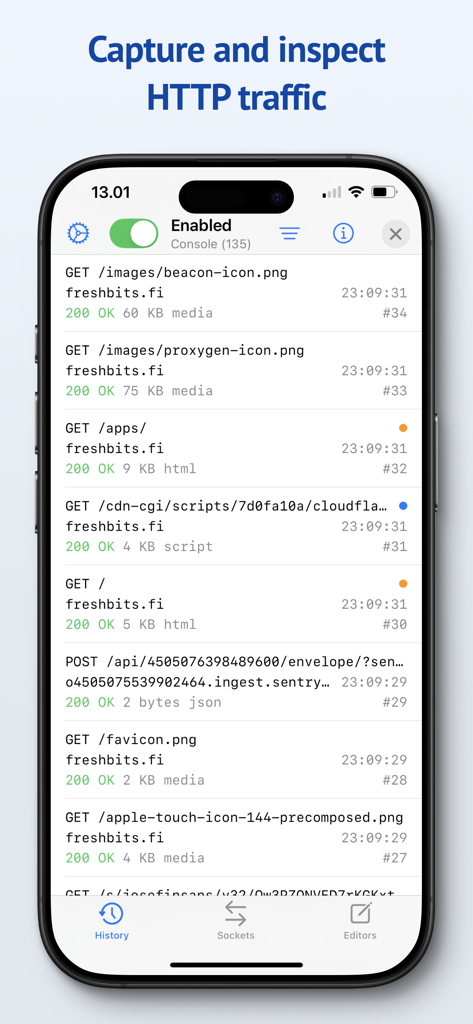
L'interfaccia dell'app Proxygen su un iPhone che mostra un elenco di richieste di rete HTTP catturate e traffico API

L'interfaccia dell'app Proxygen su un iPhone che mostra un elenco di richieste di rete HTTP catturate e traffico API

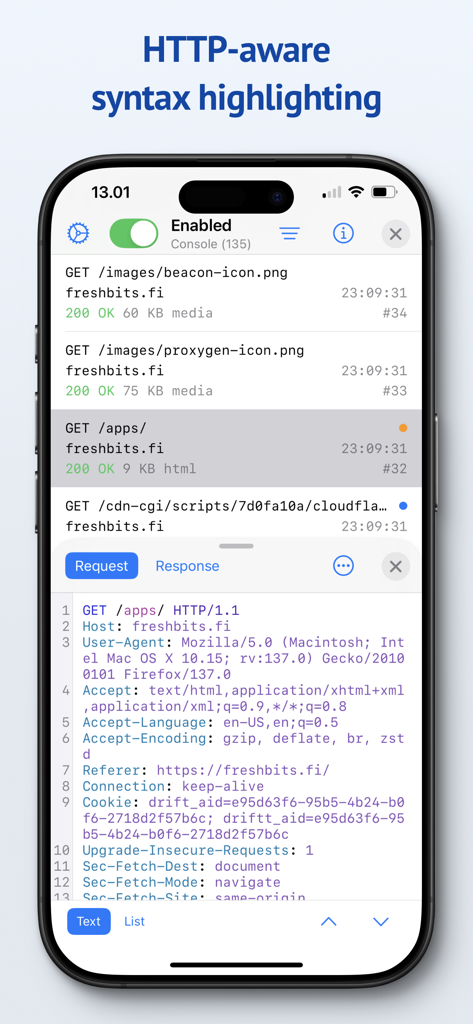
Interfaccia dell'app Proxygen che mostra gli header delle richieste HTTP con evidenziazione della sintassi su un iPhone

Interfaccia dell'app Proxygen che mostra gli header delle richieste HTTP con evidenziazione della sintassi su un iPhone

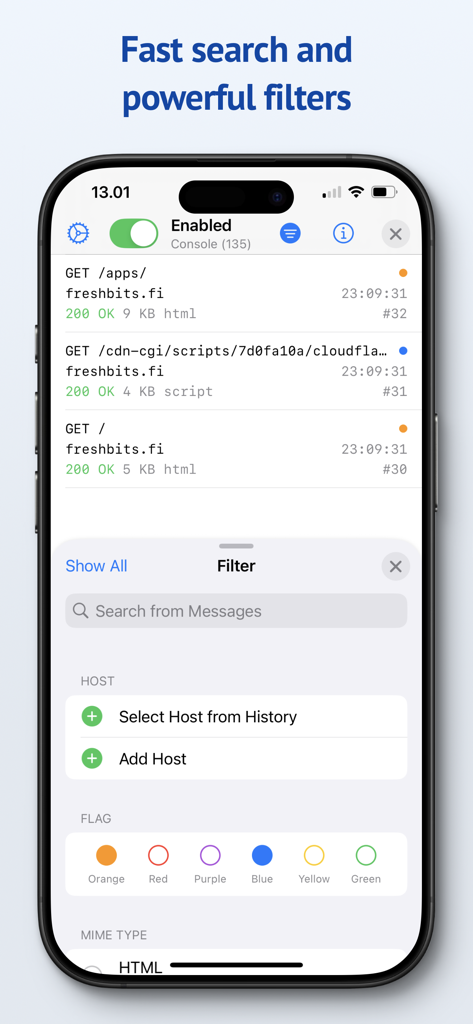
Screenshot dell'app Proxygen che mostra le opzioni di ricerca e filtro per i messaggi di traffico di rete

Screenshot dell'app Proxygen che mostra le opzioni di ricerca e filtro per i messaggi di traffico di rete

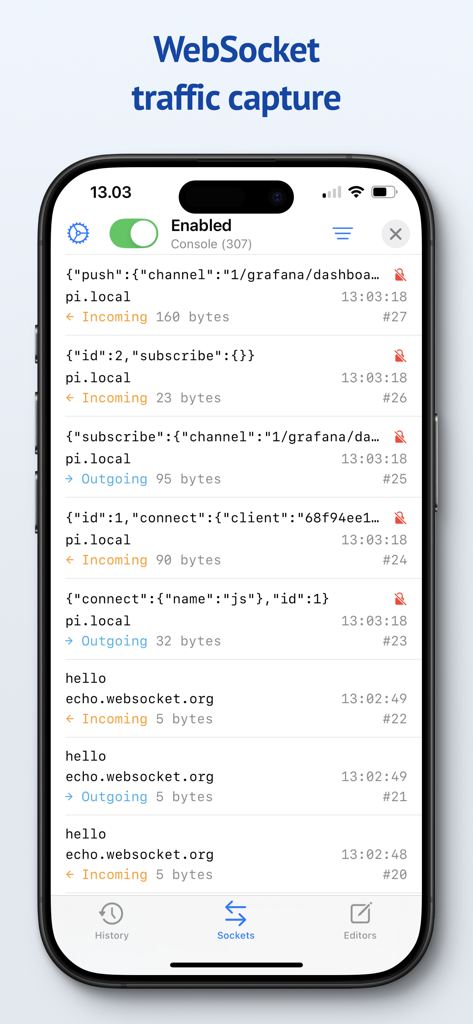
Interfaccia dell'app mobile Proxygen che mostra un elenco di messaggi WebSocket in entrata e in uscita catturati con dati JSON e dimensioni in byte.

Interfaccia dell'app mobile Proxygen che mostra un elenco di messaggi WebSocket in entrata e in uscita catturati con dati JSON e dimensioni in byte.

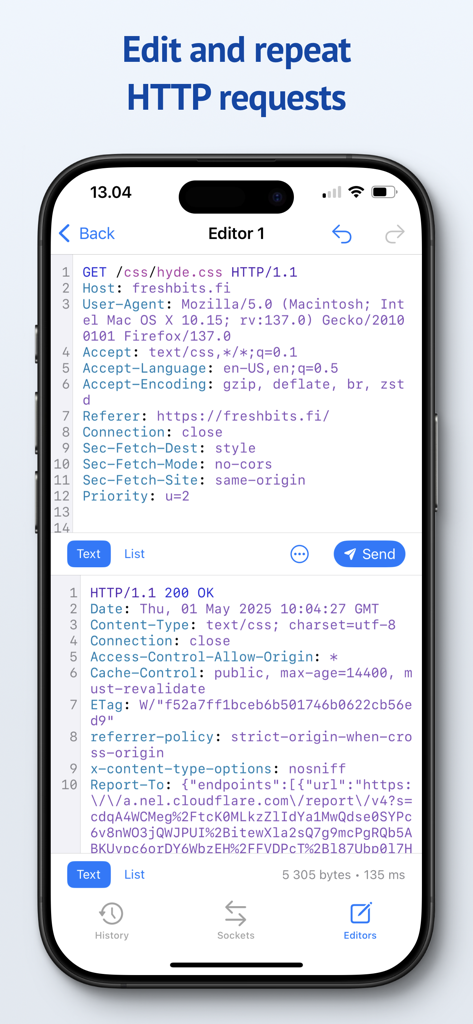
Interfaccia dell'app mobile Proxygen che mostra l'editor per modificare e ripetere richieste HTTP con evidenziazione della sintassi

Interfaccia dell'app mobile Proxygen che mostra l'editor per modificare e ripetere richieste HTTP con evidenziazione della sintassi

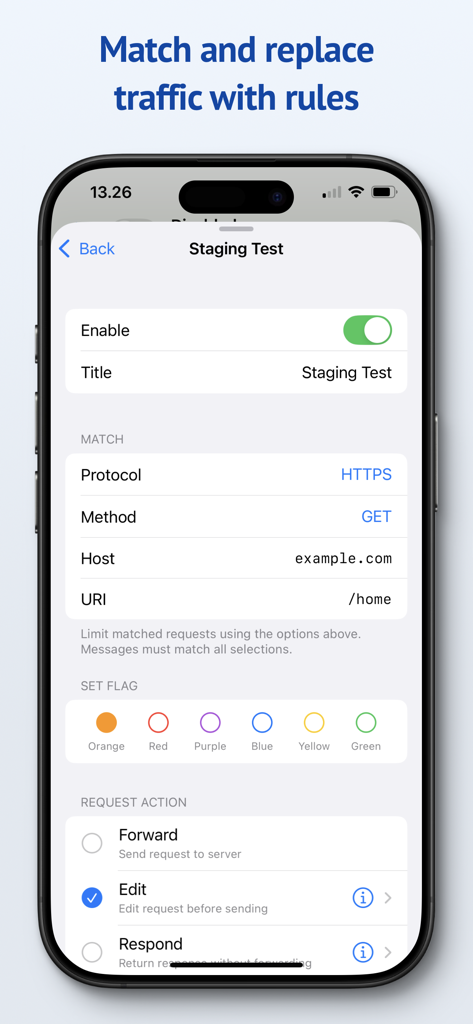
Interfaccia mobile di Proxygen per la configurazione delle regole di match and replace del traffico HTTP

Interfaccia mobile di Proxygen per la configurazione delle regole di match and replace del traffico HTTP

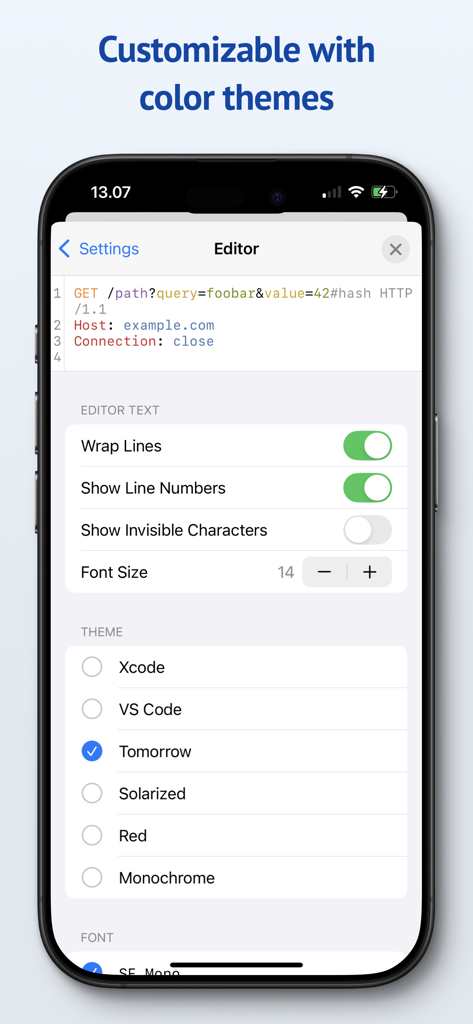
Schermata delle impostazioni dell'app Proxygen che mostra le opzioni di personalizzazione dell'editor e i temi colore disponibili come Xcode e VS Code

Schermata delle impostazioni dell'app Proxygen che mostra le opzioni di personalizzazione dell'editor e i temi colore disponibili come Xcode e VS Code

Debugga Più Velocemente con Strumenti di Livello Professionale

Gli strumenti che rendono questa app unica, scelti da 44K+ utenti.

💻

Mirroring del Traffico Senza Interruzioni

Smetti di perdere tempo con complesse impostazioni di proxy Wi-Fi. Effettua il mirroring del traffico iOS sul tuo Mac istantaneamente tramite la rete locale, senza alcun attrito di configurazione.

🚀

Prestazioni di Livello Server

Alimentato da SwiftNIO per un networking asincrono velocissimo. Ispeziona il traffico HTTPS in tempo reale senza notare alcun calo nella velocità della tua connessione.

🛠️

Match & Replace Dinamico

Prendi il pieno controllo delle risposte delle tue API. Crea regole per modificare header o dati del corpo al volo per simulare casi limite e automatizzare scenari di testing.

Info sull'app

Tutto quello che devi sapere su Proxygen.

Descrizione

Proxygen is a professional HTTP proxy tool for testing apps and debugging remote API endpoints right on your iPhone, iPad and Mac. And it’s built to delight you while doing it. Features • Send iOS device traffic to remote Mac • Message history with powerful filtering • WebSocket message capture • Syntax highlighting HTTP message editor • Match and replace headers and body data • Store all data in documents SEND TO MAC Easily capture HTTP messages from an iPhone or iPad on your Mac. Traffic is mirrored to the paired Mac over local network even when the iOS app is not active. The Mac app can intercept and edit data of requests and responses before they are forwarded. No more futzing around with Wi-Fi proxy settings and trusted certificates. SYNTAX AWARE EDITOR Edit requests from the message history or create new to any target. All previously sent requests are kept in the project file so you can return to your work later. The editor uses Tree-sitter for fast language parsing and syntax highlighting. It handles decoding of HTTP content automatically, letting you focus on testing the remote API. MATCH AND REPLACE Proxygen can modify requests and responses, on the fly, according to your custom rules. Multiple rules can be combined to create powerful automations that drop traffic to certain destinations, add or remove HTTP headers and respond locally with custom data, bypassing the remote server. SERVER GRADE PERFORMANCE The magic lies in a little custom HTTP proxy that the iOS app runs in a local VPN extension. This proxy was developed using SwiftNIO, a framework for bizarrely fast asynchronous network applications. The proxy can perform TLS Manipulator in the Middle (MitM) to see inside HTTPS connections and apply custom logic to each message. To put it bluntly, you’ve probably never seen a HTTP proxy this fast before. And you likely won’t notice that your web browsing is even proxied at all. PRIVACY Proxygen contains no third party frameworks for crash reporting or analytics. Note that Proxygen is a TLS MitM proxy, which means that it sees HTTPS network traffic in plain text. This data is transferred from the proxy to the Proxygen app and stored as part of the project document. Make sure you handle the documents accordingly, as they may contain sensitive data such as session tokens and login credentials. Privacy policy https://proxygen.app/docs/privacy Terms of Use https://proxygen.app/docs/terms Device Mockup created from https://deviceframes.com/templates/iphone-13

Ultima versione

4.2.0

Dimensione

26.7 MB

Data di lancio

19 mar 2022

Pronto a Debuggare Senza Ostacoli?

Unisciti a migliaia di sviluppatori professionisti e ottimizza il tuo testing delle API. Sperimenta prestazioni di livello server e un flusso di lavoro orientato alla privacy sul tuo iPhone, iPad e Mac.

Scarica su App Store

App information, icons, screenshots, and descriptions displayed on this page are sourced from the Apple App Store and are the property of their respective developers. Download estimates and rankings are based on MWM's proprietary models and may not reflect actual figures. This page is provided for informational and analytical purposes only.

Believe this page infringes your intellectual property? File a dispute