PUB Converter

PUB Converter

Scarica su App Store
Logo di PUB Converter

PUB Converter: Conversione senza sforzo da Publisher a PDF e Word

Il modo più affidabile per aprire documenti .pub sul tuo iPhone e iPad. Converti batch di file in modo nativo conservando layout, font e grafica per un flusso di lavoro mobile senza interruzioni.

Scarica su App Store

Editore

RootRise Technologies Private Limited

Categoria

Productivity

Download

1K+

Valutazione

1.0/5

Valutazioni totali

0

Lingue

1

Precisione in ogni pixel

Scopri l'interfaccia usata da 1K+ utenti.
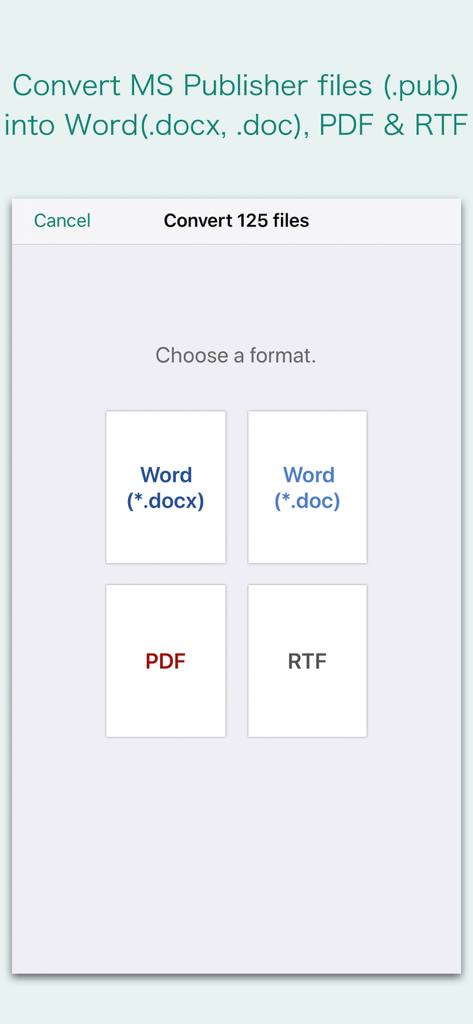
Interfaccia che mostra le opzioni di formato per convertire file Microsoft Publisher in formati Word, PDF o RTF

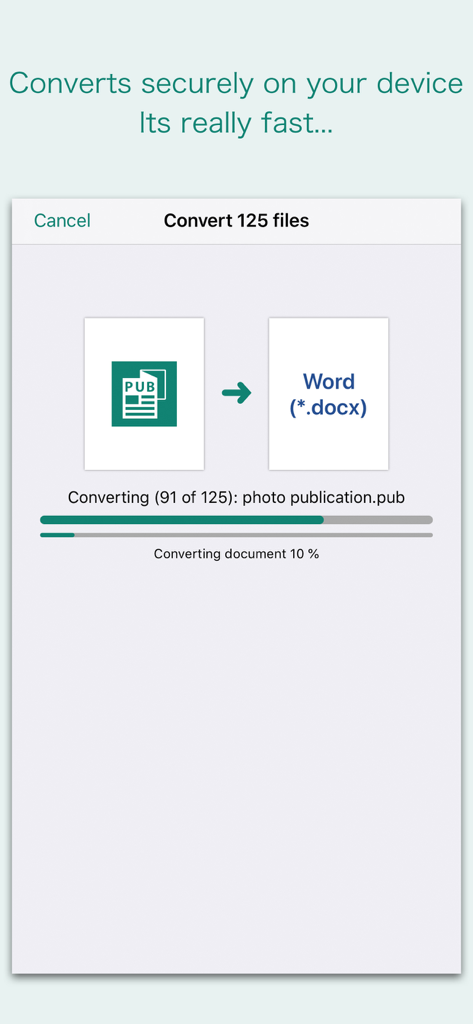
Interfaccia che mostra le opzioni di formato per convertire file Microsoft Publisher in formati Word, PDF o RTF

Interfaccia dell'app PUB Converter che mostra un processo di conversione batch da Microsoft Publisher a documenti Word

Interfaccia dell'app PUB Converter che mostra un processo di conversione batch da Microsoft Publisher a documenti Word

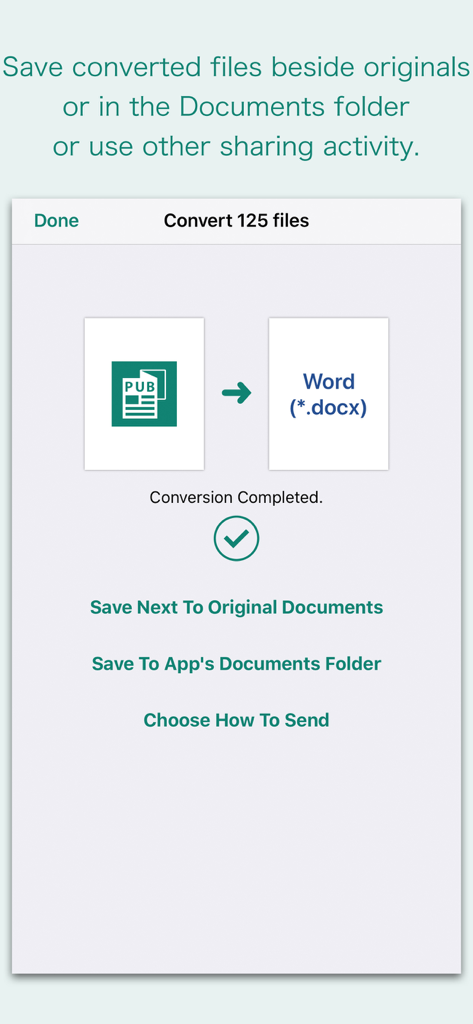
Interfaccia dell'app che mostra la conversione PUB in Word completata con opzioni per salvare o condividere i file

Interfaccia dell'app che mostra la conversione PUB in Word completata con opzioni per salvare o condividere i file

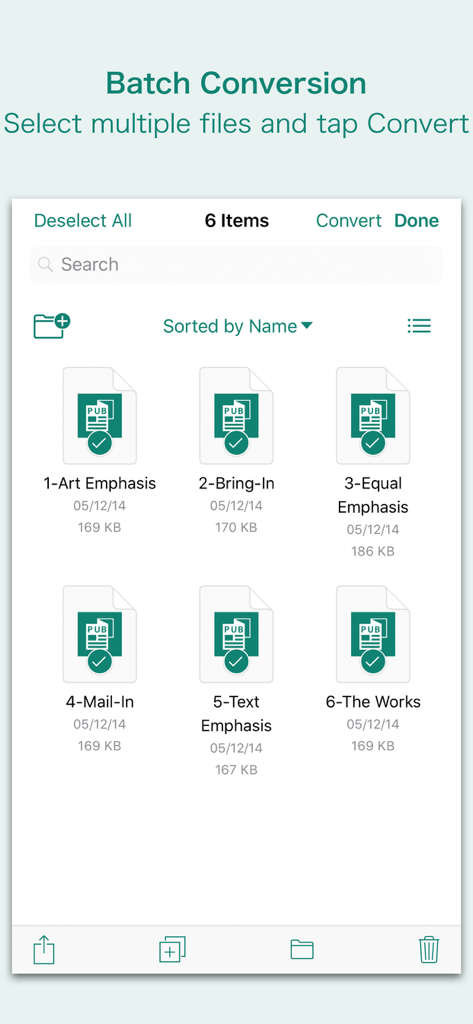
Interfaccia che mostra più file Microsoft Publisher selezionati per la conversione batch nell'app PUB Converter.

Interfaccia che mostra più file Microsoft Publisher selezionati per la conversione batch nell'app PUB Converter.

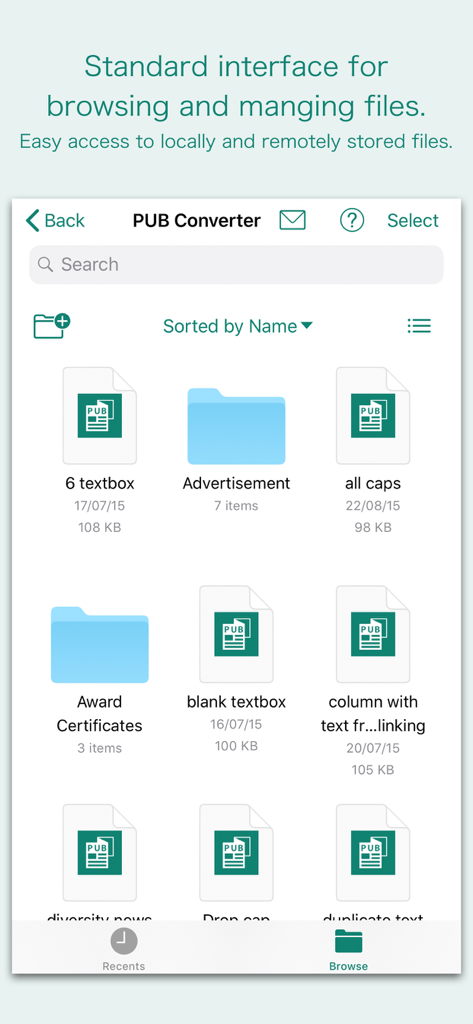
Interfaccia dell'app PUB Converter per sfogliare e gestire file Microsoft Publisher

Interfaccia dell'app PUB Converter per sfogliare e gestire file Microsoft Publisher

Libera la tua produttività in movimento

Gli strumenti che rendono questa app unica, scelti da 1K+ utenti.

📐

Conserva ogni dettaglio del design

Non sprecare ore a riformattare volantini o newsletter. Il nostro motore mantiene frame di testo, tabelle e grafica esattamente come apparivano nel file Publisher originale.

Conversione batch senza sforzo

Il tempo è la tua risorsa più preziosa. Seleziona dozzine di file dalla tua email o da iCloud e convertili tutti in una volta per mantenere il tuo piccolo business o la tua organizzazione no-profit in funzione senza intoppi.

🔒

Elaborazione nativa e sicura

I tuoi dati aziendali sensibili rimangono privati. Le conversioni avvengono nativamente sul tuo iPhone o iPad, il che significa che i tuoi documenti non vengono mai caricati su un server esterno o sul cloud.

Info sull'app

Tutto quello che devi sapere su PUB Converter.

Descrizione

“PUB Converter” offers to batch convert Microsoft Publisher documents (.pub) into Microsoft Word documents (.docx and .doc), PDF and RTF. Converts every Publisher page into an equivalent page in the target conversion format document. Converts the text, text characteristics, paragraphs, text frames linking, text frame columns, tables, graphics and other Publisher objects and properties to the matching Microsoft Word format objects and properties by preserving layout. Do you receive Microsoft Publisher documents (.pub) as email attachments on you iPhone and iPad? Are you having plenty of Microsoft Publisher files that no decent viewer available to open on your iPhone and iPad? The easiest way to circumvent these problems is to convert all such files to either Microsoft Word (.doc, .docx) format, PDF or RTF files using "PUB Converter". “PUB Converter” eliminates the need of recreating the contents of an Publisher file in Microsoft Word resulting in efficient workflow automation that can save time by avoiding cumbersome task. “PUB Converter” supports batch conversion. Select multiple PUB files in document browser view and tap Convert button at top to start batch conversion. DESTINATION PATH : Convenient options to store converted documents at your easily accessible location. Choose from following Save Next to Original Documents - Tap this button to save a converted file into the same location and directory as an existing original document. The converted document with unique name with target format extension will be saved beside original document. Save to App’s Documents Folder - Tap this button to save a converted file with unique name with target format extension into “PUB Converter” Documents folder. Choose How to Send - Tap on this button to popup standard iOS activity controller. Tap one of the option in activity controller for sending, saving or posting a converted document. Choose a location, or provide the requested information (for example, an email address if you are sending an email) then send or post a copy of converted document. DOCUMENT MANAGEMENT - The inbuilt document browse view automatically gives you the option to share documents using the Share button or a drag-and-drop action. It also provides a standard interface for browsing and managing documents. - Automatically handles access to iCloud for you within the app. It also provides access to documents managed by third-party storage service extensions installed on your device. - Browse, find and sort documents to help you locate the document you want. Tap the PUB file that you want to open. - You can move, delete, duplicate and rename a document with document manager in browser view. - In the document manager, you can group related documents into folders so they’re easy to find. Note: “PUB Converter” is standalone application running natively to open and convert Microsoft Publisher documents (.pub) securely right on your iOS device. You can refer inbuilt User Manual for any assistance Or Contact Support.

Ultima versione

3.0

Dimensione

163.2 MB

Data di lancio

3 apr 2018

Smetti di ricreare, inizia a convertire

Non aspettare di essere tornato alla tua scrivania. Trasforma i tuoi file Publisher in PDF o documenti Word professionali istantaneamente sul tuo iPhone o iPad e mantieni intatto il tuo layout perfetto.

Scarica su App Store

App information, icons, screenshots, and descriptions displayed on this page are sourced from the Apple App Store and are the property of their respective developers. Download estimates and rankings are based on MWM's proprietary models and may not reflect actual figures. This page is provided for informational and analytical purposes only.

Believe this page infringes your intellectual property? File a dispute