RemotePC Remote Desktop

RemotePC Remote Desktop


Scarica su App Store
Logo di RemotePC Remote Desktop

RemotePC Remote Desktop: prestazioni da desktop in tasca

Accedi al tuo PC o Mac con streaming 4K ultraveloce a 60 FPS. Dai trasferimenti di file alla stampa remota, rimani produttivo ovunque con lo strumento di accesso remoto più potente per professionisti.

Scarica su App Store

Editore

IDrive Incorporated

Categoria

Productivity

Download

148K+

Valutazione

4.6/5

Valutazioni totali

3K+

Lingue

30

Il tuo spazio di lavoro, illimitato

Scopri l'interfaccia usata da 148K+ utenti.
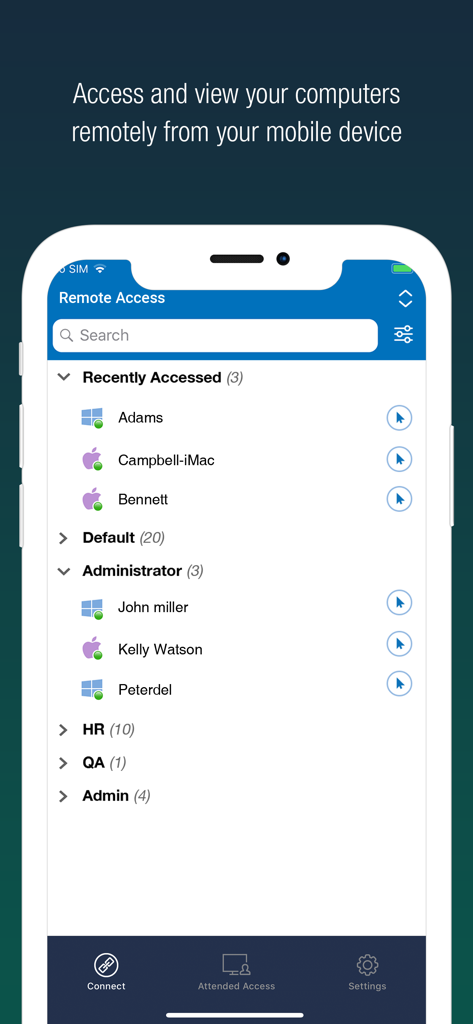
App mobile RemotePC che mostra un elenco di computer remoti categorizzati per gruppi per un accesso rapido

App mobile RemotePC che mostra un elenco di computer remoti categorizzati per gruppi per un accesso rapido

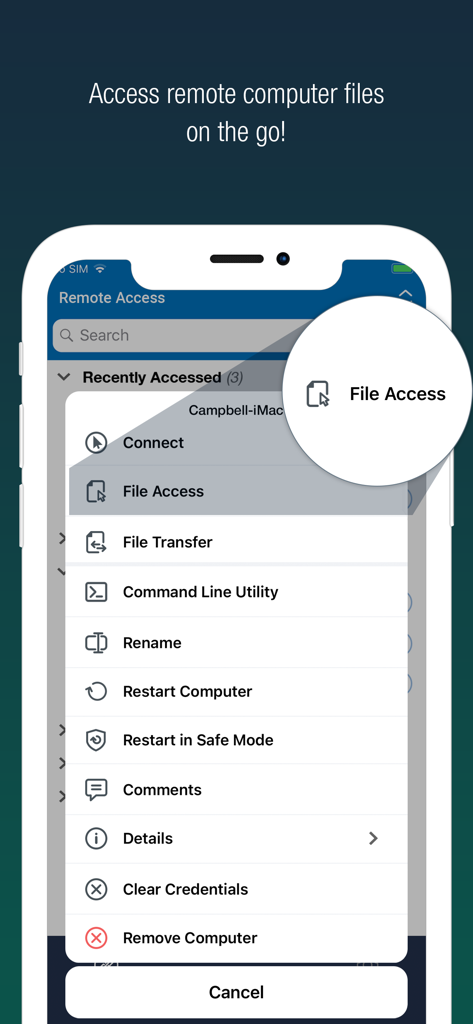
Interfaccia dell'app mobile RemotePC che mostra un elenco di strumenti di gestione remota con l'opzione di accesso ai file evidenziata

Interfaccia dell'app mobile RemotePC che mostra un elenco di strumenti di gestione remota con l'opzione di accesso ai file evidenziata

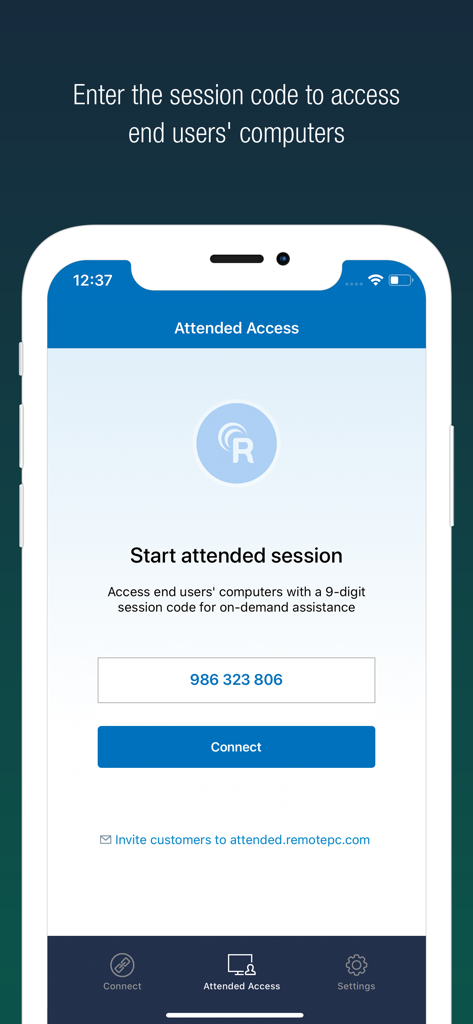
Interfaccia dell'app mobile RemotePC che mostra la schermata Attended Access per inserire un codice di sessione a 9 cifre per l'assistenza remota.

Interfaccia dell'app mobile RemotePC che mostra la schermata Attended Access per inserire un codice di sessione a 9 cifre per l'assistenza remota.

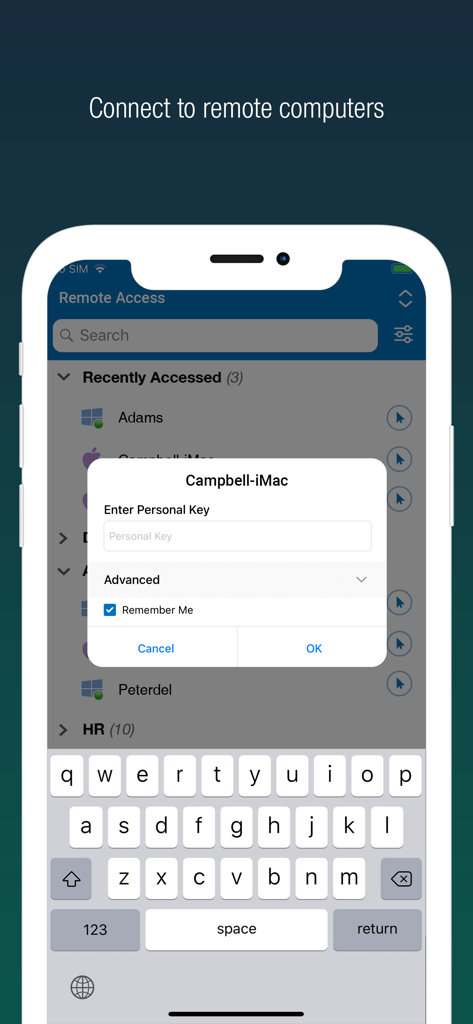
Interfaccia di accesso sicuro per RemotePC Remote Desktop su uno smartphone che mostra un elenco di computer remoti e un prompt per la chiave personale.

Interfaccia di accesso sicuro per RemotePC Remote Desktop su uno smartphone che mostra un elenco di computer remoti e un prompt per la chiave personale.

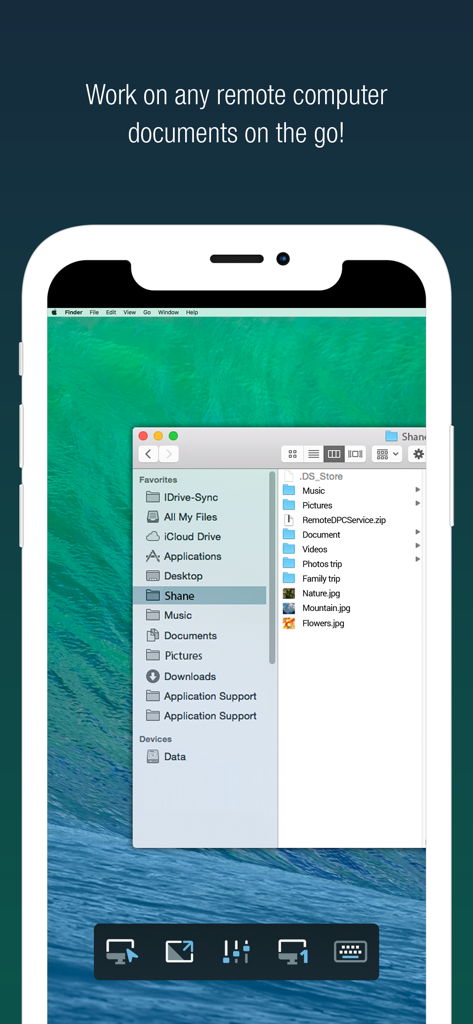
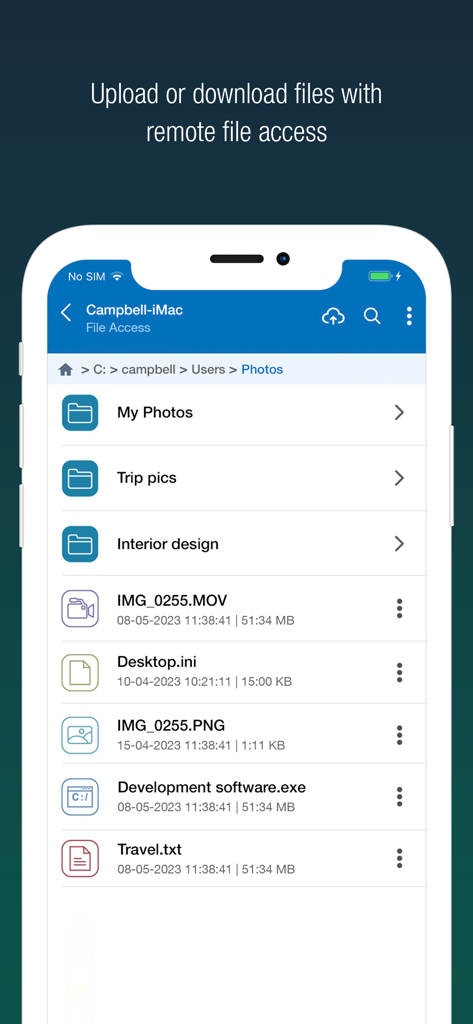
App RemotePC su iPhone che mostra un desktop Mac remoto con cartelle di file aperte

App RemotePC su iPhone che mostra un desktop Mac remoto con cartelle di file aperte

Interfaccia dell'app mobile RemotePC che mostra le opzioni di accesso e gestione dei file remoti

Interfaccia dell'app mobile RemotePC che mostra le opzioni di accesso e gestione dei file remoti

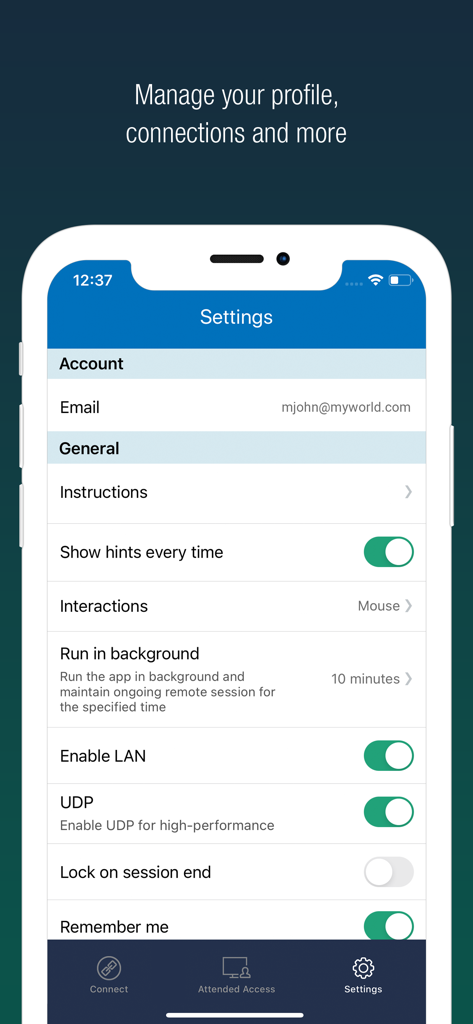
Interfaccia delle impostazioni dell'app RemotePC su iPhone che mostra le opzioni di prestazioni e profilo.

Interfaccia delle impostazioni dell'app RemotePC su iPhone che mostra le opzioni di prestazioni e profilo.

Prestazioni da desktop, libertà mobile

Gli strumenti che rendono questa app unica, scelti da 148K+ utenti.

Prestazioni 4K di livello professionale

Lavora senza lag grazie allo streaming a 60 FPS e alla qualità 4K, perfetto per l'editing video, il design o il gaming di alto livello.

📁

Integrazione fluida del flusso di lavoro

Trasferisci file istantaneamente, stampa documenti sulla tua stampante locale e collabora in tempo reale con strumenti di lavagna integrati.

🛡️

Sicurezza di livello enterprise

Lavora in privato ovunque con la modalità 'Schermo host vuoto', blocco remoto del sistema e autenticazione a più fattori per la massima tranquillità.

Info sull'app

Tutto quello che devi sapere su RemotePC Remote Desktop.

Descrizione

Access remote computers anytime by installing the RemotePC application on your iOS devices. Connect to your office or home computers from anywhere with a speed of 60 FPS and 4K quality. Access files, folders, emails, and software applications on remote machines, whether it's after-hours or while on the go. Features: • Instant remote computer access, provided there is an active internet connection and RemotePC application installed on it •. Connect to multiple remote computers at the same time and manage each session independently. • Provides efficient team work with friends or colleagues by accessing their remote computers to work on presentations, documents, view/edit media files, etc. • Access PCs and MACs using your iOS devices. • Enhanced performance and low latency • Cross-platform compatibility • 60 FPS speed allowing 4K quality  • Faster remote streaming for gamers Functionalities: • Transfer files via your iOS devices and computers with/without remote session. • Access files/folders on remote computers from your iOS device. • Perform search, upload, and download operations on files while accessing them on remote computers. • Enable inactivity timeout to retain remote session running in the background for the specified time. • Lock the remote system via your iOS device. • Configure the display quality and speed of the remote session. • Modify the screen resolution of the remote display • Record remote sessions while accessing via iOS devices. • Control clipboard actions (copy and paste) from your iOS devices. • Access and manage logged off and locked devices remotely. • Remote printing of documents and images using a local printer. • Chat with the recipients for effective communication. • Enable ‘Trusted Devices’ for enhanced security of your RemotePC account. • Enable ‘Blank Host Screen’ to work privately on your remote device by turning the screen blank. • View multiple monitors at the same time for Enterprise accounts. • Restart your remote system via the iOS device in a safe mode. • Collaborate effectively by using Whiteboard to draw on the remote screen. • Multiple users can simultaneously access and work on a single remote machine. • Multitask during remote sessions by opening multiple iPad apps simultaneously

Ultima versione

8.9.0

Dimensione

42.0 MB

Data di lancio

1 dic 2010

Prendi il controllo del tuo desktop da qualsiasi luogo

Unisciti a oltre 148.000 power user che richiedono prestazioni 4K e sicurezza totale in movimento. Scarica RemotePC per il tuo dispositivo iOS oggi stesso.

Scarica su App Store

App information, icons, screenshots, and descriptions displayed on this page are sourced from the Apple App Store and are the property of their respective developers. Download estimates and rankings are based on MWM's proprietary models and may not reflect actual figures. This page is provided for informational and analytical purposes only.

Believe this page infringes your intellectual property? File a dispute