Screen Recorder - RecordX

Screen Recorder - RecordX


Scarica su App Store
Logo di Screen Recorder - RecordX

Screen Recorder - RecordX: Lo Studio 4K All-in-One per Creator

Registra incredibili gameplay a 60fps, crea tutorial professionali e modifica in movimento con potenti strumenti come voce-testo, filigrane personalizzate ed esportazioni GIF istantanee.

Editore

哲 魏

Categoria

Utilities

Download

298K+

Valutazione

4.3/5

Valutazioni totali

2K+

Lingue

33

Prestazioni Pixel Perfette

Scopri l'interfaccia usata da 298K+ utenti.
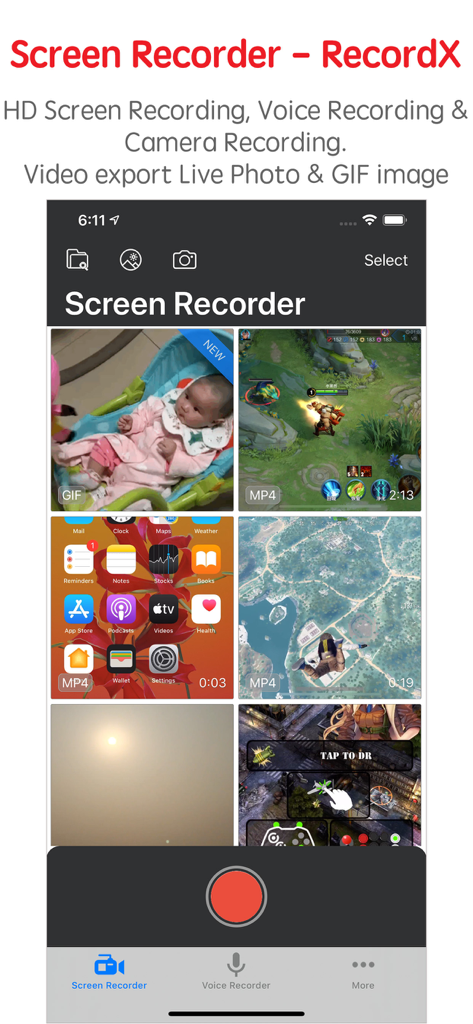
La vista libreria di Screen Recorder RecordX con varie registrazioni video e un pulsante di registrazione

La vista libreria di Screen Recorder RecordX con varie registrazioni video e un pulsante di registrazione

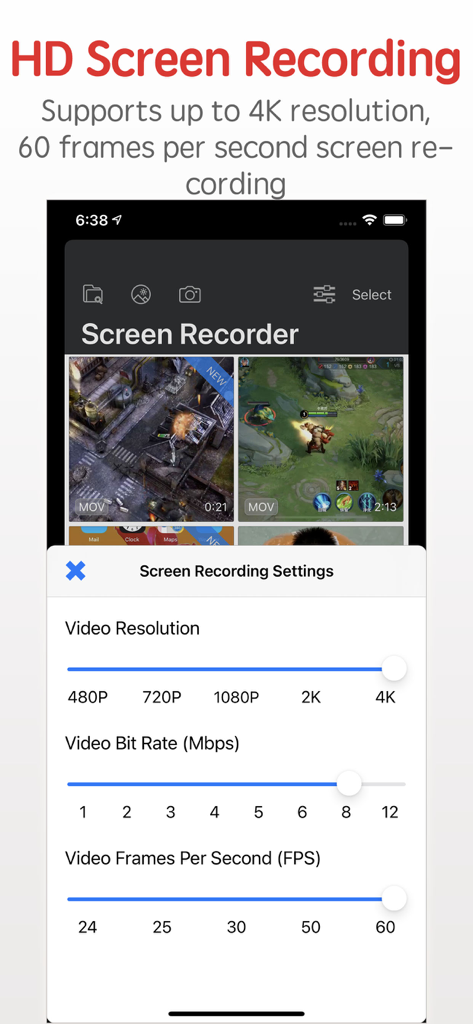
Interfaccia di RecordX che mostra le impostazioni di registrazione dello schermo HD con opzioni per risoluzione 4K e 60 FPS.

Interfaccia di RecordX che mostra le impostazioni di registrazione dello schermo HD con opzioni per risoluzione 4K e 60 FPS.

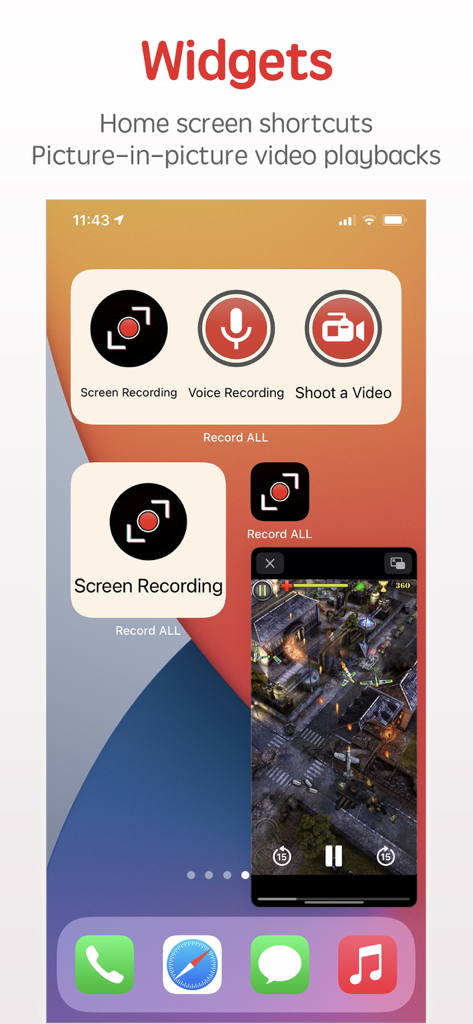
Widget di Screen Recorder RecordX per scorciatoie sulla schermata principale e riproduzione video picture-in-picture

Widget di Screen Recorder RecordX per scorciatoie sulla schermata principale e riproduzione video picture-in-picture

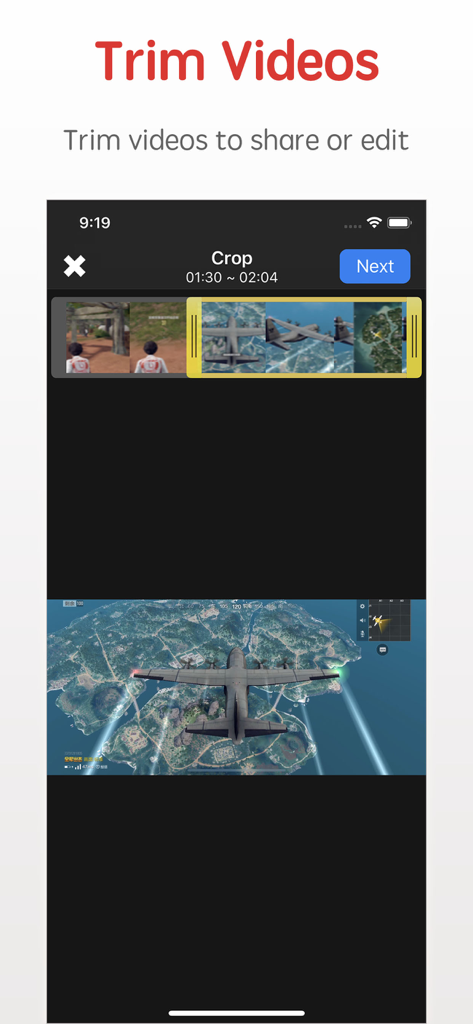
Interfaccia dell'app screen recorder RecordX che mostra la funzione di taglio e ritaglio video con una clip di gioco

Interfaccia dell'app screen recorder RecordX che mostra la funzione di taglio e ritaglio video con una clip di gioco

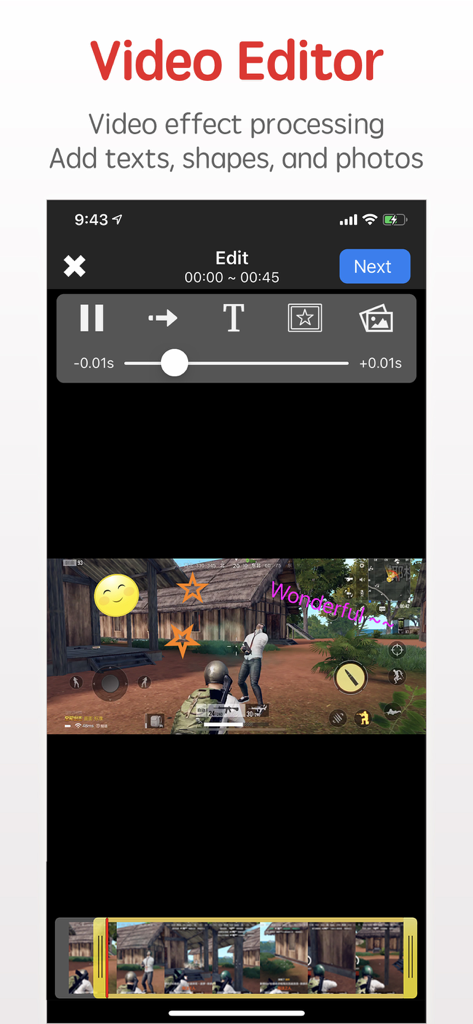
Interfaccia dell'editor video di RecordX che mostra sovrapposizioni di testo e adesivi sul gameplay mobile

Interfaccia dell'editor video di RecordX che mostra sovrapposizioni di testo e adesivi sul gameplay mobile

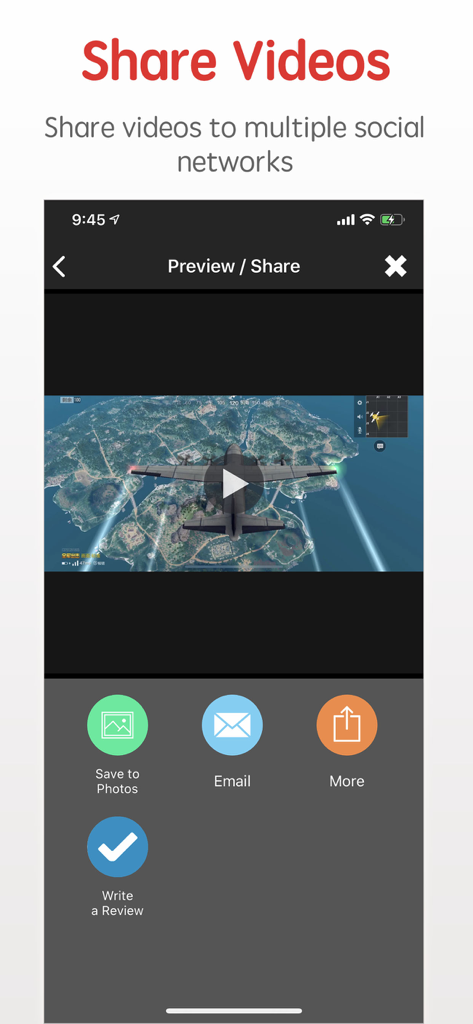
Interfaccia per la condivisione di video di gameplay registrati e il salvataggio nelle foto nell'app Screen Recorder RecordX

Interfaccia per la condivisione di video di gameplay registrati e il salvataggio nelle foto nell'app Screen Recorder RecordX

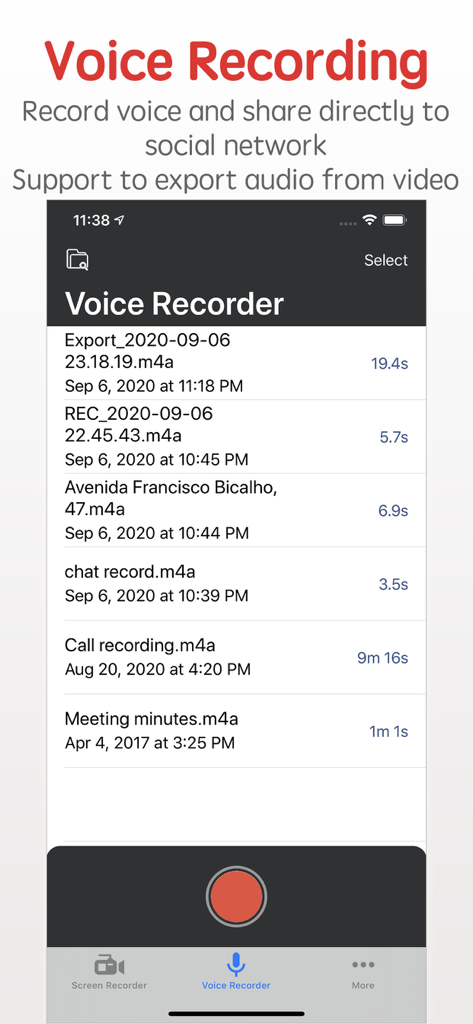
Interfaccia dell'app Screen Recorder RecordX che mostra l'elenco delle registrazioni vocali e un pulsante di registrazione rosso

Interfaccia dell'app Screen Recorder RecordX che mostra l'elenco delle registrazioni vocali e un pulsante di registrazione rosso

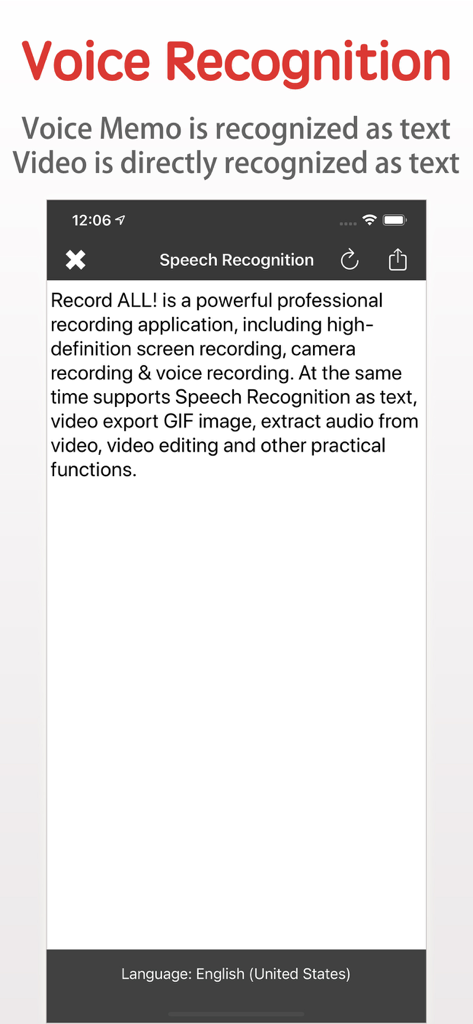
Funzione di riconoscimento vocale dell'app RecordX che trascrive il parlato in testo

Funzione di riconoscimento vocale dell'app RecordX che trascrive il parlato in testo

Tutto Ciò Che Ti Serve per Creare Come un Professionista

Gli strumenti che rendono questa app unica, scelti da 298K+ utenti.

🎬

Prestazioni Ultra-HD 4K

Registra ogni fotogramma del tuo gameplay o dei tutorial delle app in uno straordinario 4K a 60FPS, assicurando che i tuoi contenuti appaiano professionali su qualsiasi schermo.

📱

Editing Mobile di Qualità Studio

Taglia clip, aggiungi filigrane personalizzate e regola la velocità all'interno dell'app. Esporta direttamente come GIF o Live Photos per un impatto immediato sui social media.

🎙️

Riconoscimento Vocale Potenziato dall'IA

Trasforma istantaneamente le tue registrazioni audio e video in testo. Perfetto per generare sottotitoli, note di riunioni o script senza digitazione manuale.

Info sull'app

Tutto quello che devi sapere su Screen Recorder - RecordX.

Descrizione

Screen Recorder - RecordX is a powerful professional recording application, including high-definition screen recording up to 4K resolution 60 frames, camera recording & voice recording. At the same time supports Voice Recognition as text, video export Live Photo or GIF images, extracting audio from video, picture-in-picture video playback on the home screen, video editing, and other practical functions. With RecordX, You can easy to capture your favorite videos, music videos, games, apps for gameplay shows, app tutorials, game reviews, game walkthroughs, video chats, and other screen activities on your iPhone or iPad. Game players can share great moments or research game tactics. Features: - HIGH-QUALITY screen recording 1. Record Full-Screen videos without any limitations 2. Support up to 4K resolution 60 frames screen recording 3. Quick one-touch screen recording and directly close the screen recording on the home screen. 4. Record screen in multiple display directions: You can set the display orientation of the recording screen, and the default landscape screen recording (the video direction of most games). 5. Record screen with all kinds of audio 6. Build-in video player 7. Extract audio from video 8. PIP: Recorded video can be picture-in-picture played on the home screen - Export the video as a Live Photo or GIF image, which is convenient for you to share on social media - Camera Recording, the recorded video is directly edited or exported as a Live Photo or GIF image - Voice Recording 1. Record the voice of the microphone directly, and support background recording 2. Set the voice recording quality - Voice Recognition 1. Voice Memos are directly recognized as text 2. The audio in the video is directly recognized as text - Video Editor 1. Trim or cut the length of the recorded video 2. Add rotation and mirror effects to your videos 3. Adjust the video playback speed 4. Adjust the video playback direction, play forward or backward 5. Add a text watermark to set the text size, color, font, etc. 6. Add a graphic watermark or photo watermark, can set display transparency 7. Import video and edit from system Photo Library - Share videos & audio with your friends. 1. Share videos and voice recordings to social networks 2. The recorded videos can be saved directly to the system Photos app 3. WiFi file sharing to other mobile devices or computers 4. Import videos directly from the system Photos app 5. Import video and audio directly from iCloud Drive - Privacy protection 1. App password login 2. Emergency switch to other application functions - One-click control screen recording and voice recording on the desktop - One-click control screen recording and voice recording on the lock screen - Built-in video user guides * * * * * * * * * If you enjoy using RecordX, please give us a 5-star rating. Your 5-star rating for each version will keep the updates coming. Thanks in advance. ◆ Subscription Terms ◆ • You can subscribe for unlimited access to all features within RecordX • Subscriptions are billed annually, monthly, or weekly at the rate selected depending on the subscription plan. Payment will be charged to App Store Account at confirmation of purchase By using RecordX, you agree to our Privacy Policy and Terms of Use: http://www.elinapp.com/privacy_policy_new.html http://www.elinapp.com/terms.html

Ultima versione

3.5

Dimensione

39.4 MB

Data di lancio

16 ago 2018

Pronto a Catturare il Tuo Prossimo Momento Virale?

Unisciti a oltre 298.000 creator e gamer che si affidano a RecordX. Scarica ora per iniziare a registrare in 4K, modificare in movimento e condividere contenuti professionali direttamente dal tuo iPhone o iPad.

Scarica su App Store

App information, icons, screenshots, and descriptions displayed on this page are sourced from the Apple App Store and are the property of their respective developers. Download estimates and rankings are based on MWM's proprietary models and may not reflect actual figures. This page is provided for informational and analytical purposes only.

Believe this page infringes your intellectual property? File a dispute