SSH Term X
SSH Term X
Scarica su App Store

Questa pagina non è una pagina ufficiale dell'app o del suo sviluppatore, ma una pubblicazione editoriale indipendente creata a scopo informativo e di commento. Salvo espressa indicazione contraria, né l'app né il suo sviluppatore sono affiliati, approvati, sponsorizzati, autorizzati o altrimenti ufficialmente collegati a MWM, Apple, Google Play, all'editore dell'app o allo sviluppatore dell'app, e nulla in questa pagina implica che l'app sia stata sviluppata utilizzando i servizi di MWM. Tutti i marchi, loghi, screenshot e altri contenuti rimangono di proprietà dei rispettivi proprietari.


Logo di SSH Term X
Scarica su App Store

SSH Term X

Esegui Claude Code e strumenti da riga di comando senza interruzioni dal tuo iPhone o iPad. Sperimenta una connettività in background ultra-stabile, navigazione file SFTP e supporto IME giapponese specializzato per sviluppatori in movimento.

Numeri Chiave

Download

< 1k

Valutazione

5.0/5

Valutazioni totali

3

Editore

Haga Kunihiko

Categoria

Developer Tools

Lingue

1

Ultima versione

2.20.0

Dimensione

70.8 MB

Data di lancio

24 feb 2026
Funzioni

Il Tuo Centro di Comando AI in Movimento

SSH Term X colma il divario tra il tuo dispositivo mobile e agenti di codifica AI ad alte prestazioni come Claude Code.

Sessioni in Background Ultra-Stabili

Mantieni i tuoi agenti AI in esecuzione. Il nostro keep-alive in background assicura che Claude Code completi compiti complessi anche quando cambi app.

Precisione Bilingue dei Prompt

L'unico terminale mobile con supporto IME giapponese dedicato, perfetto per fornire istruzioni complesse all'AI nella tua lingua madre.

Gli screenshot e la descrizione seguenti provengono direttamente dall'elenco ufficiale dello store dell'app e sono di proprietà dello sviluppatore.

App Store

Screenshot
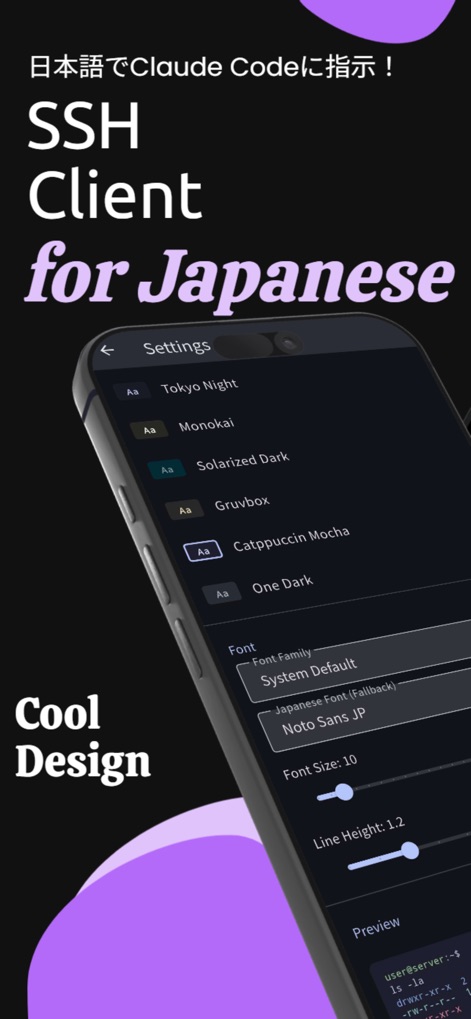
SSH Term X - ssh-term-x-app-settings-themes

ssh-term-x-app-settings-themes

Interfaccia delle impostazioni di SSH Term X che mostra temi del terminale e impostazioni del font giapponese.
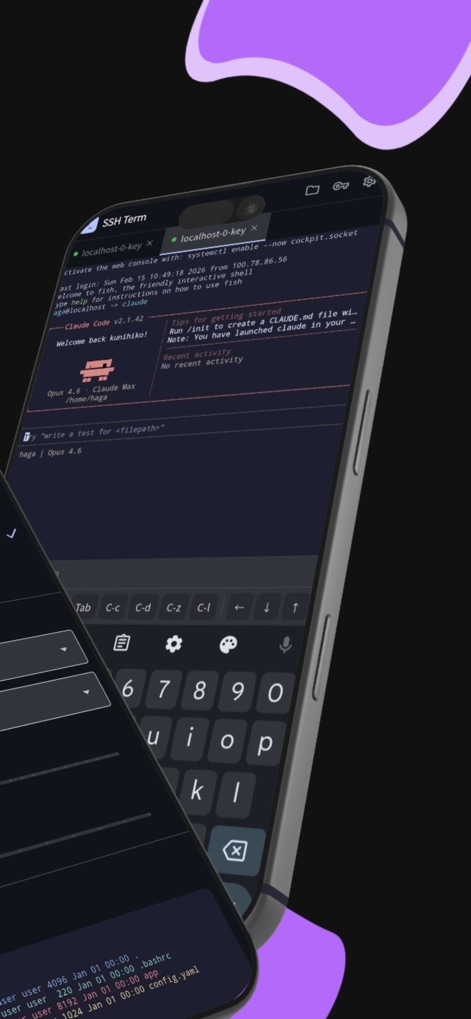
SSH Term X - ssh-term-x-mobile-terminal-interface

ssh-term-x-mobile-terminal-interface

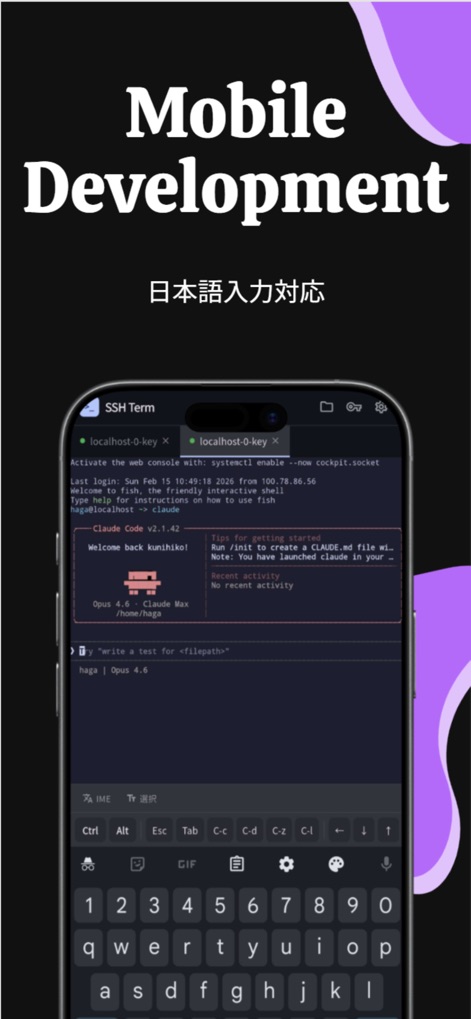
Interfaccia dell'app mobile SSH Term X che mostra una sessione terminale con Claude Code e tastiera sviluppatore personalizzata su un iPhone
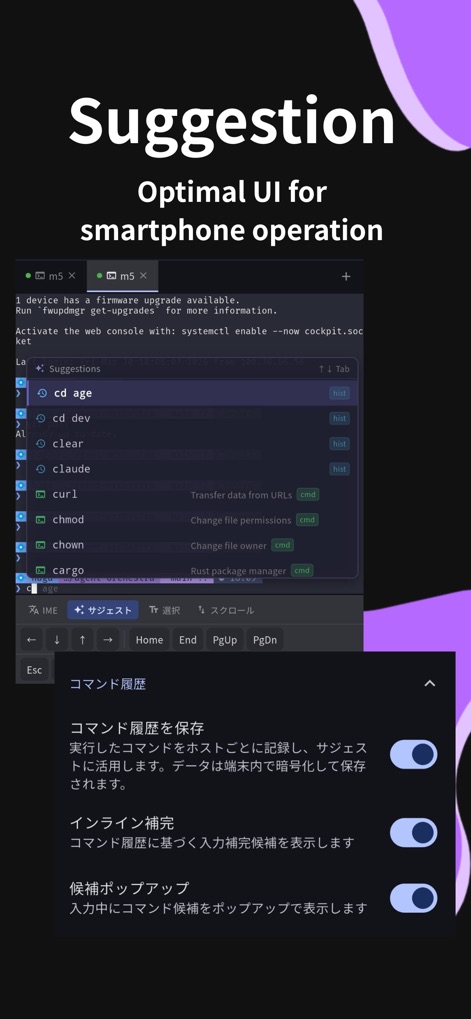
SSH Term X - ssh-term-x-mobile-terminal-development

ssh-term-x-mobile-terminal-development

Interfaccia del terminale mobile SSH Term X in esecuzione con Claude Code e supporto input giapponese
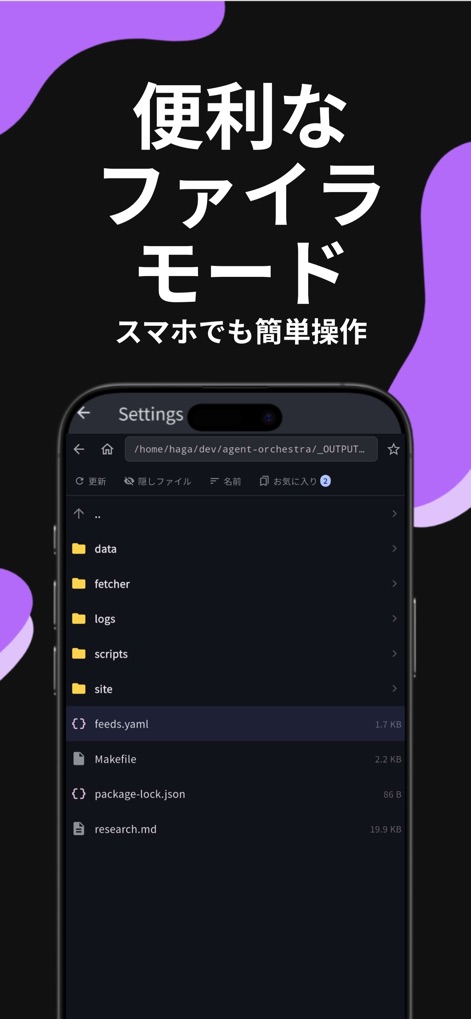
SSH Term X - ssh-term-x-sftp-file-browser

ssh-term-x-sftp-file-browser

Interfaccia del browser file SFTP di SSH Term X che mostra directory del server e file di progetto su uno schermo di smartphone.
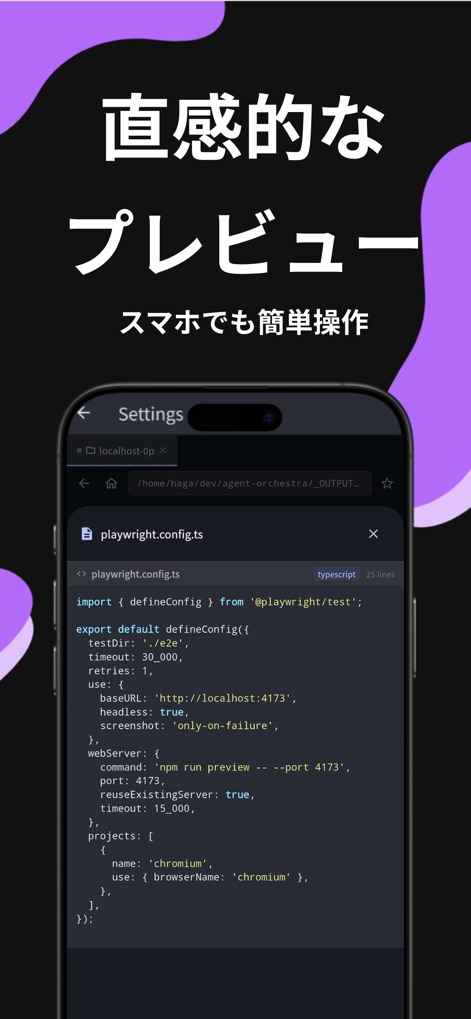
SSH Term X - ssh-term-x-code-preview

ssh-term-x-code-preview

App mobile SSH Term X che mostra un'anteprima di codice di un file TypeScript con syntax highlighting.
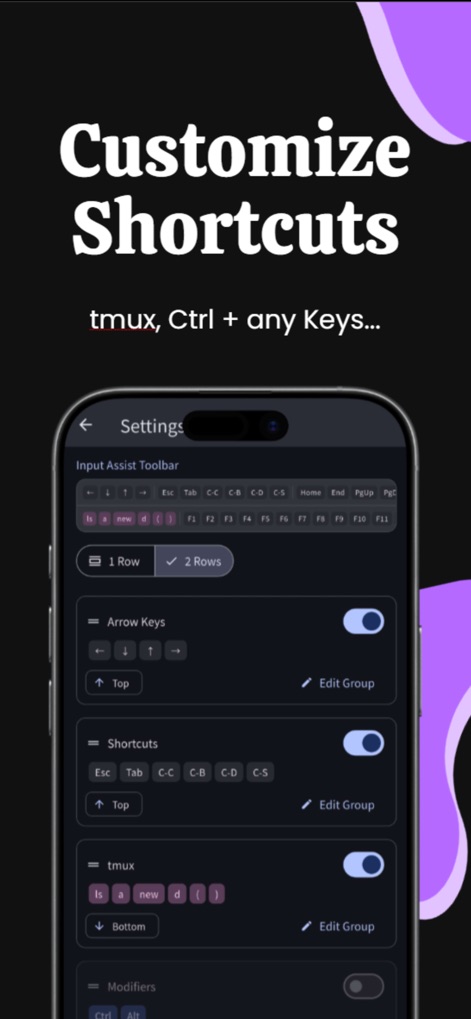
SSH Term X - ssh-term-x-customize-shortcuts

ssh-term-x-customize-shortcuts

Impostazioni di personalizzazione delle scorciatoie del terminale SSH Term X e configurazione della barra degli strumenti di assistenza input
SSH Term X - ssh-term-x-terminal-themes-font-settings

ssh-term-x-terminal-themes-font-settings

Interfaccia dell'app SSH Term X che mostra un elenco di temi del terminale come Tokyo Night e Catppuccin Mocha insieme a opzioni di personalizzazione del font

Descrizione

Run AI coding agents from your phone. SSH Term is an SSH terminal client built for operating Claude Code and other CLI tools comfortably from your iPhone or iPad. HOW PEOPLE USE IT - Connect to Claude Code running on your home PC and give instructions in Japanese - SSH into a remote server on the go and let AI write code for you - Browse AI-generated files with the built-in filer and preview code with syntax highlighting - Check project progress on the train and send follow-up instructions Most mobile SSH apps don't handle Japanese input well. SSH Term has a dedicated IME mode that lets you type Japanese prompts and instructions directly into the terminal. If you use Claude Code in Japanese, this is the best mobile client for the job. SFTP FILE BROWSER Browse your remote server's files without leaving the app. Check code that Claude Code generated or edited right from the filer. Sort by name, size, or date. Toggle hidden files. Rename or delete files directly. FILE PREVIEW WITH SYNTAX HIGHLIGHTING Preview 40+ languages — Dart, Python, JavaScript/TypeScript, Go, Rust, Shell, and more — with full syntax highlighting. Read Claude Code's output on the spot and copy any section to clipboard with one tap. On iPad, a two-pane layout shows the file list and preview side by side. BOOKMARKS Bookmark frequently visited directories and files per host. Jump to your project's src folder or log directory with a single tap. JAPANESE INPUT (IME MODE) Switch to IME mode to type Japanese text directly into the terminal. Give instructions to Claude Code, write git commit messages, or edit Japanese text in files — all in your native language. BACKGROUND KEEP-ALIVE Claude Code tasks can take minutes to complete. SSH Term keeps your connection alive in the background. Switch to other apps without losing your session. AUTO-RECONNECT Automatically reconnects on network loss (up to 3 attempts with exponential backoff). Handles Wi-Fi transitions seamlessly while you're on the move. MULTI-TAB SESSIONS Run multiple SSH connections side by side. Monitor Claude Code output in one tab while checking server logs or working on another project in another. INPUT ASSIST TOOLBAR One-tap special keys: Ctrl+C, Tab, Escape, arrow keys, F1-F12, Home/End/PageUp/PageDown. Full terminal control without a physical keyboard. THREE AUTH METHODS - Password authentication - Public key authentication (file-based or in-app generated) - Keyboard-interactive authentication IN-APP KEY GENERATION — SET UP IN SECONDS Generate Ed25519 (recommended), RSA 2048, or RSA 4096 key pairs directly in the app. Copy the public key to clipboard with one tap and paste it into your server's authorized_keys. No PC needed — complete the entire public key auth setup from your phone. 8 TERMINAL THEMES Dracula, Nord, Tokyo Night, Monokai, Solarized Dark, Gruvbox, Catppuccin Mocha, and One Dark. Pick one that's easy on the eyes for long sessions. RICH FONT SELECTION 10 monospace fonts including Fira Code, JetBrains Mono, and Source Code Pro. 6 Japanese CJK fonts including Noto Sans JP and M PLUS 1 Code. Adjustable font size and line height. TEXT SELECTION & CLIPBOARD Drag to select, double-tap for word selection, long-press for word boundary selection. Copy Claude Code's output and share it with other apps. CONNECTION PROFILES Save frequently used server credentials. Connect with a single tap. All credentials are encrypted via iOS Keychain and stored securely. SECURITY - Encrypted credential storage (iOS Keychain) - Secure SSH key management - Protected sensitive data via secure storage Secure connections via the SSH protocol. A practical mobile terminal for Claude Code users, server administrators, developers, and infrastructure engineers.

Download

Scarica su App Store

Questa pagina non è una pagina ufficiale dell'app o del suo sviluppatore, ma una pubblicazione editoriale indipendente creata a scopo informativo e di commento. Salvo espressa indicazione contraria, né l'app né il suo sviluppatore sono affiliati, approvati, sponsorizzati, autorizzati o altrimenti ufficialmente collegati a MWM, Apple, Google Play, all'editore dell'app o allo sviluppatore dell'app, e nulla in questa pagina implica che l'app sia stata sviluppata utilizzando i servizi di MWM. Tutti i marchi, loghi, screenshot e altri contenuti rimangono di proprietà dei rispettivi proprietari.