StickerMaker Keyboard*

StickerMaker Keyboard*


Scarica su App Store
Logo di StickerMaker Keyboard*

Tastiera StickerMaker*: Crea Sticker Unici e Domina le Chat di Gruppo

Progetta mashup di emoji personalizzati e sticker virali 'maledetti' che faranno chiedere ai tuoi amici 'Come hai fatto?'. Esprimiti con creazioni esclusive inviate direttamente dalla tua tastiera a iMessage, WhatsApp e TikTok.

Editore

红燕 马

Categoria

Utilities

Download

59K+

Valutazione

4.6/5

Valutazioni totali

1K+

Lingue

1

Padroneggia il Mashup

Scopri l'interfaccia usata da 59K+ utenti.
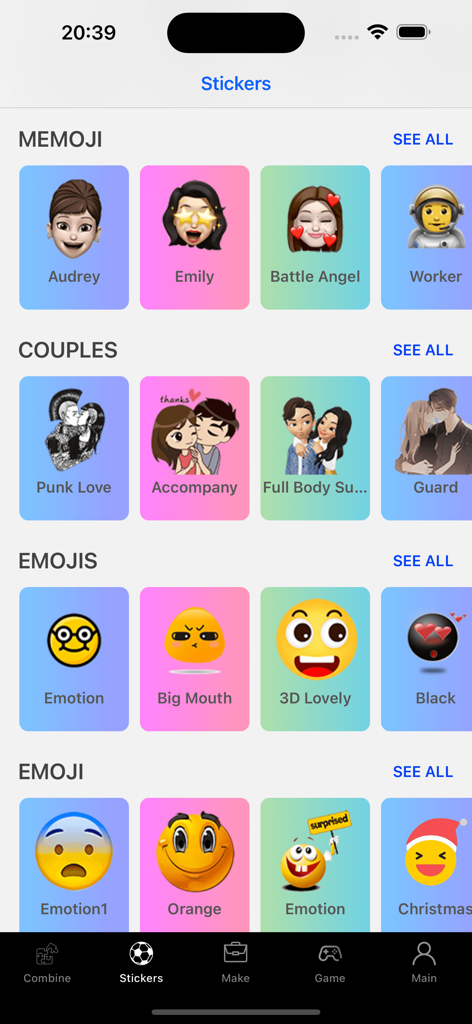
Una libreria di sticker ed emoji personalizzati organizzati per categorie nell'app StickerMaker Keyboard

Una libreria di sticker ed emoji personalizzati organizzati per categorie nell'app StickerMaker Keyboard

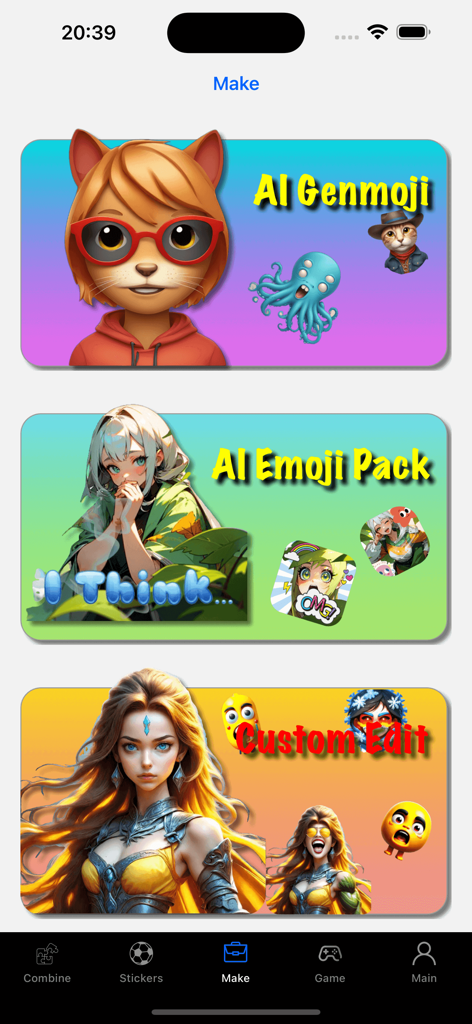
Interfaccia di StickerMaker Keyboard che mostra le funzionalità AI Genmoji, AI Emoji Pack e Custom Edit.

Interfaccia di StickerMaker Keyboard che mostra le funzionalità AI Genmoji, AI Emoji Pack e Custom Edit.

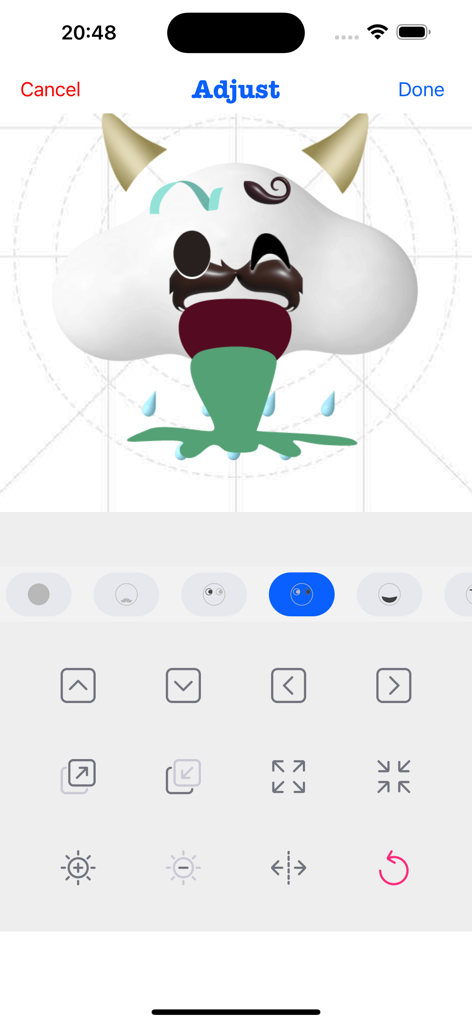
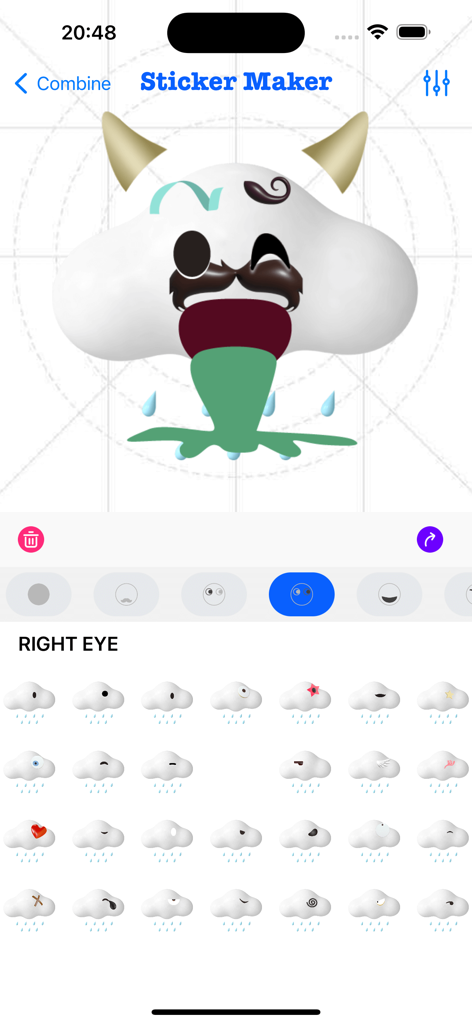
Interfaccia dell'app StickerMaker Keyboard che mostra un utente che regola una buffa nuvola emoji personalizzata con corna e baffi.

Interfaccia dell'app StickerMaker Keyboard che mostra un utente che regola una buffa nuvola emoji personalizzata con corna e baffi.

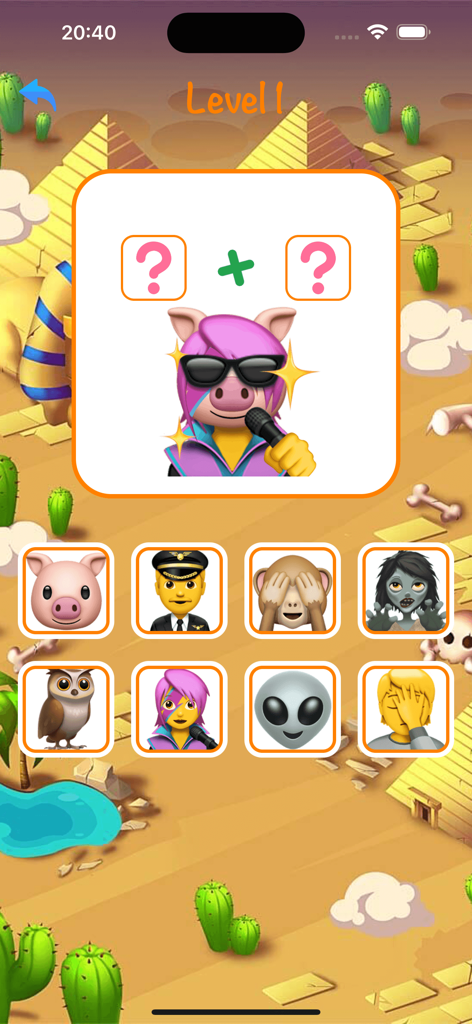
Un livello di gioco mobile nell'app StickerMaker Keyboard che mostra un puzzle di combinazione di emoji per creare uno sticker di maiale che canta.

Un livello di gioco mobile nell'app StickerMaker Keyboard che mostra un puzzle di combinazione di emoji per creare uno sticker di maiale che canta.

Una galleria di sticker emoji personalizzati arrabbiati e divertenti nell'app StickerMaker Keyboard

Una galleria di sticker emoji personalizzati arrabbiati e divertenti nell'app StickerMaker Keyboard

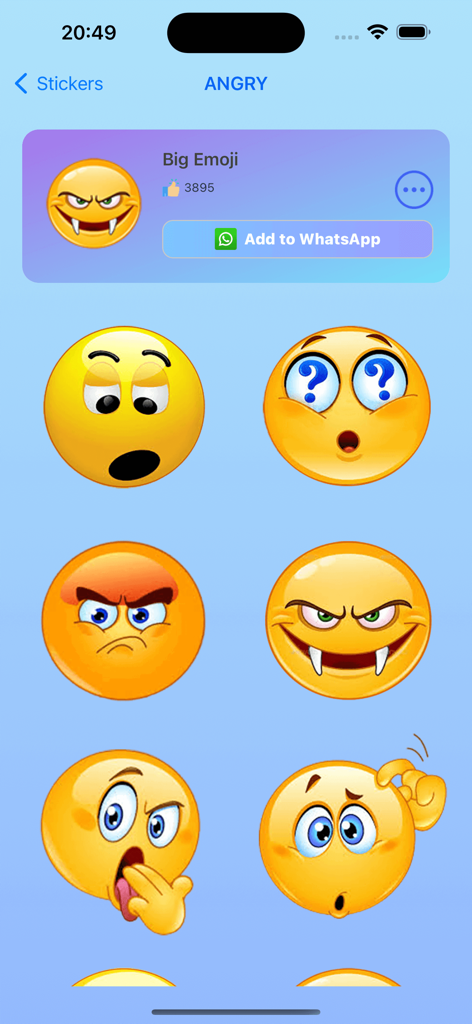
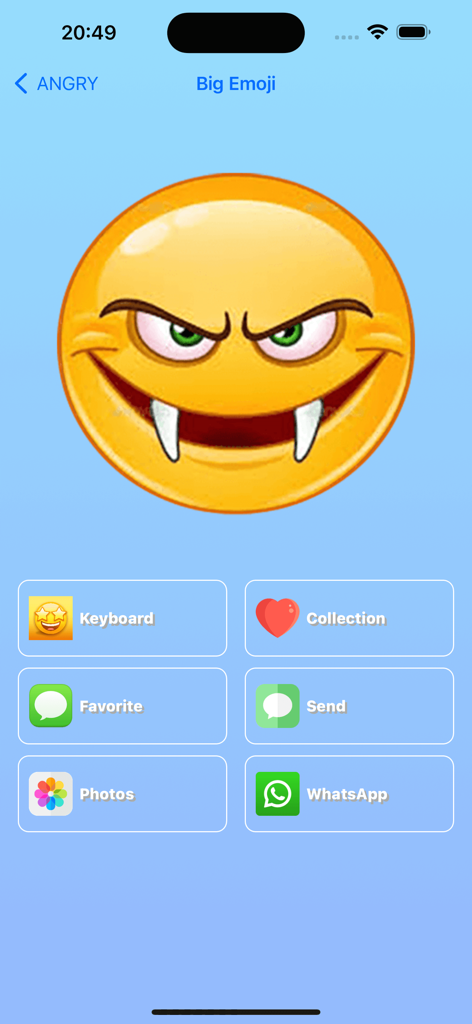
Interfaccia dell'app StickerMaker Keyboard che visualizza un grande emoji vampiro arrabbiato personalizzato con opzioni di condivisione per WhatsApp e iMessage

Interfaccia dell'app StickerMaker Keyboard che visualizza un grande emoji vampiro arrabbiato personalizzato con opzioni di condivisione per WhatsApp e iMessage

Interfaccia utente di StickerMaker Keyboard che mostra uno sticker emoji personalizzato in fase di creazione combinando parti diverse

Interfaccia utente di StickerMaker Keyboard che mostra uno sticker emoji personalizzato in fase di creazione combinando parti diverse

Migliora il Tuo Gioco nelle Chat

Gli strumenti che rendono questa app unica, scelti da 59K+ utenti.

🎨

Mashup di Emoji Infiniti

Combina le tue espressioni preferite per creare sticker unici, 'maledetti' o esilaranti che nessun altro possiede.

⌨️

Accesso Immediato dalla Tastiera

Accedi e invia le tue creazioni personalizzate direttamente da iMessage, WhatsApp e TikTok senza cambiare app.

Testo Emoji Virale

Trasforma parole semplici in arte emoji accattivante per far risaltare istantaneamente le tue bio sui social e i tuoi DM.

Info sull'app

Tutto quello che devi sapere su StickerMaker Keyboard*.

Descrizione

Create your own stickers and combine them as you like. - Explore countless emoji combinations and use them in your chats - Use your imagination to combine different expressions to make them more interesting - Drag, zoom, and rotate them with your finger to make your stickers unique - Easily export your stickers to our keyboard, when you are chatting with other people, open our keyboard and send your exclusive stickers, go spoof your friends - Open the keyboard, click on the sticker, successfully copy it to the clipboard, click in your chat input box and paste it in, then you can successfully send it to your chat partner - Impress your friends with the StickerMaker Keyboar and get pranked by you Emoji Text feature: - You can convert a simple text, such as "Hello", into emoji text. It is best to make the emojis quite different, so that you can get a string of text. You just need to click "Copy" and paste it in other social software to amaze your friends. Here's how to create stickers with StickerMaker Keyboard. 1. Select Create New Sticker 2. Select different emoji options and find the sticker component you want in the sticker list 3. Make the sticker look more funny by dragging your finger or zooming and rotating, or you can make subtle adjustments to it through the Adjust module 4. If you don't want to be so complicated, you can skip all the above steps and go directly to the random generation option to get a spoof sticker directly. Maybe you will get an unexpected surprise Here's how to use the StickerMaker Keyboard. 1. First you need to go to System Settings -> Keyboard -> Third Party Keyboard, add our StickerMaker Keyboard to your favorite keyboards 2. Open WhatsApp, TikTok, iMessage or other chat software 3. Switch the keyboard and select our StickerMaker Keyboard 4. Click on the already created sticker to copy it to the clipboard 5. Double-click or long-press the chat input box, paste your exclusive sticker on it and click send Go prank your friends! Learn more about StickerMaker Keyboard! - Privacy Policy: https://www.freeprivacypolicy.com/live/e8e14320-ca09-41cf-970e-35697d7d50e9 - Terms of Service: https://www.freeprivacypolicy.com/live/3d291d75-66f9-4419-833d-516258ccfadf - Contact me: mah40445@gmail.com, if you have any suggestions, you can give me feedback by email, please bring StickerMaker Keyboard in the subject of the email, I will carefully check your feedback and optimize our products, looking forward to your feedback mail

Ultima versione

3.0.0

Dimensione

95.1 MB

Data di lancio

23 lug 2022

Pronto a Vincere le Chat di Gruppo?

Unisciti a migliaia di creatori che realizzano gli sticker più strani, divertenti ed esclusivi. Scarica subito la Tastiera StickerMaker e inizia a fare scherzi ai tuoi amici su iMessage, TikTok e WhatsApp.

Scarica su App Store

App information, icons, screenshots, and descriptions displayed on this page are sourced from the Apple App Store and are the property of their respective developers. Download estimates and rankings are based on MWM's proprietary models and may not reflect actual figures. This page is provided for informational and analytical purposes only.

Believe this page infringes your intellectual property? File a dispute