Sync2 Outlook Google & iCloud

Sync2 Outlook Google & iCloud


Scarica su App Store
Logo di Sync2 Outlook Google & iCloud

Sync2 Outlook Google e iCloud: Il Ponte Professionale per i Tuoi Dati

Sincronizza senza interruzioni Outlook, Google e iCloud per mantenere aggiornati calendari, contatti e attività su tutti i dispositivi. Finalmente, accedi alle tue cartelle pubbliche di Exchange e ai dati aziendali direttamente dal tuo iPhone o iPad senza sforzo.

Scarica su App Store

Editore

Alittera Ltd inc.

Categoria

Productivity

Download

128K+

Valutazione

4.0/5

Valutazioni totali

200

Lingue

3

Efficienza in Primo Piano

Scopri l'interfaccia usata da 128K+ utenti.
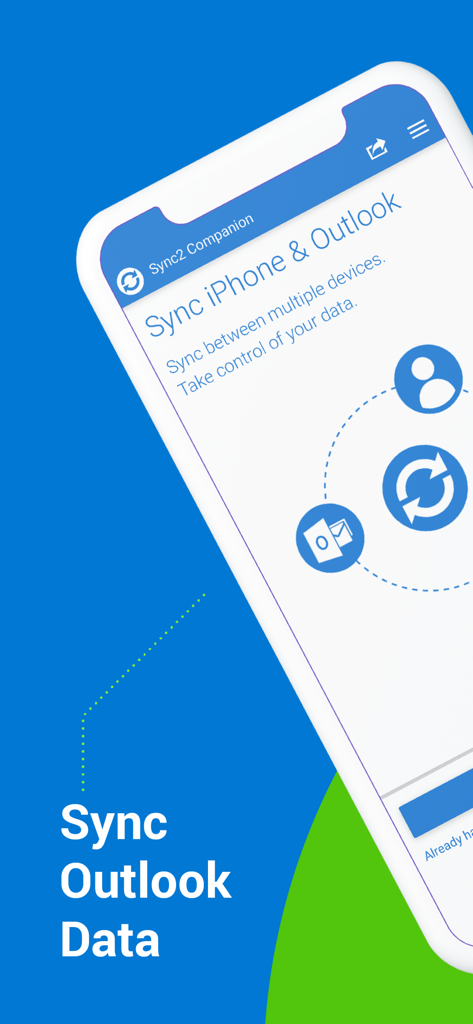
Interfaccia dell'app companion Sync2 che mostra l'opzione per sincronizzare dati iPhone e Outlook.

Interfaccia dell'app companion Sync2 che mostra l'opzione per sincronizzare dati iPhone e Outlook.

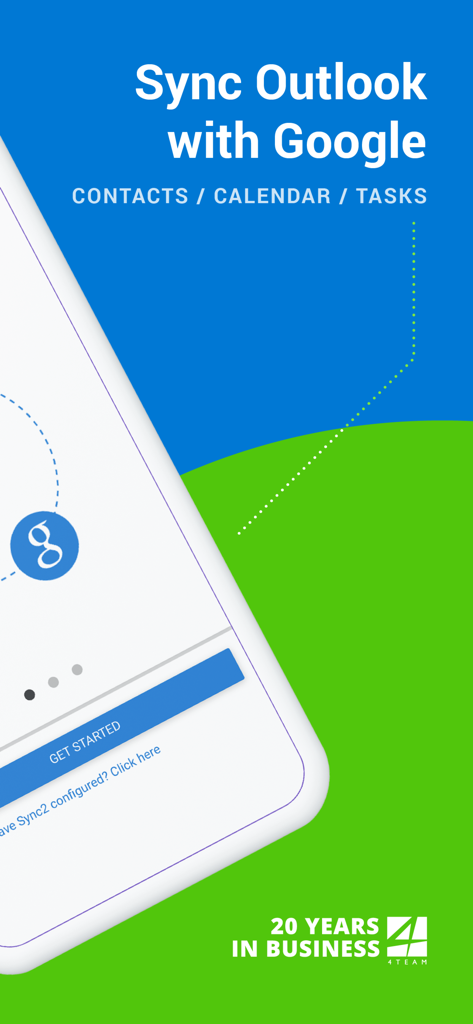
Schermata di avvio dell'app Sync2 che mostra la sincronizzazione di Outlook con Google per contatti, calendario e attività

Schermata di avvio dell'app Sync2 che mostra la sincronizzazione di Outlook con Google per contatti, calendario e attività

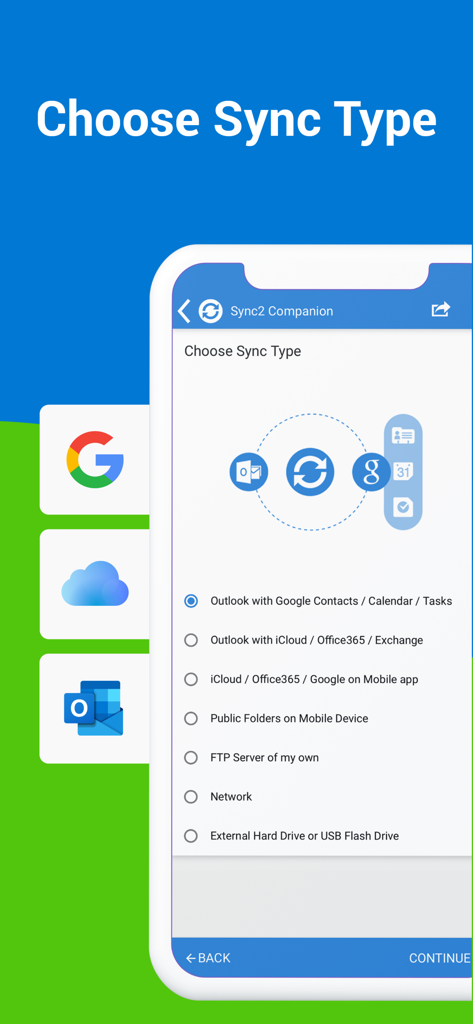
Schermata di scelta del tipo di sincronizzazione nell'app Sync2 per la sincronizzazione di Outlook Google e iCloud

Schermata di scelta del tipo di sincronizzazione nell'app Sync2 per la sincronizzazione di Outlook Google e iCloud

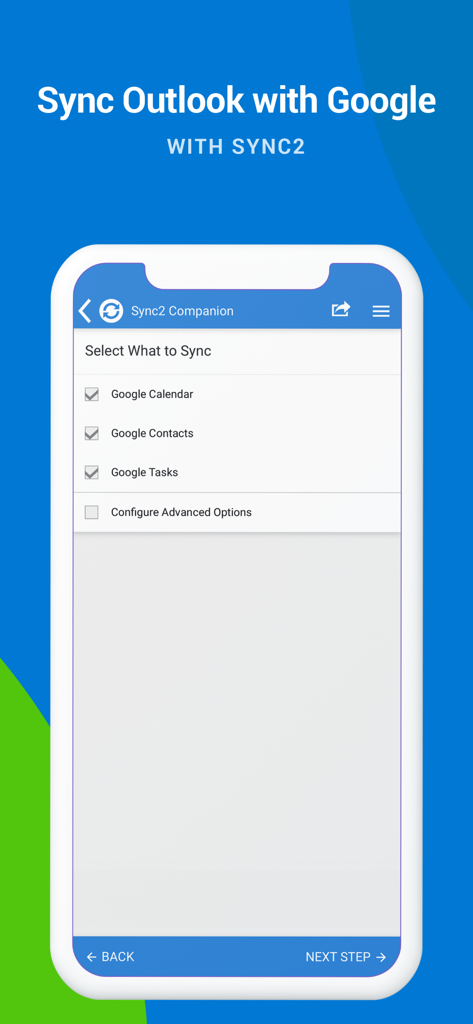
Schermata dell'app Sync2 che mostra caselle di controllo per sincronizzare Calendario Google Contatti e Attività con Outlook

Schermata dell'app Sync2 che mostra caselle di controllo per sincronizzare Calendario Google Contatti e Attività con Outlook

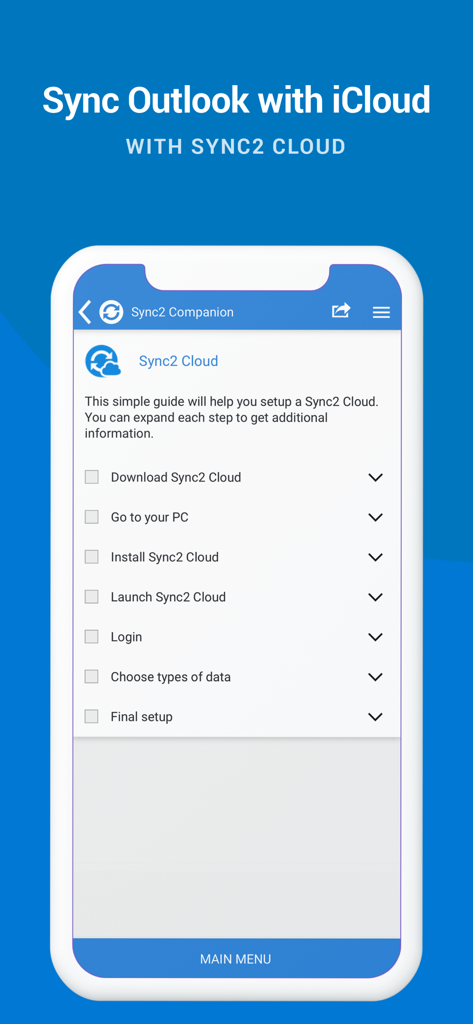
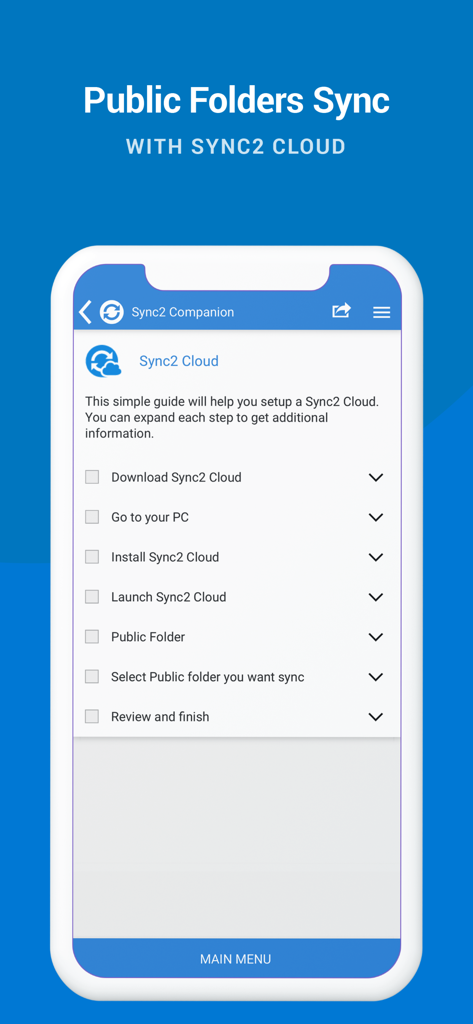
Uno schermo di smartphone che visualizza una checklist per configurare la sincronizzazione di Outlook e iCloud utilizzando Sync2 Cloud.

Uno schermo di smartphone che visualizza una checklist per configurare la sincronizzazione di Outlook e iCloud utilizzando Sync2 Cloud.

Guida alla configurazione per la sincronizzazione delle cartelle pubbliche di Outlook con Sync2 Cloud

Guida alla configurazione per la sincronizzazione delle cartelle pubbliche di Outlook con Sync2 Cloud

Produttività Unificata su Tutte le Tue Piattaforme

Gli strumenti che rendono questa app unica, scelti da 128K+ utenti.

📂

Accesso Nativo alle Cartelle Pubbliche

Visualizza calendari e contatti condivisi di Exchange direttamente sul tuo iPhone o iPad, risolvendo il più comune problema di sincronizzazione mobile aziendale.

🔄

Integrazione Ecosistemica Fluida

Unisci il tuo Outlook aziendale, il tuo account Google personale e i tuoi dispositivi Apple in un unico hub sincronizzato con flusso di dati bidirezionale.

Automazione Imposta e Dimentica

Goditi aggiornamenti istantanei in background e backup automatici, garantendo che il tuo programma sia sempre aggiornato senza interventi manuali.

Info sull'app

Tutto quello che devi sapere su Sync2 Outlook Google & iCloud.

Descrizione

This is a Complimentary Companion that helps you set up synchronization for Outlook with iCloud, Google, Office 365, Exchange and iPhone/iPad sync with iCloud and other cloud services. With Sync2 you will be able to synchronize your iPhone/iPad with Microsoft Outlook using your Google Account. PLEASE NOTE: THE SOFTWARE DOES NOT SUPPORT MICROSOFT OUTLOOK FOR MAC. Public Folder Sync to smartphones Public Folders sync solution. Microsoft Exchange Public Folders are not displayed natively on smartphones. Choose sync type “Public Folders on Mobile Device" and you will be guided to set up Sync2 Cloud. The new Sync2 Cloud helps to sync Public Folders. Sync & Share Public Folders on multiple platforms or smartphones (iPhone, iPad). Sync any type of Public folders (calendars, contacts, tasks, emails, notes). Sync Microsoft Outlook with your iPhone/iPad using Google account. Use Sync2 to set up synchronization of your Google account and Microsoft Outlook. Set up the Google account on your iPhone or iPad and have your data synchronized both ways. Set up the Sync2 PC application for Microsoft Outlook with Sync2 Companion in a few simple steps. Go through all the necessary settings to set up Sync2 on your PC. Get familiar with Sync2 functionality easily and without any trouble. About the Sync2 desktop app: The PC Microsoft Outlook synchronization software keeps your Emails, Calendar, Contacts and Tasks in sync between your Outlook, Google, iPhone, iPad and any other smartphone, tablet or PC. You can schedule automatic Outlook synchronization, perform manual sync on demand, or use an instant sync feature for changes made in Outlook to be moved immediately. Sync2 is the right tool for you if you are looking for a way to: - Sync Outlook with your iPhone or iPad using your Google account; - Sync your Outlook Contacts, Calendars and/or Tasks using one-way or two-way synchronization; - Easily sync your Outlook data, such as emails, calendars, contacts, tasks, notes, Outlook journals, between multiple PCs without the Microsoft Exchange server; - Synchronize specific Outlook folders with different workgroups. Main Sync2 features: - Sync Outlook with iPhone or iPad using a Google account. - Sync Outlook Calendar with Google Calendars. - Sync Microsoft Outlook between PC‘s without a server. - Instant synchronization of changes made in Microsoft Outlook. - Synchronize Microsoft Outlook Contacts with Google Contacts. - Sync Outlook Tasks with Google Tasks Lists. - Back up Contacts and Calendar folders automatically before each synchronization. - Synchronize data even when Microsoft Outlook is closed. - Manual or scheduled synchronization. - Sync Exchange folders.

Ultima versione

2.2

Dimensione

3.2 MB

Data di lancio

18 lug 2016

Porta il Tuo Flusso di Lavoro Outlook sul Tuo iPhone e iPad

Unisciti a oltre 128.000 professionisti che si affidano a Sync2 per mantenere calendari, contatti e cartelle pubbliche perfettamente sincronizzati su ogni dispositivo.

Scarica su App Store

App information, icons, screenshots, and descriptions displayed on this page are sourced from the Apple App Store and are the property of their respective developers. Download estimates and rankings are based on MWM's proprietary models and may not reflect actual figures. This page is provided for informational and analytical purposes only.

Believe this page infringes your intellectual property? File a dispute