System Activity Monitors
Scarica su App Store

Questa pagina non è una pagina ufficiale dell'app o del suo sviluppatore, ma una pubblicazione editoriale indipendente creata a scopo informativo e di commento. Salvo espressa indicazione contraria, né l'app né il suo sviluppatore sono affiliati, approvati, sponsorizzati, autorizzati o altrimenti ufficialmente collegati a MWM, Apple, Google Play, all'editore dell'app o allo sviluppatore dell'app, e nulla in questa pagina implica che l'app sia stata sviluppata utilizzando i servizi di MWM. Tutti i marchi, loghi, screenshot e altri contenuti rimangono di proprietà dei rispettivi proprietari.

Logo di System Activity Monitors
Scarica su App Store

System Activity Monitors

Prendi il pieno controllo del tuo dispositivo con informazioni in tempo reale. Monitora il recupero della memoria, ottimizza la durata della batteria e accedi a specifiche hardware approfondite tramite un'interfaccia di livello professionale progettata per utenti esperti.

Numeri Chiave

Download

182K+

Valutazione

4.2/5

Valutazioni totali

1K+

Editore

Tekton Technologies (P) Ltd.

Categoria

Productivity

Lingue

1

Ultima versione

4.0.9

Dimensione

28.2 MB

Data di lancio

1 nov 2010
Funzioni

Visibilità Professionale del Sistema

Smetti di chiederti perché il tuo dispositivo sembra lento. Monitor di Attività di Sistema fornisce la trasparenza necessaria per ottimizzare le prestazioni, monitorare lo stato della batteria e gestire il tuo hardware.

Monitoraggio Memoria in Tempo Reale

Visualizza l'utilizzo della RAM con la nostra animazione esclusiva a tachimetro. Identifica le app in background che consumano più risorse e recupera memoria per mantenere il tuo dispositivo al massimo delle prestazioni.

Analisi Precisione Batteria

Vai oltre una semplice percentuale. Ottieni ripartizioni dettagliate del tempo rimanente per giochi, navigazione e video, oltre a suggerimenti esperti per estendere la durata a lungo termine del tuo hardware.

Gli screenshot e la descrizione seguenti provengono direttamente dall'elenco ufficiale dello store dell'app e sono di proprietà dello sviluppatore.

App Store

Screenshot
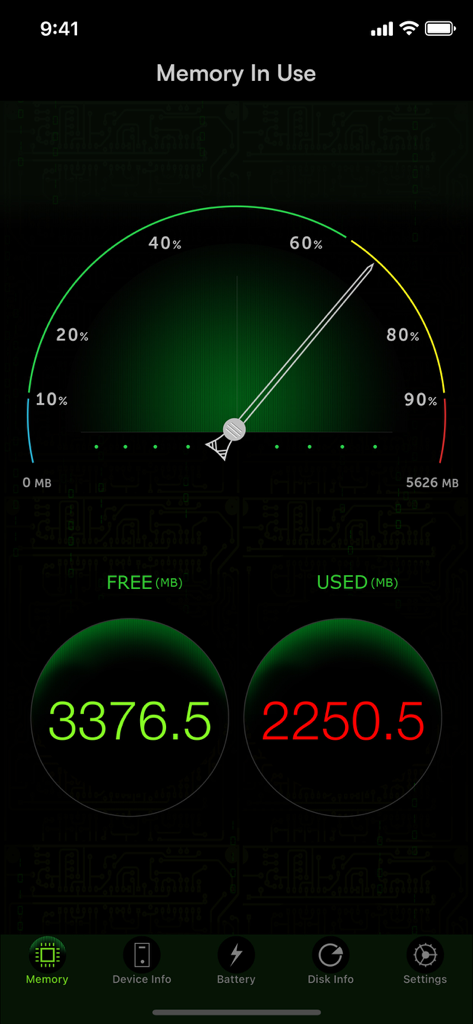
System Activity Monitors - App Monitor di Attività di Sistema che mostra l'utilizzo della memoria in tempo reale con un indicatore a tachimetro e statistiche RAM dettagliate.
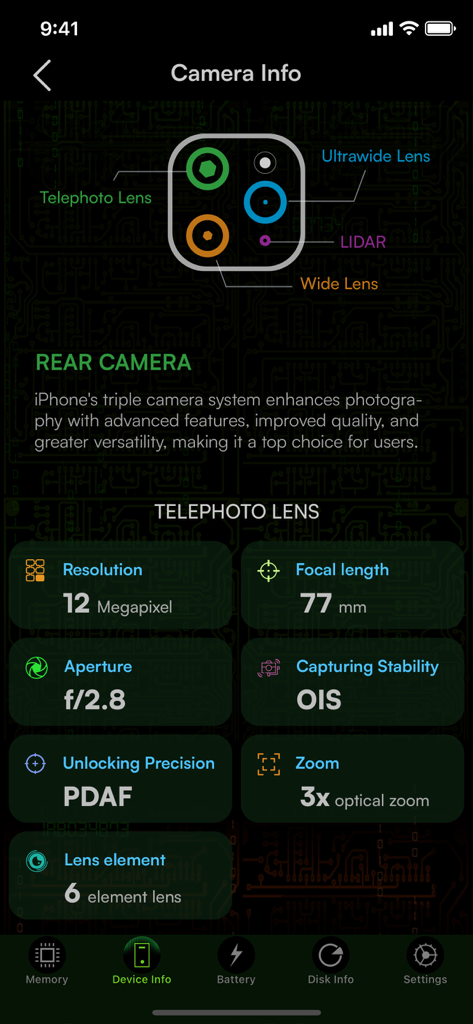
App Monitor di Attività di Sistema che mostra l'utilizzo della memoria in tempo reale con un indicatore a tachimetro e statistiche RAM dettagliate.

System Activity Monitors - Specifiche tecniche hardware dettagliate per la lente teleobiettivo dell'iPhone, inclusi risoluzione, lunghezza focale e informazioni sull'apertura.
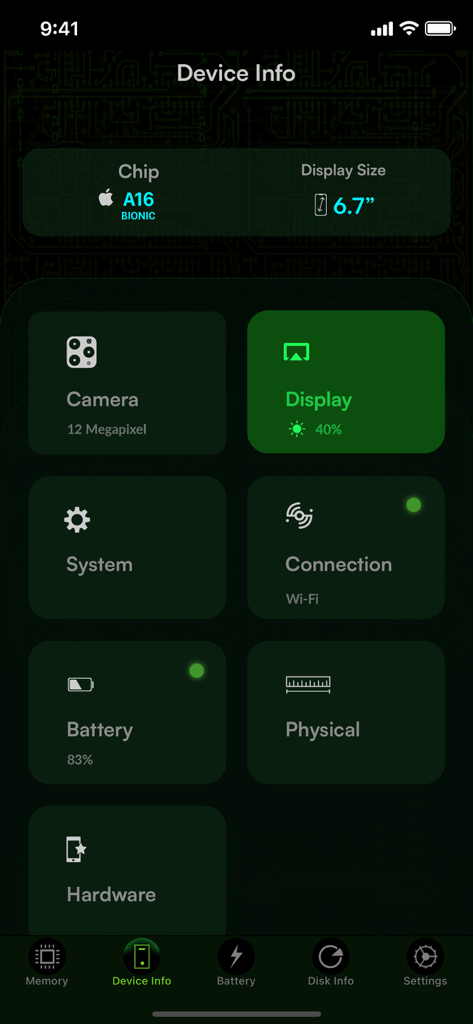
Specifiche tecniche hardware dettagliate per la lente teleobiettivo dell'iPhone, inclusi risoluzione, lunghezza focale e informazioni sull'apertura.

System Activity Monitors - Dashboard che mostra le informazioni del dispositivo iPhone, incluse specifiche del chip, dimensioni dello schermo e stato della batteria.
Dashboard che mostra le informazioni del dispositivo iPhone, incluse specifiche del chip, dimensioni dello schermo e stato della batteria.

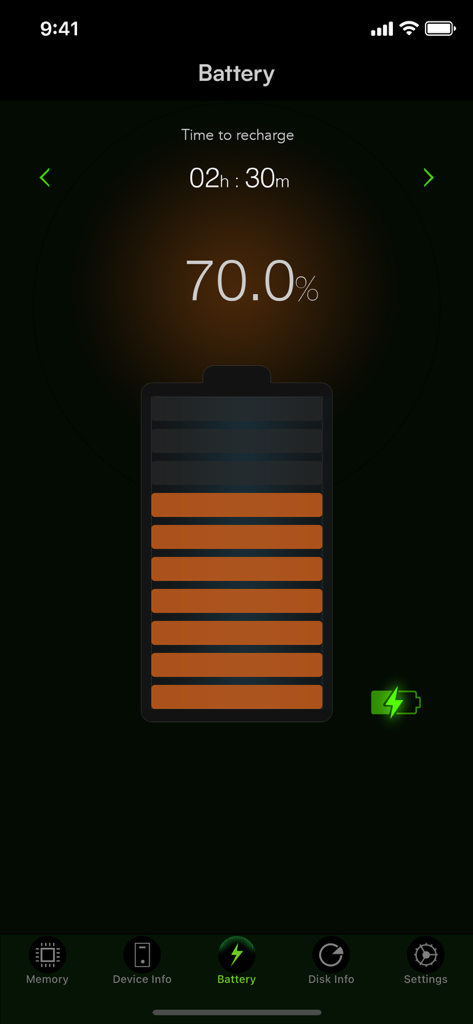
System Activity Monitors - Interfaccia batteria Monitor di Attività di Sistema che mostra una carica del settanta percento e il tempo di ricarica stimato.
Interfaccia batteria Monitor di Attività di Sistema che mostra una carica del settanta percento e il tempo di ricarica stimato.

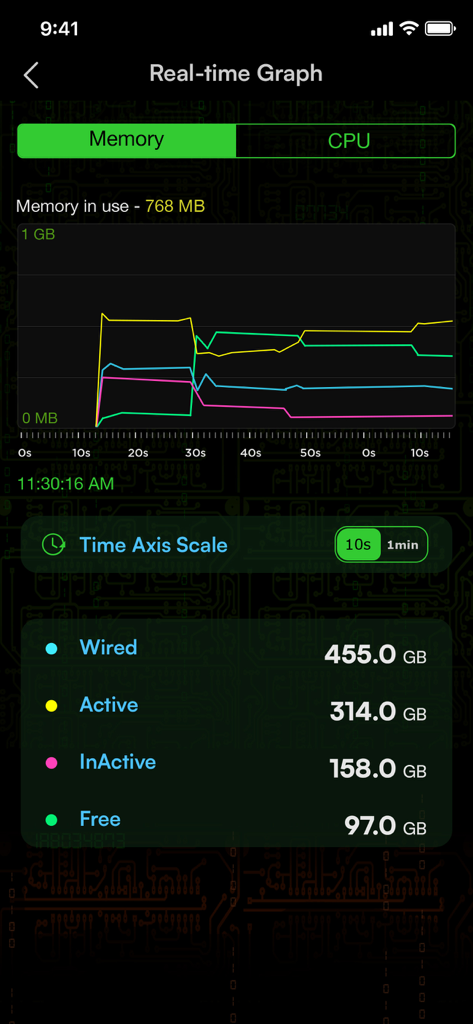
System Activity Monitors - Un grafico dell'utilizzo della memoria in tempo reale nell'app Monitor di Attività di Sistema che mostra statistiche sulla memoria wired, attiva, inattiva e libera.
Un grafico dell'utilizzo della memoria in tempo reale nell'app Monitor di Attività di Sistema che mostra statistiche sulla memoria wired, attiva, inattiva e libera.

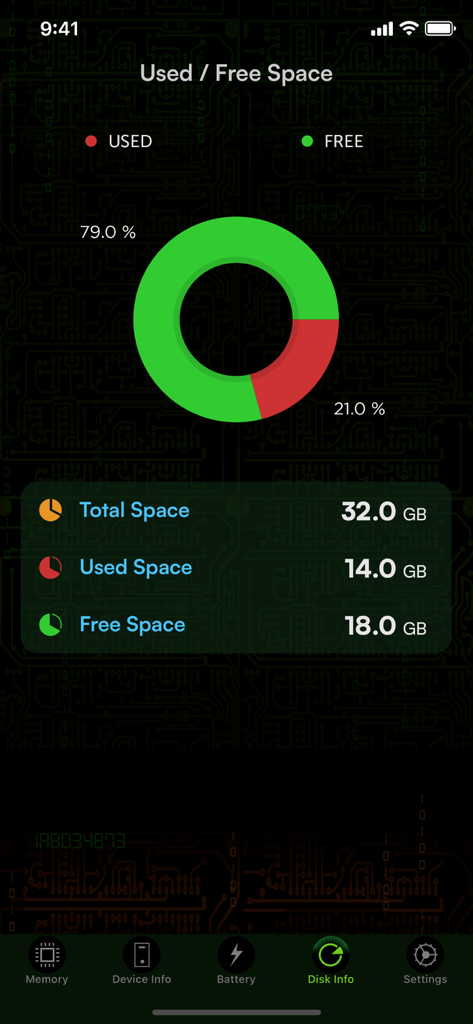
System Activity Monitors - Dashboard di utilizzo del disco che mostra lo spazio di archiviazione libero e utilizzato con un grafico ad anello.

Dashboard di utilizzo del disco che mostra lo spazio di archiviazione libero e utilizzato con un grafico ad anello.

Descrizione

The System Activity Monitor stands out as the most inclusive health check application available on the App Store. It diligently tracks memory usage, battery performance, device details such as IP address and hardware address, provides battery tips, furnishes comprehensive system information, and indicates used space on your iOS device. Now, it comes with enhanced camera information, offering detailed insights into your iPhone camera system, covering telephoto, wide, and ultra-wide lenses. This app serves as a precise tool to monitor battery life, delivering timely tips that maximize your battery usage for an optimal and prolonged battery life. KEY FEATURES: 1. Battery tips are shown to help save battery life while using the iPhone. 2. Tap battery to see the battery capacity for your favorite apps. 3. Shows the used and free space on your iPhone/iPod. 4. Shows the IP address acquired, and hardware address of your device. 5. Displays a long list of device information, like physical specs, hardware info, and many more. These are the different views on the App. Memory view: Shows the used and free iPhone memory available as used by other apps. This is shown in an excellent speedometer animation view. Close out the other apps, and see the memory being reclaimed in this app, when the speedometer shows the free memory available increase. This has an LED indicator with blue, green, yellow and red colors indicating the amount of memory being used. Battery view: This view shows the battery available for discharge, how much time to recharge to make it full, and when it is charged to FULL, displays an indication, as "FULLY CHARGED", as opposed to quick charge. It has glow panels on the top to let you know, how much battery is available. Tap the battery on the fill, to show the detailed break up of battery availability for 3G talk time, browsing, videos, games etc. Animated battery charging with current flashes inside the battery. Space used view: This is shown as a pie-chart that presents the used and free space available on your iOS device. Info view: Now it shows a lot more device information, like system information, camera information, display, hardware and physical characteristics. It shows whether you device is connected to Wi-Fi or cellular and its IP address. ## Few of our user TESTIMONIALS ## $ Way cool This is a terrific system tracker. - Macquest $ Definitely get this App.! Love the cool dashboard. Tells you what's going on in the Apple brain in your iPad or iPhone. This App rules. - Battyguy $ Simple App ! Great tool! Helps to keep your standby time ridiculously long and device running smoothly. - Spader1969. $ I have tried many products like this one and so far I keep coming back to this one. - Markeith3000 Subscription Info Sysmon, our paid subscription product, is paid per year for annual subscriptions, per month for monthly subscriptions, and per week for weekly subscriptions. Payment will be charged to iTunes Account at confirmation of purchase. Subscription automatically renews unless auto-renew is turned off at least 24 hours before the end of the current period. Account will be charged for renewal within 24 hours prior to the end of the current period an annual subscription, monthly subscription, and weekly subscription, as the case may be. Subscriptions may be managed by the user and auto-renewal may be turned off by going to the user's Account Settings after purchase Any unused portion of a free trial period, if offered, will be forfeited when the user purchases a subscription, where applicable.” Privacy policy and terms of use https://tektontek.com/termsofuse.php STAY UPDATED - Website - https://sysmon.tektontek.com Twitter - @AppLifeStyle Facebook - facebook.com/tektontek

Download

Scarica su App Store

Questa pagina non è una pagina ufficiale dell'app o del suo sviluppatore, ma una pubblicazione editoriale indipendente creata a scopo informativo e di commento. Salvo espressa indicazione contraria, né l'app né il suo sviluppatore sono affiliati, approvati, sponsorizzati, autorizzati o altrimenti ufficialmente collegati a MWM, Apple, Google Play, all'editore dell'app o allo sviluppatore dell'app, e nulla in questa pagina implica che l'app sia stata sviluppata utilizzando i servizi di MWM. Tutti i marchi, loghi, screenshot e altri contenuti rimangono di proprietà dei rispettivi proprietari.








