
Questa pagina non è una pagina ufficiale dell'app o del suo sviluppatore, ma una pubblicazione editoriale indipendente creata a scopo informativo e di commento. Salvo espressa indicazione contraria, né l'app né il suo sviluppatore sono affiliati, approvati, sponsorizzati, autorizzati o altrimenti ufficialmente collegati a MWM, Apple, Google Play, all'editore dell'app o allo sviluppatore dell'app, e nulla in questa pagina implica che l'app sia stata sviluppata utilizzando i servizi di MWM. Tutti i marchi, loghi, screenshot e altri contenuti rimangono di proprietà dei rispettivi proprietari.

Things 3
Dalle attività di routine ai tuoi obiettivi di vita più grandi, organizza ogni aspetto della tua vita con un'interfaccia progettata per bellezza, semplicità e fluidità.
Download
832K+Valutazione
Valutazioni totali
48K+Editore
Categoria
ProductivityLingue
9Ultima versione
3.22.6Dimensione
124.9 MBData di lancio
18 mag 2017Gestisci la tua giornata con un'organizzazione senza sforzo
Progettato per chi apprezza la chiarezza e l'artigianalità, Things 3 combina un'estetica pluripremiata con funzionalità potenti per aiutarti a raggiungere i tuoi obiettivi più grandi.
La tua giornata, semplificata
Visualizza gli eventi del calendario e le cose da fare insieme in una lista Oggi pulita che ti aiuta a concentrarti su ciò che viene dopo senza disordine.
Struttura per ogni area
Organizza il tuo mondo in aree distinte come Carriera o Casa e usa Progetti per trasformare grandi ambizioni in passi concreti.
Domande Frequenti
Tutto quello che devi sapere su Things 3
Cos'è l'app Things 3?
Things 3 è un'app di to-do premiata che aiuta gli utenti a pianificare la loro giornata, gestire progetti e fare progressi verso gli obiettivi. Offre un'interfaccia facile da usare per organizzare attività e aree della vita.
Posso organizzare le mie attività in progetti con Things 3?
Sì, Things 3 ti consente di creare Progetti per qualsiasi grande obiettivo. Puoi aggiungere attività da svolgere per raggiungerlo, utilizzare intestazioni per strutturare il tuo elenco, annotare note e impostare scadenze.
Things 3 supporta attività ricorrenti?
Sì, Things 3 supporta attività ricorrenti tramite la sua funzione "Ripetitori". Questo ripete automaticamente le attività secondo una pianificazione che imposti all'interno dell'app.
Come aiuta Things 3 a organizzare diverse aree della mia vita?
Things 3 consente agli utenti di creare "Aree" per ogni sfera della vita, come Lavoro, Famiglia o Finanza. Questo mantiene tutto organizzato e fornisce una panoramica dei tuoi piani.
Posso aggiungere note e checklist alle mie attività in Things 3?
Sì, Things 3 consente agli utenti di aggiungere note, taggare, pianificare e scomporre le attività in passaggi più piccoli. Puoi anche creare checklist all'interno delle attività, come mostrato nell'app.
Things 3 si integra con il mio calendario?
Sì, Things 3 offre l'integrazione con il calendario. Visualizza gli eventi del tuo calendario accanto alle tue attività negli elenchi Oggi e Prossimi per una visualizzazione combinata del tuo programma.
Things 3 è disponibile su altri dispositivi Apple come Mac o Apple Watch?
Sì, Things 3 è disponibile per Mac, iPad e Apple Vision Pro, venduti separatamente. Offre anche un'app dedicata per Apple Watch, che garantisce una sincronizzazione istantanea.
Come gestisce Things 3 i promemoria delle attività?
Things 3 fornisce una funzione Promemoria. Gli utenti possono impostare un orario specifico e l'app li avviserà delle loro attività, assicurando che le attività non vengano perse.
Things 3 offre una modalità scura?
Sì, Things 3 offre una bellissima modalità scura. È personalizzata per iPhone e si integra con le funzionalità di sistema, inclusa la modalità scura automatica al tramonto, migliorando il comfort visivo.
Posso usare i widget con Things 3?
Sì, Things 3 include i widget. Questi ti consentono di visualizzare i tuoi elenchi di attività direttamente sulla schermata principale e di blocco, fornendo un accesso rapido e una panoramica immediata delle tue attività in sospeso.
Come posso trovare rapidamente attività specifiche in Things 3?
Things 3 offre "Ricerca rapida". Questa funzionalità ti consente di individuare istantaneamente attività specifiche o di passare in modo efficiente tra diversi elenchi direttamente all'interno dell'interfaccia dell'applicazione.
Things 3 offre la sincronizzazione cloud per le attività?
Sì, Things 3 offre la sincronizzazione gratuita su tutti i tuoi dispositivi Apple tramite il suo servizio proprietario Things Cloud. Questo garantisce che le tue attività e i tuoi dati siano sempre aggiornati e coerenti.
Esiste una prova gratuita per Things 3?
Sì, una prova gratuita di Things 3 è disponibile specificamente per gli utenti Mac. Puoi scaricare e valutare l'applicazione visitando www.things.app prima dell'acquisto.
Come posso creare un'attività da un'email usando Things 3?
Things 3 ti consente di inoltrare un'email all'app, che quindi converte il contenuto dell'email in una nuova attività. Questa funzionalità è nota come "Mail to Things".
Things 3 supporta la formattazione Markdown per le note?
Sì, Things 3 supporta la formattazione Markdown. Gli utenti possono strutturare e formattare le proprie note all'interno dell'app, consentendo voci di testo organizzate e visivamente migliorate.
Gli screenshot e la descrizione seguenti provengono direttamente dall'elenco ufficiale dello store dell'app e sono di proprietà dello sviluppatore.
App Store
Screenshot
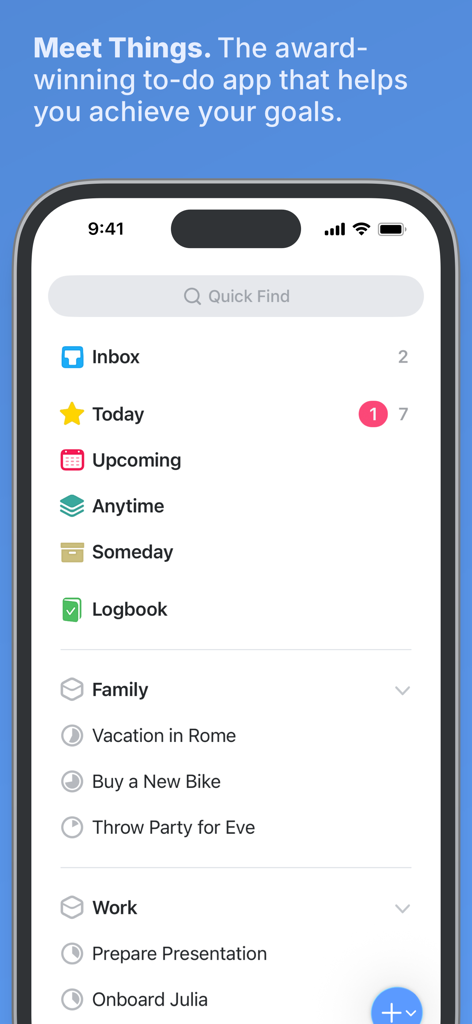
Dashboard principale dell'app di gestione attività Things 3 su iPhone con elenchi di progetti organizzati e un design minimalista.
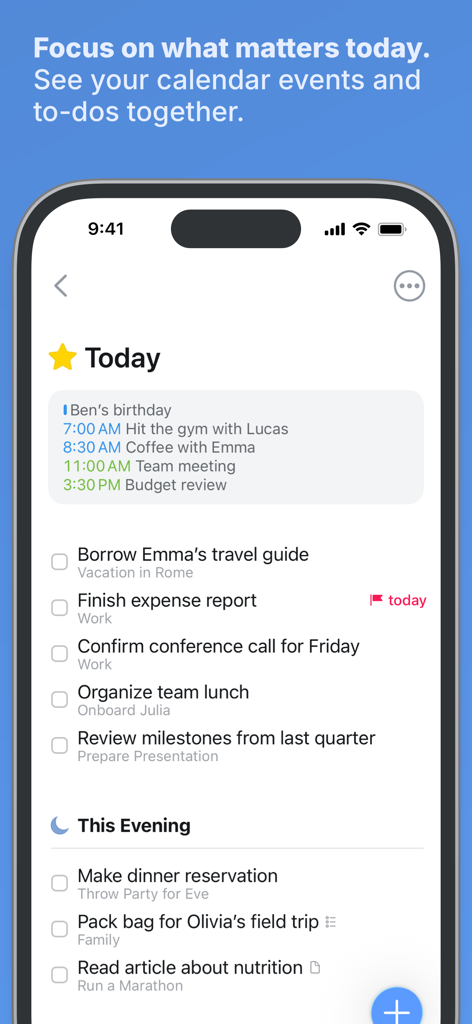
App Things 3 su iPhone che mostra la lista Oggi con eventi del calendario e cose da fare organizzate.
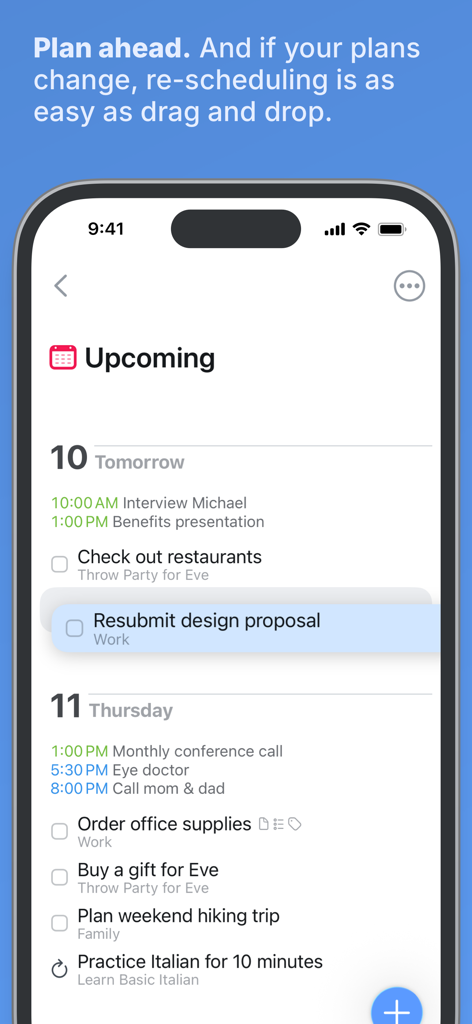
Screenshot dell'app Things 3 che mostra l'elenco delle attività imminenti e la funzione di riprogrammazione drag and drop.
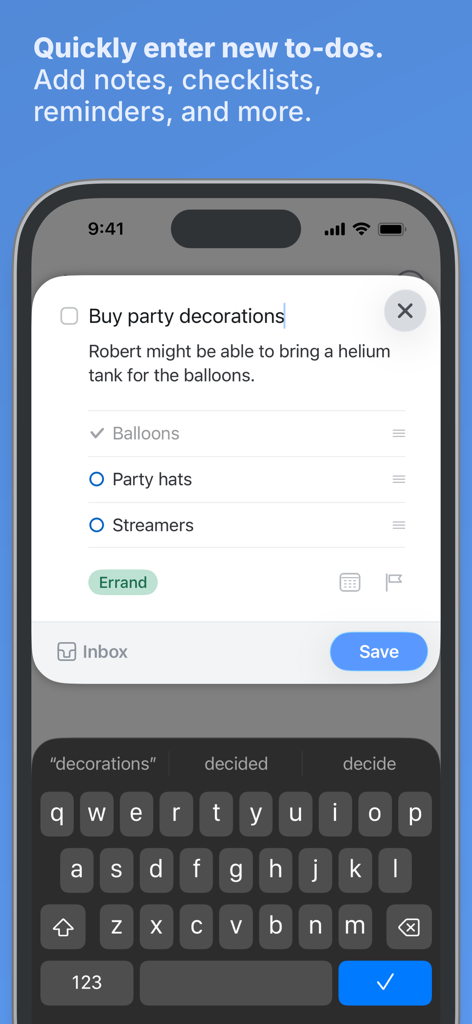
Screenshot dell'iPhone che mostra l'interfaccia di inserimento rapido di Things 3 per creare una nuova attività con note e una checklist.
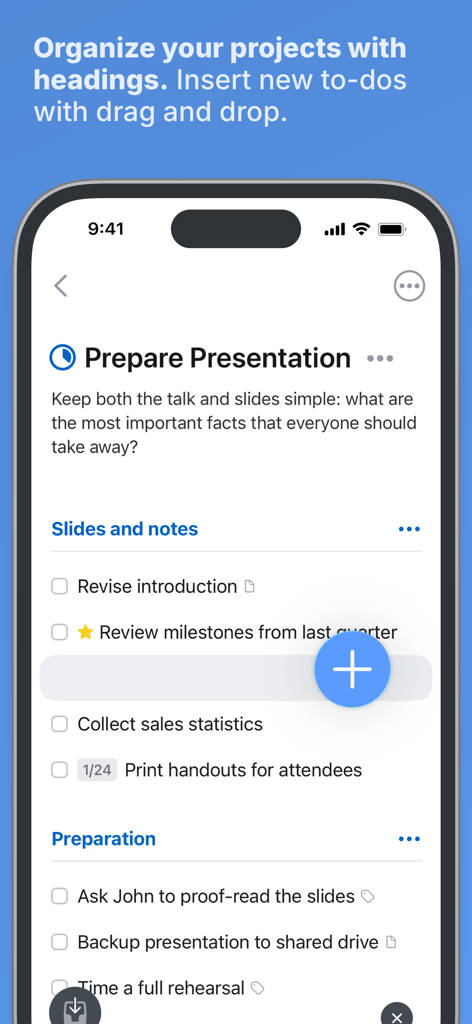
Interfaccia di Things 3 che mostra l'organizzazione del progetto con intestazioni e una funzione drag and drop per le cose da fare.
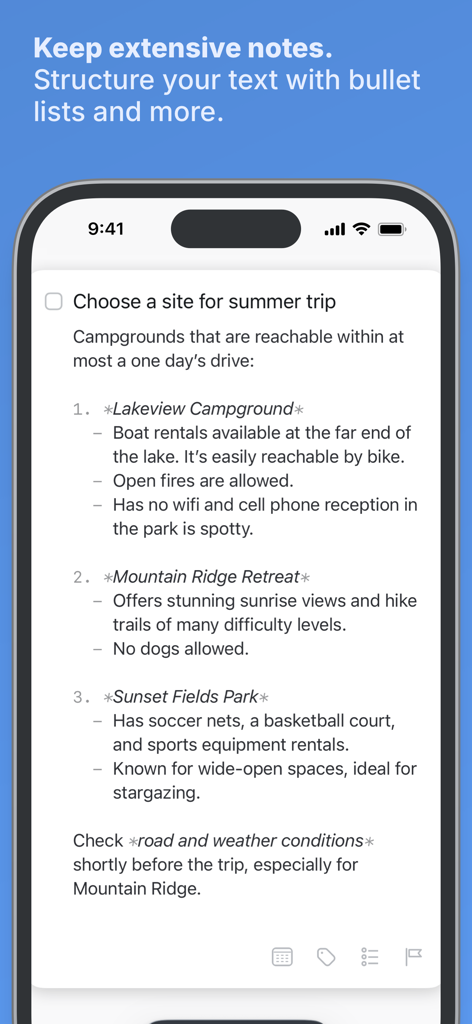
Un'attività in Things 3 che mostra note strutturate con punti elenco e formattazione markdown.
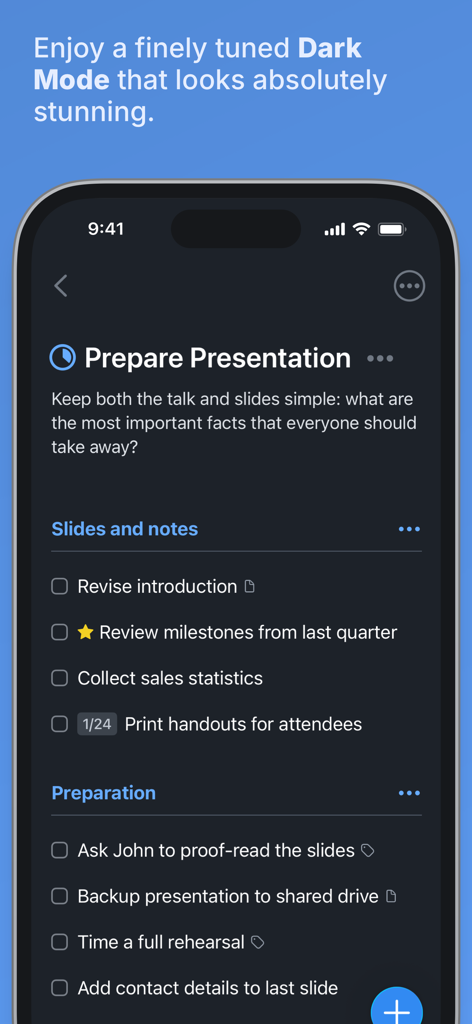
Interfaccia dell'app di gestione attività Things 3 in modalità scura su iPhone che mostra un elenco di progetti.
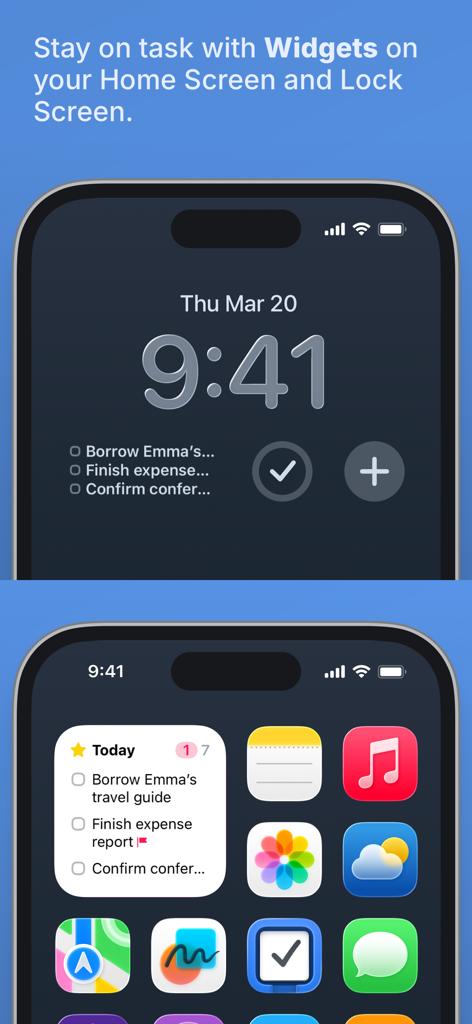
Widget dell'app Things 3 visualizzati sulla schermata Home e sulla schermata di blocco dell'iPhone.
Descrizione
Download
App Simili
App con funzionalità ed esperienza simili

Notion: Notes, Tasks, AI
Notion Labs, Incorporated

Freenotes®: AI Notes Taking
Hangzhou Free Notes Technology Co., Ltd

Structured - Daily Planner
unorderly GmbH

Google Tasks: Get Things Done
Google LLC

TickTick:To-Do List & Calendar
Appest Limited

Noteful: Notes & PDF Markup
Noteful Technologies Ltd

Todoist: To Do List & Calendar
Doist Inc.

To do list MinimaList & Widget
Inner Grow Limited

monday.com - Work Platform
monday.com Ltd.
Questa pagina non è una pagina ufficiale dell'app o del suo sviluppatore, ma una pubblicazione editoriale indipendente creata a scopo informativo e di commento. Salvo espressa indicazione contraria, né l'app né il suo sviluppatore sono affiliati, approvati, sponsorizzati, autorizzati o altrimenti ufficialmente collegati a MWM, Apple, Google Play, all'editore dell'app o allo sviluppatore dell'app, e nulla in questa pagina implica che l'app sia stata sviluppata utilizzando i servizi di MWM. Tutti i marchi, loghi, screenshot e altri contenuti rimangono di proprietà dei rispettivi proprietari.