TslaMirror

TslaMirror

Scarica su App Store
Logo di TslaMirror

TslaMirror: Specchia le tue app iPhone direttamente sullo schermo della tua Tesla

La soluzione definitiva per il proprietario Tesla esperto di tecnologia. Trasforma le tue sessioni di ricarica in un'esperienza ad alta produttività, trasmettendo le tue app iOS preferite sul cruscotto con streaming H.265 a bassa latenza, senza hardware aggiuntivo.

Scarica su App Store

Editore

Wuhan TrustComputing IT Co., Ltd.

Categoria

Utilities

Download

62K+

Valutazione

2.4/5

Valutazioni totali

200

Lingue

2

Le tue app sul grande schermo

Scopri l'interfaccia usata da 62K+ utenti.
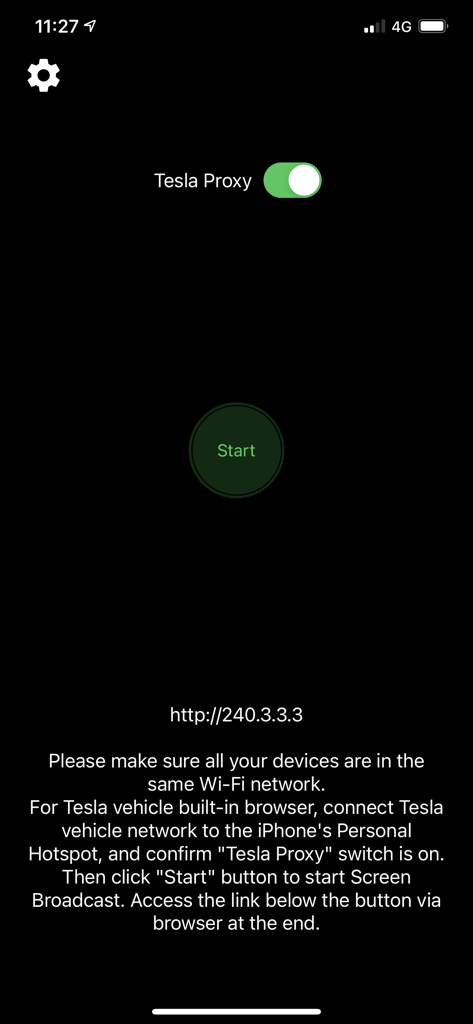
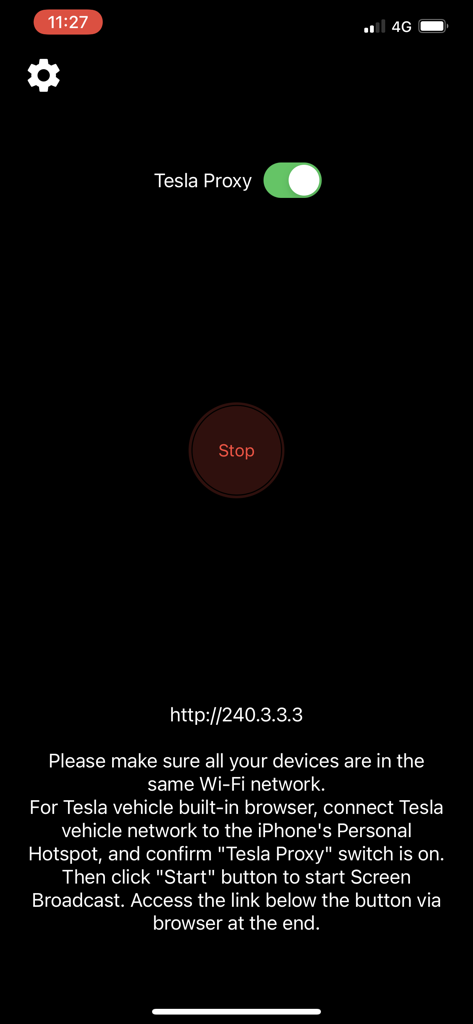
Interfaccia dell'app TslaMirror con interruttore Tesla Proxy e pulsante Start

Interfaccia dell'app TslaMirror con interruttore Tesla Proxy e pulsante Start

Interfaccia dell'app TslaMirror che mostra Tesla Proxy abilitato e istruzioni di connessione.

Interfaccia dell'app TslaMirror che mostra Tesla Proxy abilitato e istruzioni di connessione.

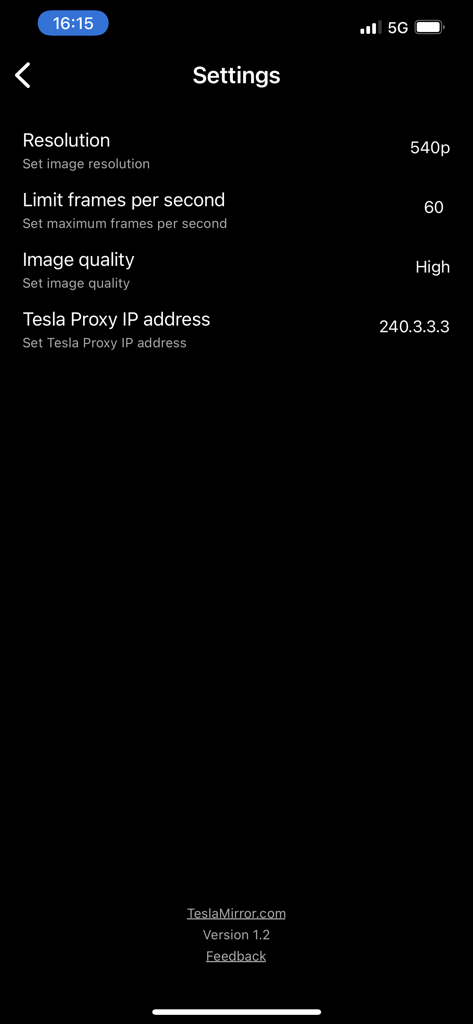
Menu delle impostazioni dell'app TslaMirror che mostra opzioni per risoluzione, frame rate e indirizzo IP del proxy.

Menu delle impostazioni dell'app TslaMirror che mostra opzioni per risoluzione, frame rate e indirizzo IP del proxy.

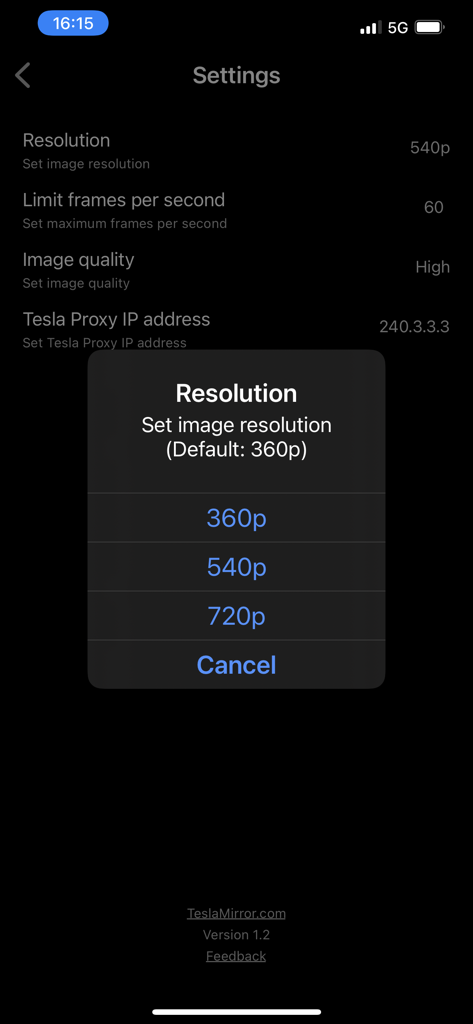
Menu delle impostazioni dell'app TslaMirror con una finestra popup per la selezione della risoluzione che mostra opzioni per 360p, 540p e 720p

Menu delle impostazioni dell'app TslaMirror con una finestra popup per la selezione della risoluzione che mostra opzioni per 360p, 540p e 720p

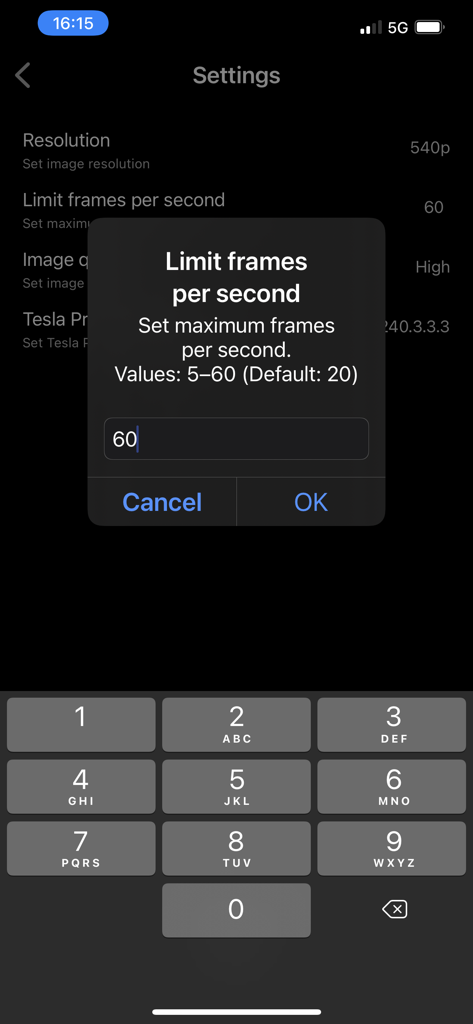
Interfaccia delle impostazioni dell'app TslaMirror per limitare i fotogrammi al secondo

Interfaccia delle impostazioni dell'app TslaMirror per limitare i fotogrammi al secondo

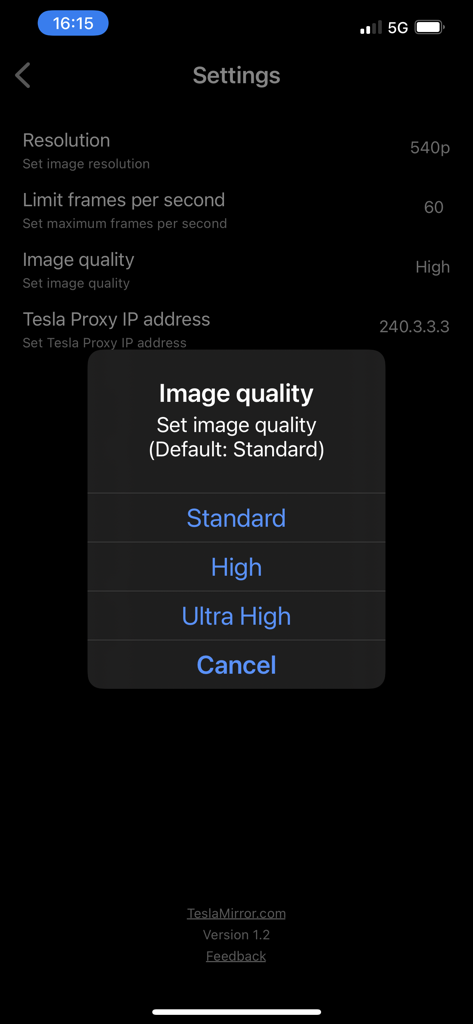
Schermata delle impostazioni dell'app TslaMirror che mostra un menu popup per selezionare la qualità dell'immagine tra Standard, Alta o Ultra Alta.

Schermata delle impostazioni dell'app TslaMirror che mostra un menu popup per selezionare la qualità dell'immagine tra Standard, Alta o Ultra Alta.

Sblocca il potenziale del tuo cruscotto

Gli strumenti che rendono questa app unica, scelti da 62K+ utenti.

📱

Specchio di app su larga scala

Smetti di strizzare gli occhi sul telefono. Utilizza l'enorme display da 15 pollici della tua Tesla per visualizzare le tue app preferite e gli strumenti di produttività mentre aspetti al Supercharger.

🛡️

Connessione privata e sicura

I tuoi dati non lasciano mai il tuo hotspot personale. Goditi uno stream sicuro e diretto sul browser della tua auto senza server esterni, tracciamento o costi di dati nascosti.

Ottimizzato per hardware Tesla

Specificamente progettato per i sistemi MCU2 e MCU3, supporta lo streaming H.265 ad alta fedeltà e risoluzioni fino a 1080p per processori Intel Atom e AMD Ryzen.

Info sull'app

Tutto quello che devi sapere su TslaMirror.

Descrizione

One-week free trial. TslaMirror is an app designed to mirror your iPhone apps to your Tesla’s built-in browser. Instructions for the Tesla built-in browser: 1. If possible, update your Tesla’s infotainment system to the most recent version. 2. Make sure the vehicle is PARKED (0 mph / 0 km/h). 3. Connect your Tesla to your iPhone Personal Hotspot (cellular data required). MCU2 or MCU3 hardware is required: available on Model 3 and Model Y, Model S built after March 2018, Model X built after March 2018, or vehicles upgraded from MCU1 to MCU2/3. 4. Ensure the iPhone is not in Low Power Mode. Launch the TslaMirror app and toggle on “Proxy.” 5. Tap “Start,” then select “Start Broadcast” to begin screen broadcast. 6. In your Tesla’s built-in browser, go to https://TslaMirror.com 7. Pinch in the browser to zoom in or out. 8. In H.264/H.265 mode, lossless audio playback is supported in the browser. 9. In MJPEG mode, only video is mirrored. For audio, use a Bluetooth connection from your iPhone to the Tesla’s speakers. 10. Keep your iPhone unlocked; due to Screen Broadcast API limitations, locking the screen stops casting and requires restarting the broadcast. Key Features 1. No additional internet traffic is used for mirroring; traffic stays on the iPhone’s Personal Hotspot. However, while the Tesla is connected to the hotspot, the vehicle may use your cellular data for its own internet access. 2. Private: the screencast is only available to devices connected to the iPhone Personal Hotspot Wi-Fi network. 3. A 5 GHz Personal Hotspot (supported from the iPhone 12 series) is highly recommended. Do not enable “Maximize Compatibility” on iPhone 12 models; enabling it forces a 2.4 GHz hotspot. 4. H.264/H.265 mirroring recommendations: – MCU3 (AMD Ryzen): H.265 mode with 720p@60 fps recommended, as 1080p requires higher bandwidth. MCU3 supports up to 1080p@60fps (H.264 and H.265). - H.265 playback is supported only on MCU3 or newer hardware. If your browser runs on MCU3 or higher-performance hardware, we recommend choosing H.265. H.265 delivers the best video quality. – MCU2 (Intel Atom): H.264 mode with 540p@30fps recommended. FAQ 1. This is not CarPlay. 2. iOS apps that use the AVPlayer framework (e.g., Apple Music, Netflix) are not supported. 3. Netflix is not supported. Privacy/Security Notice: This app does not collect usage statistics, personal information, or analytics. On iOS 13 and later, it uses Location Services only to read the Wi-Fi network name (SSID). Location data is never stored or collected. No information is stored by us. Disclaimer: This software and documentation are not affiliated with or endorsed by Tesla, Inc. Use at your own risk. We do not guarantee proper functioning. Some features require specific vehicle options (e.g., MCU2 or newer). The app uses interfaces similar to those used by official Tesla apps, but you are responsible for any changes to your car resulting from use. Use requires the vehicle’s built-in browser. We are not liable for any damages to you, your car, or any other property in conjunction with the use of this app. Warning and Legal Disclaimer: Use only while PARKED (0 mph / 0 km/h). Local laws may restrict the use of a built-in web browser in a vehicle. Terms of Use (EULA): https://teslamirror.com/terms.html Privacy Policy: https://teslamirror.com/privacy.html

Ultima versione

9.56

Dimensione

13.1 MB

Data di lancio

11 dic 2020

Sblocca il cruscotto che meriti

Unisciti a oltre 62.000 appassionati Tesla. Inizia oggi la tua prova gratuita di una settimana e sperimenta lo specchio senza interruzioni dell'iPhone durante la tua prossima sessione di Supercharger.

Scarica su App Store

App information, icons, screenshots, and descriptions displayed on this page are sourced from the Apple App Store and are the property of their respective developers. Download estimates and rankings are based on MWM's proprietary models and may not reflect actual figures. This page is provided for informational and analytical purposes only.

Believe this page infringes your intellectual property? File a dispute