TV Remote Control - Smart TVs
Scarica su App Store

Questa pagina non è una pagina ufficiale dell'app o del suo sviluppatore, ma una pubblicazione editoriale indipendente creata a scopo informativo e di commento. Salvo espressa indicazione contraria, né l'app né il suo sviluppatore sono affiliati, approvati, sponsorizzati, autorizzati o altrimenti ufficialmente collegati a MWM, Apple, Google Play, all'editore dell'app o allo sviluppatore dell'app, e nulla in questa pagina implica che l'app sia stata sviluppata utilizzando i servizi di MWM. Tutti i marchi, loghi, screenshot e altri contenuti rimangono di proprietà dei rispettivi proprietari.

Logo di TV Remote Control - Smart TVs
Scarica su App Store

TV Remote Control - Smart TVs

Smetti di cercare telecomandi smarriti e batterie scariche. Trasforma il tuo iPhone in un potente controller universale con navigazione touchpad fluida, digitazione veloce e mirroring dello schermo istantaneo per Roku, Fire Stick e tutte le principali Smart TV.

Numeri Chiave

Download

33K+

Valutazione

4.4/5

Valutazioni totali

600

Editore

Ngoc Nguyen

Categoria

Utilities

Lingue

1

Ultima versione

1.6.7

Dimensione

239.9 MB

Data di lancio

26 giu 2023
Funzioni

Un Hub per Ogni Schermo di Casa Tua

Dì addio ai telecomandi smarriti e alle batterie scariche. Trasforma il tuo iPhone in un potente controller universale per Roku, Samsung, LG, Fire Stick e altri.

Controllo Smart Universale

Connettiti istantaneamente a tutti i tuoi dispositivi, inclusi Roku, Samsung, LG e Vizio tramite Wi-Fi, senza più disordine sul tavolino.

Digitazione e Navigazione Senza Sforzo

Smetti di lottare con tasti freccia goffi. Usa la tastiera e il touchpad del tuo telefono per cercare film e programmi in pochi secondi.

Gli screenshot e la descrizione seguenti provengono direttamente dall'elenco ufficiale dello store dell'app e sono di proprietà dello sviluppatore.

App Store

Screenshot
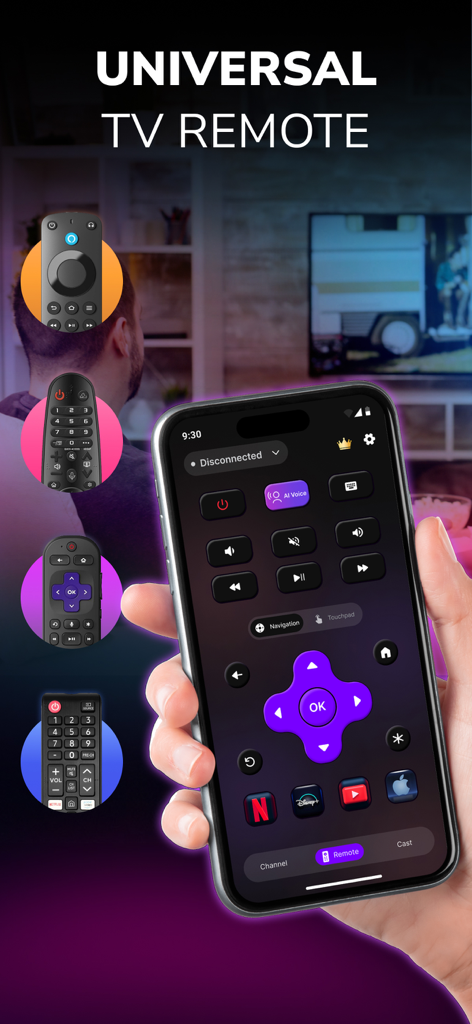
TV Remote Control - Smart TVs - Una mano che tiene un iPhone che mostra l'interfaccia dell'app di telecomando universale per TV con pulsanti per la navigazione e lo streaming
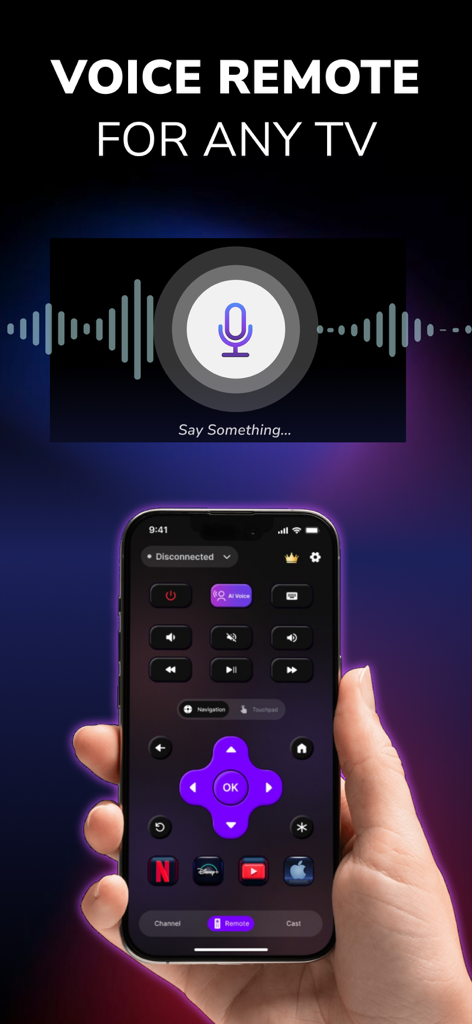
Una mano che tiene un iPhone che mostra l'interfaccia dell'app di telecomando universale per TV con pulsanti per la navigazione e lo streaming

TV Remote Control - Smart TVs - Un iPhone che mostra l'interfaccia di comando vocale di un'app di telecomando universale per TV
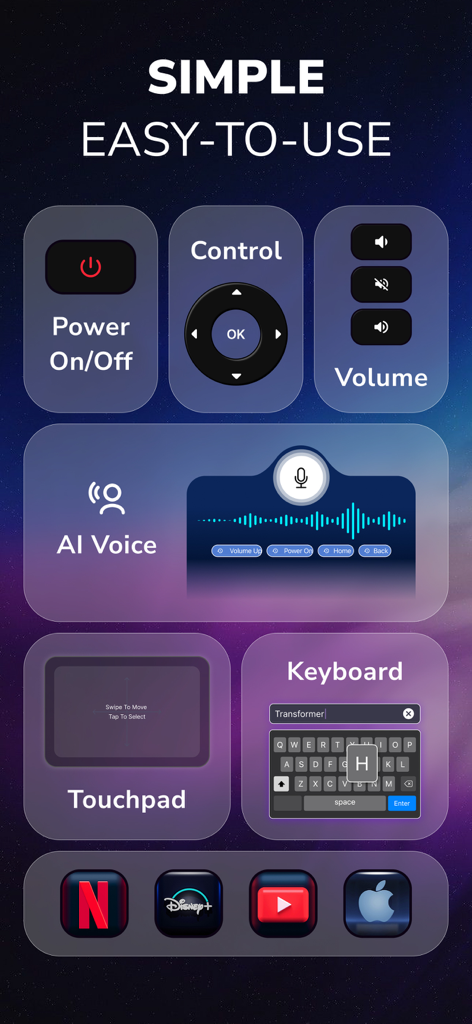
Un iPhone che mostra l'interfaccia di comando vocale di un'app di telecomando universale per TV

TV Remote Control - Smart TVs - Interfaccia dell'app Telecomando TV che mostra le funzionalità di accensione, volume, voce AI, touchpad e tastiera
Interfaccia dell'app Telecomando TV che mostra le funzionalità di accensione, volume, voce AI, touchpad e tastiera

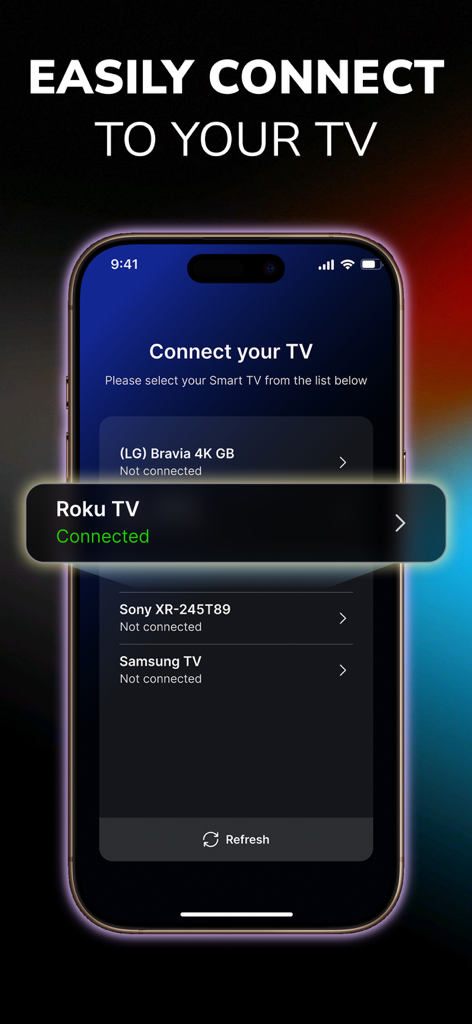
TV Remote Control - Smart TVs - Interfaccia dell'app Telecomando TV che mostra la connessione riuscita a un TV Roku
Interfaccia dell'app Telecomando TV che mostra la connessione riuscita a un TV Roku

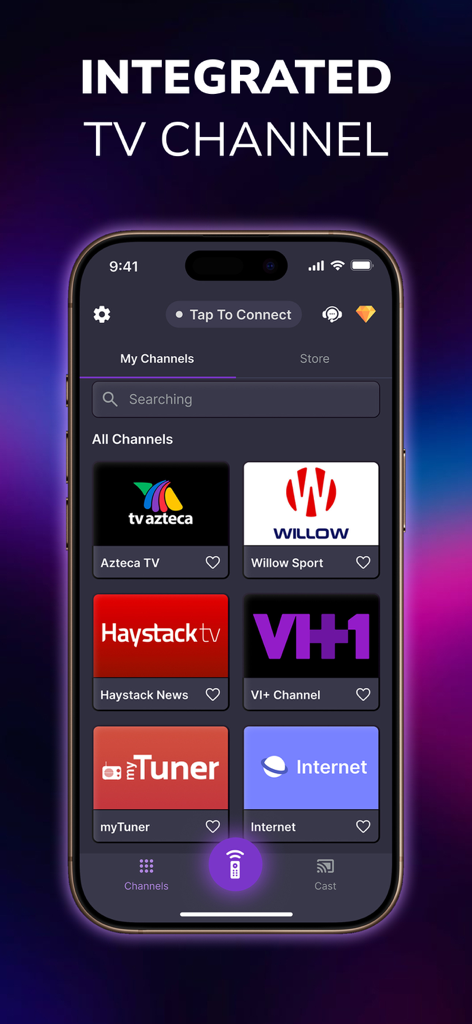
TV Remote Control - Smart TVs - Schermata dello smartphone che mostra i canali TV integrati all'interno di un'app di telecomando universale
Schermata dello smartphone che mostra i canali TV integrati all'interno di un'app di telecomando universale

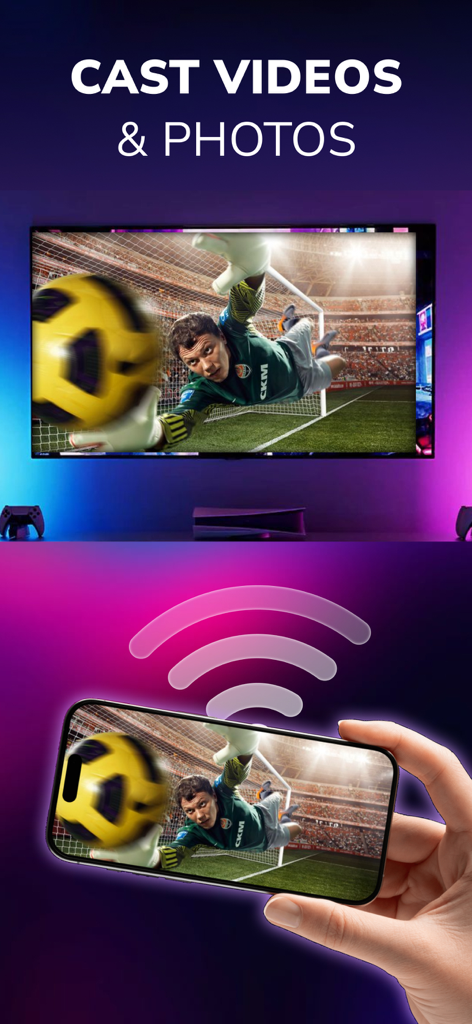
TV Remote Control - Smart TVs - Schermata dello smartphone che trasmette in modalità wireless un video di calcio a un grande schermo TV intelligente

Schermata dello smartphone che trasmette in modalità wireless un video di calcio a un grande schermo TV intelligente

Descrizione

All-in-One Universal TV Remote App for Roku, LG, TCL, Vizio, Fire Stick, Onn, Insignia & More Are you tired of constantly searching for your TV remote? Frustrated with broken buttons or batteries that die when you need them most? It’s time to make your entertainment experience smoother, smarter, and wireless. Introducing TV Remote Control - Smart TV, the universal TV remote app built for convenience, compatibility, and complete control. Whether you own a Samsung TV, LG Smart TV, Vizio, TCL Roku TV, Philips, Insignia, Onn, or use streaming devices like Amazon Fire Stick or Roku Stick, this app is your go-to solution. With powerful functionality like screen mirroring, media casting, voice control, and touchpad control, this app transforms your smartphone into a seamless remote control center. It works with most smart TVs, streaming sticks, and Wi-Fi-connected displays, giving you full command of your screen from your phone or tablet. 1) Universal Remote Control Control multiple TVs and devices using just one app: - Samsung Smart TVs - LG Smart TVs - TCL Roku TVs - Vizio TVs - Philips TVs - Onn TVs - Insignia Fire TVs - Sony Bravia TVs - Hisense Smart TVs - Amazon Fire Stick / Fire TV - Roku Stick & Roku Boxes Other universal remote compatible TVs via Wi-Fi 2) TV Control Made Effortless With your smartphone connected to the same Wi-Fi network as your smart TV, you can instantly: - Power your TV on/off (supported models) - Adjust the volume or mute - Change channels instantly - Navigate with arrow keys, OK, back, home, etc. - Use a built-in touchpad for cursor-style navigation 3) Media Casting & Screen Mirroring - Cast videos from your phone gallery or video apps - Mirror your screen to display presentations, games, or social media - Play IPTV or web-based video content - Supported platforms include YouTube, Spotify, Netflix (via casting), local files, and more. 4) Voice Control Our voice search feature supports natural speech input so you can search for shows, change channels, or browse content hands-free. Examples: “Open Netflix”, “Search for comedy movies”, “Volume up”, ... etc 5) Favorite Channels & App Launching Add shortcuts to your favorite apps and streaming services like: Disney+, Loo Loo Kids, Roku Channel, Netflix, Prime Video, HBO Max, YouTube, Spotify, ... 6) Touchpad Navigation Use your phone screen as a virtual touchpad to navigate TV menus more naturally—especially useful for apps like YouTube or web browsers on smart TVs. Easy Setup – No Pairing Hassles 1. Ensure your smart TV, Fire Stick, or Roku is connected to the same Wi-Fi network as your mobile device. 2. Open the app and allow it to scan for available devices. 3.Tap to connect. That’s it! SUBSCRIPTION PRICING & TERMS Users can subscribe for unlimited access to Premium features and without ads. Payment will be charged to your iTunes Account at confirmation of purchase. Subscriptions may be managed by the user and auto-renewal may be turned off by going to the user's Account Settings after purchase. For details please visit the link https://support.apple.com/HT202039 Subscription automatically renews unless auto-renew is turned off at least 24 hours before the end of the current period. Account will be charged for renewal within 24-hours prior to the end of the current period and determine the renewal cost. When the current trial/subscription period expires, the user will be unsubscribed. The current active subscription period cannot be canceled. Once the subscription expires, the user will no longer be able to use the Interactive tab. Any unused portion of a free trial period, if offered, will be forfeited when the user purchases a subscription to that publication, if any. DISCLAIMER: TV Remote Control - Smart TV is not affiliated with or endorsed by any relevant brands. Privacy Policy: https://sites.google.com/view/privacypolicytvremotecontrol/ Terms of Use: https://sites.google.com/view/termofusetvremotecontrol/

Download

Scarica su App Store

Questa pagina non è una pagina ufficiale dell'app o del suo sviluppatore, ma una pubblicazione editoriale indipendente creata a scopo informativo e di commento. Salvo espressa indicazione contraria, né l'app né il suo sviluppatore sono affiliati, approvati, sponsorizzati, autorizzati o altrimenti ufficialmente collegati a MWM, Apple, Google Play, all'editore dell'app o allo sviluppatore dell'app, e nulla in questa pagina implica che l'app sia stata sviluppata utilizzando i servizi di MWM. Tutti i marchi, loghi, screenshot e altri contenuti rimangono di proprietà dei rispettivi proprietari.








